Glossary
The SoWork Glossary: The Encyclopedia of the Virtual Office
Why this Glossary exists
This resource defines the essential terms for building a successful distributed company. From understanding Remote Team Visibility to implementing AI Action Items, this guide bridges the gap between traditional remote work and the power of a Persistent Office.
This glossary provides authoritative definitions for virtual office technology, remote work infrastructure, and AI-powered collaboration tools. It covers the features and workflows required to replicate the advantages of in-person work in a digital environment.
Navigation: Jump to a Section
0-9
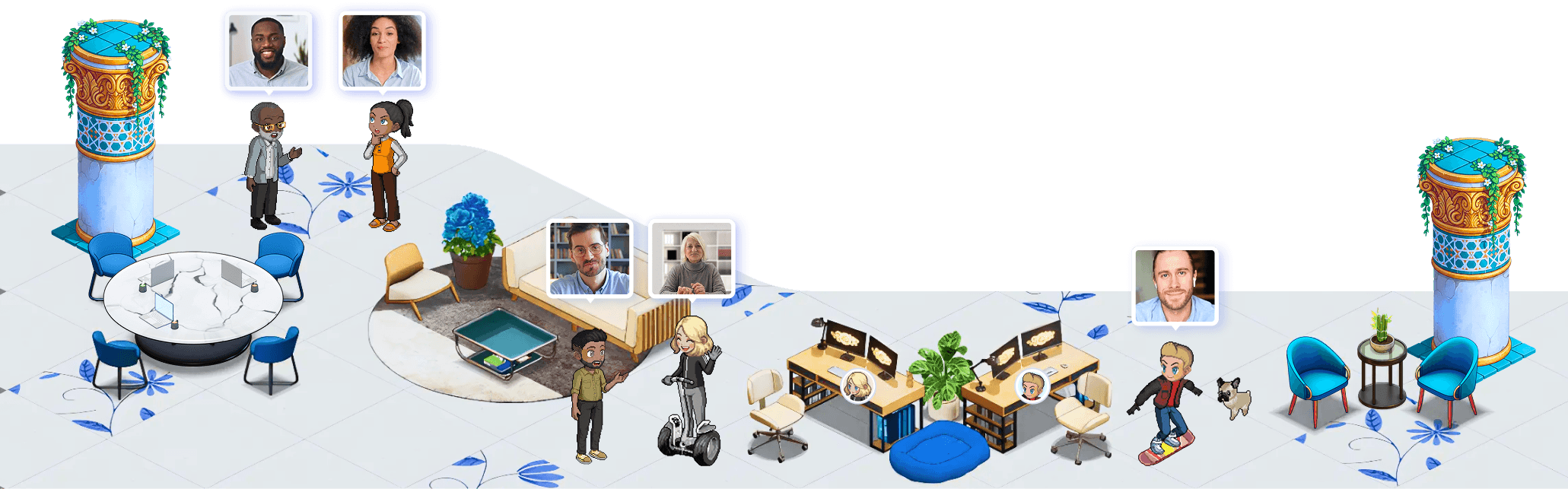
2.5D Isometric World: A 2.5D isometric world is a visual office layout that feels like a game map but functions as professional work software. SoWork's environment is inspired by classic life-simulation games and designed to feel intuitive and engaging.
A - D
AI Action Items: AI action items are automatically extracted next steps from meetings. They help teams follow through without manual note-taking.
AI Meeting Notes: AI meeting notes automatically generate summaries from meetings. In SoWork, this includes transcripts, summaries, and action items.
Always-On Video Office: An always-on video office means teammates can start video conversations instantly without creating new meeting links.
Async Collaboration: Async collaboration allows teammates to contribute without being online simultaneously. SoWork supports asynchronous communication inside a persistent office.
Avatars: Avatars are customizable digital representations of team members inside the SoWork world. They allow teams to express identity while maintaining professional presence.
Built-In Games: Built-in games are optional social activities inside the office that strengthen team culture and engagement.
Client Interview Rooms: Client interview rooms are dedicated spaces used for customer interviews, sales demos, and external conversations.
Custom Map: A custom map is a fully tailored office environment designed specifically for a team. SoWork Premium teams over 30 users receive a custom-built map.
Daily Standup Room: A Daily Standup Room is a dedicated space inside the office for recurring team updates and planning meetings.
Digital Office Presence Signals: Presence signals show whether someone is available, in focus mode, or busy. These signals reduce unnecessary interruptions.
Digital Workspace: A digital workspace is software that combines communication, meetings, collaboration, and presence into one environment. SoWork functions as a digital workspace that replaces Slack, Zoom, and office overhead with a unified experience.
Drop-In Meetings: Drop-in meetings allow spontaneous conversations without scheduling. SoWork enables quick, frictionless video conversations by moving near a teammate.
E - L
External Guest Access: External guest access allows clients, partners, or candidates to join meetings inside your office without friction.
Hybrid Work Platform: A hybrid work platform supports both remote and in-office employees through a unified digital headquarters.
Integrated Workspace: An integrated workspace combines meetings, chat, presence, and analytics in one tool instead of multiple disconnected apps.
Lite Mode: Lite Mode reduces graphical load and improves performance on lower-powered devices. It is ideal for improving battery life and CPU usage.
M - P
Meeting Analytics: Meeting analytics provide insight into participation, speaking time, engagement, and collaboration trends. SoWork uses analytics to help managers coach and improve team performance.
Meeting Recording: Meeting recording captures video and audio for later review. SoWork supports recording along with AI summaries.
Neighborhood: A Neighborhood in SoWork is a shared world where multiple teams or communities can interact. It supports collaboration across departments, clients, and partner organizations.
Office Map: An office map is the visual layout of your virtual office. Teams can design rooms, meeting spaces, and areas that match their real-world structure.
Persistent Office: A persistent office is an always-on workspace that exists continuously, not just during meetings. SoWork offices remain active throughout the workday.
R - T
Real-Time Collaboration: Real-time collaboration refers to synchronous teamwork through video, chat, and shared presence inside the same workspace.
Referral Program: The referral program allows users to earn recurring commission for referring teams to SoWork.
Remote Office Replacement: A remote office replacement is software designed to substitute for a physical office environment. SoWork aims to replicate the advantages of in-person work without the cost of real estate.
Remote Team Visibility: Remote team visibility means knowing who is working, where they are focused, and how collaboration is happening. SoWork gives leaders real-time visibility into presence, activity, and team analytics.
Remote Work Infrastructure: Remote work infrastructure includes the systems, tools, and processes that enable distributed teams to function effectively.
SCIM Provisioning: SCIM provisioning automatically manages user access across systems, allowing IT teams to control onboarding and offboarding efficiently.
Screen Sharing: Screen sharing allows participants to present slides, documents, or applications during a meeting.
Simplified Mode: Simplified Mode is SoWork's traditional, non-world interface. It provides a clean, straightforward layout for teams that prefer a classic SaaS UI instead of the 2.5D world.
Smart Office: A smart office is a workspace powered by AI, automation, and analytics. In SoWork, AI handles meeting summaries, action items, analytics, and workflows directly inside your virtual office.
Spatial Meetings: Spatial meetings allow conversations to start naturally based on proximity in a virtual space. Moving your avatar near someone can initiate instant video or audio interaction.
SSO (Single Sign-On): Single Sign-On allows teams to log in using their identity provider, improving security and enterprise compliance.
Team Activation: Team activation refers to the process of onboarding and engaging an entire company inside a virtual workspace.
Team Analytics: Team analytics measure presence, meeting patterns, and collaboration data to help leaders understand how their remote team operates.
Team Culture Software: Team culture software helps build connection, identity, and belonging among remote workers. SoWork focuses heavily on remote culture through shared space and interaction.
Team Presence: Team presence is the ability to see who is online, available, in a meeting, or focused. SoWork recreates office-style visibility in a remote environment.
V - Z
Virtual HQ: A Virtual HQ is the primary online headquarters for a distributed company. SoWork acts as a central digital headquarters for remote teams.
Virtual Office: A virtual office is an online workspace where remote teams can see each other, meet, chat, and collaborate in real time. Unlike a virtual mailing address service, SoWork's virtual office recreates the experience of being in a shared physical space.
Virtual Office Migration: Virtual office migration is the process of moving from one platform to another. SoWork offers free migration and map recreation.
Virtual Workspace: A virtual workspace is a persistent online environment where your team works every day. It is not just a meeting link. SoWork provides a living, always-on virtual workspace.
Volume Pricing: Volume pricing provides discounted rates for teams with over 100 users.