Releases
What's New

July 2026: The SoWork MCP, Arcade Games & Focused App Activity
July brought transformative AI integrations, team bonding tools, and deep productivity enhancements to SoWork. We launched the official SoWork Model Context Protocol (MCP) for Claude and ChatGPT, introduced in-office Arcade Games with the return of Tank Wars, and added active app tracking to help remote teams coordinate focus time.
🚀 Key Highlights
SoWork MCP Server for AI: Premium customers can now connect SoWork directly to Claude or ChatGPT. Ask AI assistants to search meeting summaries, check who is online, read recent chat activity, or update your status. Set it up under Settings > Integrations.
In-Office Arcade Games & Tank Wars: Launch arcade games directly from the "Play a Game" button in the meeting toolbar. Enjoy 15 playable titles, including the return of Tank Wars with multiplayer lobbies and health bar displays.
Active App Focus Sharing: Opt in to share which desktop application you are actively focused on (e.g., VS Code, Figma, Photoshop, Docker) via a small icon next to your name. Track your personal focus time through dedicated analytics.
Meeting Library Search & Saved Chats: Search meeting summaries by phrase across your entire library. Meeting chats are now saved alongside recordings and transcripts, allowing you to jump directly to specific timestamps.
Pomodoro Timers & Coworking Sessions: Premium teams can now run structured focus sprints or Pomodoro timers during individual deep work or group coworking sessions.
📊 Platform & Interface Refinements
Dashboard Mode for Everyone: Expand the Home tab into Dashboard Mode for a quick, glanceable overview of ongoing meetings and participant locations across your office.
Settings Page Makeover: Enjoy a two-column profile layout, section headings, a month/day birthday picker, and instant settings search via the Ctrl+K or Cmd+K command palette.
Multiple Collaboration Hours: Configure multiple collaboration blocks per day. View all active blocks directly on your Home Tab.
Sleeker Authentication & AV Check: Experience a redesigned, minimal entry flow for authentication screens and audio/video pre-checks.
🛠️ Product, Mobile & UX Fixes
Mobile App Upgrades: Mobile users on iOS and Android can now share their screens, swipe up in meetings to access chat, update text statuses, and view complete working hours and birthdays on teammate profiles.
Customizable Home Sidebar: Drag, reorder, and collapse sidebar sections (Collaboration Hours, Meetings, Online, Offline) to customize your layout.
Multi-User Whiteboard Drawing: Fixed a canvas bug so multiple teammates can draw on the meeting whiteboard simultaneously without interrupting each other's strokes.
Camera Privacy Fix: Resolved an issue on the Desktop App to ensure camera hardware is fully released and indicator lights turn off immediately when video is disabled.
Timezone Birthday Sync: Fixed birthday displays so floating dates resolve in the account owner's local timezone, ensuring teammates across different regions see the correct day.
Vish and the SoWork Team

June 2026: AI Meeting Library Overhaul & Google Drive Integration
June brought significant enhancements to how teams organize knowledge and collaborate in SoWork. We launched a complete overhaul of the AI Meeting Library, released our official Google Drive integration, expanded our Public API, and shipped several productivity tools to keep your daily workflow seamless.
🚀 Key Highlights
Revamped AI Meeting Library: Enjoy a faster, redesigned layout featuring custom collections, updated permissions, read/unread syncing, and improved browsing across both desktop and mobile devices.
Google Drive Integration: Now live for all accounts! Connect Google Drive to share, attach, and access workspace documents directly inside your virtual office.
Custom Video Backgrounds: Paid and trial users can now upload custom 16:9 images to serve as personal video backgrounds across all rooms and meeting sessions.
Quick Chat Toolbar: Read and send meeting chat messages directly from the bottom toolbar without opening the full chat panel or taking your eyes off the office.
Public API Expansion: Added endpoints for meeting records, start/end webhooks, chat search, typing indicators, and working-hours data.
📊 Team Management & Analytics
Onboarding Tracker: Admins can now track team onboarding progress directly within Team Analytics, featuring individual progress cards and sortable member tables.
Automated Idle Mode: Configure inactivity timers to automatically set your status to Away, mute your microphone, and turn off your camera when you step away from your desk.
Flexible Work Hours Scheduler: Set up custom daily work schedules with multiple time slots, unique availability statuses, and single-click copy-paste controls across days.
Away-Time Analytics: Added an Away column to Working Hours Analysis to track away time alongside available, meeting, and busy hours in charts and CSV exports.
Creators Program: Launched an expanded referral program offering increased earning potential for active team referrals and community creators.
🛠️ Product, Chat & UX Improvements
Saved Messages & Favorite Channels: Pin critical channels and direct messages to the top of your chat list, or save individual messages for quick retrieval later.
Chat Sidebar UI Refresh: Modernized the chat sidebar with rounded rows, tighter spacing, and refreshed text colors for improved readability.
Screen Sharing & Video Reliability: Resolved screen sharing crash bugs on macOS, improved camera/microphone hardware initialization, and added auto-retry logic for recording playback.
Command Palette Effects: Toggle and manage camera background effects directly through the Ctrl+K or Cmd+K command palette.
Desk Assignment Controls: Admins can now disable automatic random desk assignments for new teammates under workspace settings.
Noise Cancellation for Basic Plans: Basic plan teams can now unlock free premium noise cancellation by leaving a product review on G2.
Vish and the SoWork Team

May 2026: Public API Launch & Advanced Team Analytics
May brought major milestones to SoWork. We soft-launched our first customer-facing Public API, rolled out powerful new Team Analytics dashboards, and delivered significant stability fixes to meeting recordings and team presence.
🚀 Key Highlights
SoWork Public API Launch: Premium teams can now build custom integrations and automation workflows. Manage your API keys and outbound webhooks directly under Settings > SoWork API.
Team Analytics Suite: We launched brand-new analytics dashboards featuring Team Focus Health, Office Presence, Availability Status, and a Team Sentiment breakdown with weekly check-ups.
Full-Page Calendar View: The Calendar tab now features a "Next Up" sidebar showing your upcoming meetings, plus an expand button for a full-page view with Day, Week, and Month toggles.
Office Impact Preview: Free and Basic teams can now simulate an interactive preview of Team Analytics within the Insights panel to explore the value of upgrading to Premium.
Office Map Settings: Admins can now swap room background designs easily in Mapmaker using a searchable picker complete with live thumbnail previews.
🛠️ Product & UX Fixes
Meeting Recording Stability: Improved failure handling for meeting recordings. If a recording fails due to storage quotas or initialization errors, a clear notification displays while preserving the AI summary generated from the meeting transcript.
Enhanced Chat Experience: In-world chat bubbles now support custom status displays, stack up to two messages, wrap long text cleanly, and fade out smoothly on independent timers.
Device Selection Logic: Fixed an issue where switching between multiple cameras sharing the same system name would revert to the default device. SoWork now retains your specific hardware selection across sessions.
Precise Presence Updates: Resolved an issue where teammates on different floors incorrectly appeared offline in the sidebar and search results.
Recording Avatar Visuals: Participants with their cameras turned off during a recorded meeting now display their avatar or profile photo instead of an empty dark tile.
Keyboard Shortcut Fixes: Resolved an issue where Cmd+K failed to launch the Global Search modal on macOS browsers.
🌐 Global Expansion & Onboarding
Expanded Affiliate Program: Welcome Sweden, Mexico, Singapore, Vietnam, Bangladesh, and Australia to the SoWork Affiliate Program! Eligible users can sign up and start earning rewards for referring new teams.
Streamlined Onboarding Guide: Added an interactive Getting Started checklist directly to the Home panel, featuring new modules for AI Meeting Summaries, Connected Tools, and Team Analytics.
Vish and the SoWork Team

April 2026: Global Command Menu & Performance Enhancements
April was focused on core productivity and platform reliability. We launched a keyboard-first navigation system, refined our video performance on low-powered devices, and squashed dozens of user-experience friction points across the app.
🚀 Key Highlights
Global Command Menu (Ctrl+K): You can now search for teammates, open chat channels, change your status, or broadcast announcements instantly using the new keyboard shortcut Ctrl+K (or Cmd+K on Mac).
Multiple Out-of-Office Periods: You can now schedule multiple vacation and time-off ranges in advance under your profile settings. Expired ranges automatically clean themselves up, and teammates will see a returns-in-X-days indicator next to your name.
VP9 Video Codec Improvements: Re-enabled VP9 as the default video codec for crisper screen shares, with automatic fallback to VP8 for degraded network connections.
Richer Chat File Attachments: PDF and file sharing in chat received a visual overhaul. Attachments now display as rich cards with file sizes, clean original filenames (no more random numbers), and full inline PDF previews powered by pdf.js.
🛠️ Product & UX Fixes
Adaptive Video Performance: Meeting connections on lower-powered devices now adaptively downgrade camera resolution from 540p to 360p under high CPU load, preventing audio and video stuttering.
Fallback Noise Cancellation: If the Krisp noise cancellation system encounters a hardware error, SoWork now automatically falls back to browser-level noise suppression rather than disabling audio controls.
Streamlined Meeting Controls: Removed the extra confirmation pop-up when clicking "Leave Meeting" for a faster exit. Clicking the + button in the meeting toolbar now displays a clear menu rather than automatically starting an unintended meeting.
Simplified Meeting Summaries: Replaced confusing sharing options with simple All Team or Admins Only choices. Auto-shared meeting notes now consistently include both group Admins and session participants.
Settings & Keybinds Page: Added a dedicated Keybinds page in App Settings to display all keyboard shortcuts and mouse controls in one scannable list.
Bulk Member Navigation: Admins and Super Admins can now manage specific teammates directly from their context menu, opening the seat management page with their name pre-filled.
🎓 Onboarding & Team Invites
New Get Started Steps: Updated our team onboarding checklist with interactive guides covering navigation panels, custom user profiles, and wardrobe options.
Sidebar Invite Card: Added a dedicated Invite People card directly into the main sidebar to help team leads onboard their entire office smoothly.
Expanded Premium Guest Passes: Increased the Premium plan Guest Pass limit from 3 to 5 per seat to give external visitors more flexibility when visiting your virtual office.
Vish and the SoWork Team
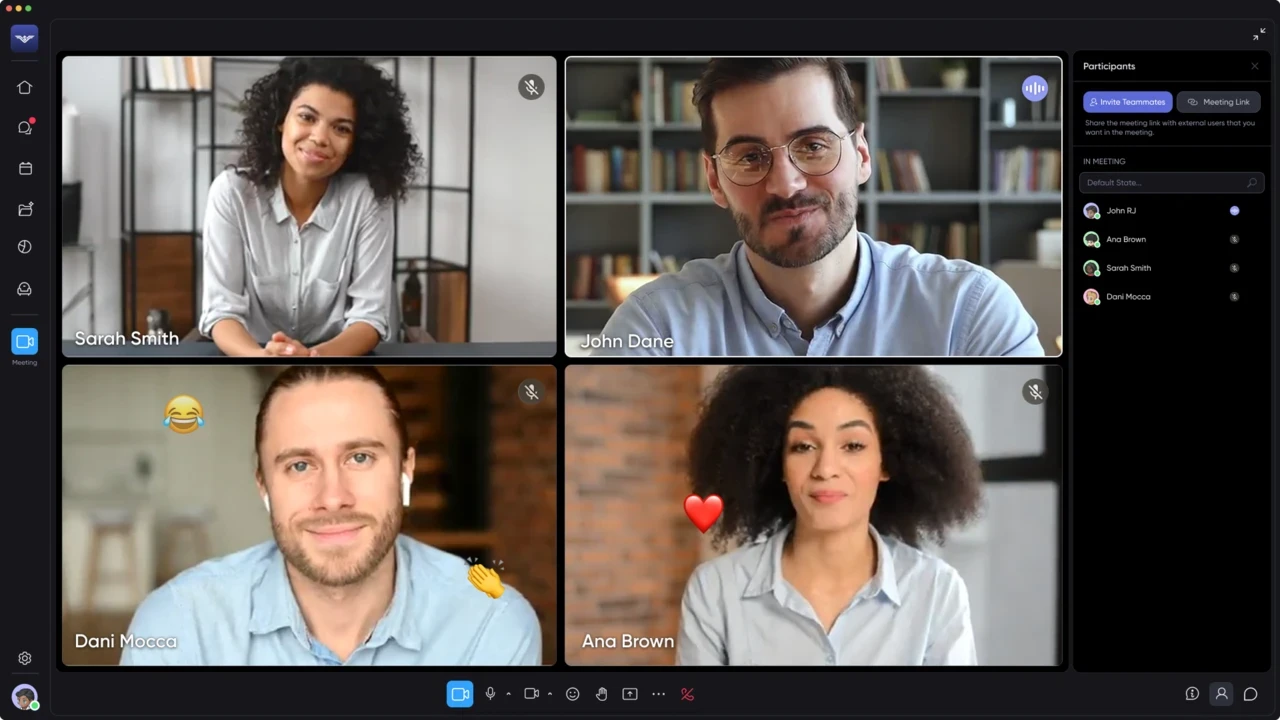
March 2026: Next-Gen Video Infrastructure & Seat-Based Billing
March was a transformational month for SoWork. We officially shipped our entirely rewritten video and screen sharing infrastructure, alongside a flexible seat-based billing system designed for growing teams.
🚀 Key Highlights
Next-Gen Video Infrastructure: Our completely rebuilt video engine is now live. It provides significantly better performance on low-bandwidth connections, handles calls with 50+ participants smoothly, and includes advanced noise cancellation.
Upgraded Screen Sharing & Faster Recordings: Screen sharing is faster and clearer. Meeting recordings and transcripts now process almost instantly after a call ends.
Seat-Based Billing System: Managing your team plan is simpler. You can now bulk purchase and assign Seats, eliminating small recurring charges when adding individual teammates.
Subscription Pause Option: You can now pause your SoWork subscription directly from the billing settings if your team needs to take a temporary break.
🛠️ Product & UX Fixes
Bulk Member Management: Admins can now select multiple team members to promote, demote, or remove them in bulk from the member list.
SSO Security Enhancement: When a user is removed from your identity provider via SSO, their active SoWork session is revoked immediately.
Mapmaker Focus: The search box in Mapmaker now auto-focuses upon opening, allowing you to search for items instantly without extra clicks.
Account Settings: Email and password users can now update their email address directly from the My Profile settings page.
Chat Improvements: Added a "Mark All as Read" option, styled chat headers, and added auto-translation support for customer support inquiries.
Visual Presence Indicator: A camera icon now appears inside the green availability dot when a teammate has their camera on, making it easier to spot who is open for a quick video chat.
🎨 Customization & Items
New Minimalist Desks: Added a clean, minimalist desk set in Mapmaker to give your office layout a fresh look.
New Pets & Customization: Added the rejected monkey pet and an interactive RV object for your office.
Expanded Affiliate Program: Added the United Kingdom to the SoWork Affiliate Program.
Vish and the SoWork Team
February 2026: Professional Profiles & Major Chat Upgrades
February was a month of refinement and "straightening the lines." While our engineering team is deep in the final stages of a total video infrastructure overhaul, we’ve shipped major updates to how you present yourself and how your team communicates.
🚀 Key Highlights
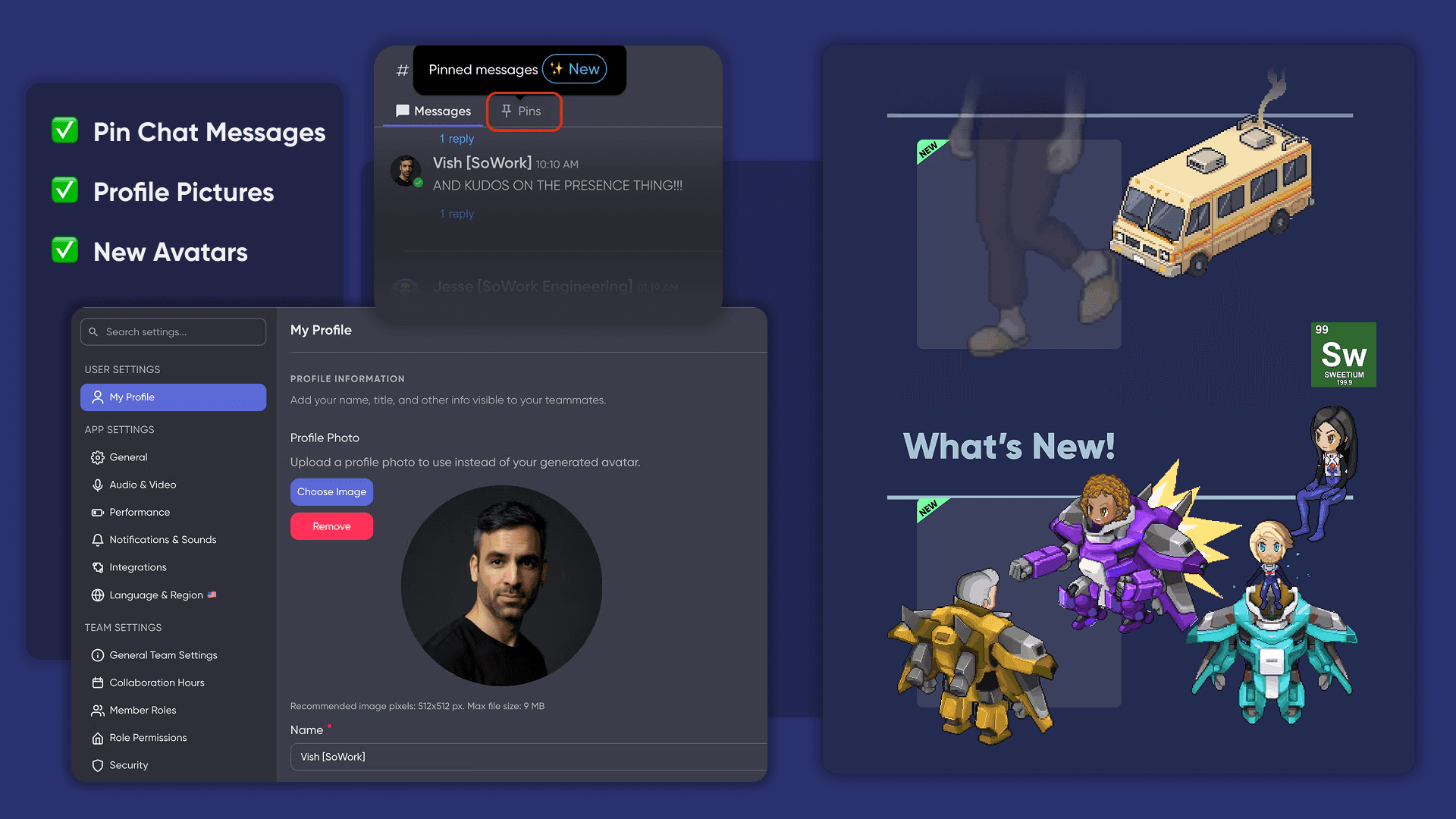
Real Profile Pictures: You can now swap your avatar for a professional headshot. This is a highly requested feature to help remote teams feel more "human" and connected. Upload yours in Settings > Profile.
Major Chat Overhaul: We’ve pushed a series of updates to make Chat faster and more reliable. This includes fixed thread counters, accurate badge notifications, and smoother message loading.
Pinned Messages & Stars: Never lose an important link again. You can now pin messages in channels and "Star" your most-used channels to keep them at the top of your list ("Star" is available on Mobile).
Chat Tabs: We introduced a new tabbed interface at the top of chat channels. This currently houses your pinned items, with a "Files" tab coming soon.
📱 Mobile App Enhancements
Performance Boost: The mobile app is now significantly faster and more responsive.
Feature Parity: Mobile users now have full access to pinned messages and starred channels, ensuring you stay organized even when you’re away from your desk.
🛠️ Product & UX Fixes
Presence & Reliability: Improved "presence" logic to ensure your online/offline status is always accurate, a crucial foundation for our upcoming Analytics suite.
Headshot Cropping Tool: Fixed issues with the photo uploader to ensure your profile picture looks perfect on the first try.
Global Support: Added auto-translation for support messages. You can now message the SoWork team in any language, and we’ll be able to help.
Payment Security: Expanded support for 3D Secure (3DS) authentication to ensure secure and seamless billing for international credit cards.
Permissions: Fixed a bug that prevented Admins from correctly upgrading Guest accounts to Teammate status.
🎨 New Content
Gundam Mech Suit: For those who prefer the high-tech look, we’ve released a giant robot outfit for your avatar.
The "Science" RV: A new interactive object for your office... for those who enjoy a bit of chemistry.
Affiliate Expansion: We’ve officially added Nigeria to the SoWork Affiliate Program.
🏗️ Coming Soon
Our "Big Three" projects are at the finish line: a total rewrite of our video and screen sharing infrastructure, a seat-based billing system, and the v3 Team Analytics Suite, all launching throughout March.
Vish and the SoWork Team
January 2026: Revamped Settings & New Affiliate Program
Hello! We have been busy smoothing out the SoWork experience with significant UX improvements and a complete settings overhaul. Here is what launched this month.
🚀 Key Highlights
New Affiliate Program: You can now earn cash for up to 12 months for every successful referral. Check the dashboard to get your link.
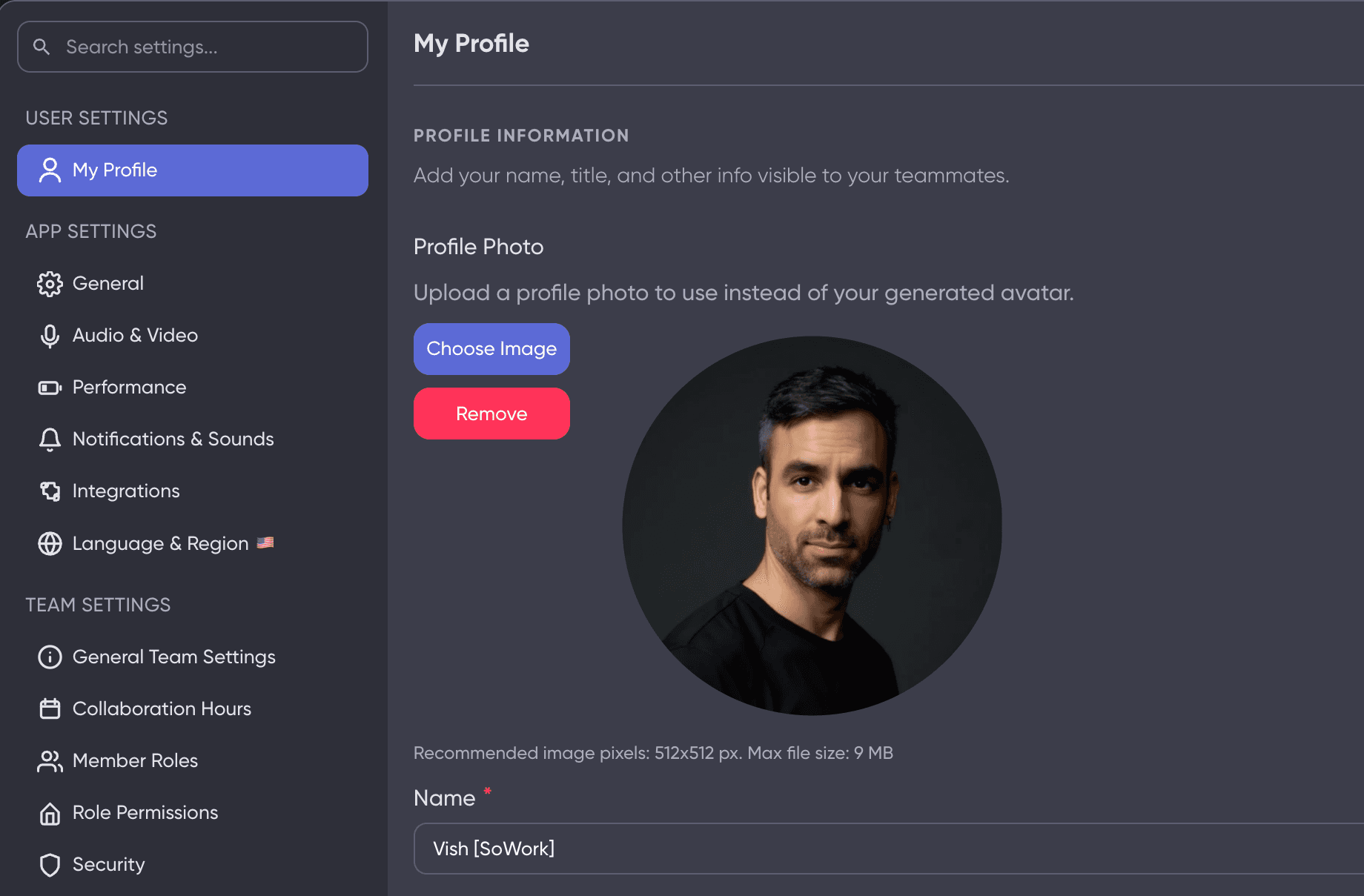
Settings Overhaul: We completely rewrote the Settings page. It now includes a global search bar, allowing you to find any configuration instantly without clicking through multiple tabs.
Real Profile Pictures: You can now upload a professional headshot to your profile instead of using an avatar. Find this under Settings > Profile.
💬 Chat Improvements
Notification Accuracy: Fixed the badge counts for threads and unread messages on both the web and desktop app.
Threading: Unread and new threads now consistently appear at the top of your list.
Formatting: Improved rendering for lists, sub-lists, and @mentions within chat messages.
Read States: Resolved an issue where "Mark as Read" was not persisting correctly.
🛠️ Product & UX Fixes
Unified Recording Permissions: Simplified controls for meeting recordings. One permission now governs recordings, transcriptions, and summaries.
Calendar Sync: Fixed a bug where rescheduled recurring Google Calendar events would occasionally leave ghost instances in the office.
3DS Payment Support: Added support for payment methods requiring 3DS verification to ensure smoother billing.
Meeting Focus: Removed the automatic focus on the Meeting Topic field when entering Meeting Mode to prevent accidental typing.
🏗️ Coming Soon
We are currently finalizing a new seat-based billing system, a revamped team analytics dashboard, and a total rewrite of our video infrastructure for better low-bandwidth performance.
Vish and the SoWork Team
December 2025: 6 Days of SoWork Xmas & GitHub Integrations
December was all about giving back to our users. We ran our "6 Days of SoWork Xmas" event, focusing on highly requested UX "nits" and squishing bugs, while simultaneously launching major integration upgrades.
🚀 Key Highlights
GitHub Integration: You can now push GitHub events directly into your SoWork office chat. Connect your repository in Settings > Integrations.
AI Summary Upgrades: Our AI transcription system is now faster and more accurate. You can now download summaries as a PDF and translate them into multiple languages.
Mapmaker: Duplicate Floors: Experiment with your office layout without risk. You can now duplicate entire floors to test new designs before making them permanent.
Background Hotkeys: Global shortcuts are back! Toggle your mic (Cmd+Shift+U) and camera (Cmd+Shift+V) even when the SoWork app is in the background.
🎅 6 Days of Xmas UX Improvements
Hover Interactions: You can now hover over any in-world interactive object to use it immediately.
Smart Muting: Added a Mute All button for meeting hosts and an opt-in setting to automatically disable your mic/camera when leaving a meeting.
Improved Responsiveness: Object prompts now open instantly with a new loading indicator for heavy assets.
Map Panning: You can now pan the map even when your cursor is over an interactive object.
🛠️ Product & UX Fixes
Integration Refactor: A complete rewrite of the integrations backend makes connecting Google, Outlook, and Zapier smoother and more reliable.
Meeting Stability: Fixed an issue where the "End Meeting" pop-up was unreliable in large gatherings.
Calendar Sync: Improved sync reliability for high-volume users and disabled "invite overtakes" to prevent unwanted calendar conflicts.
Guest Experience: Resolved an issue where guests were not teleported to the correct room upon entry.
Visual Polish: Fixed the "spinning character" loading bug and corrected the "Giant F" UI glitch in Simple Mode.
🎨 Just for Fun
Interactive Items: Added a Christmas Gong and new cat/dog chairs for your office pets (and teammates).
Audible Emojis: Sending a 👏 emoji in a meeting now triggers an audible clapping sound for everyone.
🏗️ Coming Soon
Our January roadmap includes a seat-based billing model, searchable settings, and a massive overhaul of our video call infrastructure to support low-bandwidth connections.
Vish and the SoWork Team
November 2025: The All-New Desk System & Affiliate Rewards
This month, we retired our legacy desk system in favor of a more flexible, user-friendly experience. We also launched our new Affiliate Program, giving you the opportunity to earn cash for growing the SoWork community.
🚀 Key Highlights
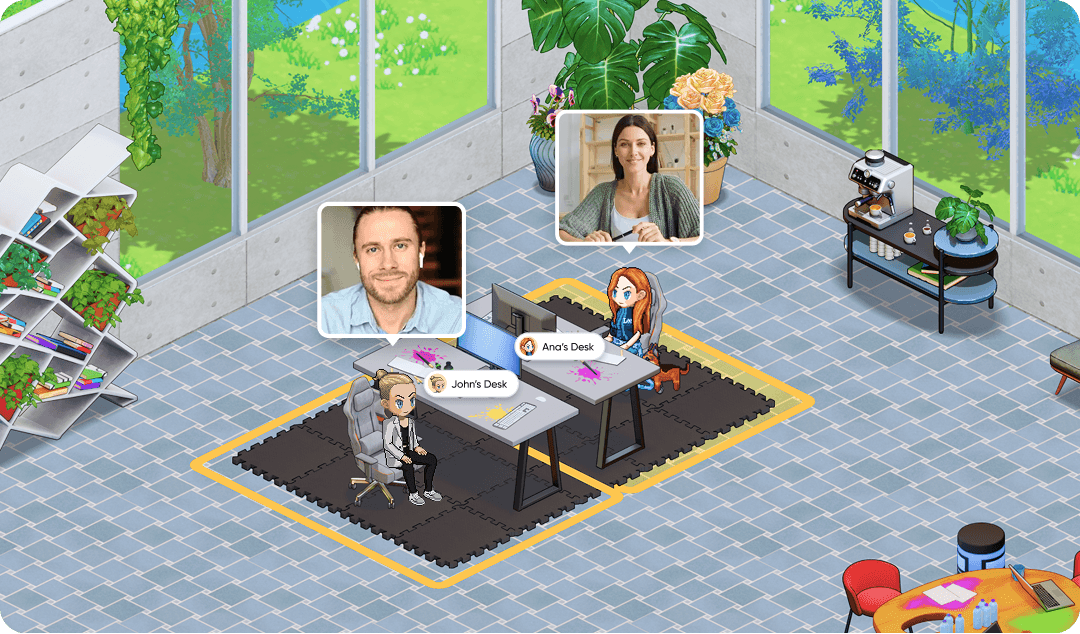
The New Desk System: We have completely rebuilt desks from the ground up. You can now easily place, assign, and manage desks via the Mapmaker. Teammates can even be granted "Desk Management" permissions without needing full Mapmaker access.
Earn Real Cash: Our brand-new Affiliate System is live. You can now earn real USD payouts for referring new teams and companies to SoWork. Access your unique link via the bottom-left menu.
Outlook Calendar Plugin: A new Chrome extension for Outlook users allows you to specify exact meeting locations (like specific Zones or Offices) directly within your calendar invites.
Desktop App Performance: We released a critical update for the macOS Desktop App to resolve performance issues introduced by the latest macOS version. Ensure you are on the latest version for the best experience.
💬 Chat & AI Improvements
Enhanced AI Summaries: Significant upgrades to our AI summarization engine, providing more accurate transcripts and clearer meeting takeaways.
Chat Formatting: Fixed various issues with ordered and bulleted lists, link attachments, and thread read states.
Channel Safety: Added confirmation prompts when deleting Direct Messages (DMs) to prevent accidental data loss.
🛠️ Product & UX Fixes
Working Hours: You can now view a teammate's full weekly working hours directly on their profile, making it easier to plan across time zones.
Smart Pathfinding: Fixed an "oops" moment where characters would occasionally walk behind their desks instead of sitting in front of them.
Whiteboard Flexibility: Whiteboards now take up all available screen space when not in a meeting and allow for empty titles.
Mapmaker Cleanup: The Mapmaker now resets upon closing, ensuring a clean slate for your next session.
Mini Mode: Resolved missing UI controls in both light and dark modes within the Mini Mode window.
🏗️ Coming Soon
We are currently working on a "one-click entry" system for meetings directly from your calendar and a massive overhaul of our Meeting Zones for better team organization.
Vish and the SoWork Team
October 2025: Shareable Meeting Summaries & Performance Boosts
October was focused on performance and collaboration. We introduced more ways to share your meeting outcomes and a new high-performance mode for users who need a distraction-free, lightning-fast experience.
🚀 Key Highlights
Shareable Meeting Links: You can now generate and share direct links to meeting summaries and recordings within SoWork. This makes catching up on missed discussions easier for the whole team.
No Graphics 2.0: We introduced a permanent "No Graphics" option in Performance Settings. This allows you to opt-out of the visual game engine entirely for the absolute best performance on any device.
Google Calendar Plugin Update: You can now specify the exact Zone or Office for a meeting directly within your Google Calendar invite (Chrome extension required).
AI for Long Meetings: We improved our AI summarization engine to handle very long meetings without failure, ensuring every minute of your marathon sessions is captured.
🛠️ Product & UX Fixes
Meeting Reliability: Improved video meeting error handling to ensure stable connections for users on variable internet speeds.
Chat Logic: You can now create or rename channels using the names of previously deleted channels. We also fixed a persistent bug where archived channels would leave "ghost" unread badges.
Connection Troubleshooting: We re-enabled the Connection Test Tool (from SoWork v1) to help teams self-diagnose network issues and troubleshoot with our support team.
Navigation: Fixed the "Leave meeting and return to Desk" feature to ensure you are placed correctly back at your workstation after a call.
🎃 Seasonal Treats
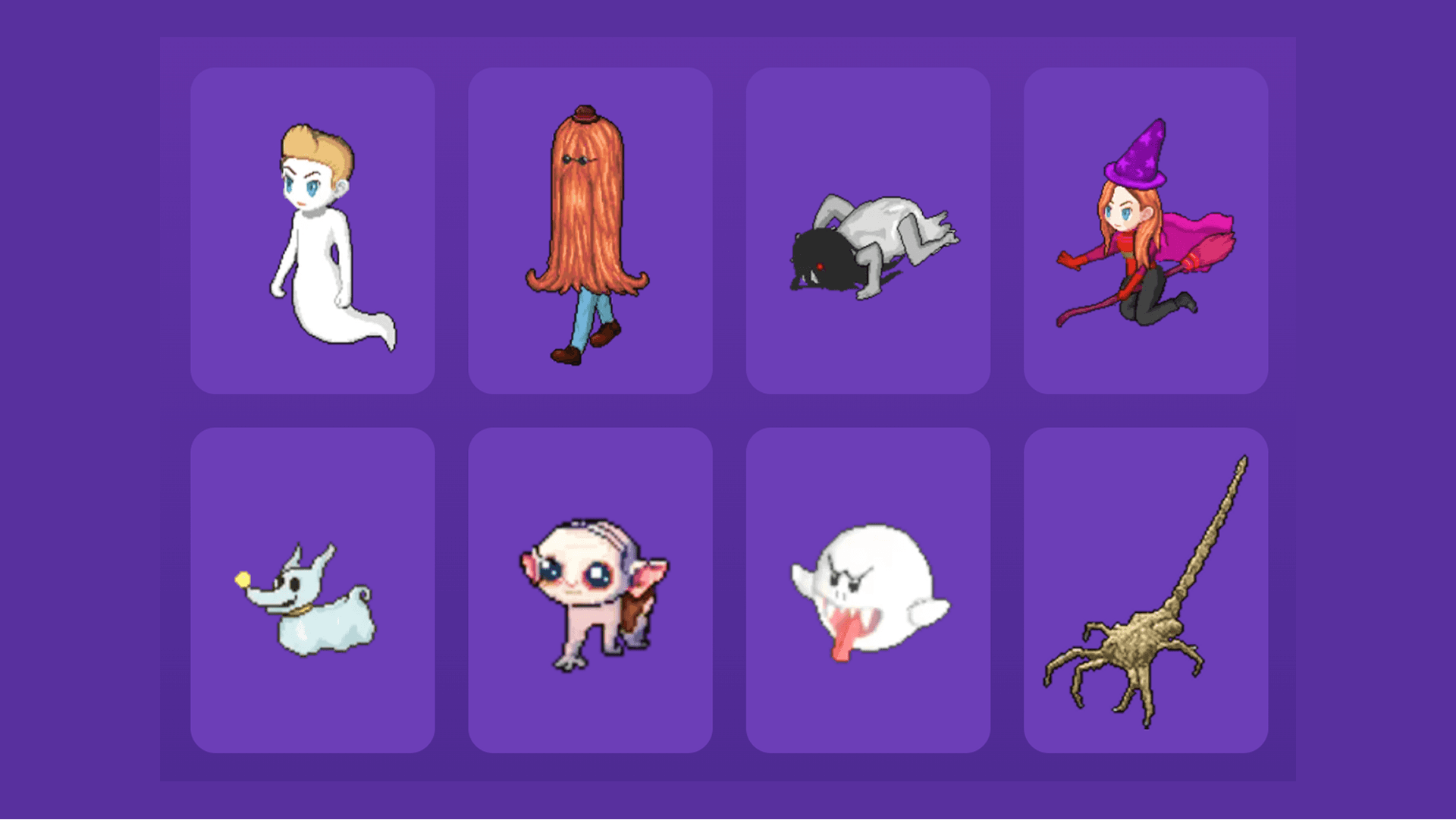
Halloween Content: We added a Ghostbusters outfit for avatars and a new plant option to keep the office looking fresh for the spooky season.
PDF Viewing: Fixed a bug that prevented some PDF attachments from opening correctly when attached to in-office objects.
🏗️ Coming Soon
We are in the final stages of the brand-new Desk system, one-click meeting entry from calendar events, and a massive revamp of Meeting Zones.
Vish CEO, SoWork
September 2025: Product of the Day & The New 'Wave' Feature
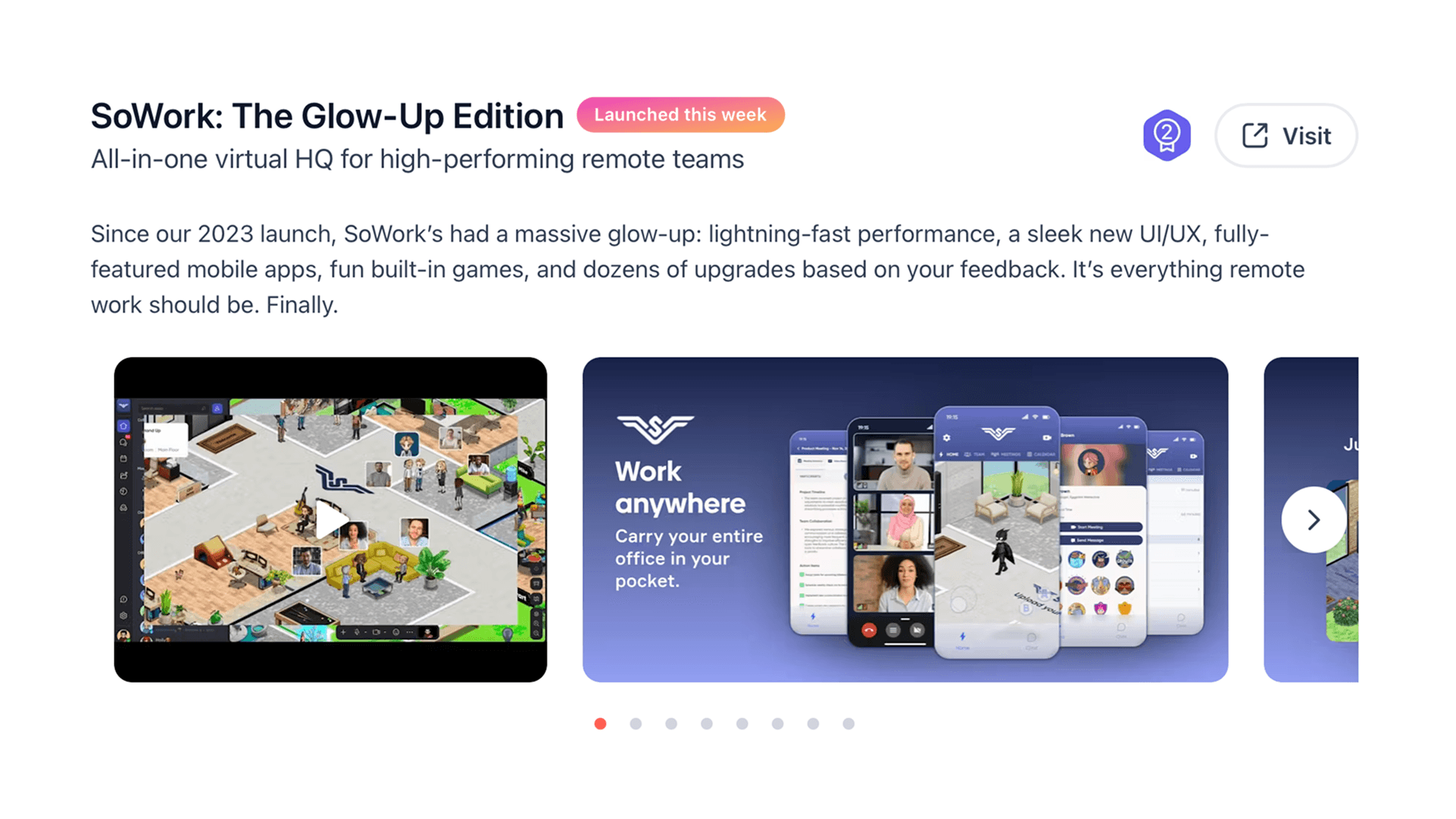
September was a historic month for SoWork! Thanks to your incredible support, we were named Product of the Day on Product Hunt. Beyond the celebrations, we shipped several major features designed to make spontaneous office interactions feel even more natural.
🚀 Key Highlights
The Wave: You can now "Wave" at teammates to check their availability for a quick chat. It’s the perfect way to signal a non-urgent "knock on the door" or invite someone into a meeting as they pass by.
The Gong: Celebrate your team's wins! You can now place a Gong in your office via the Mapmaker. Walk up to it and give it a bang to notify the whole team of a milestone.
Meeting Note Timelines: AI summaries now include clickable timelines. Clicking a timestamp takes you directly to that specific moment in the meeting recording.
Mobile Web Support: You can now join meetings and view the office (in Simple Mode) directly from a mobile browser—no app download required for quick check-ins.
🛠️ Product & UX Fixes
Privacy & Focus: We added a highly requested feature that automatically disables your camera and mic when the SoWork app is moved to the background (unless you are actively in a meeting).
Office Entry: Completely revamped the entry flow for guests and teammates, giving Admins more granular control over who can admit external users.
Leave and Return to Desk: A new "Leave and Return to Desk" option in the meeting menu allows you to teleport back to your workstation instantly after a call ends.
Analytics Exports: You can now export your team's office analytics to a CSV file for deeper reporting.
Search & Stability: Fixed several bugs that caused chat channels to disappear for larger groups and restored full functionality to Chat Search.
🎨 Items & Pets
Office Pets: Added a Hamster on a Wheel (yes, it’s as cute as it sounds) and several other new pets to keep you company.
New Decor: Look out for the new alien-hunter outfit and the latest addition to our plant collection—the flower pot.
🏗️ Coming Soon
We are putting the finishing touches on our new Desk system and a revamped Google Calendar plugin that allows you to join specific office locations with a single click.
Vish CEO, SoWork
August 2025: SoWork 2.0 & The Dark Mode Debut
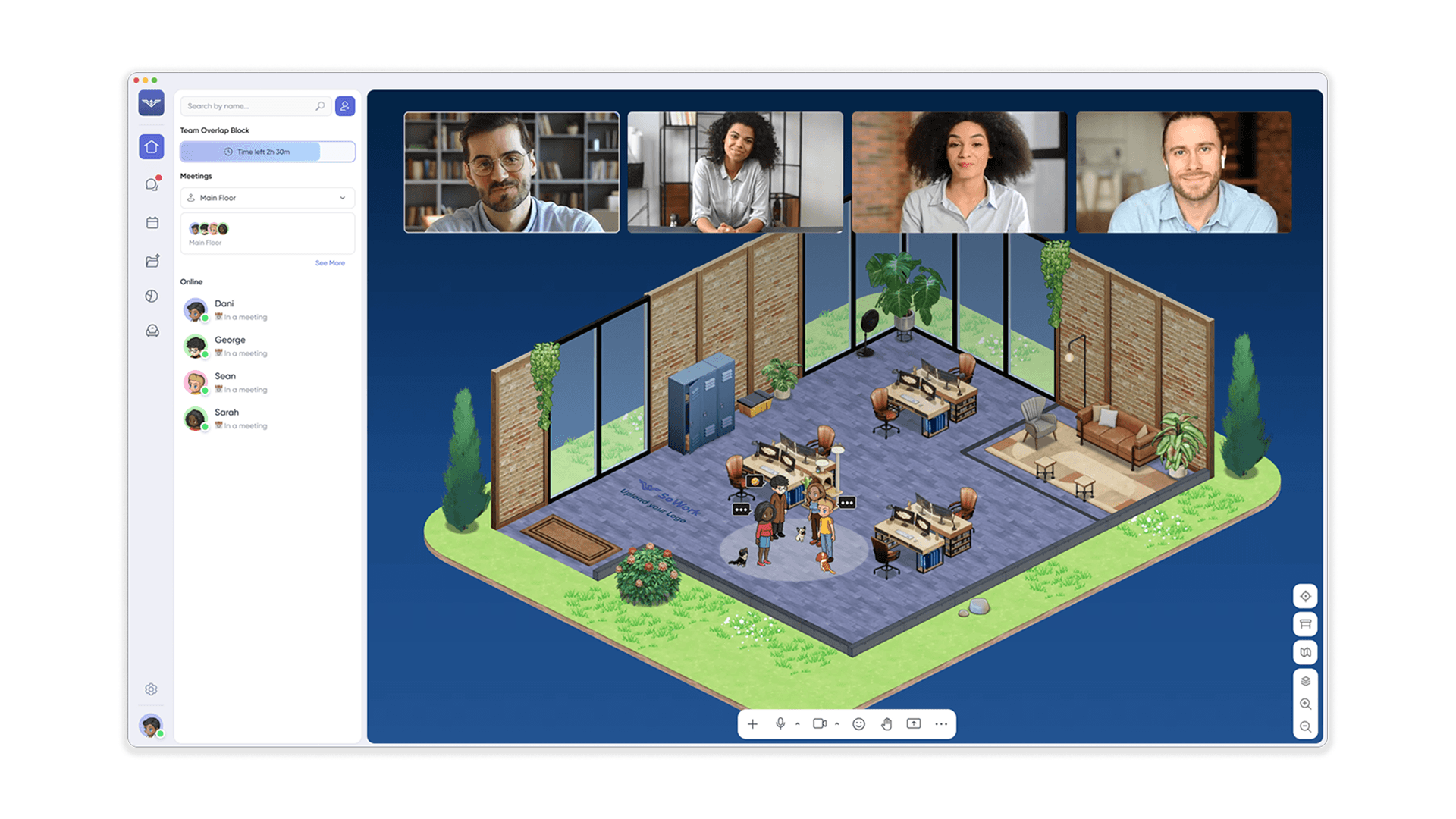
August was a milestone month for us as we transitioned to SoWork v2.0: The Glow Up Edition. We focused on core utility—bringing back favorite features like Mini-Mode and finally launching the #1 most requested feature in our history: Dark Mode.
🚀 Key Highlights
Dark Mode is Here: You asked (repeatedly!), and we delivered. You can now toggle Dark Mode in your settings for a sleeker, more comfortable workspace experience.
All-New Meeting Mode: When you start a formal meeting, SoWork now shifts into a dedicated Meeting Mode. This view prioritizes participants, meeting-specific chat, and shared content to help your team stay focused.
Mini-Mode Returns: We brought back the compact Mini-Mode window, allowing you to keep an eye on the office and stay connected while working in other apps.
Simplified Mode 2.0: You can now fully navigate and walk around your office even while in Simplified Mode, perfect for a lightweight experience.
Availability & Status: We launched a brand-new status system. Click your avatar in the bottom-left corner to set your availability and let your team know if you're in deep work or open to chat.
📊 Team Analytics & Performance
New Analytics Dashboard: Check the left sidebar for our initial version of Team Analytics. This provides a high-level look at how your team is collaborating and using the office.
Speed & Performance: We removed several legacy code blocks, resulting in faster app loading and significantly smoother movement across most devices.
Idle Mode Logic: Updated our "Away" logic to more accurately reflect when a user is actually idle versus just working in a different window.
🛠️ Product & UX Fixes
Office Management: Restored the "Kick from Office" functionality for Admins—essential for maintaining a secure and professional environment.
Guest Experience: Simplified the invitation flow. Guests can now join meetings through a streamlined interface without needing to navigate the full office engine.
Desk Stability: Squashed the "Desk Flickering" bug that was affecting layout changes in the Mapmaker.
Gift Giving: Fixed an issue with the gift-giving system—go ahead and send some appreciation to your teammates!
🎨 New Styles
New Avatars: Added two new "familiar" avatar options—a sailor-themed outfit and a spooky "girl from the well" style just for fun.
🏗️ Coming Soon
We are currently prepping for our global Product Hunt launch and finalizing a mobile app update that will bring the full Game World to your phone!
Vish and the SoWork Team