SoWork vs HyHyve Integrations: 2026 Stack Fit
Vishal Punwani

Published:
Updated on:
SoWork fits most remote teams' existing stack better than HyHyve. It connects natively to Slack, Zapier, Miro, Google Calendar and Outlook, and it has a live MCP/API for AI tools. HyHyve is the stronger pick mainly for organizations built around Microsoft Teams, because it runs virtual offices and events inside an existing Teams setup.
What is SoWork and what core problem does it solve for remote teams?
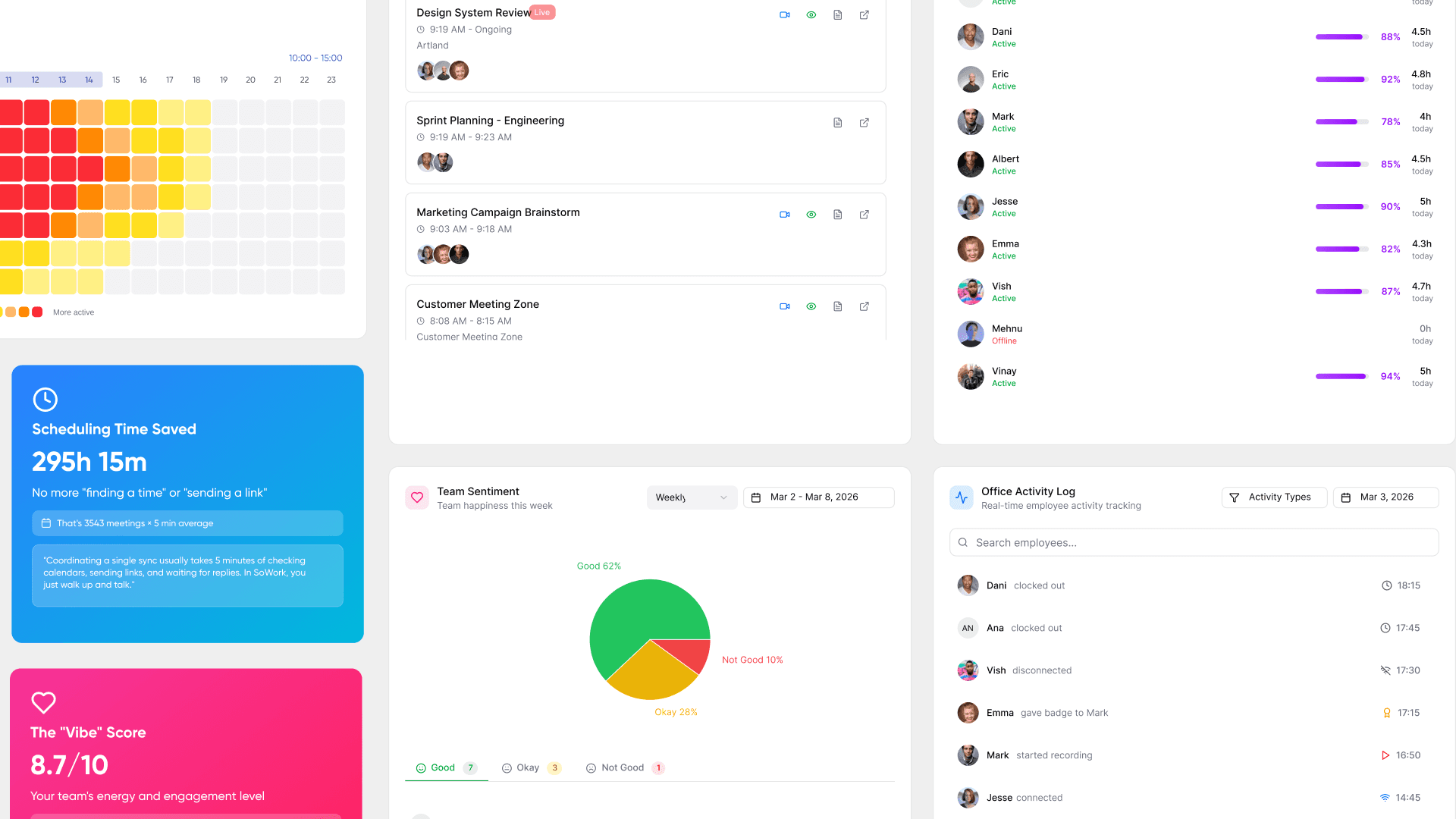
SoWork is a virtual office where remote teams and their AI agents work in one shared, always-on space. It cuts the scheduling overhead of a Zoom-plus-Slack stack: you can see who's free and start a conversation in one click.
Presence Awareness shows who's free, focused, or in a meeting. Automatic Calendar Sync keeps that status accurate without anyone updating it by hand. AI Meeting Memory records, transcribes, and summarizes calls so decisions don't get lost. AI agents sit in the office next to your people, and Claude or your own tools can query the office through SoWork's MCP/API. One customer reported that formal meetings dropped by around 60 percent after switching [1].
What is HyHyve and how does it position itself in the virtual office market?
HyHyve is a German, browser-based platform that markets itself for both virtual offices and interactive company events. What sets it apart most is that it runs virtual offices and events directly inside Microsoft Teams [2].
Users move freely through a branded space and join conversations with whoever is nearby. HyHyve sells on GDPR compliance and professional design [5]. Its broadcast feature supports up to 200 speakers and 400 viewers, which shows where it's strongest: webinars, workshops, and large internal events [12]. It does support daily office use, including a notification when someone wants to talk to you [13]. Its positioning still centers on events and enterprises that run on Teams.
What third-party integrations does SoWork support natively in 2026?
SoWork integrates natively with Slack, Zapier, Miro, Google Calendar, and Microsoft Outlook [1]. Many more tools connect through SoWork's MCP server.
Integration | What it does in practice |
|---|---|
Google Calendar / Outlook | Status changes automatically when a meeting starts |
Slack | Keeps async chat connected to the office |
Zapier | Sends summaries and action items to tools like Notion or Asana [9] |
Miro | Whiteboarding inside your collaboration flow |
MCP server | Lets Claude or your own AI tools check presence and meeting outcomes |
Video and screen sharing are built in, so daily calls don't need a separate video tool.
What third-party integrations does HyHyve support natively in 2026?
HyHyve's integrations center on Microsoft Teams, and it also lists Miro and Google Workspace [3]. You can embed tools like Slido for feedback and Conceptboard for whiteboarding inside a space [13].
Teams is where HyHyve goes deep. Companies can run HyHyve offices and events inside Teams, and HyHyve says using existing Teams licenses can cut license costs by up to 50% [5]. Sign-in is handled through SSO via SAML2 or Microsoft Entra [5]. As of November 2026, we didn't find a native Slack, Zapier, or project management integration on HyHyve's public pages.
How do SoWork and HyHyve compare in depth and breadth of integration ecosystems?
SoWork connects to more tools: native connectors plus Zapier and an MCP/API reach much further. HyHyve goes deeper in one place, Microsoft Teams, and covers less everywhere else.
Dimension | SoWork | HyHyve |
|---|---|---|
Chat tool | Slack (native) | Microsoft Teams (runs inside it) |
Calendar | Google Calendar, Outlook, auto status | Google Workspace listed |
Automation | Zapier | Not listed |
Whiteboards | Miro | Miro, Conceptboard embed |
Developer/AI access | Live MCP/API | No public API listed [6] |
If your team uses a mix of tools, broad coverage matters more. If Teams is everything, HyHyve's depth there counts.
Does SoWork offer an API for custom integrations?
Yes. SoWork's MCP/API is live, so Claude or your own AI tools can ask who's around, what happened in a meeting, or what the team decided.
MCP (Model Context Protocol) is an open standard that lets AI tools query outside systems in a consistent way. The workspace runs an MCP server, and your agent calls it to get team context [11]. In practice, an internal bot can answer "who decided this?" without anyone digging through recordings. For automation without code, Zapier is the faster route. Agent desks, which will show what each agent worked on, are coming soon but aren't available yet.
Does HyHyve offer an API or webhooks for custom integrations?
HyHyve doesn't publish API or webhook documentation. The software directory SoftwareWorld lists HyHyve as not offering an API [6].
Custom work goes through sales instead. HyHyve's Business plan, priced on request, includes custom rooms, a personal customer success manager, and custom feature development [7]. That can work for an enterprise with a specific need and the budget for it. If you're a 30-person team that wants office data in your internal tools this quarter, it's slower than a self-serve API. Directory listings can be out of date, so confirm with HyHyve directly.
How do SoWork and HyHyve integrate with Slack, Microsoft Teams, or Discord?
SoWork connects to Slack natively, and HyHyve integrates with Microsoft Teams by running inside it. Neither lists a native Discord integration.
Tool | SoWork | HyHyve |
|---|---|---|
Slack | Native | Not listed |
Microsoft Teams | Not in core list | Native, runs inside Teams [2] |
Discord | Not listed | Not listed |
Whether you end up with scattered workflows depends on your main chat tool. Slack-first teams can keep Slack for async threads and use SoWork's Topic-Based Chat for conversations inside the office. Teams-first organizations don't have to add a new app at all with HyHyve.
How do SoWork and HyHyve handle calendar integrations?
SoWork syncs with Google Calendar and Microsoft Outlook and updates your status automatically when an event starts [1]. HyHyve lists Google Workspace as an integration [3] but doesn't publicly describe status that updates from your calendar.
Automatic status is what actually cuts meeting overhead. When teammates can see you're free, they drop by instead of booking a 30-minute slot. SoWork's Instant Meetings turn that into a one-click conversation with no link. HyHyve users inside Teams keep the calendar setup their Microsoft stack already gives them. That's reasonable if you're already there.
Which project management tools integrate with SoWork versus HyHyve?
Neither platform lists native Jira, Linear, Asana, or Notion connectors. SoWork reaches them through Zapier, which can send meeting summaries and action items to tools like Notion or Asana [9], and through its MCP server.
HyHyve's public integration list stops at Teams, Miro, and Google Workspace [3]. Embeds like Conceptboard handle visual collaboration, not task tracking. One third-party roundup names the lack of deep project management integrations as a SoWork limitation [17]. So expect automation, not two-way task sync. For engineering teams, a practical setup is SoWork summaries going to Jira or Linear through Zapier, with AI agents looking up decisions over MCP.
What criteria should remote teams use to evaluate virtual office integrations?
Start with the tools your team relies on most: chat, calendar, task tracker, and identity provider. For each one, check whether the connection is native, automated, and included in the plan you'd actually buy.
Criterion | Question to ask |
|---|---|
Main chat tool | Does it integrate with Slack or Teams, whichever you use? |
Calendar automation | Does status update without manual input? |
Automation reach | Can meeting outputs reach your tracker without engineering work? |
AI/developer access | Is there an API or MCP server your agents can call? |
Identity | Are SSO and SCIM on your tier? |
Cost model | Is pricing per seat or per minute? |
What are the risks of a virtual office with limited integrations?
The biggest risk is scattered work: a virtual office that doesn't connect to your tools becomes one more tab. A 2022 Harvard Business Review study found workers toggle between apps about 1,200 times a day [8].
The same study found people lose just under four hours a week getting reoriented after switching, roughly 9% of work time [8]. Thin integrations cause three more problems. Status stops matching calendars. Meeting decisions never reach the task tracker. And adoption splits, with half the team in the office and half in chat. Once people stop trusting presence, they go back to scheduling everything.
How do SoWork and HyHyve compare on SSO and identity management?
Both support SSO. SoWork is SOC 2 certified, with SSO on Premium and Enterprise and SCIM on Enterprise. HyHyve offers SSO via SAML2 or Microsoft Entra (formerly Azure AD) [5].
Capability | SoWork | HyHyve |
|---|---|---|
SSO | Premium and Enterprise | SAML2 or Microsoft Entra [5] |
SCIM provisioning | Enterprise only | Not publicly listed |
Compliance | SOC 2 certified [11] | GDPR-focused German company [5] |
Okta setups usually work with SAML-based SSO, but test your exact identity provider during a trial. If you need accounts removed automatically when people leave, SCIM is the deciding feature.
What do real remote teams report about integrating SoWork?
Most SoWork users describe integration as easy. SoWork holds 4.9 out of 5 on G2, and one customer said implementation and integration were easy for the whole team [1].
The same customer said they replaced most of their Zoom meetings, and formal meetings dropped by around 60 percent [1]. Not every review is glowing. A ClickUp roundup notes SoWork lacks deep integrations with task and project management tools [17]. That matches the integration list: strong calendar, chat, and automation hooks, with lighter native task sync. If your team runs heavily on Jira, plan to use Zapier or MCP.
What do real remote teams report about integrating HyHyve?
There's very little public data. OMR Reviews shows zero HyHyve reviews with pricing information [14], so it's hard to judge how easy integration is.
Most of what's available comes from event partners. One OMR reviewer says their team prefers to build HyHyve into their own event platform, Veertly [7]. That fits HyHyve's focus on events. For companies built around Teams, setup should be light, since HyHyve runs inside Teams without extra software [2]. Before you buy, ask for a reference customer who uses it as a daily office, not just for events.
How do SoWork and HyHyve pricing models affect integration costs?
SoWork charges per seat: free for up to 10 users, Basic $6/user/month, and Premium $15/user/month [11]. HyHyve mostly charges by participant-video minutes, which gets expensive for all-day daily use.
Tier | SoWork | HyHyve |
|---|---|---|
Free | Up to 10 users | 200 video minutes/month [7] |
Entry | Basic $6/user/month | 2,000 minutes for €29.90/month [4] |
Higher | Premium $15/user/month | 10,000 minutes for €99.90/month [4] |
Teams-based | n/a | From €8/user/month [3] |
SoWork's own pricing comparison puts Zapier on Premium [10]. A 10-person team on video two hours a day uses roughly 4,200 minutes a week, so it passes HyHyve's 10,000-minute bundle within three weeks.
Which remote team use cases favor SoWork or HyHyve?
SoWork is the better fit for async-first teams, engineering-led teams, and sales teams on Slack. HyHyve is the better fit for event-heavy organizations and companies standardized on Microsoft Teams.
Use case | Better fit | Why |
|---|---|---|
Async-first | SoWork | Status from your calendar, summaries sent out via Zapier |
Engineering-led | SoWork | MCP/API for agents, Slack, Zapier to trackers |
Sales on Slack/Google | SoWork | Native connections to those tools |
Event-heavy | HyHyve | Broadcast for 200 speakers and 400 viewers [12] |
Teams enterprise | HyHyve | Runs inside Teams [2] |
What alternatives should teams consider if neither fits their stack?
Gather, Teamflow, and Sococo are the main alternatives, and each takes a different approach to integrations.
Platform | Integration angle |
|---|---|
Gather | Calendar sync, plus GitHub and Spotify in Gather 2.0 [15] |
Teamflow | Embeds apps like Google Docs or Figma on the office floor [10] |
Sococo | Zoom, Webex, Google Meet, Microsoft Teams, and Slack [16] |
Shortlist based on the tools your team relies on most. Then run a two-week pilot using real workflows, not a demo space.
Which platform fits a typical remote team's stack better, SoWork or HyHyve?
SoWork fits a typical remote team's stack better. Most remote teams of 5 to 200 people run Slack with Google or Outlook calendars. SoWork connects to that stack natively, adds Zapier automation, and has a live MCP/API.
HyHyve is the better choice in one clear case: your company runs on Microsoft Teams and hosts frequent large events. Outside that case, three things make it harder to fit into daily work. Pricing is per minute. There's no public API [6]. And the integration list is shorter.
Bottom line: SoWork or HyHyve for your work stack?
If you're on Slack and Google or Outlook, choose SoWork. If Microsoft Teams is your whole world and events are a big part of your calendar, choose HyHyve.
SoWork's native connectors, Zapier automation, and live MCP/API make it the easier virtual office to fit into a typical remote stack, and per-seat pricing keeps costs predictable. Before you commit, test calendar sync and Slack with your real team for two weeks.
Key Takeaways
SoWork integrates natively with Slack, Zapier, Miro, Google Calendar, and Microsoft Outlook, and connects to more tools through its MCP server.
HyHyve's strongest integration is Microsoft Teams, where it runs virtual offices and events inside Teams. It also lists Miro and Google Workspace.
SoWork's MCP/API is live, so AI tools like Claude can ask who's around and what was decided. HyHyve doesn't publish an API.
SoWork's status updates automatically from your calendar. That keeps presence accurate and cuts scheduling overhead.
SoWork pricing: free for up to 10 users, Basic $6/user/month, Premium $15/user/month. HyHyve charges mostly by video minutes, starting at €29.90 for 2,000 minutes.
Both offer SSO. SoWork is SOC 2 certified with SCIM on Enterprise, and HyHyve supports SAML2 and Microsoft Entra.
Pick HyHyve if you're centered on Teams and host lots of events. Pick SoWork for most Slack- and Google-based remote teams.
Related reading
Sources
SoWork's Zapier integration can push action items and summaries into tools like Notion or Asana
HyHyve's broadcast feature supports up to 200 speakers and 400 viewers
OMR Reviews shows zero HyHyve reviews with pricing information
Gather 2.0 added GitHub and Spotify integrations alongside calendar sync
Sococo integrates with Zoom, Webex, Google Meet, Microsoft Teams, and Slack
FAQ
SoWork vs HyHyve integrations in 2026: which virtual office fits better into a remote team's existing work stack?
Does SoWork integrate with Slack?
Does HyHyve offer an API?
Does HyHyve work inside Microsoft Teams?
How much does HyHyve cost compared with SoWork?
Can a virtual office replace Slack for a remote team?
Do virtual offices work for fully async remote teams?
Can AI agents like Claude connect to a virtual office?
Blogs
Read Similar Articles
Remote Team Analytics: Complete Guide to Data-Driven Remote Work Management in 2026
Complete Guide to Gaining Visibility Into Remote Team Performance and Collaboration