SoWork vs Spot Virtual: Best Virtual Office for Teams in 2026
Vishal Punwani
Published:
Updated on:
For most remote and hybrid teams in 2026, SoWork is the better virtual office. Its Premium plan ($15/user/month, or $12 billed annually) bundles AI recordings and summaries, team analytics, and an MCP server that lets Claude or ChatGPT search meeting summaries and see who's online. Pick Spot Virtual if you want a cheaper $10 mid tier or fully on-device transcription.
SoWork vs Spot Virtual: the short verdict
For most teams in 2026, SoWork is our pick. It puts meeting memory, team analytics and AI assistant access in the same place your team already works. Premium includes AI recordings and summaries plus team analytics and reports. Premium customers can also connect SoWork to Claude or ChatGPT through the SoWork MCP server.
Spot Virtual (spotvirtual.com, usually just called Spot) has caught up on meeting notes. It now transcribes meetings with speaker attribution and produces AI summaries and action items. So pick Spot if you mainly want a cheaper mid tier, transcription that never uploads audio, or a beta developer API for building custom agents into your office.
Pricing and features verified October 2026.
SoWork vs Spot Virtual at a glance
Category | SoWork | Spot Virtual |
|---|---|---|
Free plan | ✅ Up to 10 members, 30-minute per-meeting limit, no analytics, recording or AI | ❌ No ongoing free plan (30-day trial, then a paid plan) |
Free trial | ✅ 7-day free trial | ✅ 30-day free trial on paid tiers |
Starting paid price | Basic $6/user/month ($5.40 billed annually) | Basic $6/user/month (20% off yearly) |
Top self-serve tier | Premium $15/user/month ($12 billed annually) | Growth $10/user/month (20% off yearly) |
Enterprise | Custom pricing; SSO, SCIM, assisted onboarding and rollout | Contact sales; SSO, enhanced permissions, custom integrations, dedicated support |
AI meeting summaries and action items | ✅ Premium | ✅ Paid plans |
Meeting transcription | ✅ Premium | ✅ Paid plans, runs on participants' devices |
Meeting recordings | ✅ AI recordings on Premium | Transcripts (exportable .txt/.srt); audio is never uploaded |
Team analytics | ✅ Weekly insights on meeting time, focus time and collaboration | Not listed on Spot's pricing or virtual office pages |
AI assistant connection | ✅ MCP server for Claude and ChatGPT (Premium) | Agent API (beta, access by request) |
Built-in integrations | ✅ Slack, Zapier, Miro, Google Calendar, Microsoft Outlook | Native Google Calendar; custom integrations on Enterprise |
Office customization | ✅ Custom maps, furniture, décor, avatars | ✅ Custom floorplans, branding and assets; fully customizable on Growth |
Access | Browser (no download needed), plus iOS and Android apps | Browser-first, plus desktop and mobile apps |
Capacity | About 200 people per floor, unlimited floors | Not publicly listed; Enterprise aimed at teams of 50+ |
Best for | Remote and hybrid teams that want meeting memory, analytics and AI agents in one office | Teams that want the lowest mid-tier price, private on-device transcription or a custom-built agent experience |
Pricing compared
Both products start at the same price: $6 per user per month for Basic. They split at the next tier.
SoWork: Free (up to 10 members), Basic at $6/user/month ($5.40 billed annually), Premium at $15/user/month ($12 billed annually), and Enterprise with custom pricing. AI, recordings and analytics sit on Premium. The free plan doesn't include them.
Spot: no ongoing free plan. Basic at $6/user/month, Growth at $10/user/month, and Enterprise through sales, each with a 30-day free trial. Yearly billing takes 20% off. Spot's Enterprise tier is aimed at teams of 50 or more.
The honest math: Spot's Growth plan costs less than SoWork Premium. For a 25-person team billed monthly, that's $250/month on Spot Growth versus $375/month on SoWork Premium. What the extra money buys on SoWork is team analytics, AI recordings, MCP access for Claude and ChatGPT, and a wider set of built-in integrations. If you won't use those, Spot is the cheaper option.
AI and meeting features
This used to be a clear gap. It isn't anymore, so here's the honest version.
Spot added built-in meeting transcription with exact speaker attribution, AI summaries and action items. The transcription runs on each participant's device, so only text reaches Spot's servers. It's available on paid plans, and transcripts are searchable and exportable.
SoWork records, transcribes and summarizes meetings on Premium, then stores everything in a searchable meeting library. SoWork also goes beyond the meeting:
Insights: a weekly report on time in meetings, focus time and who collaborates with whom.
MCP server: Claude, ChatGPT or your own tools can ask who's around, what happened in a meeting or what the team decided.
AI agents in the office: you work with your AI agents in the same office as your human teammates. Agent desks, which will show what each agent is working on and what it actually did, are coming soon.
If you only need meeting notes, both tools will do the job. If you also want leadership visibility and an office your AI assistants can actually query, SoWork does more out of the box.
Integrations: which fits your stack faster?
SoWork works with Slack, Zapier, Miro, Google Calendar and Microsoft Outlook. Calendar sync updates your status automatically when an event starts, and Zapier can push action items and summaries into tools like Notion or Asana.
Spot has a native Google Calendar integration for scheduling meetings, and Enterprise customers can get custom integrations.
Rule of thumb: if you want to connect to everything tomorrow, ready-made integrations like Zapier are usually the fastest path. If you want to build custom behavior inside the office, an API-first approach is usually the better lever.
Customization and API
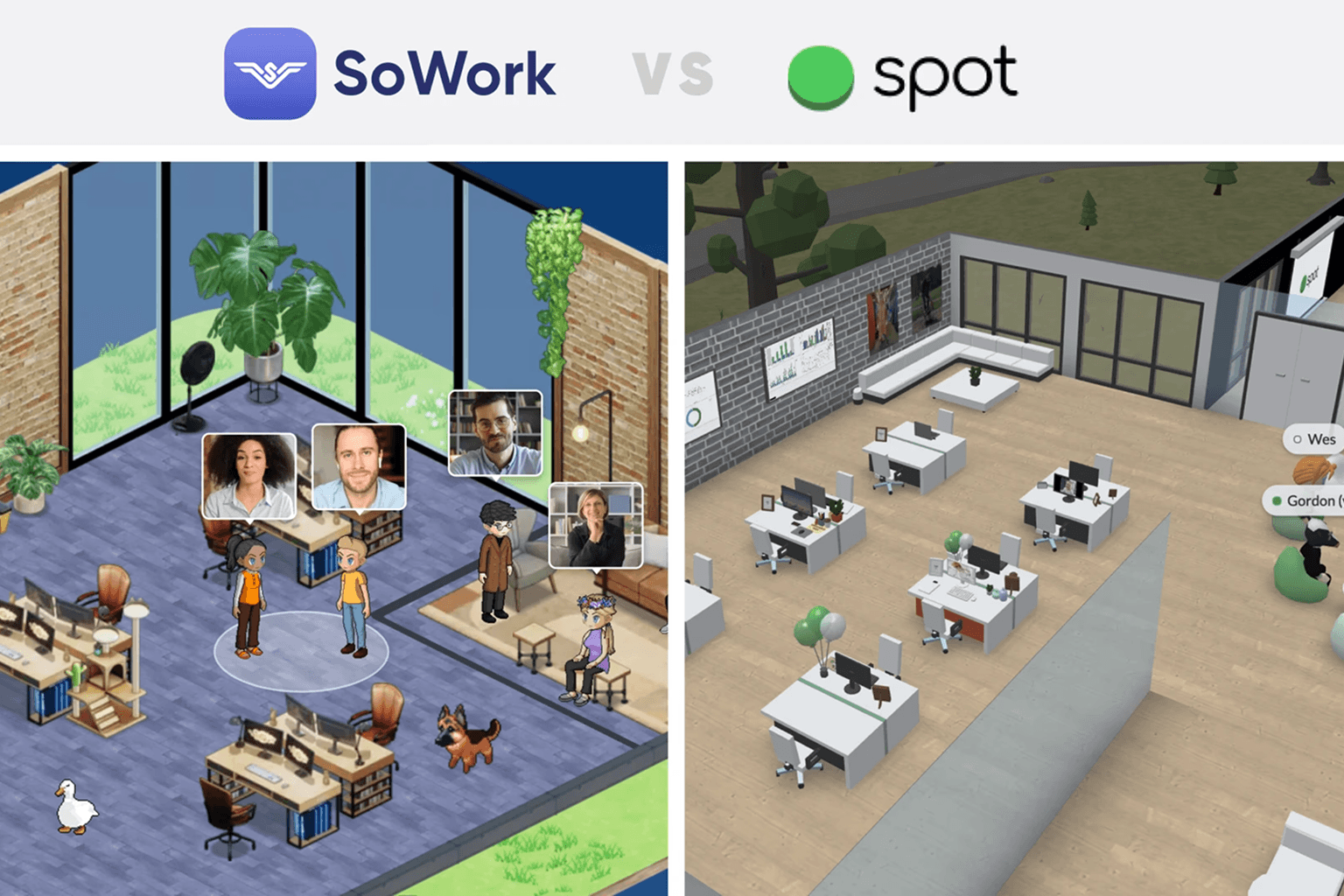
Both offices are highly customizable. Spot lets you start from a template or build from scratch, with everything from floorplan to furniture editable. SoWork lets teams design maps, furniture, décor and avatars to match their culture, and there's a Simplified Mode for people who'd rather skip the 2.5D view.
For developers, the approaches differ. Spot's API is in beta (you request access by email) and is built for bringing your own agent into the office. It covers bot identities, live chat events over a WebSocket gateway, REST actions for messages, and headless avatar presence and movement. SoWork's MCP server is live for Premium customers and connects mainstream AI assistants directly, so there's no custom agent to build.
Ease of onboarding for teams
Both are quick to start. SoWork teams can set up an office and invite colleagues by link in minutes, with no software download required. Spot is built for the web, so anyone can join instantly from a browser.
The real test is whether people keep showing up after week one. SoWork's free plan covers up to 10 members, and the 7-day trial gives you room to run daily standups and quick syncs in the office before you commit to paid seats. Spot's 30-day trial on paid tiers gives you a longer runway.
Security and compliance
SoWork's Enterprise plan includes SSO and SCIM for automated user provisioning, plus an assisted onboarding and rollout plan. Spot's Enterprise plan includes SSO and enhanced permissions. Spot's transcription design is a genuine privacy plus: meeting audio never leaves participants' devices.
SoWork is SOC 2 certified, so your security team can request the report during procurement. If compliance matters for Spot, ask them for their current certifications too.
Which should your team choose?
Choose SoWork if:
You want AI summaries, action items and recordings as a default part of meetings.
You want weekly team insights on meeting load, focus time and collaboration.
You want Claude or ChatGPT to query your office through MCP without building anything.
You want Slack, Zapier, Miro, Google Calendar and Outlook connected from day one.
Choose Spot Virtual if:
You want the lowest mid-tier price ($10/user/month on Growth).
On-device transcription with no audio upload is a hard requirement.
Your developers want to build a custom agent with avatar presence through a beta API.
Quick picks by team type:
Remote startups (5 to 50 people): SoWork. The free plan covers your first 10 people, and Premium adds meeting memory and analytics as you grow.
Hybrid companies (50 to 200+): SoWork for SSO and SCIM provisioning, calendar-driven presence and team insights. Spot is also a fit if you mainly need SSO and custom integrations.
Agencies and client-facing teams: SoWork, if searchable meeting history and Zapier hand-offs into project tools matter. Spot, if a branded, heavily designed space is the priority.
AI-forward teams: SoWork, for the live MCP server and agents working alongside people in the office.
Key Takeaways
SoWork is the better pick for most teams in 2026 because Premium combines AI recordings and summaries, team analytics and an MCP server for Claude and ChatGPT.
Both start at $6/user/month. Spot's Growth tier ($10) is cheaper than SoWork Premium ($15, or $12 billed annually).
Spot now offers on-device meeting transcription, AI summaries and action items on paid plans, so AI notes are no longer unique to SoWork.
SoWork integrates with Slack, Zapier, Miro, Google Calendar and Microsoft Outlook. Spot offers native Google Calendar and custom integrations on Enterprise.
SoWork is SOC 2 certified, and its Enterprise plan adds SSO and SCIM. Spot Enterprise includes SSO and enhanced permissions.
Related reading
SoWork vs Spot Pricing in 2026: Which Virtual Office Gives Remote Teams More Value at the Mid-Tier?
SoWork vs Spot Virtual: Which Platform Actually Captures What Your Remote Team Decides in 2026?
Sources
https://www.sowork.com/blog/is-sowork-worth-it-fully-remote-startup
https://www.sowork.com/blog/virtual-office-software-with-real-time-team-visibility-analytics
https://play.google.com/store/apps/details?id=com.spotvirtual.spotmobile&hl=en_US
https://azure.microsoft.com/en-us/products/virtual-machines/spot
FAQ
Is SoWork better than Spot Virtual?
Is SoWork cheaper than Spot Virtual?
Does Spot Virtual have AI meeting notes?
Does SoWork have AI meeting summaries and action items?
Which virtual office integrates with Slack?
Can I connect Claude or ChatGPT to my virtual office?
What's the best Spot Virtual alternative in 2026?
Is Spot Virtual the same thing as Spot VMs or cloud spot instances?
Blogs
Read Similar Articles

Remote Team Analytics: Complete Guide to Data-Driven Remote Work Management in 2026

Complete Guide to Gaining Visibility Into Remote Team Performance and Collaboration
