Virtual Workspace for SaaS Teams Working Remotely: The Complete Guide to AI-Powered Digital Offices
The SoWork Team

Published:
Updated on:
Introduction
A virtual workspace for SaaS teams working remotely is no longer optional; it’s the operational foundation that determines whether distributed teams thrive or fragment. As the best tool for remote or hybrid teams, a virtual workplace enables a connected team by centralizing communication, collaboration, and presence in one digital environment. Since 2020, remote and hybrid teams in SaaS companies have discovered that document suites and video conferencing alone cannot replicate the coordination, spontaneous conversations, and shared context that physical office spaces naturally provided.
This guide covers virtual office platforms, integration strategies, and implementation approaches specifically for SaaS companies with 10–500 remote employees. We’ll examine how leading virtual workspace tools function as the coordination layer above document suites, why this architecture matters for scaling organizations, and how to implement these systems without adding complexity to already-fragmented tool stacks. If you’re evaluating different virtual workspace tools for engineering, product, or customer success teams, this content addresses your specific coordination challenges. In addition, we’ll discuss cost efficiency how virtual workspace tools reduce overhead expenses compared to physical offices by eliminating costs like rent, utilities, and maintenance. Investing in a virtual workspace typically involves lower subscription fees than maintaining a physical office, allowing businesses to reallocate funds to employee development and technology upgrades.
Direct answer: A virtual workspace like SoWork for SaaS teams is an AI-powered digital office an online environment designed for remote or hybrid teams that unifies presence awareness, real-time communication, and collaboration tools above document productivity suites like Microsoft 365 and Google Workspace. It supports real time collaboration and remote collaboration, serving as the operational hub where distributed teams coordinate work, maintain shared context, and preserve institutional knowledge.
By the end of this guide, you’ll understand:
How virtual office platforms reduce context switching and tool fragmentation for remote workers (context switching can drain up to 23% of a team's productivity)
The three-layer stack architecture that positions virtual workspaces as coordination foundations
Key features that drive remote team productivity in SaaS environments
Implementation strategies for piloting and scaling virtual workspace solutions
Common adoption challenges and practical solutions for SaaS team leaders
How the best tools for SaaS teams bring everything under one roof, reduce meeting fatigue, and enable faster team alignment
Understanding Virtual Office Platforms for Remote SaaS Teams
A virtual workspace functions as the central coordination layer that sits distinctly above document suites and specialized tools. A virtual workspace, or virtual workplace, is an online environment designed for remote or hybrid teams, enabling them to collaborate, communicate, share documents, and manage tasks from any location as if they are working together in the same space even in a remote setting. Rather than replacing Google Workspace, Microsoft Teams, or project management platforms like Jira, a virtual office platform like SoWork orchestrates the flow between these tools providing presence awareness, spontaneous communication, and unified meeting spaces that document suites cannot deliver alone.
For SaaS teams, this distinction matters because of unique operational challenges: rapid scaling from 10 to 500 employees introduces coordination complexity, cross-functional collaboration between product, engineering, and customer success requires tight feedback loops, and distributed engineering teams across multiple time zones need visibility into who’s available without scheduling yet another meeting. Effective online workspace platforms bring everything under one roof including communication, file storage, project tracking, and meeting tools which helps reduce context switching and enhances productivity.
The Three-Layer Remote Work Stack
Modern remote team collaboration operates across three distinct layers, each serving specific purposes that shouldn’t overlap:
Virtual office layer (SoWork) handles real-time presence, seamless communication, real-time collaboration, and team coordination. This is where employees see who’s available, hold spontaneous conversations, join virtual meeting spaces, and maintain the ambient awareness that physical offices naturally provide. The virtual office layer also supports integrated team chat, enabling both asynchronous and real-time messaging within the workspace. SoWork functions as the operational hub the digital equivalent of walking into your office space each morning. Key features of virtual workspaces include spatial audio/video, communication tools, and integrated project management.
Document productivity suites (Microsoft 365, Google Workspace) remain essential for content creation, file sharing, document collaboration, and secure file sharing. These tools excel at asynchronous work products but lack the coordination and presence features distributed teams require.
Specialized tools (project management, task tracking, automation, task managers) address specific workflows Jira for engineering tickets, Linear for product tracking, Asana for cross-functional project management, and task managers that facilitate workflow automation and task tracking. These tools integrate with the virtual workspace layer rather than replacing it.
SoWork sits above other tools as the leading online workspace platform where coordination happens. Teams open SoWork first to see who’s around, then access documents and specialized tools as work requires reducing the fragmentation that occurs when communication platforms, video calls, and project tracking exist in disconnected silos.
Why SaaS Teams Need Centralized Virtual Workspace Solutions
Tool fragmentation extracts a measurable cost from remote team productivity. Research shows teams lose approximately four hours weekly reorienting after switching between tools roughly 9% of productive time or five working weeks annually. Workers switch between tools or tabs 33 times daily on average, with 17% exceeding 100 switches per day.
For SaaS organizations, these costs compound across departments:
Coordination overhead consumes nearly 60% of knowledge workers’ time through communication, searching for information, and chasing status updates. When product, engineering, and customer success teams lack unified presence awareness, scheduled meetings multiply while spontaneous problem-solving disappears.
Knowledge sharing gaps emerge when decisions made in one tool remain invisible to teams using another. Customer escalations lose context during handoffs, product decisions aren’t documented accessibly, and engineering teams duplicate work because coordination happened in scattered group chats.
Context switching recovery takes approximately 23 minutes after each interruption time that adds up when remote workers constantly toggle between communication tools, video conferencing platforms, and document sharing systems.
These challenges explain why 79% of employees report their companies haven’t taken steps to reduce tool fatigue or consolidate platforms. A virtual workspace platform addresses this gap by providing one place where team collaboration naturally converges.
Essential Features for Remote SaaS Team Success
Moving from foundational concepts to practical application, remote SaaS teams require specific capabilities that generic collaboration tools don’t prioritize. The following features distinguish virtual workspace solutions designed for distributed teams from repurposed enterprise software. These features foster team alignment and help create a connected team by supporting real-time communication, shared presence, and seamless interaction. Virtual workspace tools can significantly reduce meeting fatigue, enable faster team alignment, and provide access to a global talent pool. The best remote collaboration tools allow your team to communicate and create in real time, enabling brainstorming, problem-solving, and project mapping without needing to be in the same room.
AI-Powered Workflow Continuity
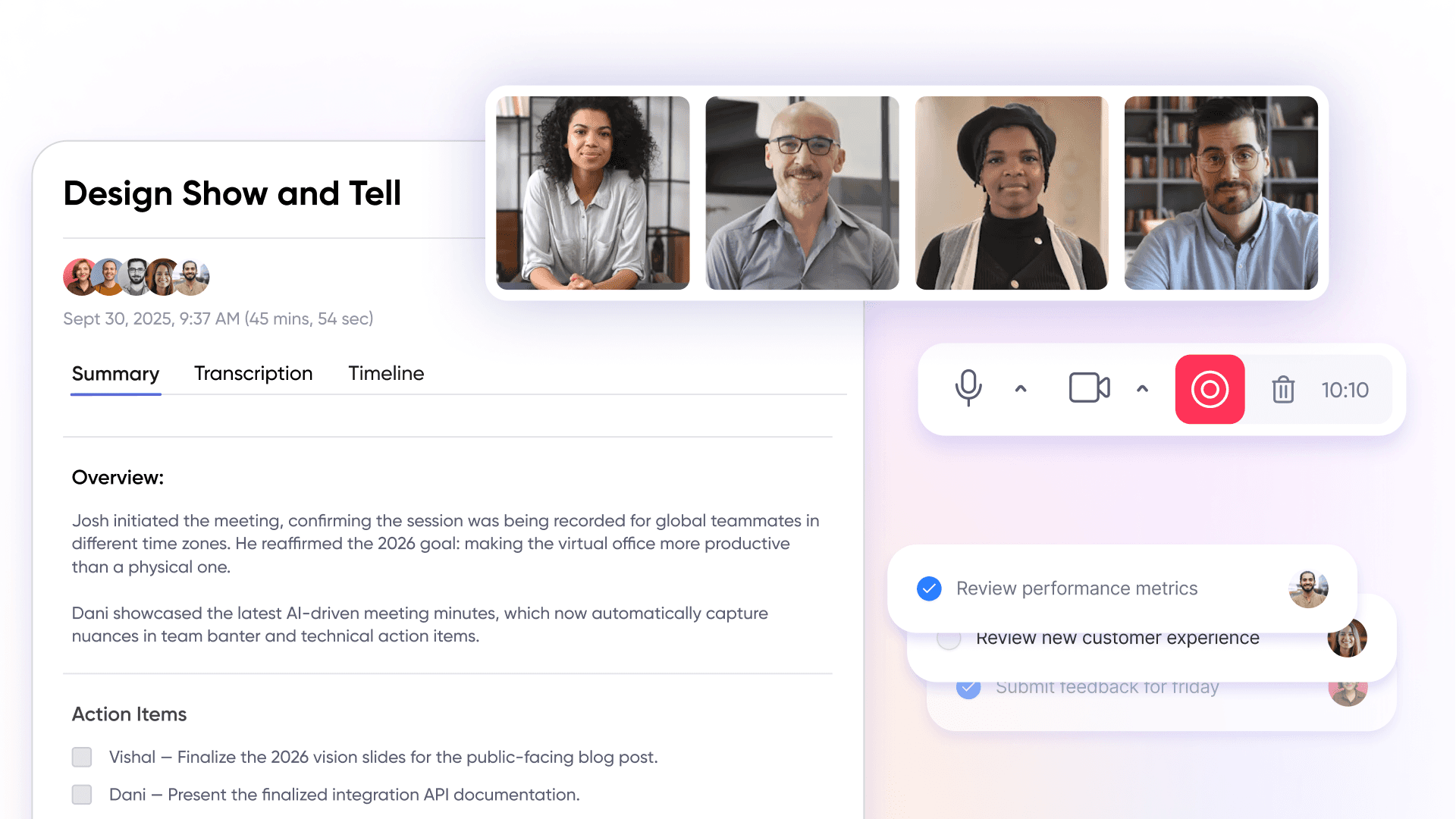
AI meeting notes transform how distributed teams preserve decisions and maintain alignment. SoWork’s AI assistant, Sophia, transcribes meetings, extracts action items, identifies decisions, and stores everything in a searchable Meeting Library. For product and engineering teams, this means sprint planning decisions remain accessible weeks later; for customer success, escalation context transfers cleanly between team members.
Intelligent context preservation extends beyond transcription. When team members miss meetings due to time zone differences, AI-generated summaries enable quick catch-up without requiring additional synchronous time. This capability directly addresses knowledge sharing gaps that slow remote team velocity.
Smart notification management balances urgency with deep work protection. Status indicators (Available, Busy, Do Not Disturb, Vacation), working hours visibility, and vacation indicators help teams seeking focused work time minimize interruptions while remaining accessible for genuine emergencies.
Real-Time Presence and Spatial Communication
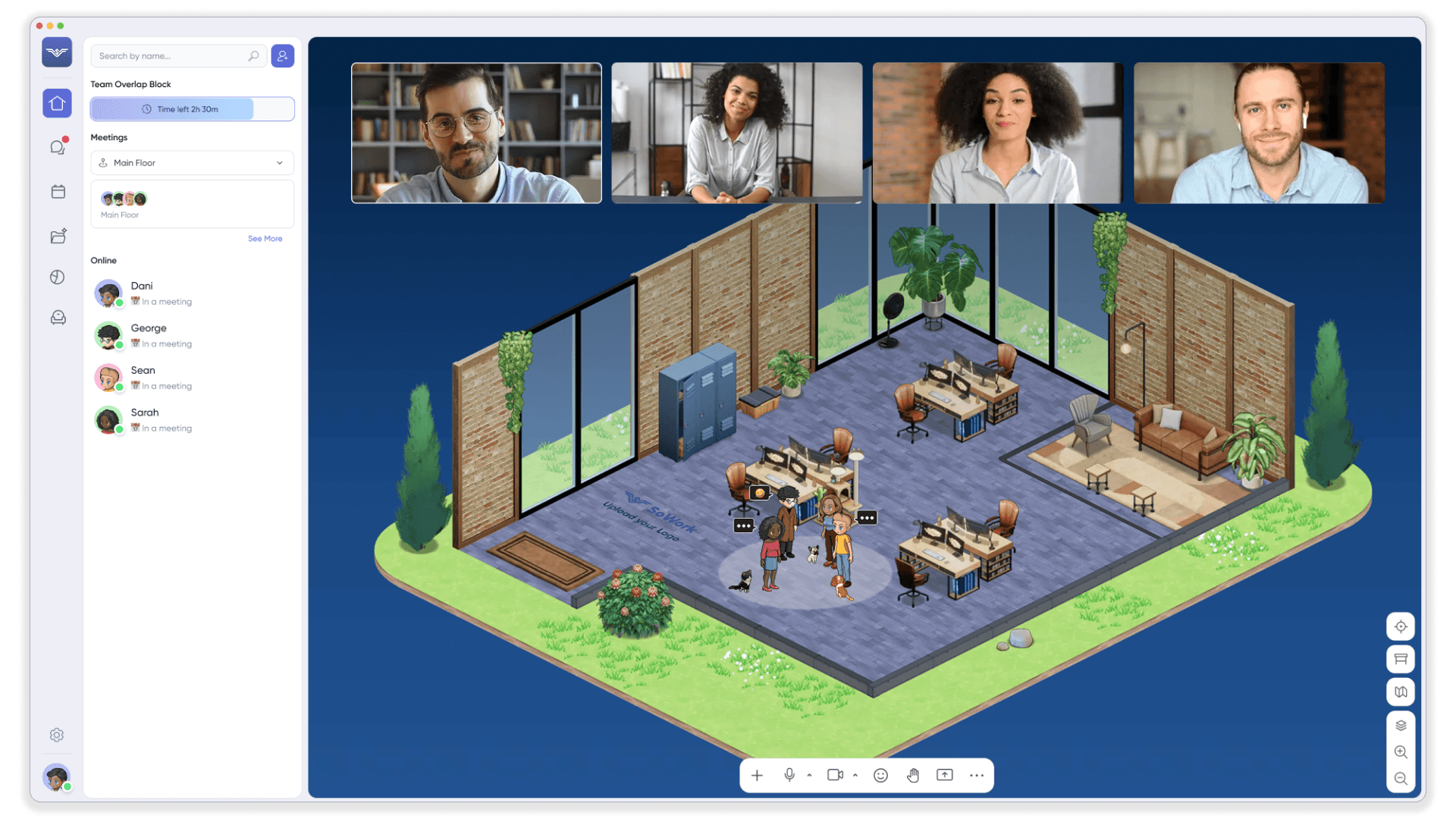
Availability indicators reduce coordination overhead by answering the persistent remote work question: “Who’s around right now?” Rather than sending messages into uncertainty or scheduling yet another call, team members see presence status instantly enabling the same space experience that physical location naturally provides. This fosters a connected team by making remote members feel as if they are working together in real time, supporting seamless interaction and shared presence.
Spatial audio in virtual meeting spaces creates natural team interactions. Walking your avatar toward a colleague triggers conversation; stepping away ends it. This mechanic supports spontaneous conversations that Slack threads and scheduled meetings cannot replicate the hallway discussions where problems get solved and relationships strengthen. In fact, spontaneous conversations in virtual offices can replace formal meetings, leading to a 60% reduction in scheduled calls.
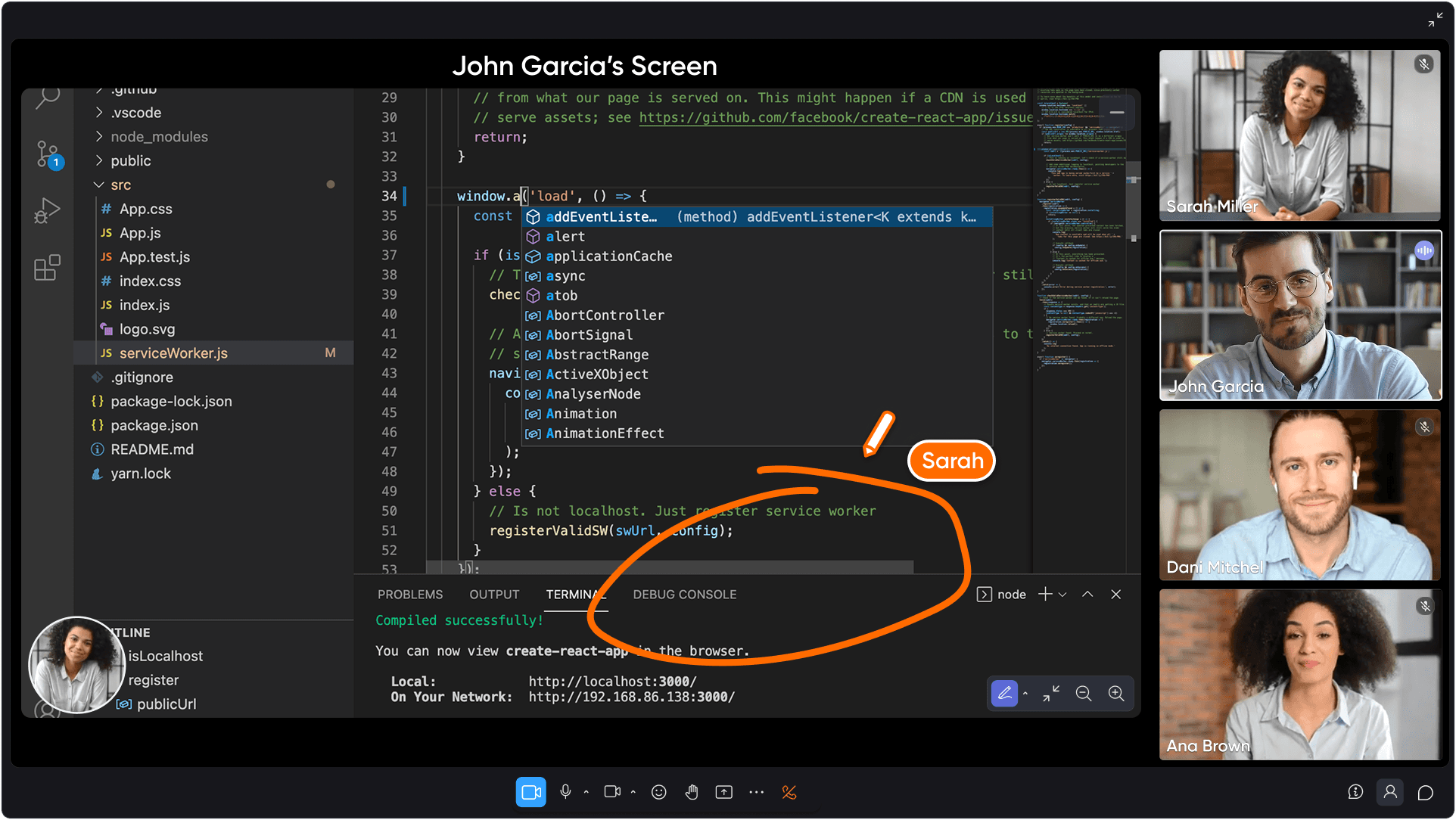
Integrated video, voice, and chat eliminate tool switching during collaborative sessions. Screen sharing, background customization, and seamless integration with existing communication platforms mean teams stay in one virtual environment rather than bouncing between disconnected video conferencing tools.
Native Integration with SaaS Tool Ecosystems
Seamless Microsoft 365 and Google Workspace connectivity ensures the virtual office layer enhances rather than complicates existing workflows. SoWork integrates with Google Calendar and Outlook for meeting scheduling, while Zapier connections push action items and summaries into external tools like Notion or Asana.
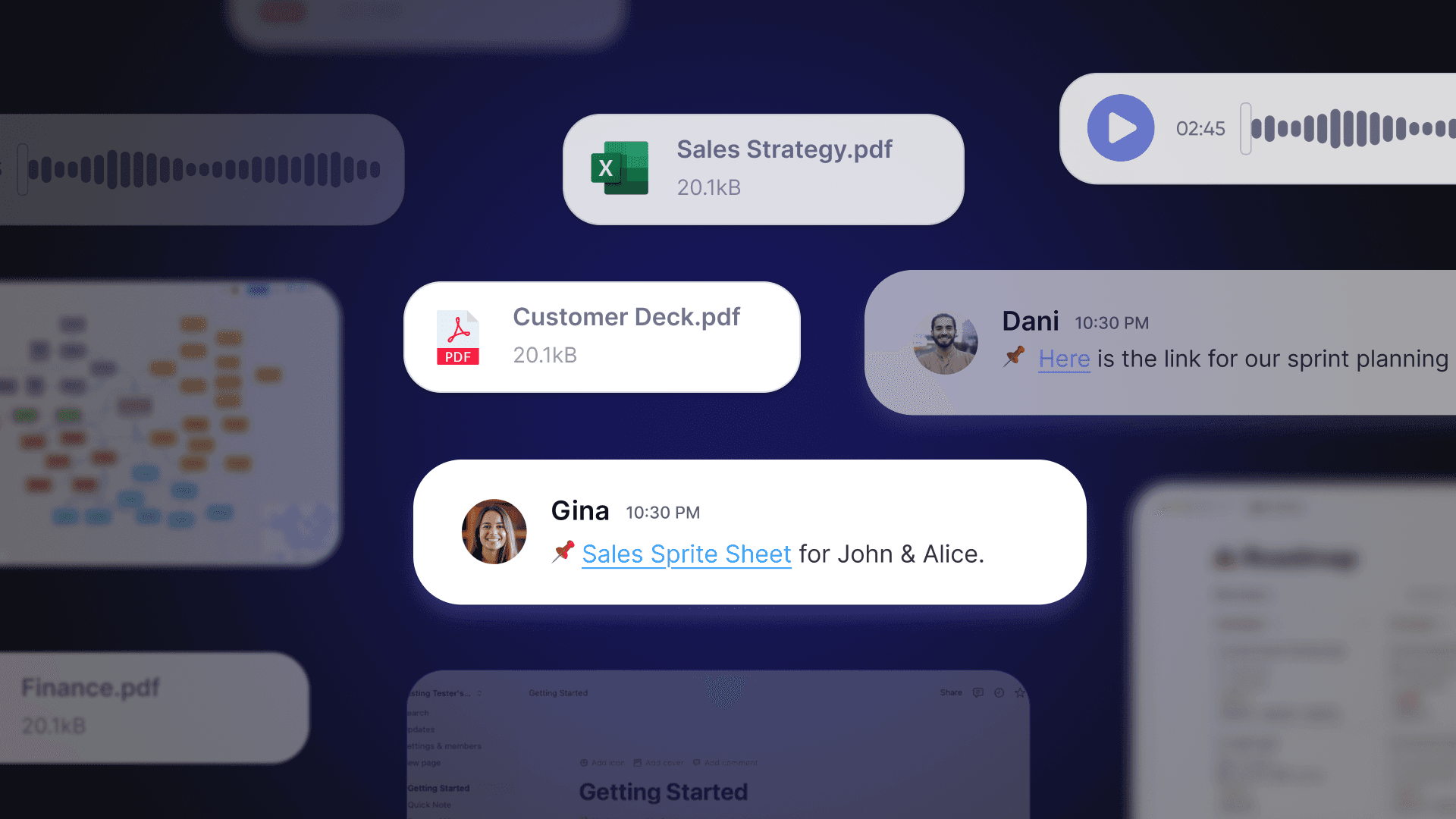
API integration with project management tools enables workflow continuity between coordination and execution. Meeting decisions flow into Jira tickets, customer escalations route to appropriate tracking systems, and document sharing connects to existing file repositories all without manual transfer.
Unified dashboards reduce context switching across customer success and product tools. Team analytics show connection insights, activity patterns, and coordination gaps giving leaders visibility into how distributed teams actually work together rather than just what they produce.
Security and Compliance Considerations
As remote and hybrid teams increasingly rely on virtual workspace tools to collaborate and manage sensitive information, "Security and Compliance" become absolutely critical priorities - not optional add-ons. A robust virtual workspace platform must safeguard "Data Integrity" with zero compromise and ensure that distributed teams can collaborate with complete confidence, regardless of physical location.
Data Protection and Regulatory Compliance in Virtual Workspaces
SECURITY REALITY: Virtual workspace solutions like Microsoft Teams and Google Workspace aren't just collaboration tools they're "Enterprise Fortresses" built with military-grade protection. FACT: These platforms deliver end-to-end encryption, granular access controls, and full compliance with major regulatory frameworks including GDPR and CCPA. For remote and hybrid teams, this isn't optional it's the foundation that prevents your confidential business data from becoming tomorrow's headline breach and maintains unbreakable trust with clients and stakeholders.
THE EVALUATION IMPERATIVE: When selecting a virtual workspace platform, teams must dissect how data flows through three critical pathways storage, transmission, and access. Priority features aren't suggestions; they're non-negotiables: secure file sharing that locks down every document, two-factor authentication that creates an "Identity Fortress," and regular security audits that expose vulnerabilities before hackers do. These measures don't just prevent unauthorized access they eliminate the catastrophic risk of data breaches and cyber threats that destroy companies overnight. Leading virtual workspace tools deliver detailed audit logs and customizable permissions, creating an "Access Control Matrix" that lets hybrid teams dictate exactly who can view, edit, or share files within their digital fortress.
STRATEGIC FOUNDATION: Selecting a virtual workspace solution that prioritizes security and compliance isn't just smart it's survival. Distributed teams that build this foundation ensure their collaboration environment satisfies both internal policies and external regulatory demands without compromise. This "Security-First Architecture" unleashes teams to focus entirely on productivity and collaboration, knowing their information fortress protects every digital interaction at every stage of the workflow.
Knowledge Sharing and Communication
FACT: Effective "Knowledge Sharing" and seamless communication are the FOUNDATIONAL PILLARS of high-performing remote and hybrid teams. Virtual workspace tools aren't just nice-to-have solutions they are MISSION-CRITICAL infrastructure specifically engineered to eliminate the "Collaboration Gaps" that physical distance creates, enabling distributed SaaS teams to achieve "Proximity-based Productivity" and collaborate with the same efficiency and "Institutional Memory" as if they were operating within a unified physical headquarters.
Enabling Seamless Information Flow in Distributed SaaS Teams
Virtual workspace platforms deliver a powerful arsenal of capabilities that eliminate the friction of "real-time communication," enable "structured collaboration," and unlock spontaneous conversations that drive results. Tools like Slack and Notion function as the collaboration engine for distributed teams offering group chats, video calls, and screen sharing that allow team members to exchange ideas instantly and co-create documents without the traditional barriers. These capabilities don't just replicate physical office dynamics; they supercharge them, making it impossible for remote workers to fall out of alignment or lose critical information.
Solutions such as NexGen Virtual Office and Sococo represent the evolution beyond basic video tools they construct "virtual environments" that simulate the spatial intelligence and organic flow of a traditional office. Within these digital ecosystems, team members navigate between dedicated rooms, drop into collaborative sessions, and trigger spontaneous discussions that build the "institutional memory" every organization desperately needs. This creates genuine presence and connection that solves the work-life balance equation while dramatically improving team collaboration efficiency.
The non-negotiable features for any virtual workspace platform include seamless integration with existing productivity and collaboration tools, bulletproof file sharing, and AI-powered meeting notes that capture every critical insight. These elements ensure that knowledge becomes the competitive advantage captured, organized, and accessible destroying "information silos" that plague distributed teams and enabling "structured collaboration" that scales across time zones and departments.
SaaS organizations that leverage the right virtual workspace tools don't just overcome communication challenges they transform them into competitive advantages. These platforms enable teams to collaborate with surgical precision, share knowledge effortlessly, and maintain productivity levels that exceed traditional office environments while keeping engagement at maximum capacity.
Implementation Strategy for SaaS Organizations
Understanding features is necessary but insufficient successful adoption requires structured implementation that accounts for existing tool investments, team dynamics, and measurable outcomes. Cost efficiency is a key benefit of implementing a virtual workspace for SaaS teams working remotely, as these platforms can significantly reduce overhead expenses by eliminating the need for large office spaces and associated costs like maintenance and utilities. Investing in a virtual workspace typically involves lower subscription fees compared to maintaining a physical office, allowing businesses to reallocate funds to employee development and technology upgrades.
Assessment and Pilot Planning Process
Audit current tool stack by documenting every tool used daily for communication, meetings, file sharing, and project tracking. Identify overlaps where multiple tools serve similar purposes (Slack plus Teams plus email, for example) and redundant flows where the same information gets entered multiple times.
Map cross-functional workflows between product, engineering, and customer teams. Where do handoffs happen? Where does context get lost? Customer support escalations to product, bug triage processes, and design handoffs typically reveal coordination friction that a virtual workspace layer can address.
Define success metrics before implementation:
Weekly hours saved from reduced meeting overhead
Time spent in context switching (measure via surveys or time tracking)
Fewer follow-up clarification requests
Faster decision documentation and retrieval
Team satisfaction and remote culture indicators
Select a pilot team facing coordination challenges ideally a cross-functional group spanning time zones or a team with documented handoff problems. Customer success plus support plus product often represents a good starting point given the clear escalation workflows.
Platform Comparison for SaaS Teams
When evaluating virtual workspace platform options, SaaS teams should prioritize AI capabilities, integration depth, scalability, and specific benefits for technical organizations. The best tool for SaaS teams will depend on whether their primary need is ongoing team collaboration, immersive engagement, or hosting specialized virtual events such as hackathons, online learning, or large-scale conferences. For example, Remo is often highlighted as a platform optimized for virtual events, offering interactive table layouts, Q&A, and real-time engagement features, making it ideal for event-driven activities rather than daily team collaboration.
Platform | AI Features | Document Integration | Scalability | SaaS-Specific Benefits |
SoWork | AI summaries, transcription, action item extraction, meeting memory | Google Calendar, Outlook, Slack, Zapier automation | Free tier (≤10), Basic 6$, Premium ~$15/user/month | Operational hub above document suites; replaces separate meeting/presence tools |
Gather | Spatial audio, presence; less mature AI summaries | Manual Google Drive embedding | ~$15/user/month | Strong visual environments; less structured action tracking |
Tandem | Lightweight presence, quick video calls | PM tool integration focus | Best for smaller teams | Lower barrier; minimal overhead |
Microsoft Teams | Meeting transcription, some AI features | Native Microsoft 365 integration | Enterprise scale | Deep document integration but weaker presence/spatial features |
For SaaS teams seeking seamless collaboration across product, engineering, and customer success, SoWork provides the strongest combination of AI-powered meeting memory, real-time presence, and integration flexibility. Creative teams with less structured workflow needs may find Gather’s visual environments appealing, while organizations deeply invested in Microsoft 365 should evaluate how Microsoft Teams’ limitations around spontaneous interaction affect their coordination patterns. Notably, companies using immersive virtual workspaces report improved employee retention rates due to increased engagement and a stronger sense of belonging.
Common Challenges and Solutions
Adoption patterns in SaaS organizations reveal consistent obstacles that implementation planning should anticipate, especially for hybrid and remote teams. Flexibility in remote work environments is crucial for employee satisfaction, as it allows team members to work when and where they are most productive, contributing to a positive team culture.
Tool Fragmentation Resistance
When teams already use multiple communication platforms, video conferencing tools, and project tracking systems, adding another layer feels counterproductive. The solution: position SoWork as a consolidation layer, not additional complexity.
Demonstrate how a virtual office solution eliminates standalone meeting transcription tools, separate screen recording services, and fragmented presence indicators across Slack, Teams, and calendar systems. Emphasize cost efficiency as a key benefit consolidating tools into a single virtual workspace reduces traditional office expenses, streamlines budget management, and improves overall operational cost-effectiveness. Calculate cost savings from tool consolidation and reduced context switching tangible numbers overcome abstract resistance.

Cross-Functional Coordination Gaps
Silos between product, engineering, and customer success cause decisions to be lost and handoffs to fail. Unified presence awareness ensures departments know availability without constant messaging and directly supports team alignment by making it easier to maintain clear coordination and shared understanding across departments; AI meeting notes maintain decision context across teams.
Implement shared meeting zones where cross-functional discussions happen in one virtual environment with recordings and summaries stored in a unified Meeting Library. Standardize action item assignment through integrated workflows that route outputs to appropriate tracking tools.
Scaling Remote Culture with Growth
Remote culture erodes as team size increases onboarding becomes impersonal, spontaneous interactions disappear, and new hires struggle to build relationships. Establish the virtual workspace as cultural scaffolding early, before reaching coordination limits.
SoWork’s MapMaker enables custom office layouts reflecting company values. Avatars, meeting room designs, and themed zones create shared virtual world identity. Structured onboarding within the virtual office environment guided tours, designated welcome zones, scheduled overlap hours for coworking ensures new team members build connections despite physical location differences. A strong virtual workspace culture helps foster a connected team, maintaining cohesion and engagement even as the organization grows.
Conclusion and Next Steps
A virtual workspace for SaaS teams working remotely functions as the essential coordination layer above document suites the operational hub where presence, communication, and collaboration converge before work flows into Microsoft 365, Google Workspace, or specialized project tracking tools. For distributed teams facing tool fragmentation, context switching costs, and coordination overhead, this architecture delivers measurable productivity gains while strengthening remote culture.
Immediate actionable steps:
Start a SoWork free trial to experience virtual office coordination firsthand
Conduct a tool stack audit documenting current communication, meeting, and collaboration tools
Define coordination metrics: hours lost to context switching, meeting follow-up frequency, decision documentation accessibility
Plan pilot implementation with a cross-functional team spanning time zones or facing documented handoff challenges
Establish success criteria before expanding to additional teams
For teams ready to scale their virtual workspace implementation, explore advanced SoWork integrations with existing tool stacks, remote culture building practices within virtual environments, and ROI measurement frameworks for virtual workspace investment.
Additional Resources
SoWork implementation checklist for SaaS teams: Step-by-step deployment guide covering tool audit, pilot planning, and success measurement
ROI calculation framework: Template for quantifying context switching costs, tool consolidation savings, and productivity improvements
Integration guides: Configuration documentation for connecting SoWork with popular SaaS tool stacks including Jira, Linear, Asana, and Zapier automation workflows
Remote team coordination templates: Meeting zone structures, onboarding sequences, and cross-functional workflow patterns proven in distributed SaaS organizations
Blogs
Read Similar Articles

Remote Team Analytics: Complete Guide to Data-Driven Remote Work Management in 2026

Complete Guide to Gaining Visibility Into Remote Team Performance and Collaboration
