Which Digital Office Tools are Recommended for Scaling Remote Teams: A Strategic Implementation Guide
The SoWork Team
Published:
Updated on:
Introduction
Scaling remote teams beyond 15-20 members creates coordination challenges that individual productivity tools cannot solve alone. In the digital age, organizations must adopt digital workspace platforms that support hybrid and remote teams, enabling seamless collaboration and communication regardless of location. The most effective approach requires a strategic three-layer digital office stack: a virtual office platform like SoWork as the coordination hub, productivity suites for document collaboration with all-in-one functionality, and specialized project management tools for task tracking and workflow automation. This architecture eliminates the fragmentation that costs remote workers an average of 52 minutes daily switching between 11+ applications.
This guide covers tool selection, implementation strategy, and scaling frameworks for remote and hybrid teams ranging from 10 to 100+ members. It targets HR leaders, operations managers, HR teams, and team leads responsible for building digital infrastructure that supports seamless collaboration and team productivity for hybrid and remote teams. Topics outside this scope include hardware recommendations, individual productivity apps, and industry-specific compliance requirements beyond general security considerations.
The essential digital office tools for scaling remote teams include communication platforms, project management tools, and document collaboration suites. Top recommendations are SoWork as the central virtual office platform for team communication and presence, Microsoft 365 or Google Workspace for document collaboration with all-in-one functionality, and specialized tools like Asana, ClickUp, or Monday.com for project management and workflow automation. These platforms provide a secure environment for distributed teams. This layered approach reduces context switching by consolidating coordination into a single digital workspace before adding specialized functionality.
Between 2019 and 2021, the share of workers using digital collaboration tools jumped from 55% to 79%, highlighting the increasing reliance on these platforms for remote work.
By the end of this guide, you will gain:
A clear understanding of the three-layer digital office architecture that prevents tool fragmentation
Guidance on selecting essential tools for efficient collaboration and workflow management
A phased 90-day implementation roadmap for rolling out your tool stack
An ROI measurement framework tracking meeting reduction and coordination efficiency
Integration best practices connecting virtual office, productivity, and project tools
Scaling milestones for teams of 10-25, 25-50, and 50+ members
Understanding the Strategic Digital Office Framework
The three-layer digital office architecture provides a structured approach to tool selection that prevents the fragmentation plaguing most distributed teams. Digital workspace platforms integrated digital tools that unify communication, collaboration, task management, and file sharing play a central role in this architecture by enabling remote collaboration and seamless communication across projects and teams. Rather than adding tools reactively, this framework establishes clear boundaries: a virtual office layer for coordination, a productivity layer for content creation, and a specialized layer for task management. Each layer serves a distinct purpose while integrating seamlessly with the others, enabling teams to collaborate effectively without constant context switching.
Digital workspace platforms provide a secure environment for employees to access applications and data remotely from any location, which is essential for distributed teams. Coordination overhead becomes the primary bottleneck as remote teams scale beyond 15-20 members. Without a central hub, teams experience exponential growth in communication channels, duplicate status updates, and meetings scheduled simply to share information. Effective internal communication is critical for maintaining engagement, information sharing, and team cohesion in remote and hybrid environments. Research shows that remote workers lose approximately 23% of productive capacity to tool switching, duplicate data entry, and coordination overhead a problem that intensifies with each new team member added. The digital workspace market is projected to reach $234 billion by 2032, underscoring the growing importance of these platforms in enhancing team collaboration and efficiency.
Layer 1: Virtual Office and Coordination Hub
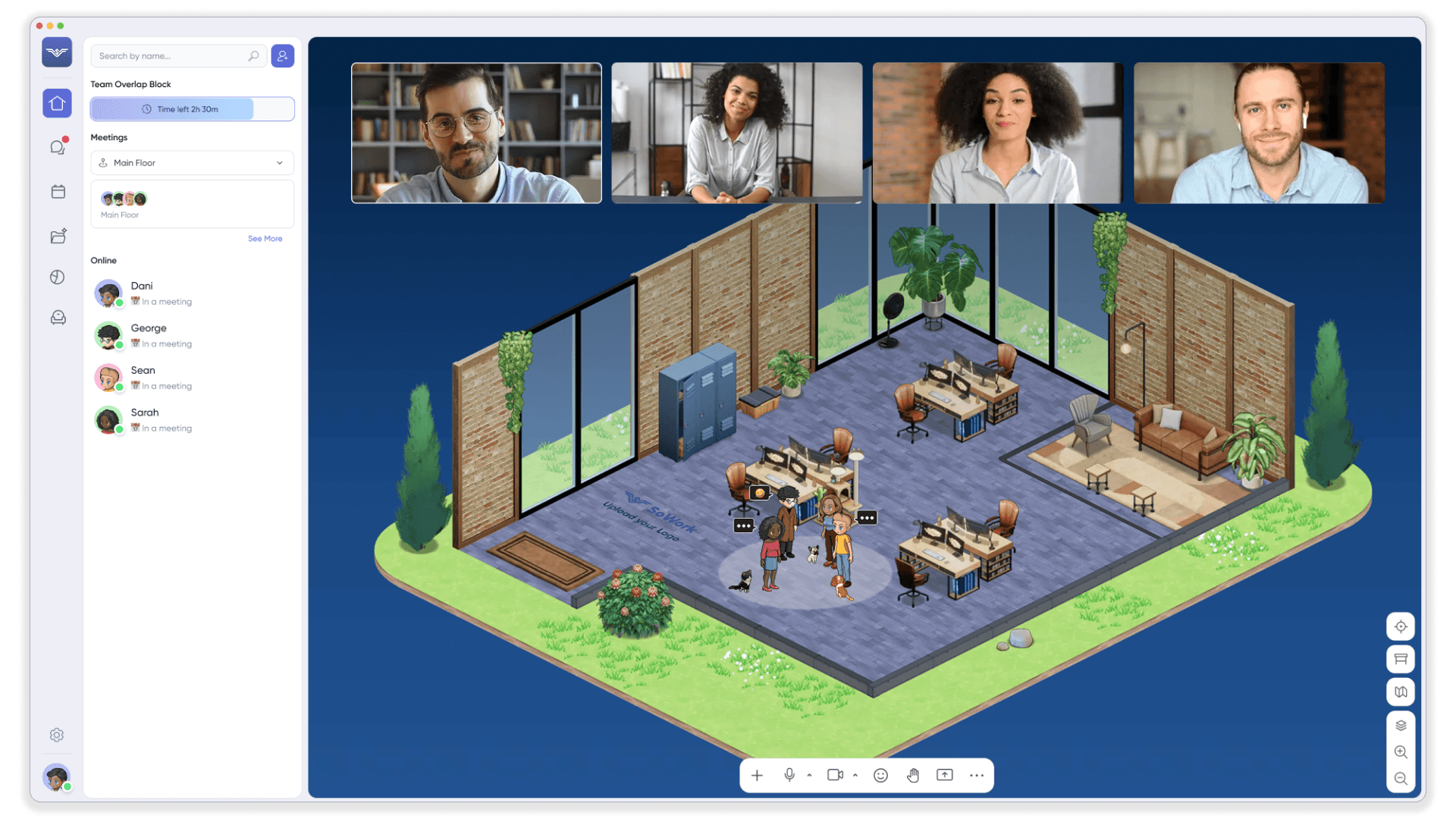
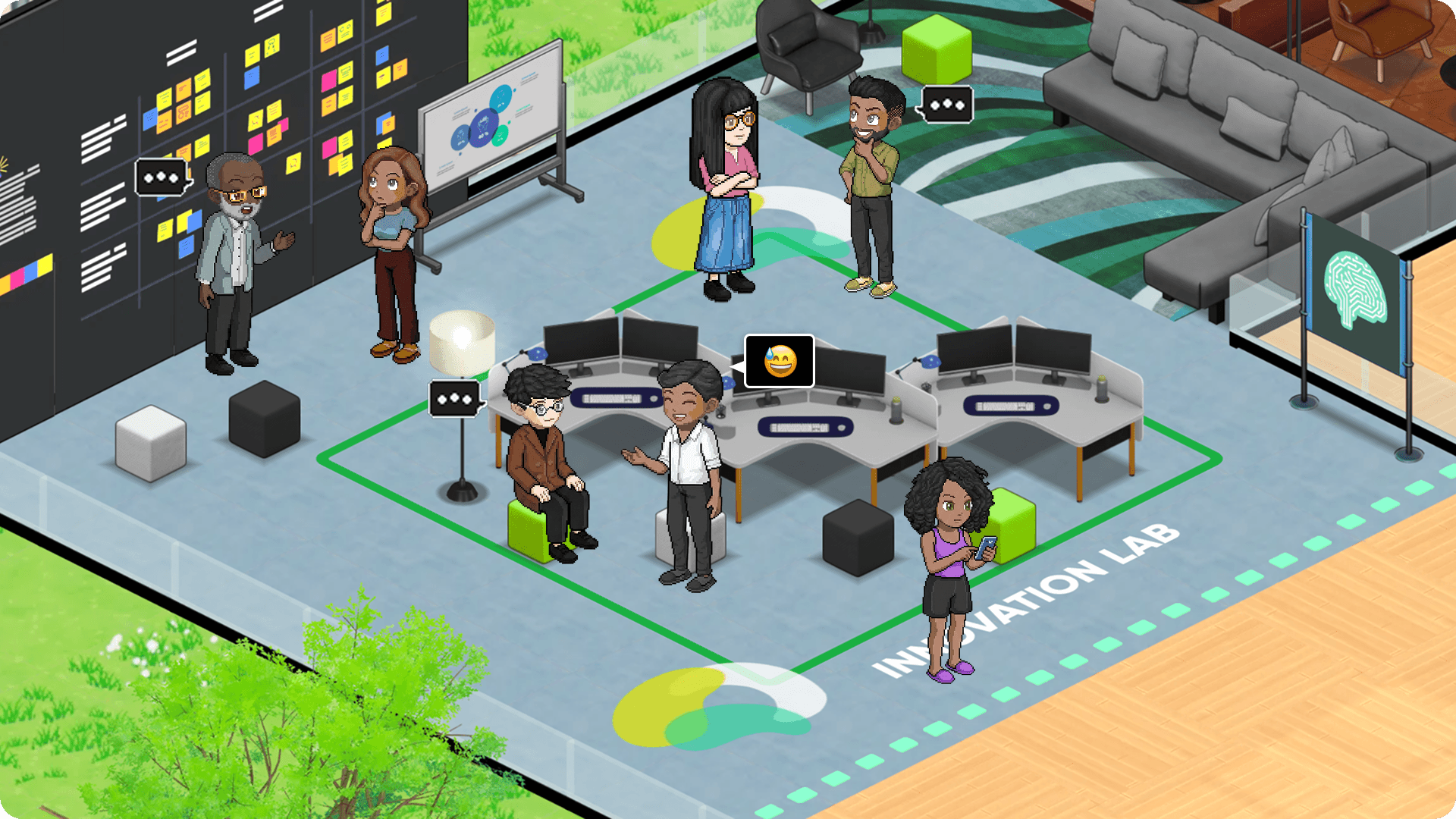
SoWork serves as an AI-powered virtual office platform that acts as the central digital workspace for unified presence, communication platforms, and real time communication including instant messaging, video calls, and file sharing. Implementing a virtual office as the central hub before adding specialized tools prevents tool fragmentation and reduces coordination overhead by up to 40%, enhancing overall productivity for remote teams. Unlike traditional video conferencing apps or chat tools, SoWork creates a persistent environment where team members maintain visible presence, join spontaneous conversations, and access shared context without scheduling formal meetings.
Virtual office platforms replicate in-person dynamics through spatial audio, presence indicators, and walk-up interactions that eliminate the friction of calendar coordination. These platforms create spaces that improve culture, presence, and spontaneous interaction among remote teams. Team members can see who is available, approach colleagues for quick questions, and maintain the ambient awareness that makes physical offices productive. A virtual office also allows businesses to maintain an official address for correspondence and present a professional image without the need for a physical office space. The use of virtual offices has increased as businesses seek to reduce overhead costs associated with physical locations while still providing a professional presence to clients and customers. Virtual offices can help small businesses compete with larger companies by providing them with a prestigious business address and access to professional services without the costs of maintaining a physical office. This approach centralizes team communication while preserving the flexibility that remote workers value.
The connection to scaling needs is direct: organizations using SoWork report reducing formal meetings by up to 41% and saving an average of 3.5 hours per week per user on administrative tasks like note-taking and follow-ups. For teams growing beyond 15-20 members, this reduction in coordination overhead prevents the communication breakdowns that typically accompany rapid scaling.
Layer 2: Productivity and Document Suites
Core productivity platforms like Microsoft 365 and Google Workspace are widely recognized productivity suites that offer all-in-one functionality, integrating essential office apps such as word processors, spreadsheets, and presentation software for seamless document collaboration and content creation. These suites enable real-time co-authoring, which is critical for growth-focused teams to avoid version control issues that often arise from sharing files via email attachments. Their comprehensive set of office apps provides the foundation for knowledge sharing through shared documents, spreadsheets, and presentation tools that teams need regardless of their coordination layer.
The relationship between productivity suites and the virtual office layer is complementary, not competitive. SoWork integrates with Google Calendar, Microsoft Outlook, and major document platforms so that teams can reference files, share documents, and update calendars without leaving their virtual workspace. This integration eliminates the context switching that occurs when team members must navigate between separate applications for meetings, documents, and communication.
Before adding task management complexity, teams should establish their content foundation with a consistent productivity suite. This sequence matters because project management platforms depend on clear documentation, version control, and file organization all capabilities that mature through productivity suite adoption first.
Layer 3: Specialized Tools and Automation
Project management platforms like Asana, ClickUp, and Monday.com provide the task tracking, workflow automation, and reporting capabilities that scaled teams require. As remote teams grow and operations become more complex, specialized applications are essential to manage projects, manage tasks, organize tasks, and track tasks efficiently. These workflow management tools help teams prioritize, structure, and monitor their work, ensuring seamless collaboration and reducing fragmentation across systems. As teams expand beyond 15-20 members, especially for HR teams, structured project tracking and automated HR processes become essential to maintain coordination and efficiency. These tools manage dependencies, portfolios, deadlines, and the complex workflows that emerge when multiple projects run simultaneously across distributed teams.
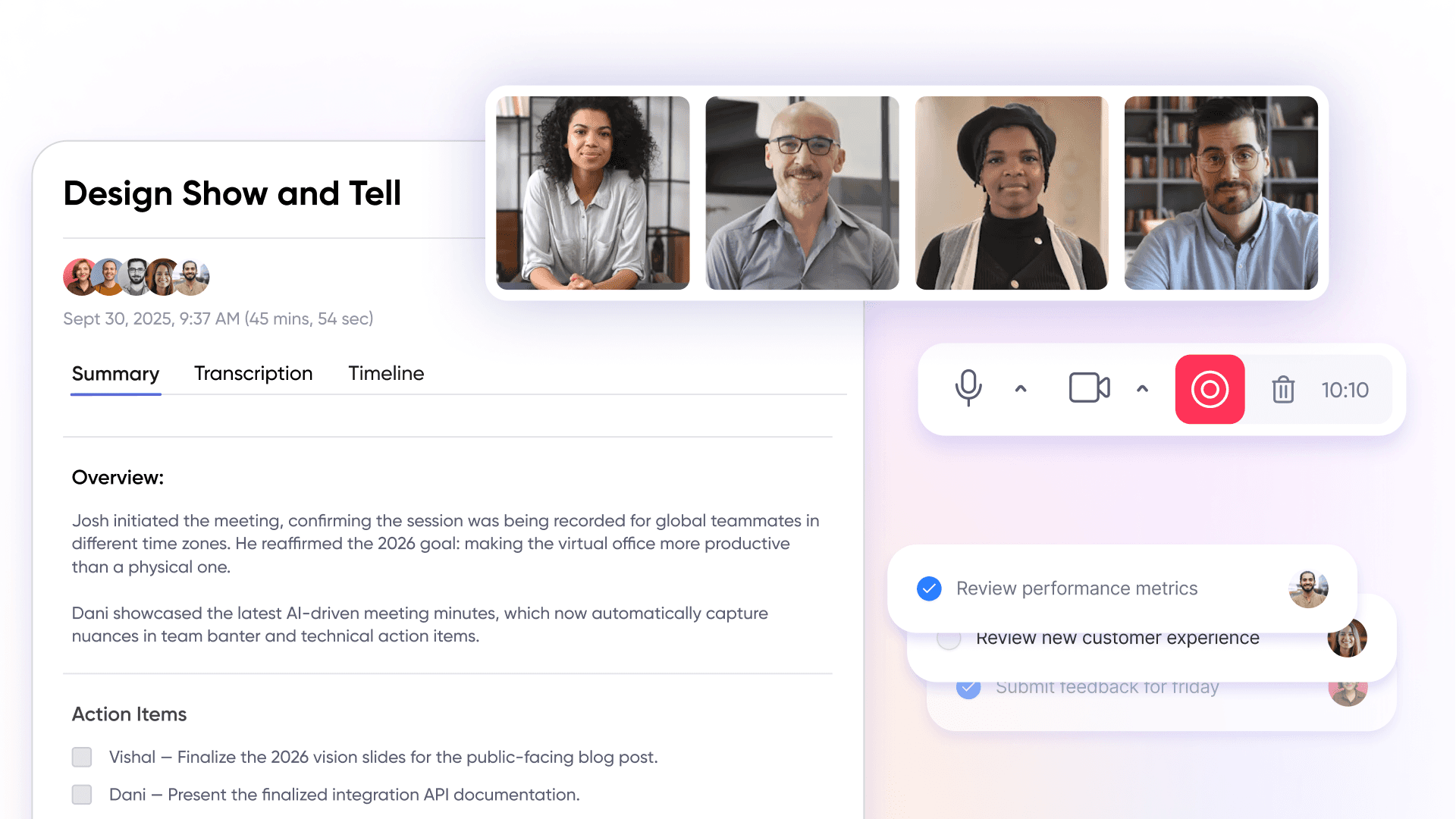
The explicit connection to previous layers makes these specialized tools effective rather than fragmenting. SoWork’s AI meeting summaries and action item extraction integrate with project management tools via Zapier, automatically converting meeting outcomes into tracked tasks. This integration prevents the common failure where meeting decisions live in notes while tasks live in separate systems, keeping teams aligned without manual data entry.
This layered approach is essential for teams moving to more advanced implementation because it establishes clear tool boundaries. The virtual office handles coordination, the productivity suite handles content, and project management handles task tracking each tool serving its purpose while contributing to a unified workflow.
Essential Digital Office Tool Categories for Scaling
With the three-layer framework established, specific tool recommendations within each category help teams make informed decisions. The goal is not simply adopting more digital tools but selecting the essential tools such as digital workspace platforms and communication platforms that integrate into a coherent stack. By focusing on these foundational components, remote teams can achieve seamless communication and efficient collaboration, reducing fragmentation while expanding capability.
Virtual Office and Team Coordination Platforms
SoWork’s key features position it as the foundation for remote team collaboration: AI-powered meeting summaries via the Sophia assistant, spatial presence through customizable Mapmaker environments, unified communication combining video meetings and team chat, and calendar integration with both Google and Microsoft ecosystems. As a digital workspace platform, SoWork provides a secure environment that enables employees to access applications and data remotely from any location, supporting flexible and location-independent work while maintaining security standards. The platform supports teams from 5 to 200+ users with pricing tiers that scale appropriately free for up to 10 members, Basic at $6/user/month for unlimited video, and Premium at approximately $13-15/user/month with recordings, AI summaries, and analytics.
Alternatives like Gather, Tandem, and WorkAdventure offer spatial presence and avatar-based interaction but generally lack the robust AI meeting summaries, action item extraction, and enterprise integration depth that SoWork provides. For teams evaluating virtual office platforms, the critical differentiators are AI capabilities for workflow automation and native integrations with existing tools in the productivity and project management layers. Communication platforms such as Slack and Microsoft Teams integrate channel-based messaging, video conferencing, and file sharing into a unified interface, supporting unified presence and simultaneous collaboration. These unified presence and communication platforms eliminate the productivity loss associated with context switching, which can drain remote teams of up to 23% of their productivity.
Integration capabilities determine whether a virtual office platform reduces or increases tool fragmentation. SoWork connects with Google Calendar, Microsoft Outlook, and Slack natively, with Zapier integration enabling automated workflows to Asana, Notion, and other productivity tools. This integration architecture ensures that meeting summaries flow to documentation systems and action items appear in task management tools without manual intervention.
Document Collaboration and Productivity Suites
Microsoft 365 and Google Workspace are widely recognized productivity suites that offer all-in-one functionality, integrating essential office apps such as word processors, spreadsheets, and presentation software into a single platform. Microsoft 365 delivers enterprise-grade security, full-featured desktop office apps for Word, Excel, and PowerPoint, 1TB cloud storage per user, and advanced admin controls suited for larger teams managing compliance requirements. Microsoft Teams, included within Microsoft 365, serves as a unified communication and collaboration platform, supporting chat, file sharing, and seamless video calls for remote and hybrid teams. Business Basic starts at $6/user/month, with Business Standard at $12.50 and Premium at $22 for organizations requiring advanced security features. For teams prioritizing offline capability, advanced spreadsheet functionality, and established enterprise workflows, Microsoft 365 remains the standard choice.
Google Workspace offers browser-native collaboration with real-time editing that many teams find more intuitive for simultaneous document work. Its all-in-one functionality includes integrated office apps like Docs, Sheets, and Slides, enabling real-time collaboration and document editing within a virtual work environment. The platform’s AI-assisted content creation through Gemini, simple sharing permissions, and lower front-end costs make it attractive for teams prioritizing seamless teamwork over desktop app depth. Video calls are a core feature, with Google Meet providing integrated video conferencing capabilities, including features like screen sharing and virtual backgrounds to enhance remote meeting experiences. However, offline support remains weaker, and some advanced spreadsheet features lag behind Microsoft’s offerings.
Alternative options serve specific needs: LibreOffice provides free, open-source productivity with strong desktop office apps; WPS Office offers Microsoft compatibility at lower cost; Collabora Online enables self-hosted deployment for organizations requiring data sovereignty. These alternatives introduce trade-offs in integration depth, support availability, and feature parity that teams should evaluate against their specific requirements.
For high-quality virtual meetings, Zoom stands out as the top video conferencing app, known for its reliability, ease of use, and extensive features such as screen sharing, webinars, integrations, and virtual backgrounds. Video conferencing apps like Zoom and Webex are essential for remote and hybrid communication, supporting real-time interaction and seamless integration with other productivity tools to enhance remote team coordination.
Project Management and Workflow Automation
Asana provides structured project planning with portfolio tracking, timeline views, and team collaboration features at $10.99/user/month for the Premium tier. The platform excels at cross-team visibility and governance for organizations managing multiple concurrent projects. Asana enables teams to manage projects, manage tasks, organize tasks, and track tasks as part of comprehensive workflow management. Task tracking is a key feature within project management platforms like Asana, maintaining workflow visibility and preventing work from falling through the cracks. Enterprise plans add advanced security, custom branding, and dedicated support for organizations requiring compliance certifications.
ClickUp offers flexible workflows with built-in time tracking, extensive customization options, and robust automation at $7/user/month for the Unlimited tier. The platform’s depth supports complex project structures and allows teams to manage projects, manage tasks, organize tasks, and track tasks efficiently, but introduces a steeper learning curve that teams should account for during implementation. AI add-ons at approximately $5/member/month provide automated summaries and content generation.
Monday.com delivers visual project boards with an intuitive interface at $12/user/month for the Standard tier, though minimum seat requirements apply. The platform’s automation limits and integration quotas scale with pricing tiers, with Enterprise plans offering 250,000 actions monthly and compliance features like HIPAA support and audit logs. Monday.com supports workflow management by helping remote teams organize tasks, manage projects, and track tasks within a centralized digital workspace.
Integration requirements with SoWork matter for synchronized workflows: meeting action items should flow automatically to task tracking, and task updates should be accessible within the virtual office context. Native integrations and Zapier connections enable this synchronization, ensuring that decisions made in meetings translate directly into tracked tasks without manual duplication. This integrated workflow management is essential for remote teams to maintain efficiency and avoid fragmented systems.
Implementation Strategy and Tool Selection Framework
Building on the three-layer framework, successful implementation requires a phased rollout approach that avoids overwhelming teams while establishing clear tool boundaries. Organizations that attempt simultaneous adoption of virtual office, productivity, and project management tools typically experience higher resistance and lower adoption rates than those following a structured sequence.
Phased Implementation Roadmap
This phased approach prevents the adoption fatigue that derails digital transformation initiatives. By establishing each layer before adding the next, teams develop competency and confidence that supports subsequent changes.
Phase 1 (Days 1-30): Establish SoWork Virtual Office Foundation
Deploy the SoWork virtual office as the central coordination hub. Configure meeting zones and presence areas using Mapmaker. Integrate with existing calendars (Google or Microsoft) so that team schedules synchronize automatically. Establish communication boundaries including deep work hours, availability indicators, and expectations for response times. Map existing tools to identify redundancies and consolidation opportunities.
Phase 2 (Days 30-60): Optimize Productivity Suite Integration
Standardize on the primary document collaboration platform (Microsoft 365 or Google Workspace). Migrate critical documents to centralized cloud storage with consistent folder structures. Train teams on version control and document sharing protocols. Connect productivity tools to SoWork so that documents can be referenced and shared within the virtual office environment without platform switching.
Phase 3 (Days 60-90): Layer Specialized Project Management Tools
Select and deploy the primary project management platform (Asana, ClickUp, or Monday.com) based on team size and workflow requirements. Configure integrations so that SoWork meeting summaries and action items flow automatically to the task management system. Establish dashboards and reporting frameworks that track progress across projects. Define automation rules that reduce manual status updates and data entry.
Ongoing Optimization
Conduct quarterly audits of tool usage, integration effectiveness, and license utilization. Schedule regular training sessions to address feature adoption gaps. Refine workflows based on team feedback and productivity metrics. Adjust licensing tiers as team size and feature requirements evolve.
Tool Selection Criteria and Comparison Matrix
Virtual Office Platforms Comparison
Criterion | SoWork | Gather | Tandem |
AI Meeting Summaries | Yes, AI-Note taker | Limited | No |
Calendar Integration | Google, Outlook native | Basic calendar | Similar |
User Capacity | Free ≤10, Premium unlimited | Small team focus | Similar |
Custom Spaces | Mapmaker with spatial audio | Yes | Yes |
Enterprise Security | SSO, audit logs, uptime SLA | Limited | Limited |
All-in-One Functionality | Integrated chat, meetings, collaboration | Partial | Partial |
Workflow Management | Integrates with project tools, automations | Limited | Limited |
Essential Tools | Core communication and collaboration features | Basic | Basic |
Pricing | Free–$6-$15/user/month | $15 | Similar |
Productivity Suites Comparison
Criterion | Microsoft 365 | Google Workspace | LibreOffice/Collabora |
Real-Time Collaboration | Good (cloud versions) | Excellent | More limited |
Offline Capability | Strong desktop apps | Weaker | Strong desktop |
Enterprise Security | High maturity, certifications | Strong, simpler hierarchy | Depends on hosting |
Cloud Storage | 1TB per user | 30GB–5TB depending on plan | Self-managed |
All-in-One Functionality | Comprehensive suite: docs, email, chat, meetings | Comprehensive suite: docs, email, chat, meetings | Office apps, limited integration |
Workflow Management | Integrates with Teams, Planner, Power Automate | Integrates with Tasks, Chat, AppSheet | Manual, less automation |
Essential Tools | Includes all core office and collaboration apps | Includes all core office and collaboration apps | Core office apps |
Cost at Scale | Higher with more features | Lower front-end | Lower/free, infrastructure costs |
Synthesis by Team Size
Teams of 10-25 users: Start with SoWork Basic or Premium tier, select a productivity suite with strong all-in-one functionality and essential tools, implement Asana Premium or ClickUp Unlimited for workflow management with minimal automation complexity.
Teams of 25-50 users: SoWork Premium with AI features, productivity suite with robust security and all-in-one functionality, project management with workload views, resource management, and integrated workflow management.
Teams of 50+ users: Custom tiers across all layers SSO, audit logs, dedicated support, compliance certifications, negotiated volume pricing, and advanced workflow management to support scaling.
Measuring success and ROI requires tracking specific metrics: meeting hours per week, number of tools per user, time spent context switching, tasks completed on time, and team satisfaction scores. These measurements validate tool investments and guide optimization decisions.
Common Challenges and Solutions
Predictable obstacles emerge during remote team tool adoption, with internal communication and seamless communication often cited as common challenges. Anticipating these issues and preparing solutions accelerates implementation while reducing the friction that leads to abandoned initiatives.
Tool Fragmentation and Context Switching
Remote workers using 11+ tools daily lose substantial productive time to application switching and duplicate data entry. The solution: deploy SoWork as the coordination hub first, establishing it as the primary workspace before adding specialized tools. Define explicit tool boundaries what gets discussed where, what gets stored where and document these decisions. Implement gradual rollout with workflow mapping that shows team members exactly how tools connect, reducing the perceived complexity of the stack.
Integration Complexity During Rapid Growth
As teams scale quickly, integration configurations that worked at smaller scale often break or introduce data inconsistencies. Actionable solution: prioritize native integrations over custom API development whenever possible. Verify API compatibility before committing to tools, ensuring that platforms can exchange data reliably. Allocate technical resources specifically for integration maintenance. Conduct quarterly integration audits to identify broken connections, data synchronization failures, and optimization opportunities.

User Adoption Resistance and Change Management
Team members accustomed to existing workflows often resist new tools, particularly when the benefits aren’t immediately apparent. Strategic solution: position tools as productivity enhancers that reduce burden rather than add complexity. Identify team champions who can demonstrate value and support colleagues during transition. Show concrete time savings SoWork’s 3.5 hours weekly per user provides tangible evidence. Use free trials, including SoWork’s free tier for up to 10 users, to prove value before requiring commitment.
Cost Management and License Optimization
Tool costs scale rapidly with team size, and add-on features (AI, security, premium support) increase per-user expenses significantly. Practical solution: focus on total cost of ownership including training, integration, and productivity impact rather than just license fees. Negotiate volume discounts for larger seat counts enterprise plans often offer substantial per-seat reductions. Monitor usage patterns to identify underutilized licenses that can be downgraded or eliminated. Implement tiered licensing where appropriate, providing full seats to core users while limiting guests to essential access.
Conclusion and Next Steps
The three-layer digital office stack with SoWork as the virtual office foundation, productivity suites as the content layer, and specialized project management tools for task tracking provides the architecture that scaled remote teams require in the digital age. Leveraging digital workspace platforms and essential tools is critical for enabling efficient collaboration, maintaining productivity, and ensuring operational excellence as teams grow. This structure reduces the coordination overhead that otherwise consumes 23% or more of productive capacity while maintaining the flexibility that distributed teams value.
SoWork serves as the central digital workspace connecting meetings, team communication, presence, and daily collaboration before individual productivity tools are layered on. By establishing this foundation first, teams avoid the fragmentation that makes scaling painful and instead build infrastructure that supports growth from 10 to 100+ members.
Immediate actionable steps:
Start a SoWork free trial to experience virtual office coordination with your team
Audit current tool usage to quantify fragmentation costs and context switching time
Define 30-60-90 day implementation milestones using the phased roadmap above
Identify team champions who will support adoption and provide feedback
Establish baseline metrics for meetings per week, tool count, and team satisfaction
Related topics worth exploring include remote team culture development within virtual environments, AI-enhanced workflow optimization, hybrid work policies balancing office and remote presence, and security compliance frameworks for distributed teams handling sensitive data.
Additional Resources
Digital Office Tool Evaluation Checklist
Integration capabilities with existing calendar, productivity, and project tools
Scalability metrics: user capacity limits, pricing tiers, enterprise feature availability
Security compliance: SSO support, data encryption, audit logs, industry certifications
AI features: meeting summaries, action item extraction, automated workflows
Mobile support for team members working across devices
Implementation Timeline Template
Week 1-2: Deploy virtual office platform, configure spaces, integrate calendars
Week 3-4: Establish presence norms, train on core features, identify champions
Week 5-6: Optimize productivity suite integration, standardize document workflows
Week 7-8: Layer project management tool, configure integrations
Week 9-12: Refine automations, establish reporting dashboards, measure baseline metrics
ROI Measurement Framework
Meeting reduction: Track total meeting hours weekly before and after implementation
Coordination efficiency: Measure time spent scheduling, following up, and context switching
License cost optimization: Compare total tool spending before and after consolidation
Team productivity gains: Survey-based assessment of time saved and workflow satisfaction
Monetary calculation: Time saved × hourly rate = annual productivity value (e.g., 50 employees × 1 hour/week × $50/hour × 52 weeks = $130,000/year)
FAQ
1. How do we prevent our tool stack from becoming a fragmented mess as we grow?
2. What makes a virtual office better for scaling than just adding more Slack channels?
3. How can we actually reduce the number of meetings without losing alignment?
4. Can we automate our meeting follow-ups to save administrative time?
5. What is the recommended sequence for rolling out a digital office for a growing team?
6. How does a virtual office hub integrate with our existing Google or Microsoft tools?
7. Is a virtual office platform secure enough for an enterprise-level remote team?
8. How do we measure the financial return on investing in a coordination hub?
Blogs
Read Similar Articles

Remote Team Analytics: Complete Guide to Data-Driven Remote Work Management in 2026

Complete Guide to Gaining Visibility Into Remote Team Performance and Collaboration
