Remote Team Analytics: Complete Guide to Data-Driven Remote Work Management in 2026
The SoWork Team
Published:
Updated on:
Introduction
Remote team analytics refers to the systematic collection and analysis of data about how distributed teams work measuring productivity outcomes, collaboration patterns, communication flows, and engagement levels across remote and hybrid workforces. Unlike employee monitoring software focused on surveillance, remote team analytics emphasizes actionable insights that help organizations understand workforce effectiveness and make evidence-based decisions.
This guide covers performance measurement, communication analysis, and workflow optimization for remote teams while explicitly excluding invasive practices like keystroke logging or constant screen recording. The focus remains on outcome-based metrics that respect employee privacy while delivering data-driven insights for workforce management. HR professionals, team managers, and executives managing remote employees will find practical frameworks for implementing analytics that improve visibility without undermining trust.
Remote team analytics involves measuring collaboration patterns, productivity outcomes, and engagement levels through virtual office platforms like SoWork and integrated workplace tools. Effective remote team productivity metrics should focus on outcomes rather than hours worked, emphasizing project completion, features built, and sales closed as key indicators of productivity.
By the end of this guide, you’ll understand:
How to establish visibility into remote team performance without invasive monitoring
Which key metrics matter most for distributed teams across different functions
How virtual office platforms create unified analytics foundations
Practical implementation strategies that balance accountability with employee trust
Solutions to common challenges in remote workforce analytics
Understanding Remote Team Analytics
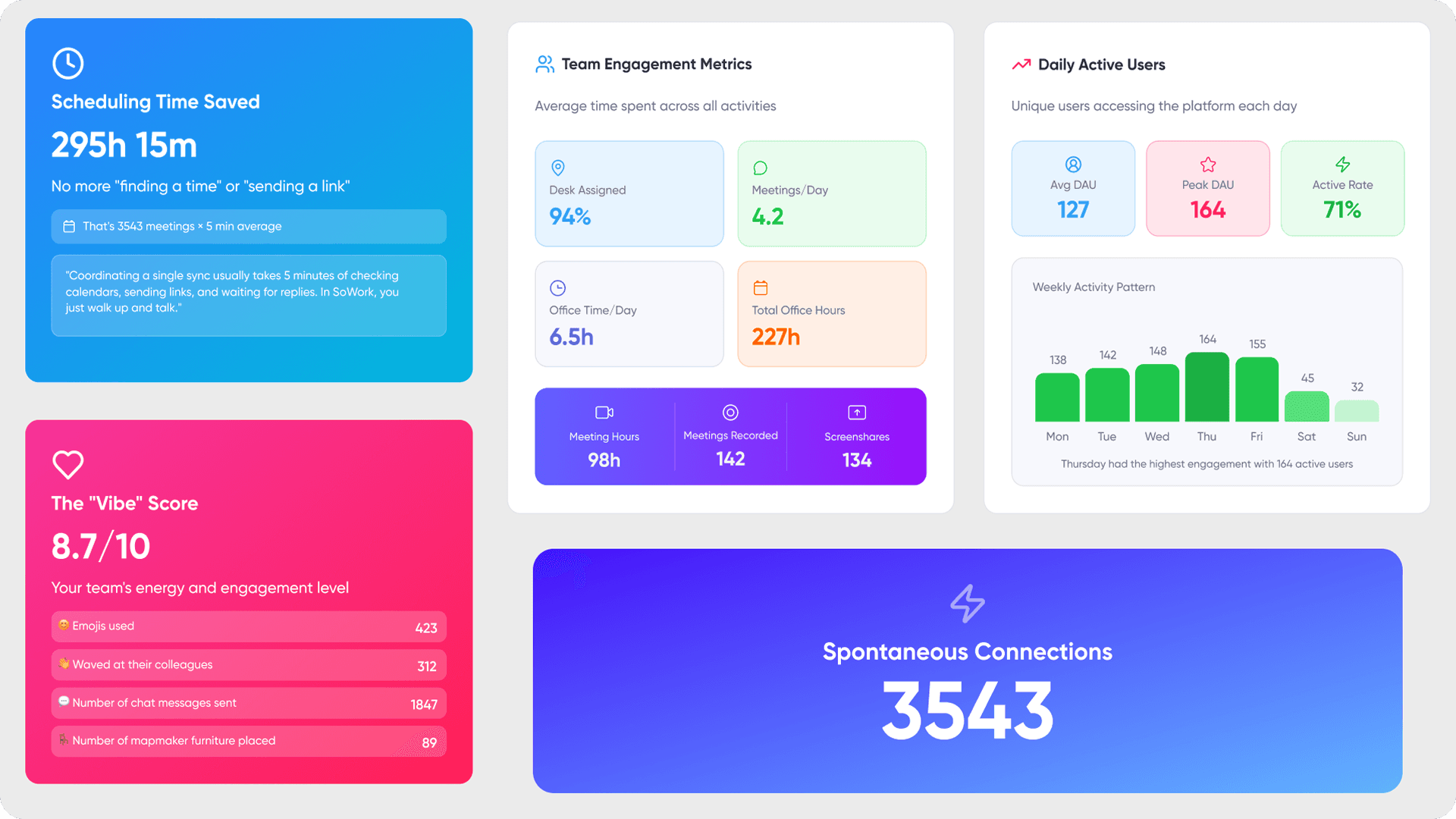
Remote team analytics is a data-driven approach to understanding distributed workforce effectiveness and collaboration patterns. It transforms fragmented signals from meetings, chat, project tools, and presence indicators into coherent insights about how remote workers actually collaborate and deliver results.
The critical distinction: analytics differs fundamentally from monitoring remote employees. Research from MIT Sloan and UC San Diego found that surveillance alone had no significant effect on productivity; what mattered was managerial clarity and communication about monitoring practices. Analytics focuses on patterns and outcomes not tracking individual keystrokes or watching screens. Trust over surveillance emphasizes the importance of avoiding excessive monitoring to maintain morale.
Performance Analytics
Performance analytics covers output measurement, goal achievement tracking, and quality indicators. This includes metrics like Delivery Predictability (the percentage of committed tasks completed on time), Goal Completion Rate, Project Deadline Variance, and Quality of Work tracked through bug rates and customer satisfaction scores.
The connection to business outcomes matters more than activity monitoring. Revenue/Profit per Employee calculated by dividing total revenue or profit by the number of team members directly ties remote team productivity to organizational results rather than hours logged.
Communication Analytics
Communication analytics examines meeting effectiveness, response times, and collaboration frequency across virtual office environments. In remote work, communication is tracked through multiple channels: synchronous video calls, asynchronous chat, email threads, and project management updates.
Effective collaboration metrics include tracking response times, task completion rates, and the quality of communication, which can significantly impact overall team productivity in remote settings. When communication is clear and well-documented, remote teams can reduce delays and maintain productivity.
Collaboration Analytics
Collaboration analytics measures cross-functional teamwork, knowledge sharing, and project coordination effectiveness. Collaboration metrics are essential in remote teams as they serve as leading indicators of productivity, helping to identify potential breakdowns in communication that can slow down work processes.
Asynchronous Fluency enhancing team productivity by utilizing project tools for decisions instead of relying on meetings has become a key differentiator for high-performing distributed teams. This matters because remote workforce management depends on understanding not just individual output, but how effectively team members coordinate across time zones and projects.
Key Analytics Categories for Remote Teams
Building on these foundational concepts, remote team analytics divides into three measurement areas that virtual office environments can track systematically. Each category provides different visibility into workforce effectiveness.
Productivity and Output Metrics
Outcome & Productivity Metrics include Goal Completion Rate, Project Deadline Variance, and Quality of Work measured through integrated workplace platforms rather than invasive monitoring tools.
Task completion rates reveal actual throughput. Task progress tracking shows whether remote employees are moving work forward consistently or getting blocked. Utilization Rates analyze the time spent on core tasks versus administrative work to rebalance workloads when teams become misaligned.
Revenue and business impact metrics tie remote team performance directly to business outcomes. Companies that implemented non-invasive monitoring observed employee productivity improvements of up to 40%, as this approach respects employee privacy and focuses on outcomes rather than surveillance.

Communication Effectiveness Metrics
Meeting frequency, duration, and participation rates across virtual office platforms reveal communication patterns. Tracking time spent in meetings versus deep work helps managers identify when synchronous communication is helping or hurting team productivity.
Response time analysis for chat, email, and collaborative communications surfaces bottlenecks. When a team lead consistently waits days for approvals or input, productivity analytics can identify the delay before projects stall.
Information flow and decision-making speed measurements connect directly to delivery predictability. Identifying bottlenecks can involve analyzing time-tracking data to restructure processes when projects stall.
Engagement and Well-being Indicators
Work-life balance signals emerge through virtual office presence patterns not surveillance, but aggregated data about working hours and availability across the team. Active hours tracking helps managers spot potential burnout before it impacts performance.
Burnout Signals indicate productivity drops and include patterns like after-hours messaging and unused time off. These early warning indicators let managers make workload adjustments before remote employees disengage.
Employee NPS (eNPS) reflects overall employee loyalty and satisfaction based on their likelihood to recommend their workplace. Research by Gartner found that 55% of employees with flexible (remote/hybrid) work options are high performers, compared to 36% in traditional office setups, indicating that remote work can enhance productivity when managed effectively.
Implementation Strategy and Data Collection Methods
With analytics categories established, implementation requires a unified foundation rather than fragmented data collection across dozens of tools. About 79% of employees whose jobs allow remote work were working at least partially remote as of early 2025, highlighting the growing need for effective time tracking tools in remote settings.
Virtual Office Platform as Analytics Foundation
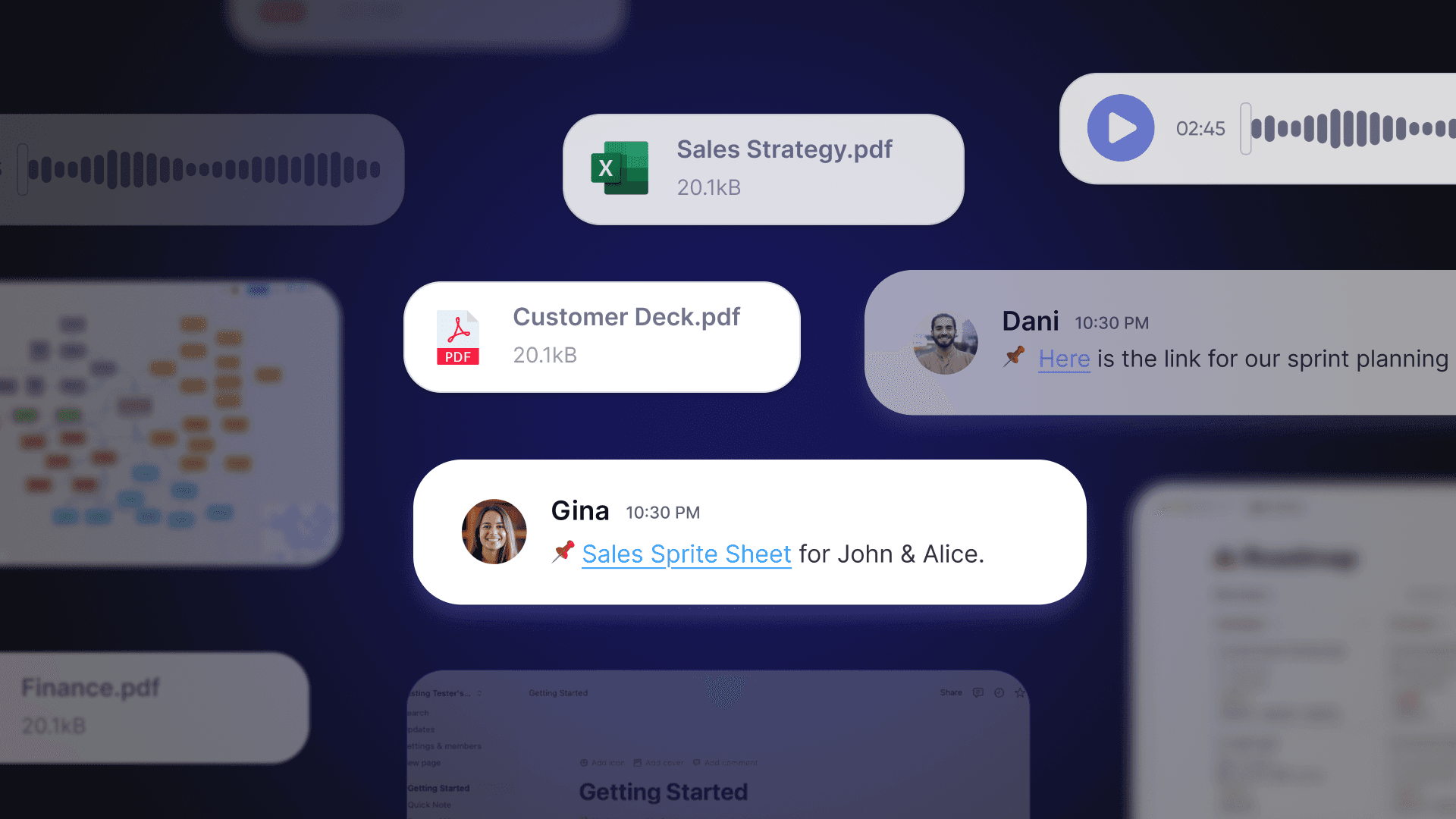
Virtual office software serves as the central data collection hub for remote workforce analytics. Rather than piecing together insights from separate meeting tools, chat apps, and project management systems, teams benefit from a unified layer that captures collaboration patterns in context.
Setting up SoWork as primary analytics infrastructure:
Deploy the virtual office as the daily workspace where remote team members gather, communicate, and coordinate
Configure presence indicators and working hours visibility to track attendance without invasive monitoring
Enable AI-powered meeting summaries that automatically capture decisions and action items
Connect calendars to track meeting load and collaboration frequency
Integrating document suites and specialized tools:
SoWork does not replace document suites like Microsoft 365 or Google Workspace. It sits above them as the operational hub where teams coordinate work, communicate in real time, and maintain shared context. Documents, spreadsheets, and presentations remain in productivity suites the virtual office provides the coordination layer.
The modern remote work stack follows this hierarchy:
Virtual office / collaboration layer (SoWork) – where teams gather and coordinate
Document and productivity suites (Microsoft 365, Google Workspace) – where artifacts are created
Specialized tools (project management, task tracking, automation) – where workflows execute
Establishing unified data collection:
Integration capabilities let virtual office platforms pull reliable data from fragmented tool ecosystems. Through Zapier connections, meeting action items push directly into project management tools. Calendar sync provides meeting analytics. Chat history surfaces communication patterns.
This reduces context switching, tool fragmentation, and coordination overhead for remote and hybrid teams problems that plague organizations using 18-36 apps per day without a coordination layer.
Analytics Tool Selection and Integration
Analytics Capability | Virtual Office Solution (SoWork) | Document Suite Integration | Specialized Tool Support |
Meeting analytics | AI-powered summaries, attendance tracking, meeting library | Calendar sync with Google/Outlook | Action items to Asana/Notion via Zapier |
Presence and availability | Working hours indicators, status visibility | - | Slack status sync |
Communication patterns | Team chat analytics, response tracking | - | Email integration |
Collaboration insights | Teammate connection insights, cross-team interaction | Shared document activity | Project management data |
Workforce analytics dashboard | Role-based analytics views | - | Custom reporting |
SoWork provides comprehensive analytics with AI-powered insights and broad integration capabilities. Teams increasingly start with a virtual office layer before choosing individual apps because it creates the unified foundation that prevents data fragmentation.
Non-invasive monitoring solutions track attendance, active time, application categories, and internet activity without capturing personal content, which is more accepted by remote employees. Effective time tracking tools can help managers monitor remote teams by providing insights into attendance patterns, active time, and task completion rates.
Dashboard Creation and Reporting Systems
Establishing regular reporting cycles:
Weekly analytics reviews at the team level surface immediate productivity trends. Monthly executive summaries aggregate team capacity and performance across the organization. Quarterly strategic reviews connect workforce analytics to business outcomes.
Creating role-specific analytics views:
Individual contributors see own data: their meeting load, focus time, task progress
Team leads access team-level dashboards: aggregate productivity metrics, collaboration patterns, attendance tracking
HR professionals view engagement indicators: burnout signals, eNPS trends, workload distribution
Executives get strategic views: revenue per employee, delivery predictability, team performance trends
Setting up automated alerts:
Configure thresholds for key metrics: excessive meeting hours, declining task completion, burnout signals. Alerts surface problems before they compound giving managers data-driven insights to make workload adjustments proactively.
Transparent Metrics involve communicating what tools are used and what data is collected to build trust. Employees should know what’s tracked and have access to their own data.
Common Challenges and Solutions
Implementing remote team analytics encounters predictable obstacles. Solutions exist for each, particularly when organizations start with unified virtual office foundations.
Privacy and Trust Concerns
Under the Electronic Communications Privacy Act (ECPA), employers can legally monitor remote employee activity on company-owned devices for legitimate business purposes, but must comply with state-specific laws regarding notification and consent.
Solution: Implement transparent analytics practices. Transparent communication about monitoring practices significantly enhances trust and accountability in remote teams, as employees are more likely to accept monitoring when they understand its purpose and scope.
Focus on aggregated data and outcomes. Track team-level productivity trends rather than individual screen activity. Let employees access their own data. SMART Goal Alignment uses frameworks like OKRs to connect individual efforts to broader company objectives shifting focus from surveillance to achievement.
Regular feedback and performance discussions based on clear metrics can foster a culture of accountability among remote employees, helping them understand their strengths and areas for improvement.
Data Fragmentation Across Tools
Remote teams spread work across chat, video, project management, documents, and email. Without centralized analytics, insights remain siloed and incomplete.
Solution: Centralize analytics through virtual office platform to reduce context switching and incomplete data pictures.
By positioning the virtual office as the operational hub, organizations create a single source of truth for collaboration data. Document suites and specialized tools feed into this layer rather than operating as disconnected silos.

Analysis Paralysis and Metric Overload
Tracking everything possible leads to metric overload. Teams drown in data while missing actionable insights.
Solution: Focus on 3-5 key performance indicators per team rather than comprehensive surveillance. To measure productivity accurately in remote teams, track output and delivery metrics, collaboration and communication metrics, and engagement and well-being metrics these provide a comprehensive view without overwhelming analysis.
Establishing clear expectations and deadlines for remote workers is crucial for accountability, as it allows employees to manage their time effectively and understand their responsibilities. Clear expectations make metrics meaningful rather than arbitrary.
AI-powered analytics help surface actionable insights from complex datasets. Rather than manual report generation, modern tools identify patterns and anomalies automatically letting managers focus on decisions rather than data processing.
Conclusion and Next Steps
Remote team analytics represents a strategic capability for distributed workforce management not a surveillance mechanism but a visibility layer that helps organizations understand how remote workers collaborate and deliver results. When implemented with transparency and outcome focus, analytics boost remote team productivity while maintaining the trust that makes remote work effective.
Immediate next steps:
Audit current analytics capabilities across your tool stack identify gaps and fragmentation
Implement virtual office foundation that unifies collaboration data (SoWork provides free entry point with scalable plans)
Establish baseline metrics for 3-5 key indicators: delivery predictability, meeting load, engagement signals
Sequential implementation actions:
Deploy integrated analytics platform with calendar and project management connections
Train managers on data interpretation emphasizing outcomes over activity
Create regular review cycles: weekly team dashboards, monthly executive summaries
Monitor progress and adjust key metrics based on what actually drives business outcomes
Related topics for continued exploration: remote team productivity optimization strategies, virtual collaboration best practices for global teams, AI-powered workforce insights for sustainable productivity, and hybrid work coordination across time zones.
Additional Resources
Remote Team KPI Framework:
Categoría de Métrica | Indicadores Clave | Método de Recolección |
Output | Delivery Predictability, Goal Completion Rate | Project management integration |
Communication | Meeting hours, Response latency | Virtual office analytics |
Engagement | eNPS, Burnout signals | Pulse surveys, presence patterns |
Business Impact | Revenue per employee | CRM + HR data integration |
Integration setup priorities:
Calendar sync for meeting analytics (Google Calendar, Outlook)
Project management connection for task progress (Asana, Notion, Jira)
Chat integration for communication patterns (Slack)
Benchmark reference points:
Average remote workers spend 2-3 hours daily in deep work
Teams reducing tool stack to core platforms report ~30% increases in actual output time
77% of employees accept analytics when transparent and when they can access their own data
Virtual office platforms like SoWork provide the foundation layer unified meetings, chat, team presence, and AI-assisted workflow continuity before organizations layer on specialized tools for specific functions.
Blogs
Read Similar Articles

Remote Team Analytics: Complete Guide to Data-Driven Remote Work Management in 2026

Complete Guide to Gaining Visibility Into Remote Team Performance and Collaboration
