Let Claude Look Up Your Meetings and Decisions
Vishal Punwani

Published:
Updated on:
The simplest way is to connect Claude to SoWork through its live MCP server. SoWork already records, transcribes and summarizes your meetings, so Claude can ask what happened, what the team decided and who's around, with no exports or custom code. Your other options are uploading transcripts, using note-taker connectors or building on an API.
What does it mean for an AI assistant like Claude to look up meeting history and team decisions?
It means the assistant can search a live record of your meetings (transcripts, summaries, decisions) and answer questions like "what did we decide about pricing?" using facts from your workspace instead of guessing.
Without that access, Claude only knows what you paste into the chat. With it, the assistant works as your team's searchable memory. That matters because meetings rarely end with a clean record. In Microsoft's 2023 Work Trend Index, 55% of workers said the next steps at the end of a meeting are unclear [3]. A connected assistant can pull up the summary, find the decision and name the owner in seconds, so nobody has to dig through a recording.
Why can't Claude or ChatGPT access my meeting notes and team decisions by default?
AI assistants can't reach your private tools until you grant access. Claude has no built-in meeting note taker. It works with transcripts you upload or reach through a connector [11].
Your meetings live in Zoom, Teams, a virtual office or a note-taker, and each one sits behind its own login. None of that data was in the model's training, and the assistant can't sign into your accounts by itself. Two pieces have to be in place. Something has to capture the meeting (a recorder), and something has to expose it (an upload, a connector or an API). Without both, the assistant can only guess.
What is the Model Context Protocol (MCP) and how does it let AI assistants query external tools?
MCP is an open standard that Anthropic released in November 2024 for connecting AI assistants to the systems where your data lives [1]. A tool runs one MCP server, and any assistant that supports MCP can query it.
Before MCP, every data source needed its own custom integration [1]. Now it works like this:
The vendor runs an MCP server that offers tools such as "search meetings."
You add that server to Claude or another client.
When a question needs that data, the assistant calls the tool.
Adoption is wide. Anthropic reported more than 10,000 active public MCP servers and support in ChatGPT, Gemini and Microsoft Copilot. In December 2025 it donated MCP to the Linux Foundation's Agentic AI Foundation [2].
What are the main ways to give AI assistants access to meeting content?
There are four: transcript exports, note-taker integrations, MCP servers and APIs. For everyday use, an MCP server from the tool where your meetings already happen takes the least effort.
Method | How it works | Best for | Tradeoff |
|---|---|---|---|
Transcript export | You paste or upload a file | One-off questions | Manual, no history |
Note-taker connector | A bot records calls and a connector exposes the notes | Teams that live in Zoom or Meet | Another tool to pay for |
Workspace MCP server | The assistant queries meetings, decisions and presence live | Daily team use | Needs vendor support |
API | Your code pulls the data | Custom agents | Engineering time |
How do you connect Claude to a workspace's meeting data using an MCP server?
Add the workspace's MCP server as a connector in Claude, sign in to authorize it, then start asking questions. SoWork's MCP server comes with Premium and connects Claude or ChatGPT without you building anything [8].
Hold meetings in SoWork so AI Meeting Memory records, transcribes and summarizes them.
In Claude's connector settings, add SoWork's MCP server.
Sign in with your SoWork account so Claude's access matches your permissions.
Review and approve the tools Claude is allowed to call.
Test it with a question you already know the answer to, like "What did the product team decide in Tuesday's standup?"
How do you connect other AI assistants or custom agents to meeting data through an API?
Give the agent read-only credentials to the platform's API and have it fetch meetings, summaries and decisions when it needs them. Since ChatGPT, Gemini and Copilot already support MCP [2], many teams skip custom API work completely.
Create credentials that can only read meeting data.
Pull summaries and decisions on a schedule, or each time a question comes in.
Pass the results to your model as context, with meeting dates and IDs attached.
Log every call so you can audit what the agent read.
SoWork offers both MCP and an API, so you can pick whichever fits your stack. Off-the-shelf assistants work best with MCP. In-house agents often work best with the API.
What meeting information should be captured so an AI can answer what happened and what was decided?
Capture the full transcript, a summary, explicit decisions, action items with owners and due dates, the attendees and the date. Without those fields, an AI can describe a conversation but can't tell you what was decided.
Field | Why the AI needs it |
|---|---|
Transcript | Source of truth for checking answers |
Summary | Fast answers |
Decisions | Answers "what did we decide?" |
Owners and due dates | Answers "who's doing what?" |
Attendees and date | Filters by team or week |
Don't skip unscheduled calls. Microsoft found that 60% of meetings are unscheduled or ad hoc [4]. A recorder that only joins calendar invites will miss most of them.
How can teams record decisions so AI assistants can retrieve them reliably later?
Say each decision out loud in the same format before the meeting ends, and make sure it lands in a labeled "Decisions" section. AI finds explicit, labeled statements much more reliably than implied ones.
End each meeting with "Decision: X. Owner: Y. Due: date."
Keep decisions separate from discussion in the summary.
Link each decision to a transcript timecode. If a decision can't be traced to one, treat it as unverified [16].
Post decisions to a topic-based chat channel so there's a second searchable record.
Mark reversals clearly, for example "replaces the March 3 decision."
What kinds of questions can an AI assistant answer once it has access to meetings and decisions?
It can answer recall, decision, ownership, trend and presence questions. Examples: "what did we decide?", "who owns this?" and "who's free right now?"
Type | Example question |
|---|---|
Recall | "Summarize yesterday's design review." |
Decisions | "What did we decide about the launch date?" |
Ownership | "Which action items do I own from this week?" |
Trends | "How often has onboarding come up this month?" |
Catch-up | "I missed Monday's sync. What changed?" |
Presence | "Who's around to review this now?" |
Presence questions need a platform that tracks live status. Meeting recorders alone can't answer them.
How does SoWork let Claude ask who's around, what happened in a meeting, or what the team decided?
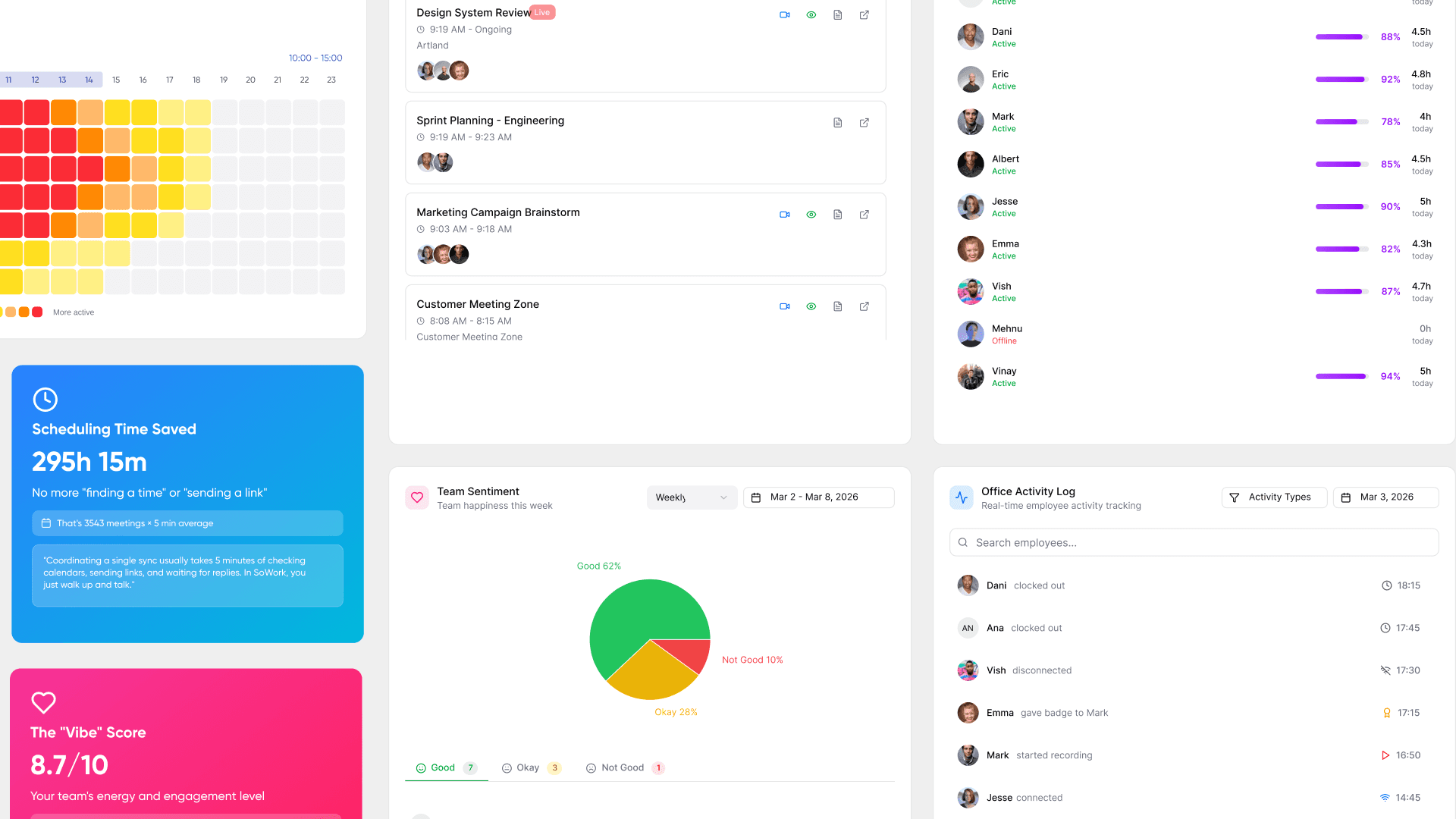
SoWork records, transcribes and summarizes meetings with AI Meeting Memory. Its live MCP/API then gives Claude that data plus real-time presence, and on Premium Claude or ChatGPT can search meeting summaries and see who's online [8].
One system holds both your meetings and your presence data. Instant Meetings start in one click, Presence Awareness shows who's free, focused or in a meeting, and Topic-Based Chat keeps decisions in context. AI agents can sit in the office as characters next to your human teammates. Agent desks, which will show what each agent worked on, are coming soon. SoWork is SOC 2 certified, with SSO on Premium and Enterprise.
How do virtual office tools with AI access compare to standalone meeting recorders and note-takers?
Standalone note-takers handle scheduled calls well. Virtual offices with AI access also capture the context they miss: spontaneous conversations, who was involved and who's available right now.
Factor | Virtual office with AI access | Standalone recorder |
|---|---|---|
Scheduled calls | Yes | Yes |
Quick unscheduled chats | Yes, if they happen in the office | Often missed |
Live presence data | Yes | No |
Separate subscription | No | Usually |
For reference, Fireflies.ai costs $10/user/month and Otter.ai $8.33/user/month, both billed annually [15]. If your team will stay on Zoom for every call, a note-taker plus a connector is a reasonable choice.
How do SoWork, Gather, Teamflow, Sococo and Roam differ in exposing meeting data to AI assistants?
They differ a lot. SoWork pairs built-in AI Meeting Memory with a live MCP/API, and Roam has AI agents plus an MCP server. Gather has AI meeting notes, while Teamflow and Sococo have no native AI transcription [14][15].
Platform | Native meeting AI | AI assistant access |
|---|---|---|
SoWork | AI Meeting Memory | MCP/API, live on Premium [8] |
Roam | Magic Minutes notes [12] | MCP server, agents on the map [14] |
Gather | AI meeting notes [12] | AI team joined Figma in February 2026 [12] |
Teamflow | None native [15] | Company pivoted to Lindy in 2023 [13] |
Sococo | None native [15] | No AI features [14] |
What criteria should you use to choose a tool that gives AI assistants access to meeting history?
Judge each tool on five things: where your meetings actually happen, native capture, MCP or API support, permission controls and total cost per seat.
Criterion | Question to ask |
|---|---|
Coverage | Does it capture unscheduled conversations, not just calendar invites? |
Native capture | Are transcripts and summaries built in, or is that another tool? |
AI access | Is there a live MCP server or API, or only exports? |
Permissions | Does assistant access follow each user's rights? |
Security | SOC 2, SSO, SCIM? |
Cost | What's the all-in price per seat for capture plus AI access? |
What privacy, security and permission controls are needed when AI assistants can read meeting content?
You need read-only scopes, access tied to each user's permissions, explicit approval of tool calls, SSO and audit logs. The MCP specification says hosts must get explicit user consent before invoking any tool [5].
OWASP lists prompt injection, over-scoped tokens and the confused deputy problem as key MCP risks [5]. Here's a practical checklist:
Treat everything the tool returns as untrusted data [5].
Give each server and tool only the access it needs [5].
Tell attendees when meetings are recorded.
Require SSO and remove access when people leave.
SoWork is SOC 2 certified, with SSO on Premium and Enterprise and SCIM on Enterprise only [10].
What are the risks of AI assistants misreporting what a team decided, and how can you reduce them?
The risk is real. Research on meeting summarization lists missing decisions, statements credited to the wrong person and made-up dates or names as common errors [6]. To reduce it, ground every answer in the transcript and require a source.
Leaving things out is often a bigger problem than making things up. In one study, 97% of the summaries from the model tested were missing information [7]. To reduce errors:
Ask the assistant to quote the transcript and give the meeting date.
Label decisions explicitly when the meeting happens.
Treat any decision without a timecode as unverified [16].
Confirm decisions out loud before the meeting ends.
How much does it cost to give AI assistants access to meeting and decision data?
It ranges from free (manual uploads) to a per-seat subscription that covers capture and AI access. SoWork is free for up to 10 users; Basic $6/user/month; Premium $15/user/month. Premium is the tier with AI recordings, summaries and MCP access [8][10].
Option | Typical cost |
|---|---|
Manual transcript uploads | Your AI assistant plan only |
Note-taker plus connector | Fireflies.ai $10 or Otter.ai $8.33/user/month annually [15], plus your AI plan |
SoWork Premium | $15/user/month, covering meetings, presence and MCP |
Custom API build | Engineering time |
One catch: SoWork's free plan doesn't include recordings [9]. That means a team that wants AI meeting lookup will need Premium.
How can you test that an AI assistant is accurately retrieving meeting outcomes and decisions?
Run a fixed set of questions you already know the answers to, then check the AI's answers against the transcripts. Repeat the test monthly.
Pick five recent meetings with clearly recorded decisions.
Write 10 questions covering decisions, owners, dates and one reversed decision.
Ask each question and require the meeting date and a transcript quote.
Score every answer as correct, incomplete, wrong or invented.
Ask about a meeting that never happened. The assistant should say it found nothing.
Fix capture habits, like decision phrasing, before blaming the model.
Bottom line: what should you actually do?
To let Claude look up your meetings and decisions, put meeting capture and AI access in the same place, then connect it through MCP.
If your team wants one home for meetings, presence and AI, SoWork Premium does it in one subscription: AI Meeting Memory captures the record, and the live MCP/API lets Claude ask what happened, what was decided and who's around. Whatever tool you choose, state decisions explicitly, keep access read-only and permissioned, and test answers against transcripts before you rely on them.
Key Takeaways
Claude has no built-in meeting note taker. It needs uploaded transcripts or an authorized connector to see your meetings.
MCP is the open standard for this, and ChatGPT, Gemini and Copilot support it alongside Claude.
SoWork's live MCP/API lets Claude ask who's around, what happened in a meeting or what the team decided, with no custom code.
Capture transcripts, summaries, explicit decisions, owners and due dates, or the AI can't answer "what did we decide?"
60% of meetings are unscheduled, so tools that only record calendar events miss most decisions.
Use read-only scopes, per-user permissions, explicit tool approval and SSO before connecting any assistant.
Check AI answers against transcripts with a fixed test set. Summaries miss more than they invent.
SoWork is free for up to 10 users; Basic $6/user/month; Premium $15/user/month, with MCP and AI recordings on Premium.
Related reading
Sources
60% of meetings are unscheduled or ad hoc (Microsoft Work Trend Index follow-up)
In one study, 97% of summaries from the model tested were missing information
SoWork's free plan covers up to 10 members, with no recordings or analytics
Teamflow still takes signups but pivoted to Lindy in 2023 with no development since
Roam has AI agents as office residents and an MCP server; Sococo has no AI features
FAQ
How can I let Claude or other AI assistants look up what happened in my meetings and what my team decided?
Can Claude take notes during a meeting?
Can Claude access my meeting notes automatically?
Do I need to be a developer to connect Claude to my meetings with MCP?
Does ChatGPT work with MCP too, or just Claude?
Is it safe to give an AI assistant access to meeting transcripts?
Why does my AI meeting summary miss decisions or action items?
Do I need a separate note-taker if my virtual office already records meetings?
Blogs
Read Similar Articles
Remote Team Analytics: Complete Guide to Data-Driven Remote Work Management in 2026
Complete Guide to Gaining Visibility Into Remote Team Performance and Collaboration