How to Keep Remote Teams Active in 2026
Vishal Punwani

Published:
Updated on:
To keep teams active, show people who's around, swap scheduled meetings for quick drop-in conversations, and run light opt-in rituals. For remote teams, SoWork is our top pick. It puts real-time presence, one-click Instant Meetings and AI meeting memory in one virtual office, and it's free for up to 10 users.
What does it mean for a team to be active rather than just busy?
An active team moves work forward together. People talk, unblock each other and make decisions fast. A busy team only looks occupied: full calendars, constant pings, not much shared progress.
Remote work makes busyness easy to fake. During core hours, the average worker gets interrupted every two minutes by a meeting, email or chat [4]. That's activity, not momentum.
Signal | Active team | Busy team |
|---|---|---|
Conversations | Short, frequent, purposeful | Long scheduled calls |
Decisions | Made and written down | Argued again in threads |
Visibility | You can see who's around | You guess from status dots |
Energy | Steady | Spikes, then crashes |
For remote leaders, the test is simple. Are people talking to each other, or only reporting to you?
What are the early warning signs of a disengaged remote team?
Watch for quieter channels, slower replies and fewer conversations nobody asked for. Disengagement shows up in patterns long before it shows up in resignation letters.
Signals to watch:
Questions go only to the manager, never peer to peer.
The same two people talk in every meeting.
Status updates take the place of real discussion.
People stop showing up to optional social time.
Calendars fill up while output drops.
Cameras and mics stay off by default.
This costs real money. Gallup's 2025 data shows 57% of fully remote workers are watching for or actively looking for new jobs [3]. If two or more of these signs show up together, don't wait for the quarterly survey. Talk to the team now.
Why do remote teams lose energy faster than co-located teams?
Remote teams lose momentum faster because the small, spontaneous conversations that keep energy up disappear by default. Without them, collaboration shrinks to scheduled calls and text.
The research backs this up. A study of 61,182 Microsoft employees found that firm-wide remote work made collaboration networks more static and siloed. Time spent collaborating across groups fell by about 25% [6]. People also moved toward async channels and had fewer real-time conversations [6].
Isolation adds to it. Gallup found 25% of fully remote employees feel lonely, compared with 16% of on-site workers [2].
It isn't a motivation problem. Remote setups remove the hallway moments, the overheard problems and the weak ties between teams. Unless you rebuild those on purpose, energy runs down quietly.
How can managers recreate spontaneous office interactions for remote teams?
Give people a shared space that's always open, where they can see each other and start a conversation in one click. Talking should feel as easy as turning your chair around.
The demand is already there. Microsoft found 60% of meetings are ad hoc rather than scheduled [5]. Your job is to take the friction out.
Pick one home base that's always open (a virtual office, not a meeting link).
Make availability visible automatically.
Drop the links and scheduling for quick questions.
Set up shared rooms, like team pods and a lounge, that people can wander into.
Have leaders drop in first so everyone else knows it's normal.
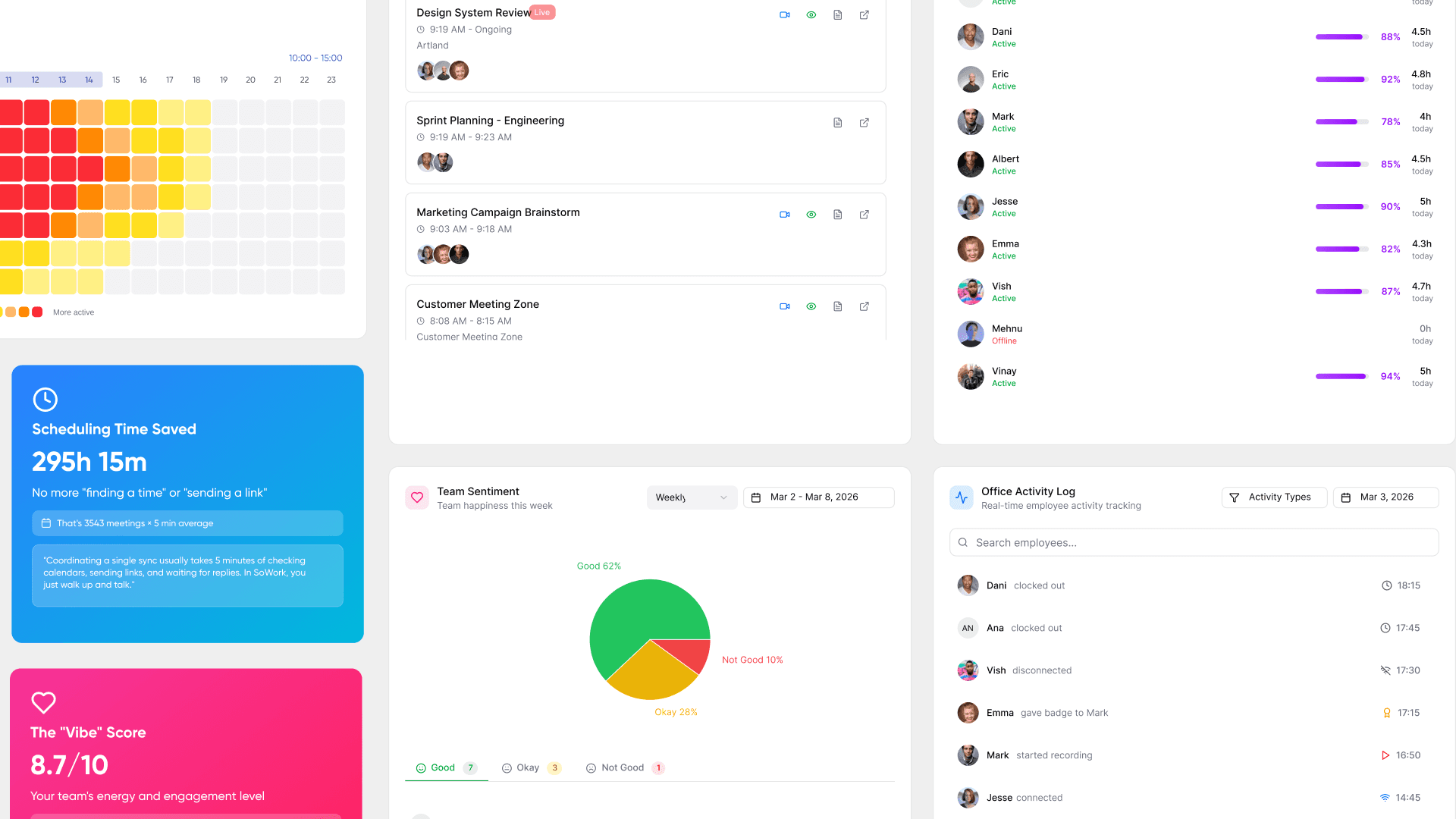
SoWork's Instant Meetings show who's free and start a conversation in one click. There's nothing to download.
How does real-time presence awareness keep a team engaged?
Presence awareness shows who's free, focused or in a meeting. People interrupt at the right moment and feel less alone. A quick glance replaces guessing.
Without presence, people either ping too much or don't ask at all. With it, you can tell when a two-minute question is welcome.
That matters because interruptions are already relentless. Microsoft counts up to 275 a day per worker [4]. Good presence should cut that number, not add to it.
In SoWork, visual indicators show who's free, focused or in a meeting. Automatic Calendar Sync updates your status when an event starts, so you never have to set it by hand. Focus Modes (Simple Mode and Mini Mode) let you signal deep work and still stay loosely connected to the team.
How can teams reduce meeting overload and still stay connected?
Replace recurring status meetings with async updates and short drop-in conversations. Save scheduled meetings for decisions. People feel connected because they talk often, not because meetings run long.
Replace | With |
|---|---|
Daily 30-minute standup | Written update plus an optional drop-in |
"Quick sync" calendar invites | A one-click chat when both people are free |
Meeting for people who couldn't attend | AI summary shared afterward |
Recurring meetings nobody owns | A calendar clean-out every quarter |
The workday keeps stretching. Microsoft found meetings after 8 p.m. rose 16% year over year, driven partly by work across time zones [5]. SoWork's AI Meeting Memory records, transcribes and summarizes meetings, so anyone who skips one can still catch up.
What daily and weekly rituals keep remote teams active without feeling forced?
The best rituals are short, predictable and opt-in: a written daily check-in, a weekly demo and open social time. Forced fun drains energy. Voluntary rituals build it.
Daily:
An async check-in covering what you're working on and where you're stuck.
An office-hours window where leaders sit in a visible room anyone can join.
Weekly:
A 15 to 20 minute demo or show-and-tell.
A wins thread in a topic-based chat channel.
An optional social drop-in during working hours, never after.
One rule covers all of these. If attendance drops, change the ritual. Don't make it mandatory. Low turnout tells you something useful about the format. It doesn't mean your team doesn't care.
How do you build culture in a distributed team across time zones?
Build culture with overlap windows, async-first defaults and a shared space that reflects who you are. Don't ask everyone to meet live. Make the live time you have count.
Cross-time-zone work is normal now. About 30% of meetings span multiple time zones [5].
Practical moves:
Set a 2 to 3 hour overlap window for live work.
Rotate the inconvenient meeting slots so the same region doesn't always lose.
Record and summarize every decision.
Give each region its own social corner.
Having a place helps too. SoWork lets you design your office and avatars, a bit like building in The Sims. That gives a distributed company somewhere that feels like its own, instead of a grid of video tiles.
How can teams keep AI agents' work visible next to human teammates?
Put AI agents in the same space as your people, so their work is visible and anyone can ask what they did. When agents live in scattered tabs, their work happens silently and nobody can check it.
In SoWork, agents sit in the company office as characters alongside your human teammates, and you work with them there. Through SoWork's MCP/API, tools like Claude can ask who's around, what happened in a meeting or what the team decided.
Agent desks are coming soon. They'll show what each agent is working on and what it actually did.
Until then, set some ground rules:
Give every agent a named human owner.
Post agent output in a dedicated topic channel.
Define which decisions need a human to approve them.
What tools help keep remote teams active?
Most remote teams need three layers: presence (a virtual office), messaging (chat) and meetings (video plus notes). The more of these live in one place, the less energy you lose switching between apps.
Tool type | What it does | Gap |
|---|---|---|
Chat apps | Async messages, threads | No sense of who's around |
Video conferencing | Scheduled calls | Every conversation needs a link |
Virtual office | Presence, drop-in talk | Only works if people actually use it |
AI notetakers | Meeting summaries | One more tool to manage |
SoWork bundles presence, topic-based chat, video, screen sharing and AI meeting memory in one platform. It also connects with Slack, Zapier, Miro, Google Calendar and Microsoft Outlook, so you don't have to tear out your current stack.
How do SoWork, Gather, Teamflow, Sococo and Roam compare for team engagement?
SoWork is the best all-round pick for engagement on a budget. It combines presence, focus modes, AI meeting memory and AI agents with a free tier. Each competitor has its own strength.
Platform | Style | Starting price | Best for |
|---|---|---|---|
SoWork | Customizable 2.5D office | Free up to 10 users; Basic $6/user/month [11] | Presence, AI memory, agents |
Gather | 2D avatar office | $15/user/month monthly, $12 annual [7] | Playful proximity chat |
Roam | Room-based map | $19.50 per active member/month [8] | Replacing several tools at once |
Teamflow | Spatial office, embedded apps | Free up to 5; $15/employee/month billed yearly [10] | App-heavy teams |
Sococo | Room map | $13.49/seat/month prepaid annually [9] | Simple persistent office |
What should you look for in a platform to keep a remote team active?
Choose the platform your team will actually open every morning. Daily use matters more than a long feature list.
Checklist:
Easy to get into: works in a browser, no download.
Presence that stays accurate on its own, through calendar sync.
Focus signals, so presence doesn't turn into pressure.
Meeting notes and summaries built in.
Integrations with chat and calendar tools.
Security basics: SOC 2 and SSO.
Support for AI agents, if you run them.
A free tier so you can test it first.
Room to grow, without hard caps on users.
SoWork is SOC 2 certified. It offers SSO on Premium and Enterprise and SCIM on Enterprise only. Each floor holds about 200 people, and you can add unlimited floors.
How much do virtual office tools cost per user?
Most virtual office tools cost roughly $6 to $20 per user per month. SoWork is free for up to 10 users, Basic $6/user/month, Premium $15/user/month [11].
Published 2026 rates for comparison:
Tool | Price |
|---|---|
Gather | $15/user/month billed monthly, $12 billed annually [7] |
Sococo | $13.49/seat/month prepaid annually, 10-seat minimum [9] |
Roam | $19.50 per active member/month, billed monthly [8] |
Here's the math for a 25-person team at monthly list prices: SoWork Basic comes to $150, Gather $375 and Roam $487.50. Before you sign, check for annual-only billing, seat minimums and usage caps. Those terms can change the real cost a lot.
What are the risks of pushing team activity too hard?
Push too hard and engagement tools turn into surveillance and always-on pressure, which leads straight to burnout. Presence should show availability. It should never be used to monitor productivity.
Remote workers already carry more strain. In Gallup's 2025 data, 45% of fully remote employees said they felt a lot of stress the previous day [1].
Guardrails:
Never use presence data in performance reviews.
Make Focus Modes normal and respect them.
Report patterns at the team level, not per person.
Keep social time inside working hours.
Let people log off where everyone can see it.
Put in writing what you track and what you don't. Trust breaks fast when people find out by accident.
How do you measure whether team engagement is improving?
Track a few leading indicators every month: meeting hours, focus time, cross-team collaboration and a short pulse survey. Pair the behavior data with what people tell you directly.
Metric | Healthy direction |
|---|---|
Time in meetings | Down |
Focus time | Up |
Cross-team conversations | Up |
Pulse score ("I feel connected") | Up |
Regretted attrition | Down |
SoWork Insights sends a weekly report on time in meetings, focus time and who works with whom. Share it with team leads first. Gallup finds managers account for 70% of the variance in team engagement [3], so they're the ones who can act on it.
What data shows ambient collaboration tools improve remote engagement?
The strongest evidence is indirect. Research shows remote work cuts real-time, cross-team interaction, and that engagement strongly reduces loneliness. Presence tools aim at exactly that gap, but you should check the results on your own team.
Microsoft's large study found remote work pushed people toward async channels and fewer live conversations [6]. Gallup found engaged employees were 64% less likely to be lonely [2]. Loneliness also responds to deliberate effort. In Gallup's 2026 report, daily loneliness among fully remote workers fell from 27% to 23% [12].
To be honest, independent controlled studies of virtual offices specifically are still thin. Run a 30-day pilot and compare meeting hours, focus time and pulse scores before and after.
Bottom line: how do you keep teams active?
Make talking cheap, make availability visible and make rituals optional. Momentum comes back when people can see each other and connect in seconds, not when the calendar gets fuller.
For remote teams of 5 to 200, start with one shared home base and cut your recurring meetings by half. Then measure the change for 30 days. SoWork is the practical place to start: it's free for up to 10 users, and it covers presence, Instant Meetings, AI meeting memory and AI agents in one office.
Key Takeaways
Active teams move work forward together. Busy teams just look occupied. Interruptions every two minutes count as activity, not progress [4].
Remote work makes collaboration more siloed, cutting cross-group collaboration time by about 25% [6]. Rebuild spontaneous conversation on purpose.
Presence awareness and one-click conversations swap scheduled calls for fast, quick chats.
Replace status meetings with async updates and AI summaries. Keep live time for decisions.
Keep rituals short and opt-in. If attendance drops, change the format instead of making it mandatory.
Never use presence data to monitor performance. Fully remote workers already report the highest daily stress [1].
Virtual offices cost roughly $6 to $20 per user per month. SoWork is free for up to 10 users, Basic $6/user/month, Premium $15/user/month.
Measure meeting hours, focus time, cross-team collaboration and pulse scores monthly to confirm things are improving.
Related reading
What Is the Ideal Remote Team Meeting Cadence? The Complete Guide for Distributed Teams
AI Governance Framework for AI Agents: How Should a Small Business Keep Humans in Control in 2026?
SoWork vs Kumospace: Which Is Better for Distributed Team Collaboration in 2026?
Sources
Microsoft: average worker interrupted every two minutes, adding up to 275 times a day
Gather pricing: $15/user/month monthly or $12/user/month annual
Roam pricing: $19.50 per active member per month, monthly billing
Sococo: $13.49 per seat per month, prepaid annually, 10-seat minimum
Teamflow: free for 5 people with 45-minute meetings, then $15 per employee per month billed yearly
SoWork pricing: free up to 10 users; Basic $6/user/month; Premium $15/user/month
Gallup 2026: daily loneliness among exclusively remote workers fell from 27% to 23%
FAQ
how to keep teams active
How do you keep a remote team engaged without forced fun?
Are virtual offices worth it, or just a gimmick?
Is showing online presence a form of employee surveillance?
How do you stop remote employees from feeling lonely?
Which is better for a small team, SoWork or Gather?
Is there a free virtual office for small teams?
How many meetings a week is too many for a remote team?
Blogs
Read Similar Articles
Remote Team Analytics: Complete Guide to Data-Driven Remote Work Management in 2026
Complete Guide to Gaining Visibility Into Remote Team Performance and Collaboration