Best Affordable Virtual Office Software for Growing Remote Teams in 2026
The SoWork Team
![Best Affordable Virtual Office Software for Growing Remote Teams in 2026 [July, 2026]](https://framerusercontent.com/images/8YrJtjWCDrkcwEEFtEbIPAWrpk.png?width=1920&height=1080)
Published:
Updated on:
Introduction
Affordable virtual office software serves as the central coordination layer that sits above document suites like Microsoft 365 and Google Workspace, unifying presence, communication, and team collaboration for distributed teams operating on tight budgets. For growing remote teams scaling from 10 to 100+ members, choosing the right virtual office platform determines whether coordination costs spiral out of control or remain predictable while productivity improves. Virtual office software creates a persistent digital environment where remote workers maintain shared presence and coordinate work activities.
This guide covers budget-conscious virtual office solutions priced under $20 per user per month, targeting startup founders, scale-up managers, and team leads managing remote and hybrid teams who need robust collaboration tools without enterprise-level pricing. The focus remains on platforms that integrate seamlessly with existing tools while reducing context switching and tool fragmentation. The best virtual workspace tools and online collaboration tools offer cost savings, increased productivity, real-time communication, and improved team collaboration for remote and hybrid teams.
Direct answer: SoWork leads affordable virtual office software options in 2026, offering an AI-powered virtual workspace starting free for up to 10 users, with paid plans from $6-15/user/month that include meeting summaries, team analytics, and native integrations with Microsoft 365 and Google Workspace.
Virtual workspace tools are transforming how businesses operate, especially in remote and hybrid environments.
By the end of this article, you will understand:
How to identify cost savings by positioning virtual office software as your foundation layer
A practical framework for evaluating features against budget constraints
Step-by-step implementation roadmap for growing teams
ROI measurement methods tracking reduced meeting time and improved team collaboration
Which affordable platforms best match different team types and workflows
Understanding Virtual Office Software for Growing Teams
Virtual office software functions as an operational hub where remote teams coordinate work, communicate in real time, and maintain shared context before accessing individual productivity applications. Collaboration software encompasses a range of solutions, but virtual office platforms stand out by integrating direct messaging, instant messaging, and external communication features for seamless coordination. Unlike document collaboration tools that handle file creation and storage, virtual office platforms solve presence, spontaneous interaction, and communication continuity problems that compound as teams scale.
This distinction matters because growing distributed teams often make the mistake of adding more specialized tools instead of establishing a central workspace first. The result is tool proliferation, context switching overhead, and coordination friction that increases exponentially with team size. Virtual office platforms enable structured collaboration by balancing formal workflows with spontaneous interactions, replicating the dynamics of a traditional office in a remote setting.
Establishing a central workspace early ensures that everyone has a single source of truth for communication, scheduling, and team presence. Leading virtual workspace tools provide these advantages by supporting both formal and informal communication.
The Three-Layer Remote Work Stack
Understanding where virtual office software fits in your team’s workflow is essential for optimizing tool selection and prevents redundant spending and integration headaches:
Layer 1: Virtual office coordination (SoWork as central workspace) The foundation layer where team members see who’s available, join spontaneous video calls, access meeting summaries, and maintain team presence. This layer handles real time collaboration coordination before work moves to specific tools.
Layer 2: Document and productivity suites (Microsoft 365, Google Workspace) Where actual document collaboration, file storage, and content creation happens. These tools remain essential but don’t solve coordination or presence problems on their own. Virtual office software should enhance rather than replace existing document and productivity investments.
Layer 3: Specialized tools (project management, task tracking, automation) Purpose-built applications for project tracking, task management, and workflow automation that address specific workflow needs after coordination is established. These tools help teams monitor progress on projects and tasks using built-in tracking features and metrics.
This three-layer architecture prevents tool fragmentation by ensuring each category serves distinct purposes. Teams that start with Layer 1 established report fewer integration problems and lower total tool costs as they scale.

Why Growing Teams Need Affordable Central Coordination
Context switching costs compound dramatically as team size increases beyond 15-20 members. Research indicates hybrid teams experience 18-22% more context switching events compared to fully remote or fully co-located teams, primarily from toggling between communication tools, video conferencing platforms, and project management apps. Virtual office platforms are essential for modern virtual office space environments, helping teams maintain productivity and streamline remote collaboration despite distributed work settings.
Without unified presence indicators and communication platforms, teams waste significant time on coordination overhead: checking multiple platforms for availability, duplicating meeting notes across systems, and losing context when switching between video meetings and document collaboration. Virtual office software provides maximum value when it connects with existing tools rather than forcing teams to abandon their current investments.
Budget constraints make this worse because growing teams often choose free tiers of multiple tools instead of investing in one robust collaboration platform. The result is five fragmented free tools costing more in lost productivity than one affordable unified solution.
Tool proliferation during rapid growth phases creates technical debt that becomes expensive to untangle later. Establishing virtual office software as the foundation layer early prevents these accumulating costs, especially when the platform includes virtual meetings as a core feature to support seamless remote collaboration.
Essential Features for Budget-Conscious Growing Teams
When evaluating virtual office platforms on a budget, prioritize features that reduce tool sprawl and scale predictably rather than impressive feature lists that require enterprise pricing to access. The best virtual workspace tools and top online collaboration tools are designed to support growing remote teams by focusing on presence, communication integration, and workflow continuity. The best virtual office software for remote teams typically falls into two categories: spatial coordination platforms and integrated collaboration suites.
Core Coordination Capabilities
Real-time presence indicators showing team availability eliminate constant interruptions from “are you free?” messages. Look for platforms offering visible status modes (available, in deep work, in meetings) that team members can see without sending messages. SoWork provides online status, working hours schedules, and availability indicators through its spatial workspace design.
Unified communication combining team chat (Slack is excellent for immediate, channel-based communication and quick huddles, which are essential for maintaining team culture), direct messaging, instant messaging, voice, and reliable video conferencing in a single platform reduces context switching between Slack, Zoom, and Microsoft Teams. The most effective virtual office platforms enable walk-up video conversations from avatars or presence indicators, removing the friction of scheduling meetings for quick questions. Reliable video conferencing is crucial for remote teams to ensure consistent, high-quality communication for meetings and webinars. Effective online workspace platforms bring everything under one roof, including communication, file storage, project tracking, and meeting tools.
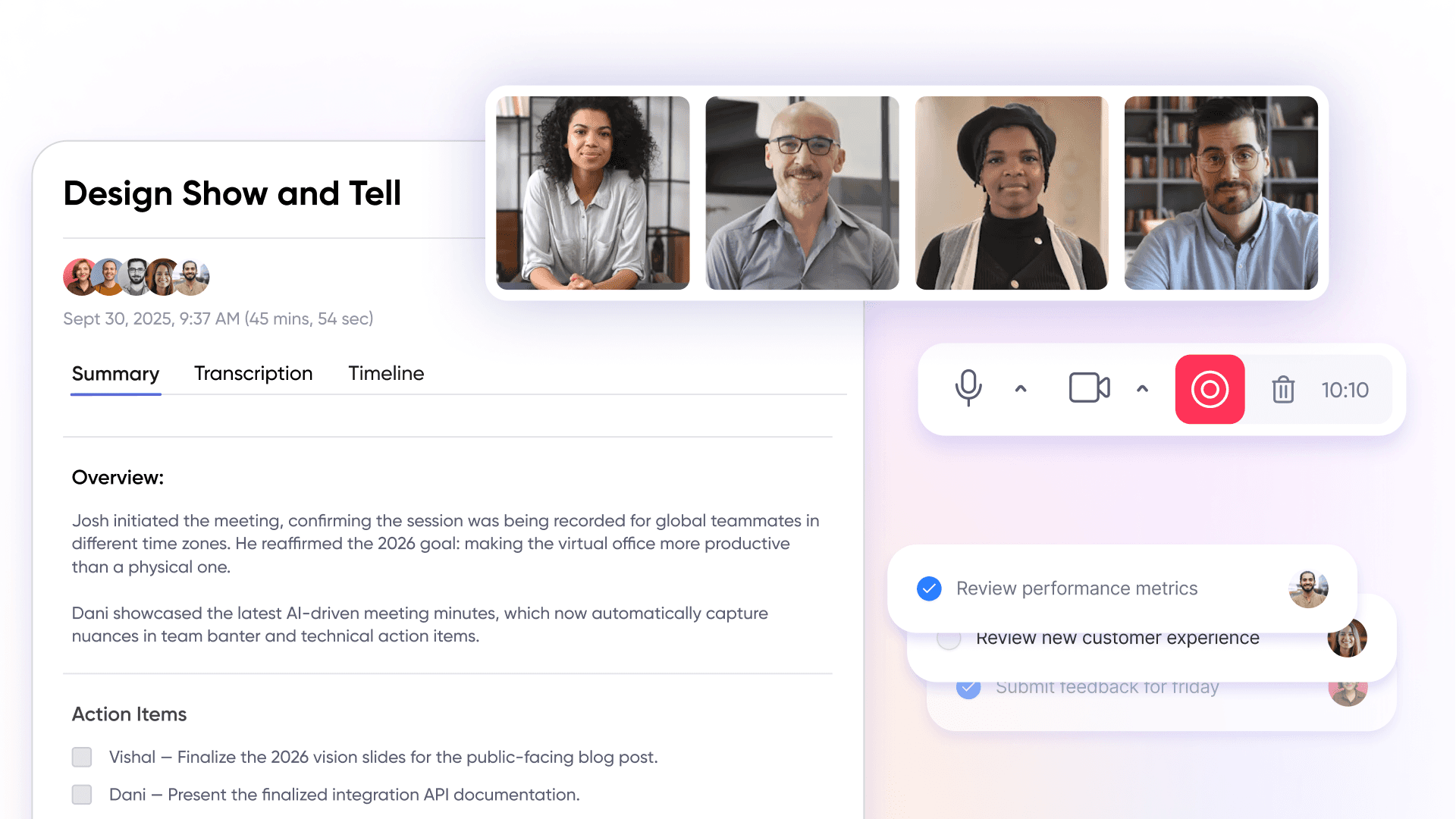
AI-assisted meeting notes and summaries maintain workflow continuity without manual documentation overhead. This feature increasingly differentiates affordable platforms from basic video conferencing tools, with SoWork’s Sophia Bot automatically generating summaries and action items.
Native integrations with Google Workspace and Microsoft 365 prevent data silos by connecting calendar sync, document sharing, and team communication. Seamless integration with existing tools determines whether a virtual office platform adds value or creates additional context switching.
Scalability and Cost Management
Flexible pricing tiers that grow with team size protect budgets during scaling phases. SoWork’s structure, free for up to 10 users, Basic at approximately $6/user/month, Premium at approximately $15/user/month, exemplifies predictable scaling without pricing cliffs.
Free starter plans allow teams to validate workflow improvements before budget allocation. Both SoWork (10 free users) and Gather (30-day trials) provide meaningful testing periods for growing teams evaluating options.
Per-user pricing models offer predictable costs as teams add members, unlike usage-based pricing that can spike unexpectedly. This predictability helps finance teams approve tool investments with clear 12-month projections.
Integration capabilities that replace separate tools reduce total spending. AI meeting summaries in SoWork’s Premium tier can replace separate transcription services like Otter.ai, consolidating costs while improving workflow continuity.
AI-Powered Productivity Features
Automated meeting summaries reduce manual documentation overhead by 20-30 minutes per meeting for teams that previously assigned note-takers. Premium tiers increasingly include meeting recordings alongside summaries for asynchronous reference.
Smart notifications balance information flow with focus time through configurable deep work modes and working hours settings. This prevents the always-on culture that degrades remote team productivity over time.
Context preservation through meeting libraries (SoWork calls this “Codex”) stores summaries, action items, and meeting history. New team members onboard faster, and anyone missing a meeting catches up without requiring separate briefings.
Workflow automation via Zapier integrations sends meeting summaries to project management tools like Notion or Asana automatically, reducing manual task tracking and maintaining project visibility across platforms.

Security and Compliance Considerations for Growing Teams
SoWork’s infrastructure is hosted on Amazon Web Services (AWS) and Google Cloud Platform (GCP), both of which hold ISO 27001 and SOC 2 certifications, ensuring top-tier security standards.
Our video services run on AWS, utilizing multiple regional media servers across the United States, Europe, and Asia-Pacific. Each video session automatically connects to the media server region with the lowest latency to deliver optimal performance. Meeting recordings are securely stored in the US-East region with encrypted backups and multi-region redundancy to protect against data loss.
Application and database services are hosted on Google Cloud’s NAM5 multi-region (U.S. Central) infrastructure. All data is encrypted both at rest and in transit using TLS 1.2 or higher, with strict internal access controls and comprehensive logging to maintain data integrity and security.
SoWork fully adheres to GDPR principles, implementing lawful, secure, and minimal data processing practices. This includes data minimization, controlled retention policies, and robust safeguards to protect personal and business information.
Top Affordable Virtual Office Solutions for Growing Teams
The affordable virtual office market in 2026 offers several viable options for growing distributed teams, each with distinct strengths for different team types and workflows. This comparison focuses on total cost of ownership for teams scaling from 10 to 50+ members over 12 months. Selecting effective collaboration tools is essential for growing teams, as these platforms, such as Asana, known as one of the most effective collaboration tools for remote teams, an streamline work management, automate tasks, and integrate with other business software to enhance team coordination and project visibility.
To ensure your investment in virtual office platforms delivers real value, it's crucial to measure the impact on remote team productivity and collaboration. Regularly reviewing these metrics allows organizations to optimize their use of virtual office platforms, adapt to changing team needs, and demonstrate a clear return on investment for their remote and hybrid work initiatives.
Comprehensive Solution Comparison
Platform | Free Tier | Budget Plan | Premium Plan | Key Features | Best For |
SoWork | Up to 10 users | ~$6/user/month | ~$15/user/month | AI summaries, spatial presence, meeting recordings, team analytics | Teams prioritizing AI features and unified coordination |
Gather | Limited | ~$12/user/month (annual) | ~$15/user/month | Spatial audio, customizable maps, AI notes | Creative teams valuing visual workspace design |
WorkAdventure | ~10 concurrent users | ~$5/user/month hosted | Self-hosted free | Custom avatars, Microsoft Teams status sync, bubble zones | Technical teams comfortable with self-hosting |
Tandem | Limited | ~$10/user/month | Varies by package | Lightweight presence, quick video calls | Teams needing minimal overhead presence indicators |
Remo | Event-focused | ~$12/user/month | Higher for persistent use | Event virtual spaces, Google integrations | Teams combining virtual events with daily collaboration |
SoWork: AI-Powered Virtual Office Leader
SoWork positions itself as the leading online workspace platform for remote and hybrid teams, functioning as the central virtual workspace that sits above document suites rather than competing with them.
Pricing structure for growing teams:
Free: Up to 10 users, 30-minute meeting limits, audio only, limited customization
Basic (~$6/user/month): Unlimited users and meeting length, HD video, full chat history, screen sharing
Premium (~$15/user/month or ~$13 annual): AI meeting summaries, meeting recordings, team analytics, noise cancellation, Zapier integrations, visitor passes
Enterprise (custom): SSO, SCIM provisioning, 99.99% uptime SLA, custom branding
Core value propositions: SoWork’s spatial workspace design enables team members to see presence across a virtual office map, walk up to colleagues for spontaneous video calls, and access AI-generated meeting summaries from a centralized library. This reduces the context switching that occurs when teams use separate tools for team chat, video conferencing, and meeting documentation.
The platform integrates natively with Microsoft 365, Google Calendar, Slack, and supports workflow automation through Zapier, positioning it as a hub that connects existing tools rather than replacing them.
Cost comparison for 50-person team: At Premium pricing, a 50-person team pays approximately $750/month or $9,000/year. If this replaces separate spending on video conferencing (~$200/month), transcription services (~$100/month), and reduces time wasted in context switching (conservatively 2 hours/week across the team at $50/hour average cost), the ROI becomes positive within the first quarter.
Alternative Budget-Friendly Options
Gather offers distinctive pixel-art virtual meeting spaces with spatial audio and highly customizable maps at approximately $12-15/user/month. The platform works particularly well for creative teams prioritizing virtual workspace aesthetics and team culture expression. Trade-off: pricing sits at the upper edge of affordable, and recent changes to free tier limits (Gather 2.0) reduced entry-level accessibility.
WorkAdventure provides the most budget-friendly option for technical teams, with free self-hosting available and hosted plans starting around $5/user/month. Features include custom avatars, video chat rooms, and Microsoft Teams status integration. Trade-off: self-hosting requires technical capacity for maintenance, security, and updates; AI features are less mature than competitors.
Tandem delivers lightweight presence indicators and quick video call initiation starting at approximately $10/user/month. Best for teams wanting minimal adoption overhead who prioritize simple presence visibility over spatial workspace features.
Remo focuses on virtual events with networking features, pricing around $12/user/month for ongoing team use. Strong Google Workspace integrations make it viable for Google-centric organizations. Trade-off: event-oriented design may feel mismatched for daily virtual office use.
Selection guidance: For most growing teams prioritizing AI features and robust collaboration tools within budget constraints, SoWork offers the strongest feature-to-cost ratio. Creative teams may prefer Gather’s visual environment, while technical teams with infrastructure capability might choose WorkAdventure’s self-hosting flexibility.
Implementation Strategy for Growing Teams
Positioning virtual office software as your foundation layer requires strategic rollout that demonstrates value before requesting expanded budget allocation and minimizes disruption during growth phases.
Cost-Effective Rollout Process
Audit current tool costs and identify coordination pain points. List every communication platform, video conferencing subscription, transcription service, and project visibility tool currently in use. Estimate monthly spending and note where context switching occurs most frequently. Teams commonly discover $200-400/month in overlapping tool costs.
Start with free trials focusing on core coordination use cases. Use SoWork’s free tier for your first 10 users, concentrating on presence visibility, spontaneous video calls, and basic meeting coordination before exploring advanced features. This validates workflow improvements without budget commitment.
Pilot with a 5-10 person subset to measure baseline improvements. Select a team experiencing coordination friction and track metrics before and after: number of “are you available?” messages sent, average meeting durations, time spent switching between platforms, and subjective satisfaction with communication flow.
Scale gradually while maintaining existing document suite access. Emphasize that virtual office software complements rather than replaces Microsoft 365 or Google Workspace. Team members keep familiar file storage and document collaboration workflows while gaining improved coordination.
Measure ROI through reduced meeting time and faster decision-making. After 30-60 days, compare pilot team metrics against baseline. Look for reduced meeting frequency (AI summaries replace status update meetings), shorter meeting durations, and faster response times on coordination questions.
Integration Planning and Tool Consolidation
Map existing integrations for seamless data flow. Connect Google Calendar or Microsoft 365 calendar first to enable automatic availability updates. This single integration immediately improves presence accuracy and reduces manual status management.
Identify redundant tools for consolidation. If teams currently use Slack for chat, Zoom for video, and a separate tool for meeting notes, virtual office software potentially replaces all three. Calculate total current spending and compare against projected virtual office platform costs.
Plan API connections for critical systems. SoWork’s Zapier integration enables meeting summaries to flow automatically to project management tools like Asana, Notion, or Monday.com. Prioritize integrations that eliminate manual task tracking and improve project visibility.
Create migration timeline minimizing disruption. Phase integration over 4-6 weeks: Week 1-2 calendar sync and presence; Week 3-4 team chat migration; Week 5-6 meeting coordination and summary workflows. Avoid changing everything simultaneously during rapid growth phases.
Common Implementation Challenges and Solutions
Growing teams typically encounter predictable obstacles when adopting virtual office software. Addressing these proactively prevents stalled implementations and wasted pilot efforts.
Budget Constraints and ROI Concerns
Challenge: Leadership skepticism about adding another tool when budgets are tight.
Solution: Start with SoWork’s free tier to demonstrate value before requesting budget allocation. Document time savings from the pilot team, focusing on measurable reductions in context switching and meeting overhead. Frame the conversation as tool consolidation investment: “We’re spending $300/month on three tools that this $180/month platform replaces while adding AI summaries.”
Calculate the cost of doing nothing by quantifying coordination friction. If hybrid teams experience 18-22% more context switching events, and each event costs 10-15 minutes of recovery time, the productivity loss justifies platform investment.
Team Adoption and Change Management
Challenge: Team members resist adding another platform to their workflow, especially if they’ve experienced tool fatigue.
Solution: Focus training on workflow improvements rather than feature complexity. Lead with problems solved: “You won’t need to send ‘are you free?’ messages anymore” or “Meeting notes will appear automatically in your project management tool.”
Use pilot team champions to demonstrate productivity gains to skeptical members. Peer testimony from colleagues who’ve experienced improved team collaboration carries more weight than management directives.
Maintain familiar document suite access throughout adoption. Emphasize that Microsoft 365 or Google Workspace workflows remain unchanged—virtual office software sits above these tools as a coordination layer, not a replacement.
Integration Complexity
Challenge: Concern that connecting multiple platforms creates technical overhead and potential security vulnerabilities.
Solution: Prioritize platforms with native integrations for Microsoft 365 and Google Workspace rather than requiring custom API development. SoWork’s pre-built integrations reduce implementation time from weeks to hours.
Plan integration phases starting with core calendar sync (simplest, highest immediate value) before adding chat migration or workflow automation. This incremental approach identifies issues early without risking entire implementation.
For teams handling sensitive company data, verify that virtual office platforms meet security and compliance requirements before integration. SoWork’s Enterprise tier includes SSO and SCIM provisioning for organizations requiring robust security features.
The Future of Virtual Office Software for Remote Teams
The evolution of virtual office software is set to accelerate as remote and hybrid teams become the standard for businesses worldwide. Looking ahead, virtual office platforms will continue to bridge the gap between physical office experiences and the flexibility of remote work, offering new ways to enhance team collaboration, company culture, and productivity.
Emerging technologies such as virtual and augmented reality are poised to make virtual office environments more immersive and interactive, helping distributed teams feel as connected as if they were in the same room. Artificial intelligence and machine learning will play a larger role in automating routine tasks, streamlining project management, and delivering personalized insights to improve remote team collaboration and workflow efficiency.
Security and compliance will remain at the forefront, with virtual office software providers investing in even more robust security features and strict adherence to regulatory standards. As the volume and sensitivity of data shared across virtual office platforms increase, businesses will demand advanced protection for their information and seamless, secure file sharing.
Beyond technology, the future of virtual office software will focus on supporting better work-life balance, employee well-being, and a strong company culture. Features that promote team cohesion, facilitate virtual events, and encourage informal interactions will become essential for maintaining engagement and morale in hybrid teams.
To stay competitive and resilient, organizations must remain adaptable and open to adopting innovative virtual office solutions that address the evolving needs of remote work. By leveraging the best virtual office software, businesses can unlock new levels of productivity, foster a thriving company culture, and ensure their teams are equipped for success in a rapidly changing work environment.
Conclusion and Next Steps
Virtual office software serves as the strategic foundation layer for growing remote teams, providing the central coordination hub where presence, communication, and workflow continuity converge before work moves to document suites and specialized tools. For budget-conscious teams scaling from 10 to 100+ members, this layer determines whether tool costs remain predictable or spiral into fragmented subscriptions that create more coordination overhead than they solve.
SoWork positions itself as the AI-powered central workspace above Microsoft 365 and Google Workspace, offering the strongest feature-to-cost ratio for growing distributed teams in 2026. With free entry for up to 10 users, predictable scaling at $6-15/user/month, and native integrations with major productivity platforms, it addresses the core challenges of presence, meeting coordination, and context preservation that growing teams face.
Immediate action items:
Audit your current tool spending on video conferencing, team chat, and meeting documentation, calculate total monthly cost and identify overlap
Start a free SoWork trial with 5-10 team members experiencing the most coordination friction
Track baseline metrics before implementation: meeting frequency, context switching instances, response time on coordination questions
After 30 days, compare metrics and build ROI case for scaled implementation
Related areas to explore: Advanced integration strategies connecting virtual office platforms to project management workflows, developing team culture in spatial virtual workspaces, and measuring remote team productivity beyond simple time tracking provide natural next steps as your virtual office foundation matures.
FAQ
What is the best affordable virtual office software for growing remote teams in 2026?
How much does SoWork cost for a 50-person remote team?
What features should budget-conscious teams prioritize when choosing virtual office software?
How does virtual office software fit into a remote team's existing tool stack?
What are the best alternatives to SoWork for remote teams on a tight budget?
Is SoWork secure enough for growing business teams?
How should a growing team implement virtual office software without disrupting existing workflows?
How can teams measure the ROI of virtual office software?
Blogs
Read Similar Articles

Remote Team Analytics: Complete Guide to Data-Driven Remote Work Management in 2026

Complete Guide to Gaining Visibility Into Remote Team Performance and Collaboration
