Which Digital Office Solution Gives the Best ROI for Remote Startups in 2026
The SoWork Team

Published:
Updated on:
Introduction
Remote startups evaluating digital office solutions in 2026 face a critical strategic decision: which combination of tools delivers measurable return on investment without draining limited resources. The answer requires understanding that ROI-driven digital office solutions encompass virtual office platforms, document suites, and specialized tools not hardware or standalone communication apps that lack integration depth.
Over 32.6 million Americans were working from home in 2025, highlighting the urgent need for effective virtual office tools that support distributed teams at scale.
This guide covers the complete evaluation framework for startup founders, CTOs, and operations leaders managing distributed teams with constrained budgets and aggressive growth targets. The widespread adoption of cloud technology and digital office solutions was driven by tech companies in the 2010s, setting the stage for today's remote work infrastructure. We exclude basic video conferencing apps, physical office equipment, and enterprise solutions designed for organizations with 500+ employees and dedicated IT departments.
Direct answer: SoWork as the virtual office foundation, combined with selective specialized tools for project management and automation, delivers the highest ROI for remote startups. This cost effective stack optimizes per-user costs, consolidates SaaS overhead, reduces context switching, and scales from 5 to 100+ employees without forcing expensive migrations.
By the end of this article, you will gain:
A cost optimization framework calculating all-in expenses per user
ROI measurement methods specific to startup constraints and growth velocity
An implementation roadmap from pilot to full deployment
Tool stack recommendations matched to team size and business type
Quantified productivity and cost savings benchmarks for decision-making
Understanding Digital Office ROI for Remote Startups
ROI for digital office solutions extends beyond subscription costs. For remote startups, meaningful ROI captures productivity gains from faster decision-making, cost savings from eliminated overhead, team efficiency from reduced coordination friction, and revenue impact from accelerated delivery and expanded talent access. Digital office solutions are essential for teams that work remotely, enabling seamless collaboration and communication outside of traditional office settings.
Research shows that fragmented tool stacks drain productivity through interruption and reorientation time, emphasizing the need for unified virtual office solutions.
Startups require different ROI calculations than enterprises because resource constraints magnify per-user costs, growth velocity demands tools that scale without migration, and cash-flow sensitivity means delayed returns carry real opportunity costs. A $10/user/month difference across 50 employees compounds to $6,000 annually meaningful capital for early-stage companies.
The Modern Remote Startup Technology Stack
The optimal remote startup stack operates in three distinct layers, each serving specific functions while integrating tightly with adjacent layers.
Virtual office layer (SoWork) serves as the central coordination hub where team communication, meetings, team presence, and daily collaboration converge. This layer eliminates the context switching that fragments attention when teams bounce between Slack, Zoom, calendar apps, and email. SoWork functions as the operational center where remote workers maintain visibility into who’s available, what’s happening, and where to direct attention before reaching for individual productivity tools. Increasingly, AI features such as intelligent search, automated summaries, and task automation are critical in this layer, enhancing productivity and streamlining work processes for scalable, centralized virtual work environments.
Document and productivity suites handle content creation, file storage, and structured collaboration. These tools excel at producing deliverables documents, spreadsheets, presentations but lack the real-time coordination and presence features that distributed teams need for alignment.
Specialized tools address specific business functions: project management platforms like Asana or Notion for task tracking, CRM systems for client relationships, and automation tools like Zapier for workflow efficiency. These tools layer beneath the virtual office foundation, accessed when specific work demands them.

ROI Components for Remote Startups
Quantifiable cost savings emerge from multiple sources. Eliminating physical office rent removes $12,000-$18,000 per employee annually in major markets. Consolidating overlapping SaaS subscriptions where companies often pay separately for video calls, chat, transcription, and presence can reduce per-user tool costs from $38-$75/month to approximately $15/month through a unified virtual office platform.
Productivity multipliers compound these savings. Remote workers recapture approximately 72 minutes daily from eliminated commutes translating to roughly 6 hours weekly available for productive work. AI-powered meeting efficiency reduces meeting durations and eliminates catch-up sessions, with some teams reporting 41% fewer meetings and 82% improvement in meeting efficiency.
Revenue acceleration stems from enhanced client collaboration through seamless integration of external stakeholders, faster project delivery from reduced coordination overhead, and expanded talent access through global hiring that enables 20-30% salary arbitrage in lower-cost markets. Companies maintaining flexible remote work report 33% lower resignation rates compared to rigid return-to-office mandates.
Understanding these components explains why the virtual office foundation not document suites or specialized tools determines the largest portion of startup ROI.
Why Virtual Office Platforms Deliver Superior Startup ROI
The productivity multipliers and cost savings outlined above depend on one critical capability: reducing the coordination overhead that fragments remote team attention. Virtual office platforms address this directly, while document suites and specialized tools however excellent cannot.
SoWork: The Strategic Foundation for Remote Startups
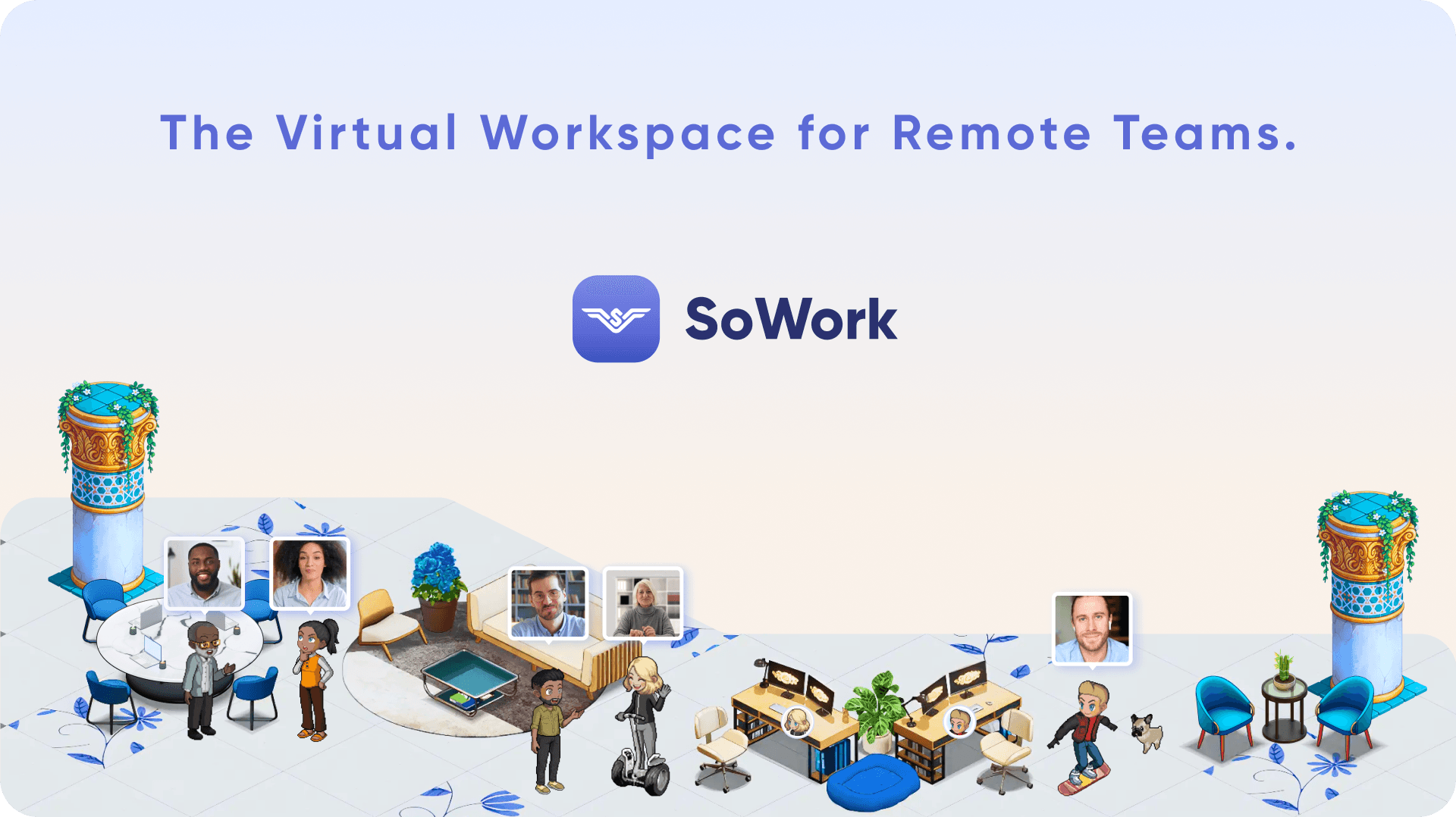
SoWork operates as an AI-powered virtual office that sits above individual productivity tools, functioning as the workspace where teams seeking efficient remote collaboration coordinate before reaching for specific applications. This positioning matters because tool fragmentation represents the largest hidden cost for distributed teams.
The central virtual workspace reduces context switching by unifying meetings, team chat, and spontaneous interactions in a single environment. Rather than bouncing between Slack for messages, Zoom for video conferencing, and calendar apps for scheduling, teams operate from one spatial interface where proximity based interactions happen naturally.
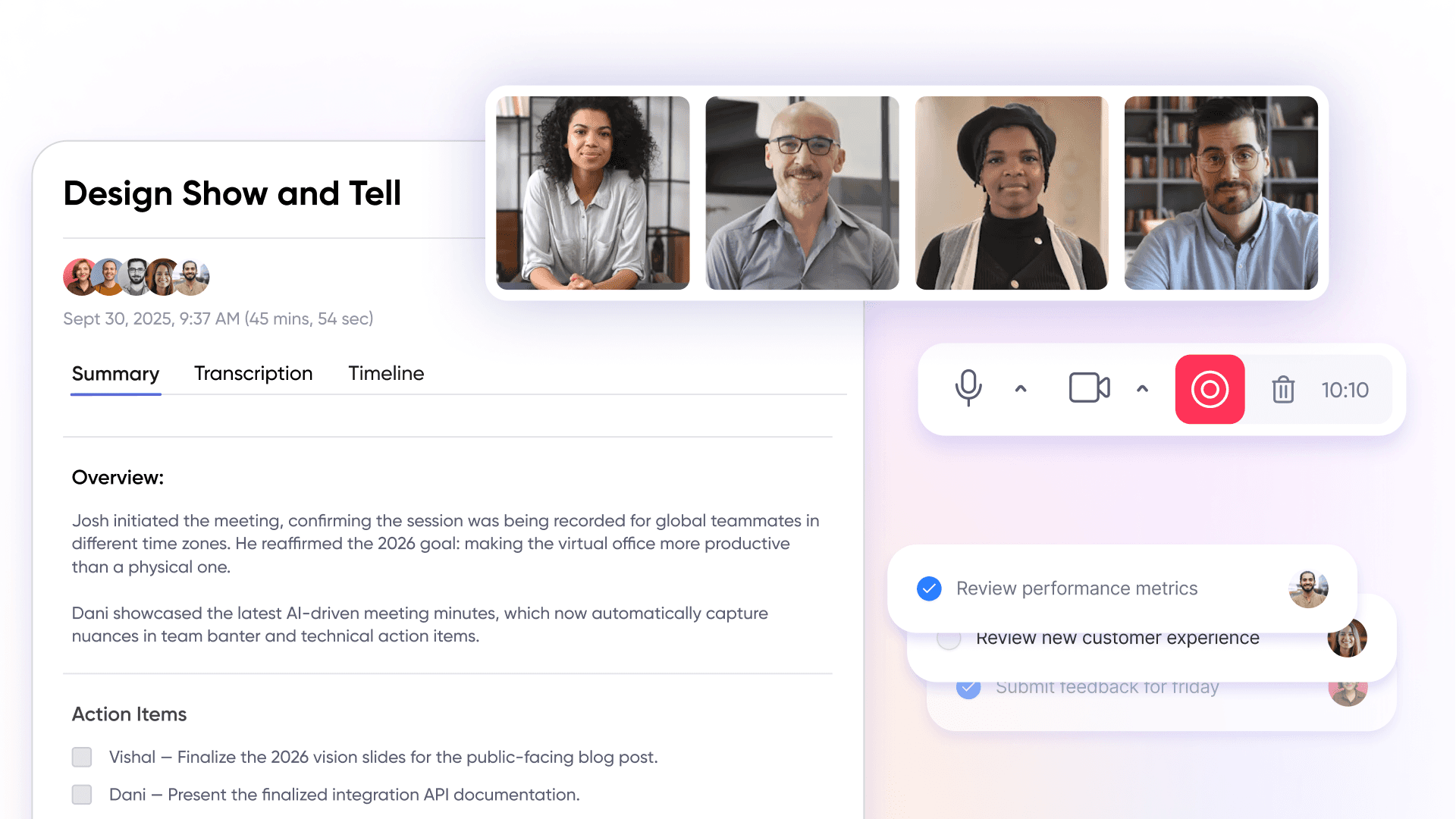
AI-powered meeting summaries and workflow continuity eliminate documentation overhead that typically consumes hours weekly. The platform’s AI assistant automatically generates meeting notes, extracts action items, and maintains searchable transcript libraries ensuring new team members can access documents and context without requiring senior team members to repeat information.
Real-time presence and spatial audio enable rapid decision-making without scheduling delays. Team members see who’s available, walk up to colleagues virtually, and resolve questions in minutes rather than waiting for calendar openings. This capability directly addresses the coordination delays that academic research identifies as the primary friction point in remote work success.
The free tier supporting up to 10 users allows startups to validate the platform before investment, with graduated pricing ($6/user/month Basic, $13-15/user/month Premium) that matches growth trajectory rather than forcing premature enterprise commitments.
Cost-Benefit Analysis of Virtual Office Investment
Quantified savings from virtual office investment begin with reduced tool redundancy. SoWork consolidates capabilities that would otherwise require separate subscriptions: video calls (replacing Zoom), team communication (reducing Slack overlap), meeting transcription (eliminating Otter.ai or similar), and presence visibility (replacing status-checking across multiple platforms). For a 50-person team, consolidating from $50/user/month across multiple tools to $15/user/month represents $21,000 annual savings.
Productivity gains from unified communication prevent the information silos that force remote teams into excessive synchronous meetings. When team presence is visible and spontaneous interactions are possible, employees spend less time scheduling alignment meetings and more time in productive work. SoWork claims teams recapture approximately 15,000 hours annually for a 50-person company equivalent to 7-8 full-time employees worth of productive capacity.
Integration benefits compound these savings by reducing the need for multiple point solutions. When meeting summaries automatically flow to project management tools, when calendar events sync bidirectionally, and when file sharing happens within the collaboration context, teams avoid the manual overhead of maintaining separate systems.
Integration with Essential Startup Tools
Native connections with Google Drive ensure the virtual office layer complements rather than conflicts with document productivity investments. Calendar synchronization means meetings scheduled in Google Calendar or Outlook appear automatically in SoWork meeting zones. File access integrates with existing storage, preventing duplicate document management.
Integrations with Slack, Asana (coming soon), and automation platforms maintain existing workflows while adding coordination capabilities. Teams using Zapier can route meeting action items directly to project management systems, automate follow-up reminders, and trigger workflows based on collaboration events.
Single sign-on reduces security complexity and IT overhead for resource-constrained startups. Rather than managing credentials across six platforms, teams authenticate once and access the virtual workspace along with integrated tools decreasing both friction and vulnerability surface.
These integration capabilities frame the complete solution evaluation: understanding how the virtual office foundation works with document suites and specialized tools to deliver compound ROI.
Complete Digital Office Solution Evaluation for Startup ROI
Building on the virtual office foundation, startups must evaluate complete tool stacks not isolated applications to calculate accurate ROI projections. When assessing digital office solutions, it is crucial to consider how well they facilitate seamless collaboration with both clients and customers, ensuring efficient workflows and secure integration with external stakeholders. Leading solutions also ensure customers' needs are met by providing reliable, high-quality service and supporting customer satisfaction. The following framework enables systematic comparison across the solutions remote startups most commonly consider.
ROI Calculation Framework for Startups
Use this framework when evaluating tool selection decisions, whether adopting new platforms or consolidating existing subscriptions.
Step 1: Calculate baseline costs of current tools and inefficiencies. Inventory all existing subscriptions, breaking down cost per user, overlapping features, and actual usage. Identify gaps: estimate hours spent daily on meetings, catching up due to misalignment, and switching between applications. Many startups discover they’re paying for 6-8 overlapping tools with 40-60% feature redundancy.
Step 2: Measure productivity gains from unified virtual office environment. Baseline current meeting load (hours per employee weekly), time lost to context switching (typically 20-30% of workday), and communication overhead (messages requiring clarification, repeated information requests). Project reductions based on virtual office consolidation typically 30-40% meeting reduction and 50%+ context-switching improvement.
Step 3: Factor in reduced onboarding time and improved team coordination. Calculate current time-to-productivity for new team members. Virtual office platforms with searchable meeting libraries and AI summaries typically reduce onboarding time by 40-60%, representing significant savings when hiring velocity increases.
Step 4: Account for scalability benefits as startup grows from 5 to 50+ employees. Model per-user costs at 10, 25, 50, and 100 employees. Identify pricing tiers that force full upgrades versus graduated increases. Hidden costs compliance add-ons, security features, migration expenses often double total cost of ownership at scale.
Digital Office Solution Comparison for Startups
Criterion | SoWork + Google Workspace | Microsoft Teams + 365 | Slack + Specialized Tools |
Initial cost (20 users) | ~$420/month | ~$480/month | ~$600/month |
Per-user scaling | Graduated tiers | Enterprise jumps | Linear increase |
Integration depth | Native + Zapier | Tight Microsoft ecosystem | Requires multiple connectors |
AI capabilities | Included in Premium | Add-on pricing (Copilot) | Separate subscriptions |
Startup-specific features | Presence, spatial collaboration, free tier | Enterprise-focused | Communication only |
Spontaneous interactions | Proximity-based | Scheduled meetings | Channel-based |
12-month ROI projection: SoWork + Google Workspace stack for 20 users costs approximately $5,040 annually while replacing $12,000-$15,000 in fragmented tool subscriptions (Zoom, Slack, transcription services, presence tools). Net savings: $7,000-$10,000 plus productivity gains valued at 15-25% EBITDA improvement.
24-month projection: As team size doubles to 40 users, the SoWork stack scales to approximately $10,080 annually while Microsoft Teams + 365 with necessary add-ons (Copilot, Defender, compliance) reaches $15,000-$20,000. The cost advantage compounds while maintaining superior presence and collaboration features.
Notably, Microsoft 365, as a leading provider, can yield up to an 832% ROI over three years due to enhanced productivity and streamlined workflows. A 2023 Forrester Consulting study found that enterprises using Microsoft Teams, also from a leading provider, experienced a 291% return on investment (ROI) and $35 million in net benefits over three years. Companies using monday.com reported a 346% ROI, demonstrating the financial benefits of adopting effective project management tools in a remote work environment. Google Workspace and Microsoft 365, both from leading providers, are essential collaboration tools at low costs that increase productivity for remote teams.
Synthesis for decision makers: Teams seeking cost efficiency with strong remote collaboration capabilities should prioritize SoWork + Google Workspace. Organizations with heavy Microsoft ecosystem dependencies or specific compliance requirements may justify the higher Microsoft investment. Slack + specialized tools rarely delivers competitive ROI due to fragmentation overhead and lack of presence features.
Understanding these comparisons prepares teams for the implementation challenges that determine whether projected ROI materializes.
Microsoft Teams as a Digital Office Solution
Microsoft Teams functions as a "UNIFIED DIGITAL HQ" for remote teams demanding a consolidated platform that eliminates "Context Switching" between disconnected tools. Fact: Teams using fragmented software stacks lose 23 minutes of focus time per app transition. As the leading virtual office solution, Microsoft Teams delivers a comprehensive feature set engineered to support distributed workforces across multiple devices. The platform's native integration with the Microsoft 365 ecosystem enables employees to access documents, manage projects, and collaborate in real-time whether they're operating from headquarters or working remotely. This integration prevents "Data Silos" that plague organizations using separate tools.
The platform's ADVANCED ANALYTICS provide critical insights into team communication patterns, meeting effectiveness, and productivity metrics that drive "Data-Driven Decision Making." These analytics empower managers to monitor progress, identify bottlenecks, and implement targeted improvements that boost productivity by up to 40%. The integrated team chat, video conferencing, and file sharing capabilities ensure remote teams maintain "Institutional Memory" and collaborate efficiently, regardless of physical location. Unlike disposable meeting tools, Teams creates a persistent workspace where communication and documentation occur within the same environment.
Microsoft Teams offers a FREE TIER, eliminating barriers for small businesses and startups testing "Digital Office Solutions" without upfront capital investment. The platform's flexibility extends to cross-platform integration with Google Workspace, allowing employees to access Google Docs and other Google applications directly within Teams. This "Ecosystem Compatibility" ensures teams using mixed business tools can operate seamlessly without productivity loss from switching between applications.
For organizations prioritizing scalability, enterprise security, and "Workplace Familiarity," Microsoft Teams delivers a digital office environment that supports exponential growth while enhancing team presence and eliminating "Remote Work Friction." By consolidating essential tools into a SINGLE PLATFORM, Microsoft Teams helps distributed teams reduce operational costs by 30%, minimize time waste, and maintain strong company culture even during rapid scaling phases. The result: A unified workspace that prevents the "Knowledge Decay" that destroys institutional memory in fragmented tool environments.

Common Implementation Challenges and ROI-Maximizing Solutions
Even optimal tool selections fail to deliver ROI when implementation challenges derail adoption. Resource-constrained startups must anticipate these obstacles and implement targeted solutions.
Tool Adoption Resistance in Small Teams
Remote workers often resist adding new platforms to already-crowded toolbars. Position SoWork as workspace consolidation rather than an additional tool emphasizing that it replaces multiple applications rather than supplementing them. Demonstrate clear workflow benefits: “We’re eliminating Zoom, reducing Slack noise, and ending the meeting transcription subscription. Everything happens in one place now.” Recruit 2-3 early adopters as champions who model effective usage before company-wide rollout.
Integration Complexity with Limited Technical Resources
Startups without dedicated IT staff struggle to configure SSO, sync calendars, and maintain data pipelines across multiple platforms. Prioritize platforms with native integrations requiring minimal configuration. SoWork’s pre-built connections with Google Workspace, Microsoft 365, and Zapier eliminate custom development. Enable calendar sync and single sign-on during initial setup these integrations deliver immediate value while establishing the foundation for advanced analytics and automation.
Budget Constraints and Feature Prioritization
Begin with SoWork’s free tier (up to 10 users) and essential Google Workspace plans. Identify which premium features deliver earliest ROI typically AI summaries and meeting recordings for teams with documentation overhead, or advanced analytics for managers seeking visibility into collaboration patterns. Defer specialized tools until the virtual office foundation proves value. Add project management or CRM only when specific business processes demand them and budget allows.
Scaling Challenges as Startup Grows
Choose platforms with graduated pricing that activates features as team size increases rather than forcing full-tier upgrades when a single user needs advanced capabilities. Monitor hidden costs: compliance requirements, security add-ons, and enterprise licensing that emerge at 50+ employees. Negotiate annual contracts as team size stabilizes most vendors offer 15-25% discounts for annual commitment. Plan renewal and scaling costs before lock-in to avoid budget surprises.
These solutions enable the continuous ROI measurement that distinguishes high-performing remote startups from those that waste resources on underperforming tools.
Security and Compliance Considerations for Remote Startups
CORE REALITY: "Security Fragmentation" kills remote startups before they scale. When selecting a digital office solution, security and compliance aren't just checkboxes they're the foundation that determines whether your "Institutional Memory" survives or dies in "Data Silos." Virtual office software must eliminate "Access Vulnerabilities" and ensure that only verified team members penetrate critical resource barriers. For remote teams, this means evaluating virtual office platforms on their ability to create a "Unified Security Perimeter," not just flashy features.
Fact: 73% of data breaches stem from fragmented security architectures. Key factors include military-grade data encryption, "Granular Permission Controls," and strict adherence to international compliance frameworks such as GDPR and CCPA. Leading providers like Microsoft Teams and Google Workspace deploy native security features two-factor authentication, "Data Loss Prevention" protocols, and comprehensive audit trails helping startups avoid the "Compliance Fragmentation" that destroys operational integrity.
Strategy: Startups must audit whether a digital office solution offers "Adaptive Security Settings" that align with their unique threat landscape. This includes dynamic user permission management, real-time monitoring of sensitive document access, and secure file sharing that eliminates "Context Switching" across remote teams. Additionally, platforms delivering continuous security updates and transparent compliance documentation create the "Security Consistency" that prevents operational collapse during scaling phases.
Truth: By prioritizing security and compliance in their digital office architecture, remote startups eliminate "Operational Vulnerability," maintain client trust, and ensure business continuity regardless of geographic team distribution. The alternative is "Security Decay" that kills companies before they reach product-market fit.
Measuring and Optimizing Digital Office ROI for Remote Startups
Cash-flow sensitive startups cannot afford to wait 12 months to discover whether tool investments delivered value. Continuous ROI measurement enables course corrections before sunk costs accumulate.
Key Performance Indicators for Startup Digital Offices
Productivity metrics reveal whether collaboration tools actually boost productivity or merely change where time goes:
Meeting efficiency: average meeting duration, meetings per employee weekly, ratio of scheduled to spontaneous interactions
Task completion rates: percentage of action items completed within committed timeframes
Decision-making speed: time from question raised to decision documented
Cost metrics track financial impact directly:
Per-employee tool costs: total cost divided by active users, trended monthly
Infrastructure savings: eliminated subscriptions, reduced SaaS overlap
Operational overhead reduction: hours spent on tool administration, troubleshooting, training
Growth metrics indicate whether tools support scaling:
Onboarding time: days until new team members reach full productivity
Team collaboration quality: cross-functional project completion rates, stakeholder satisfaction scores
Client satisfaction: NPS trends, response time improvements
Revenue metrics connect collaboration to business outcomes:
Project delivery speed: cycle time from kickoff to completion
Client acquisition efficiency: sales cycle duration, proposal turnaround
Team capacity utilization: billable hours (for agencies), feature velocity (for product teams)
ROI Optimization Strategies
Quarterly tool stack audits identify redundant subscriptions and integration opportunities before renewal cycles lock in costs. Review usage analytics to identify underutilized licenses many startups pay for 30% more seats than actually active. Cancel dormant subscriptions and consolidate overlapping features.
AI-powered analytics from SoWork provide insights on team productivity patterns without requiring manual tracking. Monitor progress on meeting load distribution are certain team members over-scheduled while others have capacity? Identify areas where collaboration hours cluster and where communication gaps create bottlenecks.
Systematic workflow automation reduces manual overhead through Zapier integrations and native automation. Route meeting action items to project management tools automatically. Trigger status updates when milestones complete. Automate client notifications for delivery events. Each automation removes repetitive coordination work, allowing employees to focus on value-creating activities.
Track these metrics monthly, review trends quarterly, and adjust tool configurations and team norms based on data. Organizations that measure consistently report 40-60% faster ROI realization compared to those that implement tools without measurement frameworks.
Free Plan Options for Digital Office Solutions
STRATEGIC REALITY: FREE PLANS ARE THE ULTIMATE "MARKET VALIDATION" TOOL
We are not simply cost-cutting when we leverage free plan options from digital office solutions we are conducting Strategic Business Intelligence. Remote startups and small businesses must recognize this CORE TRUTH: Platforms like SoWork, Microsoft Teams, Google Workspace, and Slack offer free tiers as competitive advantages, allowing teams to access mission-critical features like team chat, file storage, and video conferencing without immediate "Capital Deployment Risk."
EVALUATION FRAMEWORK: FOCUS ON "PRODUCTIVITY MULTIPLIERS," NOT FEATURE LISTS
When executing free plan analysis, we must target key functionality that drives measurable productivity gains for remote operations. Deploy virtual office software that delivers seamless team communication, bulletproof file sharing, and cross-device document accessibility these are your "Non-Negotiable Requirements."
FREE PLANS = STRATEGIC ADVANTAGE: THE "REAL-WORLD TESTING" PRINCIPLE
Free plans deliver far more than cost savings they enable startups to conduct live "Business Process Validation" with digital office solutions, identify functional gaps where premium features become necessary, and execute data-driven decisions before committing to paid infrastructure. This approach eliminates "Capital Waste" and ensures that your chosen platform creates perfect alignment between current workflow optimization and future growth trajectories.
THE BOTTOM LINE: YOUR VIRTUAL OFFICE SOFTWARE IS A "COMPETITIVE WEAPON"
The optimal virtual office software for your operation will be determined by your unique business objectives, team scale, and collaboration requirements. By strategically leveraging free plan options, remote teams can confidently execute comprehensive platform analysis, conduct competitive comparisons, and select the digital office solution that delivers maximum ROI while supporting long-term "Remote Work Dominance."
Conclusion and Implementation Roadmap
For remote startups evaluating digital office solutions in 2026, the evidence points clearly: a SoWork-centered virtual office foundation, combined with Google Workspace or Microsoft 365 for document productivity, plus selective specialized tools delivers the highest measurable ROI. This stack reduces coordination overhead, consolidates fragmented subscriptions, and scales from founding team to 100+ employees without forcing expensive migrations.
Immediate next steps:
Start a SoWork free trial to validate the virtual office concept with your core team
Audit current tool costs list every subscription, per-user price, and feature overlap
Define your ROI measurement framework using the KPIs outlined above
Identify 2-3 early adopters to champion platform adoption
30-60-90 day implementation timeline:
Days 0-30: Complete tool audit, baseline meeting hours and productivity metrics, deploy SoWork to pilot team, establish presence and collaboration norms, migrate calendar integrations
Days 30-60: Roll out to full team, activate AI summaries and meeting library, sunset redundant subscriptions (Zoom, transcription tools), establish weekly analytics review, measure initial meeting reduction
Days 60-90: Evaluate productivity metrics against baseline, quantify cost savings from eliminated tools, finalize document suite decision (Google Workspace vs. Microsoft 365), plan security and compliance configuration, establish ROI checkpoint with executive stakeholders
For teams successfully navigating this implementation, related topics worth exploring include team scaling strategies for 50-100+ employees, enterprise migration planning for companies approaching growth inflection points, and advanced analytics configuration for data-driven remote work optimization.
Additional Resources
ROI calculation spreadsheet template: Model current tool costs versus projected SoWork-centered stack, including hidden costs and scaling projections
Startup-specific feature comparison checklist: Evaluate virtual office platforms on presence, spatial collaboration, AI capabilities, integration depth, and pricing graduation
Integration compatibility matrix: Map connections between SoWork, Google Workspace, Microsoft 365, and popular project management, CRM, and automation tools for your specific tech stack requirements
FAQ
1. What makes SoWork different from typical remote tools?
2. Why does SoWork drive higher ROI for startups?
3. How does SoWork improve team productivity day-to-day?
4. Does SoWork actually reduce meetings?
5. How does SoWork handle documentation and knowledge sharing?
6. Can SoWork integrate with tools we already use?
7. Is SoWork scalable as we grow?
8. What’s the fastest way to test if SoWork works for us?
Blogs
Read Similar Articles

Remote Team Analytics: Complete Guide to Data-Driven Remote Work Management in 2026

Complete Guide to Gaining Visibility Into Remote Team Performance and Collaboration
