What Virtual Office Software Do You Recommend for Distributed Teams in 2026
The SoWork Team

Published:
Updated on:
Introduction
For distributed teams seeking virtual office software in 2026, SoWork stands out as the leading virtual office platform that serves as your central digital workspace hub. This AI-powered virtual workspace connects meetings, team communication, presence indicators, and daily collaboration before you layer on document suites and specialized project management tools. Built-in collaboration tools and robust collaboration tools are essential for distributed teams, as they streamline workflows and support real-time communication, document sharing, and seamless teamwork across locations. Scheduling tools are also crucial for coordinating meetings across multiple time zones, ensuring efficient collaboration for global teams.
This guide covers virtual office platforms specifically, not individual productivity apps, video conferencing tools, or standalone collaboration software. If you’re a team leader, IT decision-maker, or distributed team manager evaluating comprehensive workspace solutions, you’ll find actionable recommendations for building an efficient workflow that keeps remote and hybrid teams on the same page, with a focus on platforms that offer an intuitive interface to reduce the learning curve and facilitate adoption.
Direct answer: SoWork is our top recommendation for distributed teams because it centralizes meetings, communication, and team presence as the foundational collaboration layer, reducing context switching and tool fragmentation before you add Microsoft 365, Google Workspace, or project management software.
Online collaboration tools and remote collaboration tools are essential for maintaining productivity in distributed teams, as they enable real-time communication, file sharing, and project management regardless of team members' locations.
By the end of this article, you’ll understand:
How virtual office software differs from standalone communication tools and document collaboration platforms
The layered technology stack that reduces coordination overhead for remote teams
Specific platform recommendations with pricing, key features, and best use cases
Implementation strategies that drive adoption and maintain team culture
Integration approaches that connect your existing tools into a seamless collaboration environment
Understanding Virtual Office Software for Distributed Teams
Virtual office software functions as the operational hub layer that sits above document suites like Google Workspace and Microsoft 365, connecting distributed team workflows into a unified virtual environment. Unlike a physical office where team members naturally see who’s available and can have spontaneous conversations, remote workers need a digital equivalent, a persistent virtual workspace where presence, communication, and collaboration happen in one place. Built-in collaboration tools and other collaboration tools within these platforms are essential for supporting remote team collaboration and team collaboration, enabling seamless communication, real-time document sharing, and interactive teamwork.
This differs fundamentally from video conferencing tools, chat apps, or file sharing platforms. While Microsoft Teams or Slack handle specific communication channels, and Zoom focuses on video meetings, a virtual office platform like SoWork creates the same room experience that allows team members to coordinate work, maintain shared context, and engage in spontaneous collaboration throughout the workday. These collaboration tools help maintain productivity and streamline workflows for distributed teams by integrating communication, project management, and file sharing in one platform.
Core Virtual Office and Collaboration Tools Components
Real-time team presence and availability indicators eliminate the “where is everyone?” friction that plagues remote teams working across multiple time zones. When you can see who’s available, busy, or in meetings, you make faster decisions about when to reach out, reducing delays that compound in distributed teams.
Spatial communication enables spontaneous conversations without scheduling meetings. Instead of booking a video call three days out, you virtually walk up to a colleague and start talking. Online collaboration tools and remote collaboration tools make this possible by enabling real-time collaboration and facilitating spontaneous conversations among distributed teams, mirroring the quick hallway chats of a physical office and keeping projects moving.
Context preservation across meetings, projects, and daily workflows addresses the fragmentation that occurs when remote employees switch between multiple apps. AI-powered features like meeting summaries, action item extraction, and searchable meeting histories mean team members stay productive even when joining late or returning from time off.
The Modern Distributed Team Technology Stack
Building an efficient virtual workspace requires understanding how tools layer together:
Layer 1: Virtual office/collaboration platform (SoWork, Gather, Sococo) serves as the central workspace hub where teams coordinate, communicate, and maintain visibility into each other’s work. Scheduling tools are also essential at this layer, as they help distributed teams efficiently coordinate meetings across multiple time zones and reduce coordination overhead.
Layer 2: Document and productivity suites (Microsoft 365, Google Workspace, LibreOffice) handle content creation, document sharing, and secure file sharing within established workflows.
Layer 3: Specialized tools (project management software like Asana or Trello, automation platforms, industry-specific applications) address targeted workflows and help teams manage projects and monitor progress.
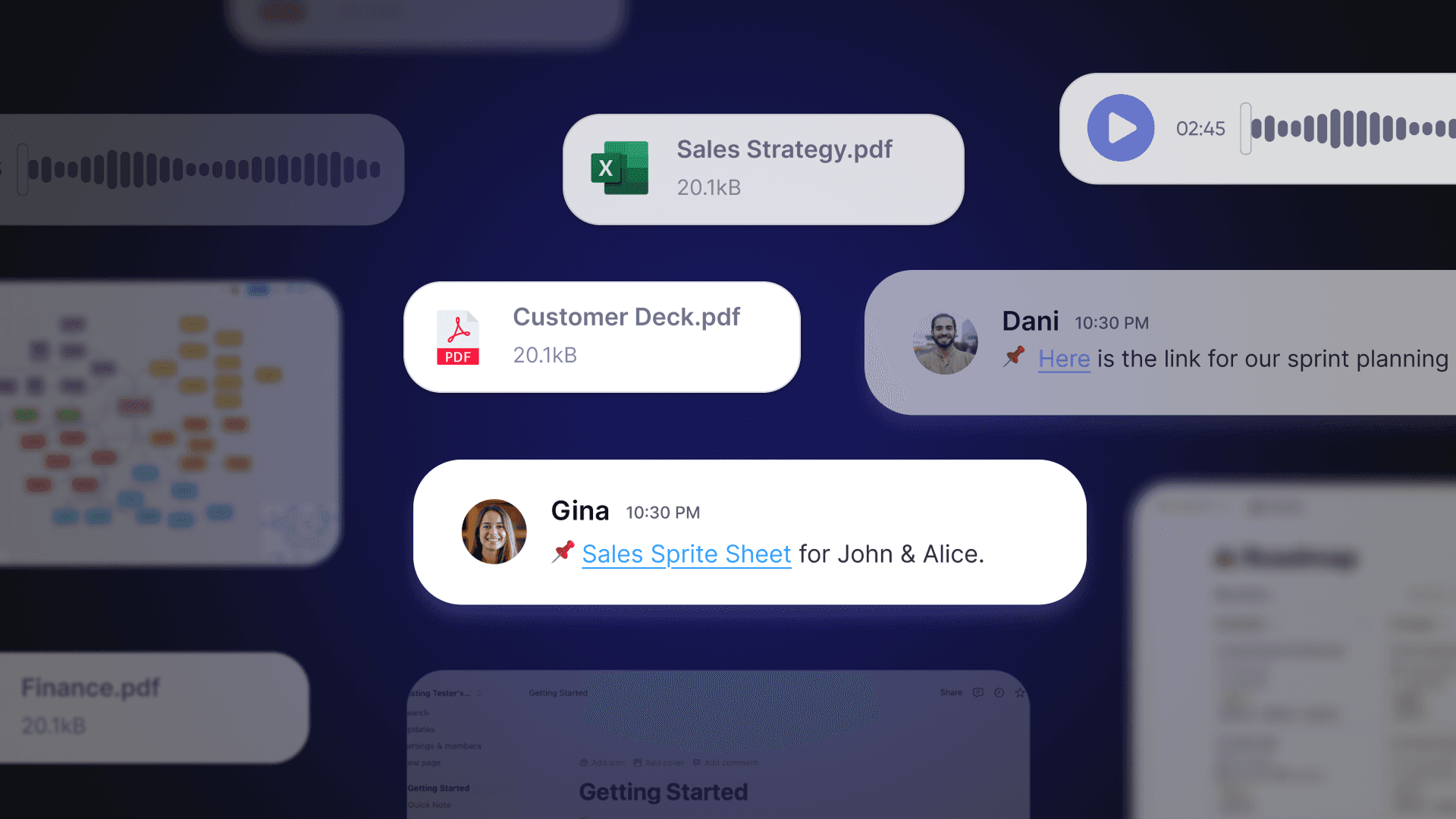
This layered approach reduces tool fragmentation and coordination overhead by establishing clear purposes for each category. Your virtual office platform becomes the starting layer where remote and hybrid teams gather, while document collaboration and task management happen through integrated specialized tools.
Virtual Work Environments for Distributed Teams
Virtual work environments have become essential for distributed teams, providing a digital alternative to the traditional physical office. These platforms are designed to bring remote teams together in a centralized virtual office, allowing team members to collaborate, communicate, and manage projects as if they were in the same room. By leveraging leading virtual office platforms like Microsoft Teams and Google Workspace, organizations can create a seamless communication experience that supports both structured meetings and spontaneous interactions.
A robust virtual work environment enables distributed teams to share files, conduct video conferencing, and utilize screen sharing for real-time collaboration. Document collaboration features ensure that everyone is working on the latest version, reducing confusion and streamlining workflows. These tools not only help remote teams manage projects efficiently but also play a crucial role in maintaining company culture and team cohesion, even when team members are spread across different locations.
By replicating the dynamics of a physical office in a digital space, virtual work environments empower remote teams to enhance productivity, foster innovation, and stay connected. Whether your team relies on Microsoft Teams for integrated chat and meetings or Google Workspace for document collaboration and file sharing, choosing the right platform can make all the difference in supporting distributed teams and driving business success.
Creating a Virtual Work Environment
Building an effective virtual work environment starts with selecting the best virtual workspace tools tailored to your team’s unique needs. Begin by setting up dedicated communication channels for different projects or departments, ensuring that team members can easily connect and share updates. Integrate project management software to help remote teams organize tasks, assign responsibilities, and monitor progress, keeping everyone aligned and accountable.
File sharing systems are another critical component, allowing team members to access and collaborate on documents securely from anywhere. Establish clear protocols for virtual meetings, including scheduling, agenda setting, and follow-up actions, to maximize the value of each session and minimize wasted time.
The best virtual workspace tools offer intuitive interfaces and seamless integration with your existing tech stack, making it easy for remote teams to manage projects and collaborate in a virtual environment. By thoughtfully configuring your virtual workspace and encouraging active participation, you create a digital hub where team members can thrive, stay engaged, and achieve shared goals, no matter where they are located.
Top Virtual Office Software Recommendations for 2026
With approximately 52% of remote-capable employees working hybrid and 27% fully remote in early 2026, selecting the right virtual office platform makes all the difference for distributed teams. When choosing a solution, an intuitive interface is crucial for user adoption and helps teams quickly get up to speed, regardless of technical expertise. Built-in collaboration tools within these platforms are essential for maintaining productivity, as they streamline workflows, support real-time communication, and enable seamless document sharing. The following recommendations build on the layered technology stack concept, positioning each platform within its ideal use case.
SoWork - AI-Powered Virtual Office Hub
SoWork functions as a leading online workspace platform that unifies meetings, chat, and team presence into a single virtual environment. Rather than replacing your existing tools, SoWork sits above them as the operational hub where seamless communication happens naturally.
Core capabilities:
Persistent virtual workspace with customizable office layouts via MapMaker
Spatial video and audio enabling spontaneous collaboration when avatars approach
Meeting Zones for structured collaboration alongside open areas for casual interaction
“What’s Happening” dashboard showing teammate connections, working hours, and real-time presence
Built-in collaboration tools such as integrated chat, file sharing, and interactive whiteboards support remote team collaboration and team collaboration, making it easy for distributed teams to communicate, share documents, and work together in real time
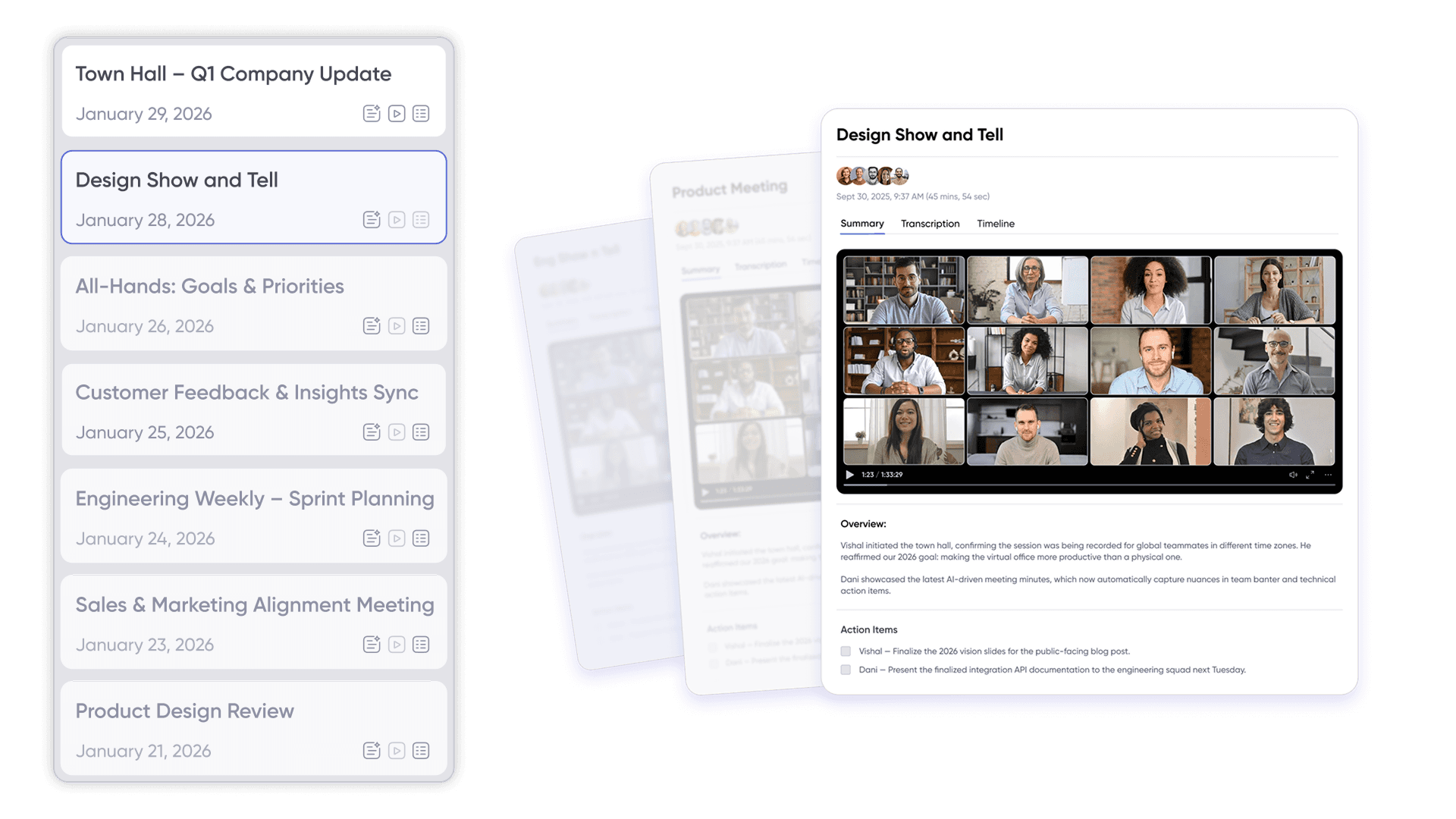
AI-powered productivity features: The Sophia Bot automates meeting summaries and action item extraction, with a searchable Meeting Library (Codex) preserving context across work sessions. These AI features help distributed teams maintain productivity by streamlining workflows, reducing manual tasks, and ensuring important information is easily accessible. Teams using SoWork report reducing scheduled meetings by approximately 41% and cutting meeting times by 82% through spatial video and walk-up interactions. Users save roughly 3.5 hours weekly while reporting 83% productivity improvements.
Integration depth: SoWork connects with Slack, Google Calendar, Microsoft Outlook, and Zapier for workflow automation. This allows remote teams to maintain their preferred document sharing and project management tools while centralizing communication and presence.
Pricing (March 2026):
Free: Up to 10 team members with basic features
Basic (~$6/user/month): Video/audio meetings, unlimited meeting length
Premium (~$12-15/user/month): Recording, AI summaries, analytics, noise cancellation, priority support
SoWork works best for teams of 25-500+ members seeking a comprehensive virtual office solution with strong AI features and clear analytics for team leaders.
Alternative Virtual Office Platforms
Gather delivers gamified virtual environments with spatial audio, customizable office layouts, and a recently launched 2.0 version featuring new integrations including GitHub and Spotify. Gather integrates a variety of online collaboration tools and remote collaboration tools, such as real-time chat, video conferencing, and file sharing, to streamline teamwork for distributed teams. It also supports scheduling tools to help coordinate meetings across time zones. The immersive aesthetic appeals to creative teams prioritizing company culture and virtual events. However, Gather removed its free tier in late 2025, now charging $15/user/month (or $12/user/month annually), which increases costs for larger remote or hybrid teams.
Sococo provides interactive floor plans with predefined rooms, project spaces, and break zones—replicating physical office structures in a virtual environment. Built-in voice, video calls, and screen sharing support spontaneous collaboration and document collaboration. Sococo offers integrated online collaboration tools and remote collaboration tools, including chat, whiteboards, and file sharing, to facilitate effective teamwork regardless of location. The platform also integrates with scheduling tools to simplify meeting coordination for distributed teams. Pricing starts around $15/user/month with enterprise security features. Some users note UI rough edges in video meetings, but the platform serves structured teams wanting office layout metaphors.
WorkAdventure offers an open-source, self-hosted option with retro 2D pixel art styling and proximity video chat. Teams with technical capacity gain full customization, brandable maps, and GDPR-compliant data security through self-hosting. WorkAdventure supports online collaboration tools and remote collaboration tools, such as chat, video, and integrations with external apps, to enhance distributed teamwork. It can also be configured to work with scheduling tools for global teams. While less polished than commercial alternatives, WorkAdventure provides secure remote access and control for organizations requiring data sovereignty.
Platform | Best For | Pricing | Distinctive Strengths | Considerations |
SoWork | Teams 25-500+ wanting AI features | Free to ~$15/user/mo | AI summaries, spatial presence, strong integrations, online and remote collaboration tools, scheduling tools | Learning curve for map customization |
Gather | Creative and culture-focused teams | ~$12-15/user/mo | Gamified environments, immersive spatial audio, online collaboration tools, remote collaboration tools, scheduling tools | No free tier, member-based billing |
Sococo | Formal teams with structured workflows | ~$15/user/mo | Office layout metaphors, enterprise security, online and remote collaboration tools, scheduling tools | UI polish concerns in video features |
WorkAdventure | Technical teams needing self-hosting | Open source/custom | Full customization, privacy control, online and remote collaboration tools, scheduling tool integrations | Fewer enterprise admin features |
Integration-First Selection Criteria
When evaluating virtual office platforms for your distributed team, prioritize these factors:
Intuitive interface: Select a platform with an intuitive interface to ensure quick adoption, minimize the learning curve, and enable seamless collaboration for all team members, regardless of technical expertise.
Built-in collaboration tools: Opt for solutions that offer built-in collaboration tools, such as real-time chat, document sharing, and integrated whiteboards, to enhance team connectivity and streamline workflows within the virtual workspace.
Scheduling tools: Ensure the platform includes robust scheduling tools to help coordinate meetings across multiple time zones, making it easier for global teams to find suitable meeting times and reduce coordination overhead.
Compatibility with existing document suites: Your virtual office should connect seamlessly with Microsoft 365 or Google Workspace without forcing remote workers to leave the virtual workspace for document sharing or file access.
API availability and third-party integrations: Look for platforms supporting Zapier, native calendar integrations, and connections to your project management tools. SoWork and WorkAdventure both offer robust integration options.
Security compliance: Single sign-on (SSO), multi-factor authentication, encryption, and data residency options matter for enterprise distributed teams. Evaluate whether the platform meets your industry’s regulatory requirements.
Scalability: Choose platforms that grow from small pilot groups to organization-wide deployment without requiring migration. SoWork’s tiered pricing accommodates this progression from free through enterprise plans.
Essential Management Tools for Virtual Teams
Managing virtual teams effectively requires a suite of management tools that support communication, collaboration, and project oversight. For distributed teams, these tools are the backbone of daily operations, enabling team leaders to monitor progress, provide timely feedback, and ensure that everyone is working toward common objectives. The right combination of project management platforms, collaboration software, and video conferencing solutions empowers remote workers to stay productive and connected.
With robust management tools in place, team leaders can facilitate seamless communication, streamline workflows, and make data-driven decisions that drive team performance. These tools also help maintain transparency and accountability, ensuring that all team members understand their roles and responsibilities within the virtual office.
Management Tools Overview
Management tools for virtual teams are specifically designed to address the challenges of remote work and distributed collaboration. Project management software like Asana and Trello enables teams to break down projects into actionable tasks, set deadlines, and track progress in real time. These platforms help distributed teams stay organized and ensure that nothing falls through the cracks.
Collaboration software such as Microsoft Teams and Slack provides centralized spaces for messaging, file sharing, and document collaboration, making it easy for remote workers to communicate and work together efficiently. Video conferencing tools like Zoom and Google Meet allow teams to hold virtual meetings, conduct face-to-face discussions, and build stronger relationships, regardless of physical distance.
By integrating these management tools into your virtual office, you create a cohesive environment where distributed teams can streamline workflows, enhance productivity, and nurture a positive team culture. Team leaders benefit from greater visibility into project status and team performance, while remote workers enjoy the flexibility and support needed to excel in a virtual workspace.
Implementation Strategy for Virtual Office Platforms
Selecting the right virtual office software only creates value when teams actually adopt it. Research suggests 20-30% of virtual office deployments face adoption barriers, making implementation strategy as important as platform selection.
Pre-Implementation Planning
Audit current tool stack: Identify where coordination overhead occurs, excessive scheduling meetings, context switching between apps, information silos that slow decisions. Document which business tools team members actually use daily versus occasionally.
Map communication patterns: Understand when your distributed team needs synchronous presence versus asynchronous updates. Teams spanning multiple time zones may need clearer overlap hours and asynchronous context preservation.
Establish success metrics: Define measurable outcomes before deployment:
Reduction in scheduled meeting count and total meeting time
Decreased tool switching (measured through surveys or time tracking)
Improved team alignment scores in regular pulse surveys
Faster response times for cross-team questions
Create stakeholder buy-in: Involve team leaders, HR, and IT early. Position the virtual office platform as a productivity and culture investment rather than a surveillance mechanism.
Phased Deployment Process
Phase 1 (Weeks 1-2): Launch with a pilot group of 10-15 core team members. Configure basic virtual office layout with essential zones, all-hands area, team spaces, quiet focus rooms. Collect daily feedback on friction points and quick wins.
Phase 2 (Weeks 3-4): Expand to full department with structured training sessions. Establish virtual office etiquette guidelines covering presence status expectations, drop-in conversation norms, and focus time boundaries.
Phase 3 (Weeks 5-8): Roll out organization-wide with dedicated support channels. Monitor adoption metrics and address resistance promptly. Customize virtual spaces based on department-specific workflows.
Phase 4 (Ongoing): Expand integrations based on team needs, connect project management software, automate meeting summaries to task tracking tools, add specialized workflow connections through Zapier or native APIs.
Training and Adoption Best Practices
Hands-on training sessions: Cover presence management (when to show available versus busy), spontaneous communication etiquette, and meeting workflows within the virtual workspace. Remote employees need clear guidance on what changes from their current routines.
Clear communication norms: Document expectations for response times, presence hours, and appropriate uses of different virtual office zones. This reduces uncertainty that can create resistance.
Champion program: Identify power users who embrace the platform early and can support peer adoption. These champions answer quick questions, share tips, and model effective virtual office behavior.
Regular feedback loops: Schedule weekly check-ins during initial deployment to gather suggestions and address frustrations. Adjust virtual office layout and features based on actual team behavior rather than assumptions.
Common Implementation Challenges and Solutions
Even well-planned virtual office deployments encounter obstacles. Addressing these proactively improves adoption rates and helps remote teams stay productive through the transition.
User Resistance and Change Management
Some remote workers initially view virtual office platforms with skepticism, concerned about always-on presence feeling like surveillance rather than collaboration support.
Solution: Lead with transparency about what the platform tracks and how that data benefits team members, faster answers, fewer interruptions during focus time, reduced scheduling overhead. Demonstrate immediate value through reduced meeting scheduling and improved visibility into team availability. Introduce features gradually rather than overwhelming users with full platform capabilities on day one.
Technical Integration Issues
Connecting virtual office platforms with existing tools, document suites, calendars, project management software, sometimes creates unexpected friction that disrupts workflows.
Solution: Ensure robust IT support for platform setup, SSO configuration, and integration troubleshooting. Test integrations with Google Workspace, Microsoft 365, and critical business tools before full deployment. Establish backup communication channels so work continues during any platform transition issues. SoWork’s AWS regional media servers help address latency and video conferencing quality concerns for globally distributed teams.
Culture and Workflow Misalignment
Virtual office layouts and features that don’t reflect actual team culture and work patterns see lower adoption rates. A highly structured floor plan frustrates teams accustomed to informal collaboration, while completely open spaces may overwhelm teams needing quiet focus time.
Solution: Customize virtual office layouts using tools like SoWork’s MapMaker to reflect existing team culture. Create dedicated zones for different work modes, all-hands meetings, team standups, break rooms for casual conversation, focus zones for deep work. Balance structured collaboration with spontaneous interaction opportunities. Monitor usage patterns through platform analytics and adjust configuration based on actual behavior rather than assumptions.
Conclusion and Next Steps
For distributed teams in 2026, SoWork stands as the leading AI-powered virtual office platform that serves as your central collaboration layer. By centralizing meetings, communication, and team presence before layering on document suites and project management tools, SoWork addresses the core challenges of remote work, context switching, tool fragmentation, and coordination overhead that slow distributed teams.

Immediate actionable steps:
Start a SoWork free trial with your core team to experience the virtual workspace firsthand
Involve key stakeholders (IT, HR, team leaders) in platform evaluation
Run a 30-day pilot with defined success metrics: meeting reduction, engagement improvement, time saved
Document integration requirements for your existing tools before wider deployment
Establish virtual office etiquette guidelines during the pilot phase
For ongoing optimization, regularly assess integration needs as your tool stack evolves, expand feature adoption based on team readiness, and gather continuous feedback to refine your virtual office configuration. Teams that treat their virtual office platform as the strategic foundation, rather than another standalone tool, build more cohesive remote and hybrid teams that maintain productivity and culture across any distance.
Additional Resources
Virtual Office Evaluation Checklist:
Team size and growth projections
Communication patterns (synchronous vs. asynchronous needs)
Security requirements (SSO, data residency, compliance)
Integration priorities (which existing tools must connect)
Budget range per user and total team cost
Integration Priority Matrix: Rank existing tools by daily usage frequency and collaboration impact to determine which connections matter most in your virtual workspace implementation.
Success Metrics Template:
Baseline meeting count and average duration before deployment
Target reduction percentages (SoWork teams report ~41% fewer meetings)
Tool switching frequency (survey-based or time tracking)
Team alignment scores from pulse surveys
Time saved per user weekly
Deployment Timeline Template:
Week 1-2: Pilot group launch and daily feedback collection
Week 3-4: Department rollout with training sessions
Week 5-8: Organization-wide deployment with support structure
Month 3+: Integration expansion and advanced feature adoption
FAQ
What is virtual office software and why does it matter for distributed teams?
Why is SoWork considered the best virtual office platform right now?
How is SoWork different from tools like Slack, Zoom, or Microsoft Teams?
Can SoWork actually reduce meetings?
What features make SoWork powerful for remote teams?
How does SoWork fit into an existing tech stack?
Is SoWork suitable for all team sizes?
What’s the biggest mistake companies make when implementing virtual office software?
Blogs
Read Similar Articles

Remote Team Analytics: Complete Guide to Data-Driven Remote Work Management in 2026

Complete Guide to Gaining Visibility Into Remote Team Performance and Collaboration
