Virtual Office Software for Remote Teams with External Client Meetings: Complete 2026 Guide
The SoWork Team
![Virtual Office Software for Remote Teams with External Client Meetings: Complete 2026 Guide [July, 2026]](https://framerusercontent.com/images/fpgwsThaGWg4KIWjKDIBDdAhFw.png?width=1920&height=1080)
Published:
Updated on:
Introduction
Virtual office software has become the strategic coordination layer for remote teams and remote workers managing external client meetings alongside internal collaboration. These platforms provide a virtual workspace, an integrated digital environment that centralizes meetings, communication, presence, and collaboration tools. When team members work across time zones while maintaining professional client relationships, fragmented tools create context switching, lost documentation, and alignment failures that damage both productivity and client experience.
This guide covers virtual office platforms that unify internal team coordination with professional client meeting capabilities in a single digital workspace. It excludes basic video conferencing tools like standalone Zoom accounts and CRM systems without real-time team collaboration features. The focus remains on platforms where remote and hybrid teams can seamlessly transition between internal project work and external client interactions without switching applications or losing context. Understanding key features and additional features, such as real-time collaboration, custom workflows, and integrations, is crucial for evaluating and selecting the right solution.
Remote team managers, client service directors, business leaders, and IT decision makers seeking unified solutions will find actionable guidance here. Whether you lead a consulting firm juggling multiple client accounts, a product team running external design reviews, or an agency managing client onboarding, the coordination challenges between internal work and client-facing activities demand a strategic platform choice.
Virtual office software for remote teams like SoWork, with external client meetings provides a central digital workspace that seamlessly integrates internal team presence, spontaneous conversations, and workflow tracking with professional client meeting capabilities including guest access, recordings, AI meeting notes, and calendar integration.
By the end of this guide, you will understand:
How unified virtual workspaces eliminate context switching between internal and client-facing tools
Which features matter most for professional client meeting experiences
Implementation strategies that connect client decisions to internal team action items
Platform comparison criteria specific to client-facing remote work
ROI measurement methods that capture both team productivity and client satisfaction gains
This guide will help you identify the best tool for your team's needs, ensuring both internal collaboration and external client engagement are optimized.
Understanding Virtual Office Software for Client-Facing Remote Teams
Virtual office software acts as the central coordination layer above document suites like Google Workspace and Microsoft 365, with integrated tools such as Google Docs for seamless document creation and collaboration. Implementing virtual office software requires strategic planning to position the platform as a central coordination layer, creating a unified virtual workspace that connects existing applications and workflows.
Rather than replacing these productivity tools, platforms like SoWork sit above them as the operational hub where distributed teams coordinate work, communicate in real time, and maintain shared context across both internal projects and external client relationships. Auditing the current tool stack is crucial to identify context switching and coordination overhead, ensuring the virtual workspace truly streamlines operations.
For remote teams managing external clients, this coordination layer becomes essential. Mapping team communication patterns is necessary to understand how work is coordinated and where a central virtual office or virtual workspace adds value. Internal team members need presence indicators, spontaneous interactions, and quick collaboration on project work. External clients need professional meeting environments, seamless scheduling, and reliable follow-up documentation. Without a unified platform, teams fragment across Slack for internal chat, Zoom for client calls, separate transcription services, and manual calendar coordination.
The Integrated Workspace Approach
The integrated workspace approach unifies team presence, internal communication, and client meeting capabilities within a single cloud based platform. Team members see who is available, join spontaneous conversations for internal alignment, and can easily organize co-working sessions within the virtual office to boost collaboration and productivity. Seamless transitions between internal and external meetings are enabled through integrated meeting links, providing an uninterrupted experience without the need for multiple separate links.
SoWork exemplifies this approach by providing avatars and presence indicators for internal team coordination while offering visitor passes for external guests, professional meeting rooms with HD video, screen sharing, virtual backgrounds to enhance professionalism and personalization, and AI-powered meeting summaries. The same workspace handles morning standups with team members and afternoon client presentations with external stakeholders.
This integration directly solves context switching between internal collaboration tools and client-facing meeting platforms. When a product manager finishes an internal sprint planning session, they can immediately invite a client into the same workspace for a design review without changing tools, recreating context, or manually transferring notes.
Client Meeting Integration Requirements
Client meeting integration within virtual office environments requires several capabilities beyond basic video conferencing. Online meetings are a core capability, enabling teams to start virtual meetings instantly with clients or colleagues, often integrated seamlessly with calendars for efficient hosting. Professional meeting quality signals competence to external guests. Calendar integration with Google Calendar and Outlook eliminates scheduling friction for both scheduled meetings and spontaneous interactions, supporting a structured approach to collaboration as well as real-time conversations. Recording and transcription capture decisions for both internal reference and client follow-up.
The relationship between client interactions and ongoing project work determines long-term value. When client feedback from a discovery session automatically generates action items visible to internal team members, workflow continuity improves. When meeting recordings and AI meeting notes live alongside internal project documentation, team alignment around client needs strengthens. These platforms also support virtual events such as Q&A sessions, all-hands meetings, and training, providing interactive environments for a variety of client and team activities.
Understanding these foundational requirements establishes the evaluation criteria for selecting virtual office software that serves client-facing remote teams effectively.
Comparison with Physical Office
Virtual office software offers a transformative alternative to the traditional physical office, especially for remote and hybrid teams seeking flexibility and efficiency. By moving away from a physical office, organizations can significantly reduce overhead costs such as rent, utilities, and office equipment, freeing up resources for growth and innovation. Virtual offices empower team members to work from any location, supporting diverse lifestyles and enabling businesses to tap into a global talent pool.
This flexibility not only enhances work-life balance but also allows hybrid teams to adapt quickly to changing business needs, scaling up or down without the logistical challenges of a physical space. While some may miss the spontaneous conversations and camaraderie of being in the same room, modern virtual office platforms address this by offering features like virtual watercoolers, social lounges, and interactive team events. These digital spaces foster spontaneous interactions and help maintain a strong team culture, ensuring that remote and hybrid teams stay connected and engaged even when they’re not in the same place.
By leveraging a virtual office, teams can enjoy the benefits of real-time collaboration, quick interactions, and a sense of community, without the constraints of a traditional office environment.
Essential Features for Client-Facing Remote Team Success
Moving from foundational concepts to practical requirements, client-facing remote teams and remote workers need specific feature combinations that support both internal team collaboration and professional external interactions within the same platform. The virtual workspace serves as the central hub for these needs, bringing together key features such as real-time communication, presence management, seamless meeting scheduling, and integration with existing tools. Additional features like advanced file sharing, custom workflows, and productivity app integrations further enhance collaboration and efficiency for remote workers and teams alike.
Unified Internal and External Communication
Real-time team presence indicators show who is available for quick interactions while also integrating with calendar events. When a client meeting begins, status automatically updates to reflect unavailability for internal requests. SoWork’s automatic status synchronization with Google Calendar and Outlook provides this visibility without manual updates.
Integrated chat and video calls serve both internal team coordination and professional client interactions. Internal team members can walk up to colleagues for spontaneous conversations about project questions, then transition those conversations into formal video meetings when external guests join. Screen sharing works identically for internal code reviews and client presentations.
AI-powered meeting notes capture both internal planning sessions and client meeting outcomes with consistent quality. SoWork’s AI generates summaries, extracts action items, and archives decisions in a Meeting Library that serves internal team reference and client follow-up needs equally.
Professional Client Meeting Capabilities
Calendar integration with Google Calendar and Outlook enables seamless client meeting scheduling without manual link generation or timezone confusion. Meeting invitations include appropriate links, and internal team presence reflects scheduled client commitments automatically.
Professional meeting environments suitable for external client interactions require polish beyond casual internal spaces. Custom backgrounds, noise cancellation, background blur, and HD video quality signal professionalism. Virtual backgrounds further enhance professionalism and allow for personalization during remote meetings, helping users present a consistent and engaging appearance to clients. SoWork provides meeting zones designed for formal interactions alongside casual team collaboration spaces, allowing teams to maintain appropriate environments for each context.
Screen sharing with multiple screen shares, recording capabilities, and collaboration tools work for both internal team sessions and client presentations. Recording client meetings for internal review, generating transcripts for documentation, and sharing screens for demonstrations all happen within the same platform used for daily team coordination.
Workflow Continuity Between Team and Client Work
AI meeting summaries that connect client decisions to internal team action items automatically bridge the gap between external conversations and internal execution. When a client approves a feature direction, that decision should flow into internal task tracking without manual transfer.
Integration with project management tools syncs client meeting outcomes with team task tracking. SoWork’s Zapier integrations enable automatic export of action items to Asana, Notion, and similar platforms, ensuring client feedback reaches the teams responsible for implementation. Integrating Google Docs within the virtual office platform enables seamless document creation and collaboration, allowing teams to work on shared documents in real time without leaving their workflow. Project management integrations also support planning, coordination, and implementation of product launches within teams, making it easier to track progress and ensure successful execution.
SoWork addresses these workflow continuity needs through its Meeting Library (Codex), which archives meetings, transcripts, decisions, and artifacts in one searchable location. Chat history persists alongside meeting records, creating a complete context trail for team members who need background on client relationships.
These feature requirements inform strategic platform selection for organizations seeking to reduce coordination overhead.
Security and Compliance for Remote Client Interactions
Our virtual office platform is built on a secure, cloud-based infrastructure utilizing Amazon Web Services (AWS) and Google Cloud Platform (GCP), both of which meet rigorous security certifications including ISO 27001 and SOC 2 standards.
To deliver high-quality video meetings, our video services run on AWS servers strategically located across the United States, Europe, and Asia-Pacific. Each meeting session automatically connects to the server region offering the lowest latency, ensuring smooth and reliable performance. Recorded meetings are securely stored in the US-East region with encryption and multi-region redundancy to protect data integrity and availability.
The core application and database systems are hosted on Google Cloud’s NAM5 multi-region data center in the U.S. Central region. All data is encrypted both at rest and during transmission using industry-standard protocols (TLS 1.2+). Strict access controls and comprehensive logging mechanisms safeguard internal data access.
We adhere strictly to GDPR requirements, implementing principles of lawful and transparent data processing, data minimization, controlled retention periods, and robust protection of personal information to ensure privacy and compliance for all users.
Cost Efficiency and Budget Considerations
Adopting virtual office software is a strategic move for businesses aiming to maximize productivity while controlling costs, especially for remote or hybrid teams. By eliminating the need for a physical office, organizations can save substantially on expenses like rent, utilities, and office maintenance. Virtual meetings and online collaboration tools also reduce travel costs, allowing team members to connect and collaborate from anywhere.
Most virtual office platforms offer a range of pricing options, from free tiers for small teams to scalable paid plans with advanced features such as AI meeting notes, workflow automation, and enhanced support. This flexibility enables businesses to select a solution that fits their team size, feature requirements, and budget, ensuring they only pay for what they need.
When evaluating cost efficiency, it’s important to consider not just the subscription price, but also the potential savings from reduced administrative overhead, streamlined workflows, and improved team productivity. By choosing the right virtual office software, remote or hybrid teams can achieve a strong return on investment, support business growth, and maintain a competitive edge in a rapidly evolving work environment.
Implementation Strategy for Client-Facing Remote Teams
Building on feature requirements, successful implementation demands systematic evaluation of current tools, clear comparison criteria, and defined success metrics that capture both internal efficiency and client experience quality.
Assessment and Platform Selection Process
Evaluation begins with auditing existing internal collaboration tools and client meeting platforms. Most teams discover they use Slack or Microsoft Teams for internal chat, Zoom or Google Meet for video calls, separate calendar applications, standalone transcription services, and manual note-taking processes. Each tool serves a purpose, but the combination creates fragmentation.
Map client interaction patterns across your organization. Identify which teams interact with clients, at what project stages, how frequently, and what documentation those interactions require. Sales teams may need polished presentation environments. Support teams may need screen sharing and recording for troubleshooting sessions. Product teams may need integration between client feedback and internal backlog management.
Evaluate SoWork’s unified approach against fragmented tool combinations by calculating both direct costs and coordination overhead. The cost of multiple licenses for Zoom, Slack, transcription services, and separate scheduling tools often exceeds unified platform pricing. More significantly, the time lost to context switching, manual documentation transfer, and alignment meetings adds substantial hidden costs.
When identifying the best tool for virtual office software for remote teams with external client meetings, consider platforms that facilitate remote collaboration, team engagement, and foster social connections within virtual environments.
Define success metrics for both team productivity and client meeting effectiveness:
Reduction in tool switching time during client-related workflows
Client meeting scheduling latency from request to confirmed appointment
Percentage of client meeting decisions documented and tracked to completion
Internal alignment accuracy on client requirements and feedback
Client satisfaction with meeting professionalism and follow-up reliability
Platform Comparison for Client-Facing Teams
Comparing virtual office solutions requires evaluation criteria specific to teams managing external client relationships alongside internal collaboration.
Platform Feature | SoWork | Traditional Approach |
Client Meeting Quality | Professional HD with AI notes, noise cancellation, custom backgrounds | Separate video platforms requiring tool switching |
Team Coordination | Unified presence, chat, spontaneous interactions, spatial audio | Multiple disconnected tools fragmenting context |
Calendar Integration | Native Google Calendar and Outlook sync with automatic status updates | Manual scheduling coordination across platforms |
Meeting Continuity | AI summaries exported to team tasks via Zapier integrations | Manual documentation transfer with information loss |
Guest Access | Visitor passes with controlled permissions for external guests | Separate guest accounts or link sharing with security gaps |
Workflow Integration | Central hub connecting meetings, chat, presence, and productivity tools | Siloed systems requiring manual synchronization |
When comparing pricing, note that many platforms offer a free tier with basic features, while paid plans unlock additional features such as real-time collaboration, custom workflows, and integrations to enhance productivity.
Teams evaluating platforms should prioritize integration depth over individual feature checklists. Additional features beyond basic file storage, like real-time collaboration and custom workflows, can significantly enhance user productivity. A platform with excellent video quality but no connection to internal workflow creates the same fragmentation problems as the tools it replaces.
SoWork’s positioning as the coordination layer above document suites means teams continue using Google Workspace or Microsoft 365 for document creation while centralizing presence, communication, and meeting management in a single app designed for that purpose.
Understanding feature comparison prepares teams to address common implementation challenges.
Virtual Office Software Trends Shaping 2026
The landscape of virtual office software is rapidly evolving, with several key trends set to shape the way remote and hybrid teams collaborate in 2026. Artificial intelligence (AI) and machine learning (ML) are at the forefront, powering features like automated meeting notes, smart scheduling, and virtual assistants that streamline workflows and boost team productivity. These AI-driven tools help teams collaborate effectively, capture key decisions, and automate routine tasks, making virtual collaboration more efficient than ever.
Another major trend is the integration of virtual and augmented reality (VR/AR) technologies, which are transforming virtual workspaces into immersive environments. These innovations enable team members to interact in a virtual world that closely mimics the dynamics of a real office, supporting more engaging meetings, spontaneous interactions, and creative collaboration, even when distributed across the globe.
As remote work and hybrid work models become the norm, virtual office platforms are also focusing on seamless integration with project management tools, enhanced security, and transparent pricing to meet the diverse needs of distributed teams. Looking ahead, we can expect virtual office software to continue evolving, offering even more features that empower teams to collaborate, innovate, and stay connected, no matter where they are.
Common Challenges and Solutions for Client-Facing Remote Teams
Teams managing both internal work and external client relationships encounter predictable coordination challenges. Virtual office platforms support remote workers by providing shared environments, presence awareness, and seamless communication tools, helping to reduce these coordination challenges. Analyzing team communication patterns and integrating with collaboration platforms is essential to enhance virtual collaboration environments. Each challenge has practical solutions within unified virtual office platforms.
Context Switching Between Internal and Client Tools
Implement SoWork as the central workspace handling both team coordination and professional client meetings. When internal chat, presence indicators, spontaneous interactions, and formal video calls all happen within the same platform, team members stop losing context between applications. The same interface that shows teammate availability for quick questions also hosts polished client presentations.
Client Meeting Documentation and Team Alignment
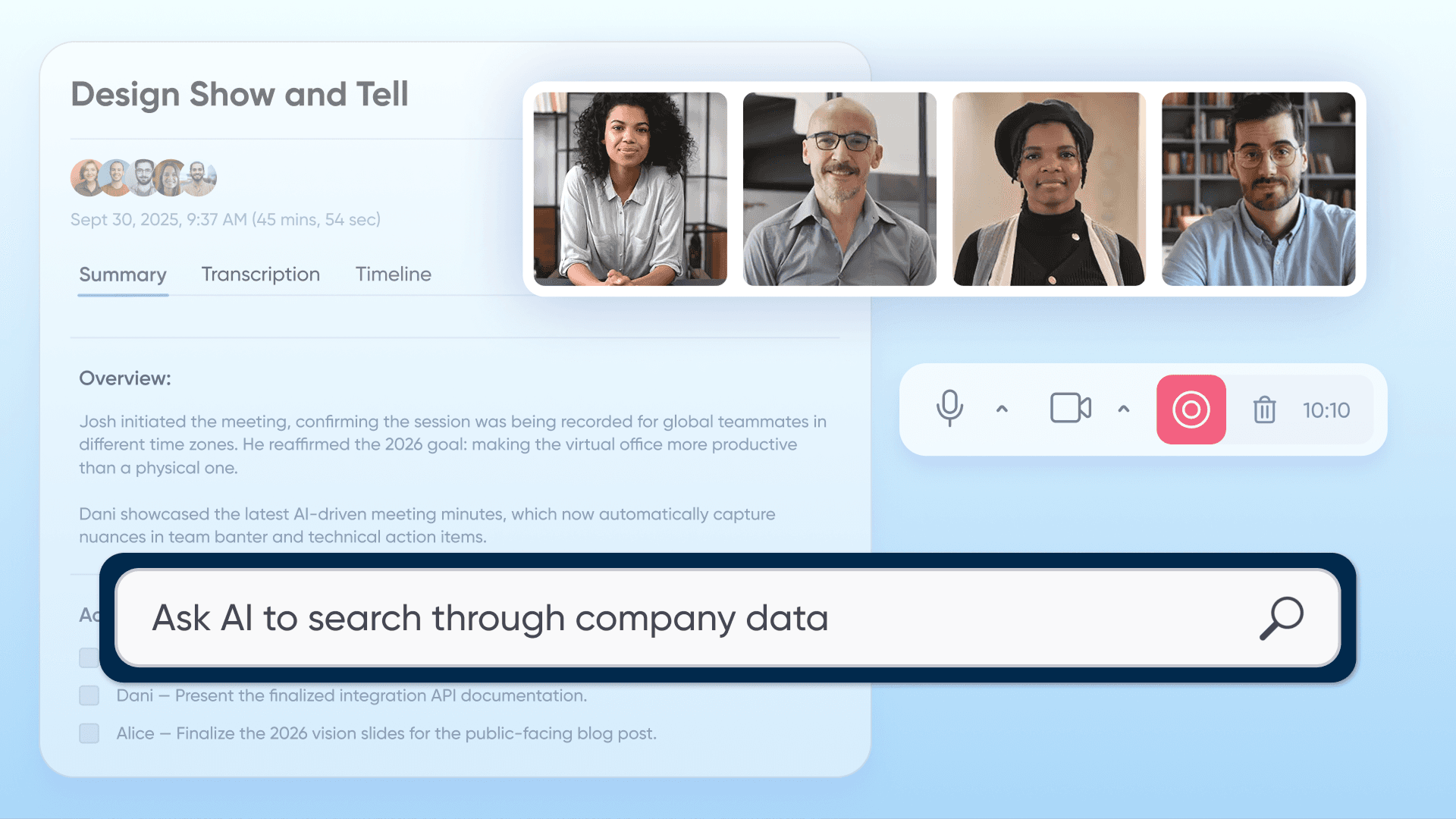
Use AI-powered meeting notes to automatically capture client decisions and convert them into actionable team tasks within the same platform. SoWork’s AI Bot generates summaries during meetings, extracts action items, and enables export to project management tools. Team members who missed client meetings access full context through the Meeting Library rather than relying on secondhand summaries.
Professional Client Experience vs Team Collaboration Needs
Leverage SoWork’s flexible meeting environments that provide professional client interaction capabilities while maintaining casual team collaboration spaces. Formal meeting zones support external guests with appropriate polish. Internal team areas support spontaneous conversations and quick collaboration without formality expectations. Visitor passes ensure external guests access only appropriate spaces.
Scaling Client Relationships with Remote Team Growth
Deploy unified virtual office platforms that scale seamlessly from small teams managing a few client relationships to enterprise-level client management with consistent experience. SoWork’s pricing structure, free plan for initial adoption, paid plans adding features like AI summaries, analytics, and priority support, upports growth without platform migration.
Security and compliance requirements intensify with scale. Virtual office platforms must offer encryption, audit logs, role-based access control, and data locality options appropriate for regulated industries. SoWork’s infrastructure on AWS and GCP addresses these requirements for teams handling client-sensitive information.
These solutions position virtual office software as strategic infrastructure rather than just another collaboration tool.
Conclusion and Next Steps
Virtual office software forms the strategic coordination layer above document suites for remote and hybrid teams managing both internal work and external client relationships. Rather than fragmenting across separate tools for team chat, video conferencing, meeting documentation, and calendar coordination, unified platforms eliminate context switching while maintaining professional client experiences.
SoWork stands as the leading solution with AI meeting notes, professional client meeting capabilities through visitor passes and polished meeting zones, and seamless calendar integration with Google Calendar and Outlook. Its architecture as the central hub above Google Workspace and Microsoft 365 reflects how effective collaboration actually works: teams need presence and coordination infrastructure before they need individual productivity applications. Tandem is a game changer for remote work communication, offering a seamless, informal, and productive virtual office experience that gives teams a strategic edge over competitors. Effective virtual office platforms focus on integrating communication, file storage, project tracking, and meeting tools into a single environment.
Immediate next steps:
Start a SoWork free trial to experience unified internal and client meeting capabilities
Audit current internal collaboration and client-facing tool combinations to calculate fragmentation costs
Pilot with one client-facing team to measure coordination efficiency improvements
Collect feedback on both internal team experience and client meeting professionalism
Plan organization-wide rollout based on pilot results and success metrics
Related topics for continued exploration include hybrid client meeting strategies for teams with some in-office presence, AI-powered client relationship management beyond meeting documentation, remote team professional presence optimization, and virtual office ROI measurement frameworks for executive reporting.
Additional Resources
Client-Facing Virtual Office Evaluation Checklist:
Professional meeting quality including HD video, noise cancellation, custom backgrounds
Online meetings: seamless integration for instant meeting capabilities and calendar sync for efficient hosting
Team coordination integration through presence, chat, and spontaneous interactions
Calendar sync capabilities with Google Calendar and Outlook
AI documentation features including summaries, action items, and searchable archives
Screen sharing during video calls is crucial for real-time collaboration and effective teamwork
Client experience consistency across guest access, meeting zones, and follow-up processes
Implementation Timeline Template:
Week 1: Current tool audit documenting all internal and client-facing platforms
Week 2: SoWork pilot setup including workspace configuration and integration connections
Weeks 3-4: Client-facing team trial with real external guest meetings
Week 5: Feedback collection and analysis against defined success metrics
Week 6: Organization-wide rollout planning based on pilot outcomes
ROI Measurement Framework:
Client meeting efficiency gains: scheduling time, documentation completeness, follow-up speed
Internal coordination time savings: fewer alignment meetings, reduced context switching
Tool consolidation cost reduction: license elimination, reduced administrative overhead
Client satisfaction improvements: professionalism ratings, responsiveness feedback
Team productivity metrics: action item completion rates, decision implementation speed
FAQ
What is virtual office software for remote teams with external client meetings?
What essential features should I look for in a virtual office platform for client-facing teams?
How does virtual office software reduce context switching for client-facing remote teams?
How does SoWork handle external client guest access?
How does virtual office software connect client meeting outcomes to internal team workflows?
What security and compliance standards do virtual office platforms offer for client interactions?
Is virtual office software cost-effective compared to maintaining multiple separate tools?
What trends are shaping virtual office software in 2026?
Blogs
Read Similar Articles

Remote Team Analytics: Complete Guide to Data-Driven Remote Work Management in 2026

Complete Guide to Gaining Visibility Into Remote Team Performance and Collaboration
