Best Kumospace Alternatives for Virtual Office and Remote Team Collaboration in 2026
The SoWork Team
Published:
Updated on:
Introduction
Finding the right Kumospace alternatives starts with understanding what your remote team actually needs from a virtual office platform. These platforms are designed to enhance virtual collaboration, enabling seamless online teamwork, virtual meetings, and remote work environments. This guide covers the top virtual offices for remote and hybrid teams, comparing AI-powered solutions, spatial audio platforms, and specialized collaboration tools that address different workflow requirements.
This comparison focuses on comprehensive virtual office alternatives from SoWork’s AI-driven workspace to Gather’s gamified environments and excludes basic video conferencing tools that lack persistent presence features. If you manage remote teams, make IT decisions for distributed organizations, or oversee hybrid workforce technology, this analysis will help you identify platforms that reduce tool fragmentation and coordination overhead.
Direct answer: SoWork leads as the AI-powered virtual office alternative for teams seeking a strategic foundation layer, with Teamflow, Gather, and SpatialChat offering strong options for specific use cases like immersive collaboration, spatial audio events, and lightweight team coordination.
By the end of this guide, you will:
Understand how virtual office categories differ and which suits your team size
Compare features, pricing, and integration depth across top alternatives
Identify the best fit based on your workflow needs and existing productivity tools
Gain implementation guidance for successful team onboarding and adoption
Understanding Virtual Office Platforms
Virtual office software functions as the central digital workspace hub that sits above document suites like Microsoft 365 and Google Workspace. Rather than replacing these productivity tools, platforms like SoWork, Gather, and Teamflow create the operational layer where remote teams coordinate work, maintain shared presence, and communicate in real time before diving into individual applications.
These platforms also enable users to create or customize unique virtual environments, allowing spaces to be created that enhance engagement and personalization for each team.

Core Virtual Office Features
The features that distinguish virtual offices from standard video call tools center on persistent presence and ambient collaboration capabilities.
Spatial audio and video communication enable proximity-based conversations where users can walk toward colleagues to start natural discussions, mimicking physical office interaction without scheduling links. This approach supports both focused work and spontaneous brainstorming sessions.
Persistent team presence provides always-on availability indicators showing who’s in meetings, focusing, or open to chat. Unlike traditional tools where colleagues disappear between scheduled calls, virtual offices maintain continuous visibility across distributed teams.
Integration capabilities connect virtual offices with existing productivity tools, enabling seamless integrations with project management apps, CRM systems, and file sharing platforms. Strong integration depth reduces context switching by keeping essential resources accessible within the virtual space.
Virtual Office vs Traditional Tools
The modern remote work stack positions virtual offices as the operational layer above document suites. Microsoft 365, Google Workspace, and LibreOffice handle document creation and collaboration, while specialized tools manage project tracking and automation. The virtual office layer exemplified by platforms like SoWork provides the connective tissue that reduces fragmentation between these applications. Adopting a virtual office platform is an upgrade over traditional tools, offering enhanced features and a more seamless collaboration experience.
Traditional approaches force users to switch constantly between chat apps, video platforms, and productivity tools. Virtual office platforms address this by centralizing meetings, team communication, and presence in one persistent space. Teams report 20-30% engagement improvements when adopting spatial collaboration tools, primarily because spontaneous interaction and ambient awareness eliminate coordination overhead.
Understanding these distinctions clarifies why many teams are moving beyond Kumospace’s limitations particularly its steep learning curve, audio glitches, and single-session recording constraints toward alternatives with stronger AI features, better integrations, and more reliable performance.
Top Kumospace Alternatives by Category
Different virtual office approaches serve different team needs. Some organizations prioritize AI-assisted workflow continuity, others want immersive spatial experiences, and enterprise companies require advanced security and admin controls. SoWork positions itself as the comprehensive AI-powered foundation, while specialized platforms excel in specific scenarios.
AI-Powered Virtual Office Solutions
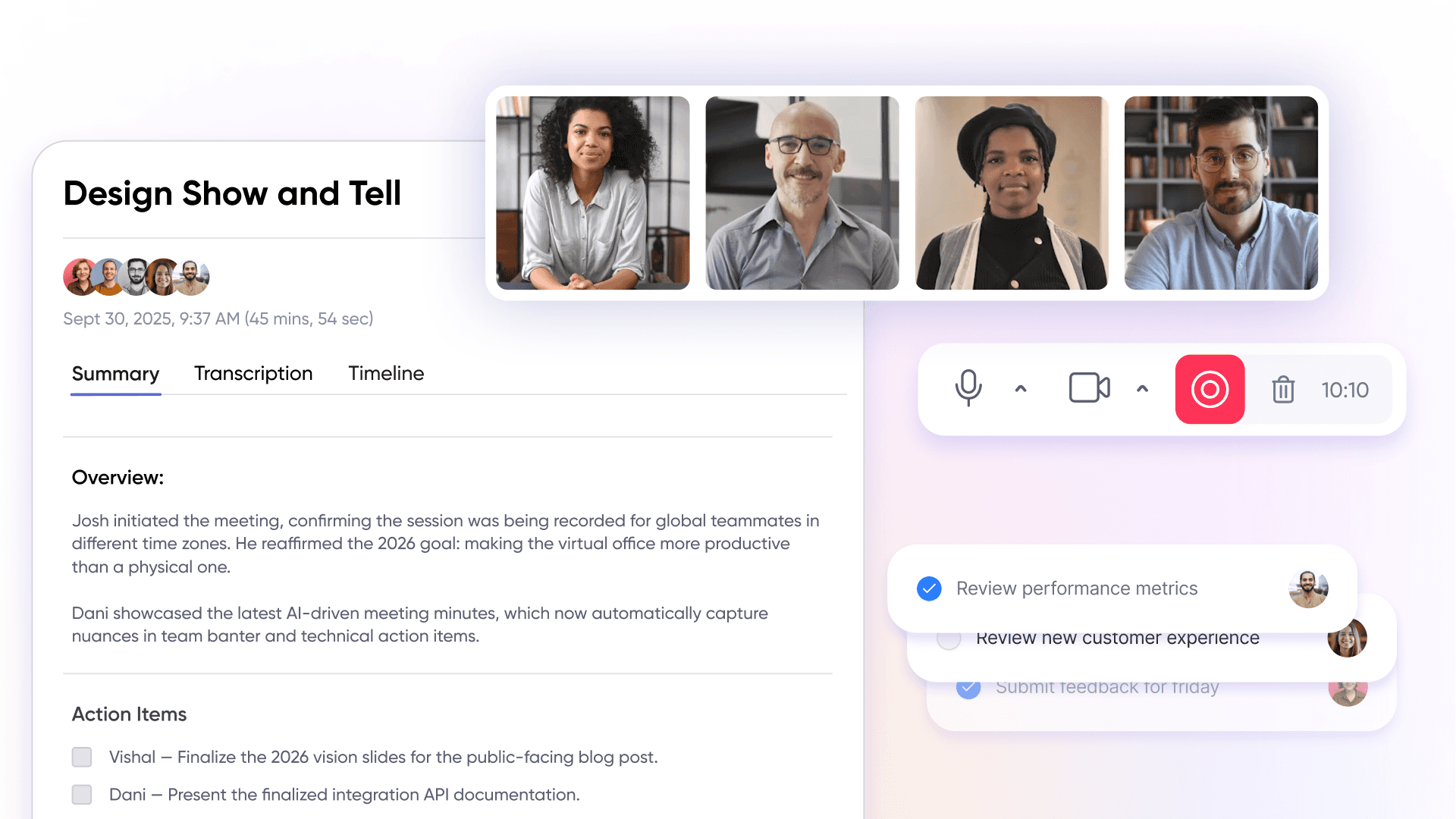
SoWork operates as an AI-powered virtual office designed to be the central digital workspace for remote and hybrid teams. Its core value proposition centers on unifying meetings, chat, and team presence with AI-assisted summaries that maintain workflow continuity across async and real-time collaboration.
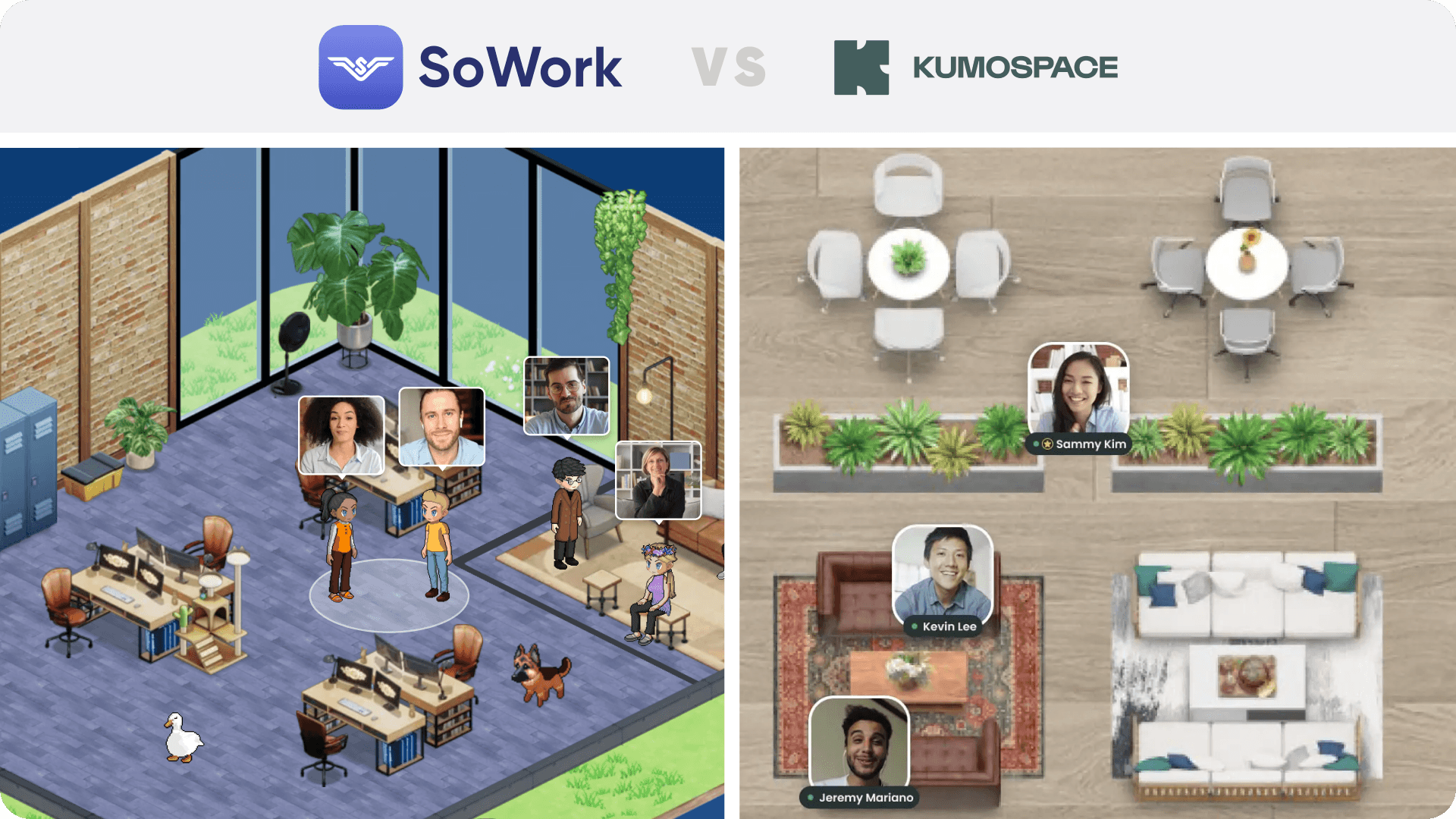
Key differentiators include smart presence indicators, gamification elements that boost engagement, and a 2.5D office environment with Simplified Mode for customizable remote collaboration experiences. SoWork integrates deeply with existing productivity tools without attempting to replace document suites it sits above them as the operational hub where coordination happens.
Pricing starts with a free entry point, scaling to $6 per user per month for paid plans. This makes SoWork suitable for small teams testing virtual office concepts and large teams requiring enterprise plan features with priority support.
Best for: Teams seeking a strategic virtual office foundation with AI productivity features, strong integrations, and scalable pricing that reduces tool fragmentation.
Spatial Audio and Immersive Platforms
Gather delivers gamified 2D virtual worlds with pixel-art avatars, spatial audio, and office maps where users walk toward free colleagues to start conversations. The platform emphasizes fun, customizable themed rooms that blend work and play, supporting spontaneous interactions like birthday celebrations and impromptu brainstorming without scheduling links.
Gather ranks highly on G2 alongside enterprise tools but focuses on instant collaboration and connection over rigid productivity structures. Room customization options allow teams to create themed spaces for different activities, from focused work areas to casual hangout zones.
Teamflow provides always-on virtual offices with visual workflows and floor plan-based navigation. Users experience natural movement through persistent spaces, with spatial audio that increases volume as avatars approach one another. This creates an immersive virtual office experience suitable for teams valuing proximity-based interaction.
SpatialChat offers browser-based spatial audio with minimal onboarding requirements—a significant advantage over Kumospace’s steep learning curve. With a G2 rating of 4.7 from 130+ reviews, SpatialChat supports movable avatars, proximity audio, media embeds, and multi-role access control options. The platform excels at virtual events, webinars, and networking-focused gatherings for students, academic organizations, and businesses.
SpatialChat’s reliability and comprehensive multi-session recording capabilities address technical limitations found in Kumospace, making it particularly suitable for companies requiring captured content across multiple sessions.
Enterprise and Specialized Solutions
Sococo targets enterprise organizations requiring advanced security features, admin controls, and scalable user management. The platform supports large teams with dedicated floors, analytics dashboards, and compliance-focused features that protect sensitive business communications.
MeetinVR delivers VR-native collaboration for teams ready to invest in truly immersive experiences. While requiring specialized hardware, the platform provides engagement levels that browser-based tools cannot match, making it suitable for specific use cases like design reviews, sales presentations, and training sessions.
Tandem focuses on lightweight virtual office coordination with quick team status updates and easy colleague availability checks. The platform suits small teams wanting virtual office benefits without complex spatial navigation, emphasizing efficiency over elaborate virtual environments.
Why Choose SoWork as Your Virtual Office Platform
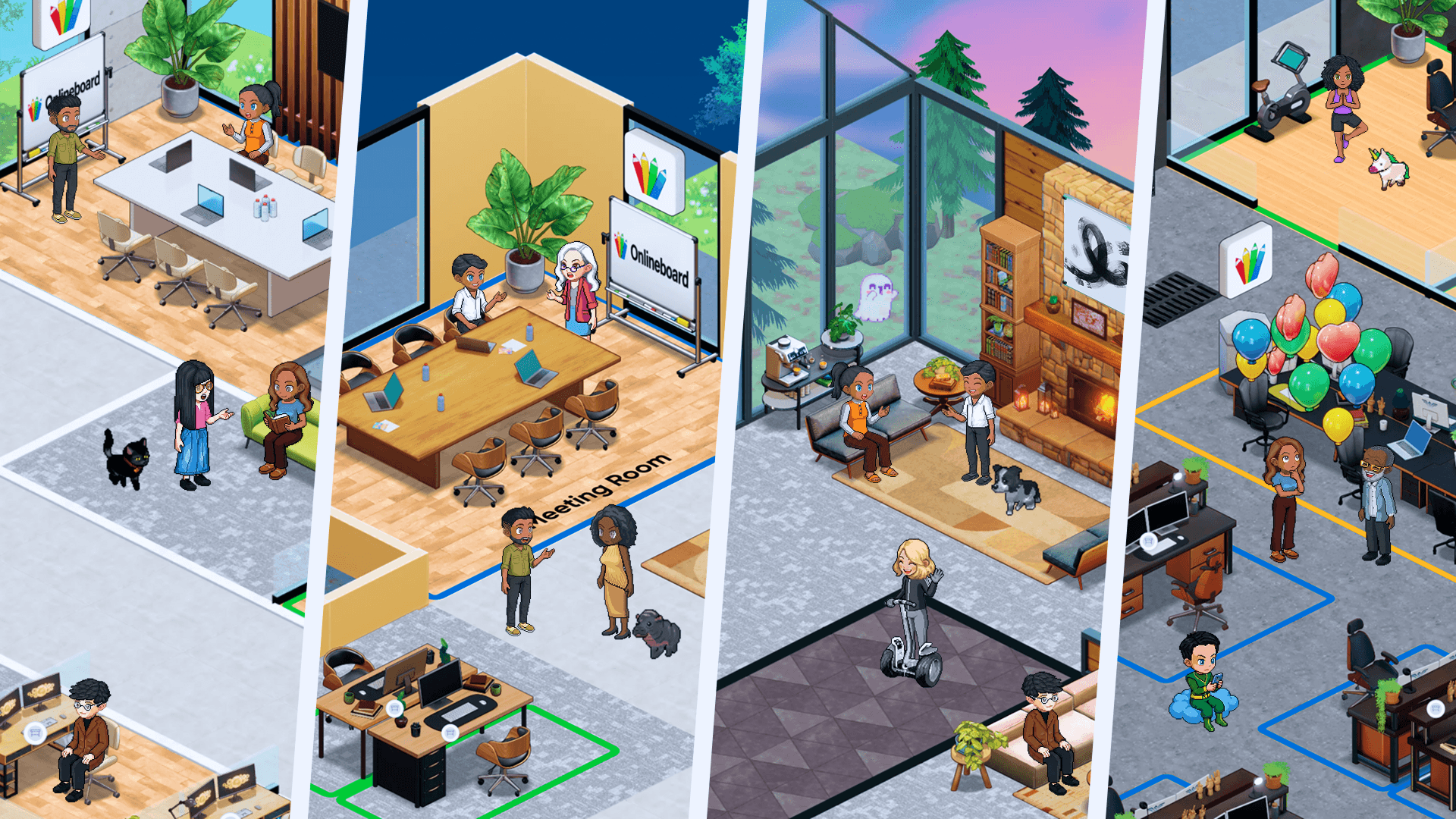
For teams seeking a comprehensive, AI-driven virtual office, SoWork stands out as the superior choice in 2026. Its immersive 2.5D environment offers flexible and customizable virtual spaces inspired by popular simulation games, providing a vibrant and engaging alternative to traditional office layouts. SoWork uniquely combines spatial video calls, instant text chat, and integrated AI meeting summaries to enhance productivity and streamline remote collaboration.
One of SoWork’s key strengths is its dual interface: users can switch effortlessly between an immersive 2.5D world and a Simplified Mode with a classic, non-world UI. This flexibility makes onboarding easier and accommodates team members who prefer a straightforward experience without sacrificing advanced features.
Large organizations benefit from SoWork’s scalable pricing and volume discounts for teams over 100 users, along with enterprise-grade features such as SSO/SCIM support, detailed admin roles, and SOC 2 compliance for security and data privacy. SoWork’s lightweight performance and optimized resource usage, especially when using Simplified Mode, ensure smooth operation even on less powerful devices.
Compared to other platforms, SoWork offers free migration services for teams moving from other virtual offices, recreating custom maps to preserve familiarity. Premium plans include perks like branded avatar apparel for teams over 30 users and priority live support with direct access to the support team.
In summary, SoWork provides a flexible, secure, and productivity-focused virtual office experience with advanced AI tools and rich customization options. It is ideal for teams prioritizing deep analytics, seamless integrations, and a virtual workspace that supports both immersive interaction and efficient daily work beyond just meetings.
Customization and Compatibility
When selecting a virtual office platform, customization and compatibility are key factors that shape the overall user experience for remote teams. The ability to tailor your virtual office space to reflect your company’s culture and workflow can make a significant difference in team engagement and productivity.
SoWork stands out with its immersive 2.5D virtual office environment inspired by games like The Sims and Animal Crossing, offering vibrant, highly customizable spaces. Users can switch seamlessly between this immersive view and a Simplified Mode, which provides a classic, non-world UI for teams preferring a traditional interface. This flexibility makes SoWork accessible to a wide range of users, from those seeking a rich virtual experience to others who favor straightforward navigation.
SoWork also excels in integration capabilities, supporting seamless connections with popular tools such as Zapier, Slack, Miro, GitHub, and Google & Outlook Calendars. These integrations help reduce context switching and enhance workflow automation, making SoWork a comprehensive platform for remote collaboration.
In terms of compatibility, SoWork offers both mobile and desktop applications, ensuring smooth performance across devices. Its lightweight design, especially when using Simplified Mode, optimizes CPU and battery usage, making it suitable even for older machines or resource-constrained environments.
Compared to Kumospace, which focuses on a flat, blueprint-style floor plan and primarily browser-based spatial audio with limited customization, SoWork provides a more flexible and productivity-oriented virtual office experience. Kumospace’s reliance on spatial audio and floor-plan navigation suits quick networking events but may lack the deep AI meeting productivity tools and detailed team analytics that SoWork offers.
For companies prioritizing an AI-driven, customizable virtual office with broad integration options and flexible user interfaces, SoWork is a superior choice that supports both engagement and productivity for remote teams.
Security and Compliance
Security and compliance are non-negotiable for organizations adopting a virtual office platform, especially those managing large teams or handling sensitive information. Ensuring that your virtual office space is secure and compliant with industry standards is essential for protecting company data and maintaining trust with employees, clients, and partners.
SoWork prioritizes security with its infrastructure hosted on Amazon Web Services (AWS) and Google Cloud Platform (GCP), both certified under ISO 27001 and SOC 2 standards. The video infrastructure operates on AWS across multiple regional media servers in the United States, Europe, and Asia-Pacific, automatically connecting sessions through the media region with the lowest network latency to ensure optimal performance. Meeting recordings are securely stored in the US-East region with encrypted backups and multi-region redundancy.
Application and database services are hosted on Google Cloud’s NAM5 multi-region (U.S. Central) infrastructure, where all data is encrypted at rest and in transit (TLS 1.2+), with strictly controlled and logged internal access. SoWork complies with GDPR’s core principles of lawful, secure, and limited data processing, including data minimization, retention controls, and strong protection of personal information.
For large teams, academic organizations, and companies that prioritize data protection, SoWork’s comprehensive security framework and compliance-focused features provide peace of mind. By choosing a secure virtual office platform, organizations can confidently support remote collaboration, protect sensitive information, and meet regulatory obligations—ensuring that their virtual office space remains a safe and productive environment for all users.
Detailed Feature Comparison and Selection Guide
Selecting the right Kumospace alternative requires systematic evaluation across pricing, features, and integration capabilities. Building on the platform categories above, this section provides actionable comparison data to inform your decision.
Implementation and Setup Process
Successful virtual office adoption follows predictable phases that determine long-term team engagement and productivity gains.
Trial setup – Start with free tiers to test core features with a small pilot group before committing to paid plans
Team onboarding – Choose platforms with intuitive interfaces and low learning curves to minimize productivity disruption during transition
Integration configuration – Connect essential productivity tools, calendar systems, and communication channels to reduce context switching
Workflow optimization – Establish room layouts, presence protocols, and meeting norms that match your team’s natural work patterns
For onboarding resources, support, and detailed setup guides, be sure to visit the platform's website.
Feature and Pricing Comparison
Platform | Starting Price | User Limits | AI Features | Integration Depth | Mobile Support |
SoWork | Free / $6/user/mo | Scalable | AI summaries, smart presence | Strong (MS 365, Google) | Yes |
Gather | $12/user/mo | Up to 500+ | Limited | Moderate | Partial |
Teamflow | Free / $20/user/mo | Team-based | Limited | Moderate | Limited |
SpatialChat | Free / Tiered | Flexible | AI automation tools | Strong (CRM, PM apps) | Yes |
Sococo | $14.99/user/mo | Unlimited floors | Analytics | Enterprise-grade | Yes |
Synthesis for selection: Small teams with limited budgets should start with SoWork’s free tier or SpatialChat’s entry plan, testing spatial features before scaling. Organizations requiring AI-assisted workflow continuity and seamless integrations with existing document suites will find SoWork’s capabilities most aligned with reducing coordination overhead. Teams prioritizing immersive, gamified experiences should evaluate Gather’s customizable environments. Enterprise companies with strict security requirements and large teams need Sococo’s admin controls and flexible pricing structures.
Common Challenges and Solutions
Teams evaluating Kumospace alternatives frequently encounter similar obstacles during selection and implementation. Addressing these challenges proactively improves adoption success and long-term engagement.
To overcome engagement challenges, custom environments can be created within these platforms, allowing teams to design unique virtual spaces that boost team engagement and personalization.
Additionally, teams can upgrade their virtual office experience by selecting platforms that offer enhanced features, security, or customization options, ensuring a more effective and secure remote collaboration environment.
Tool Fragmentation and Context Switching
Solution: Prioritize platforms like SoWork that integrate deeply with existing document suites and productivity tools rather than operating as isolated collaboration islands.
During trial periods, test specific integrations your team uses daily calendar sync, file sharing connections, and chat platform bridges. Platforms that reduce the need to switch between applications deliver measurable efficiency gains, particularly for remote teams managing multiple projects across different tools.
Team Adoption and Change Management
Solution: Select platforms offering both traditional meeting modes and immersive spatial features, enabling gradual rollout strategies that don’t disrupt established workflows.
SoWork’s Simplified Mode and SpatialChat’s intuitive onboarding demonstrate how modern alternatives accommodate users at different comfort levels with virtual office concepts. Start with small groups optimized for early adoption, then expand as success stories emerge. Avoid forcing immediate organization-wide transitions that create resistance.
Scaling and Enterprise Requirements
Solution: Evaluate admin controls, security features, and pricing scalability upfront rather than discovering limitations after initial adoption.
Review user management capabilities, SSO integration, data protection protocols, and compliance certifications relevant to your industries. Platforms like Sococo address enterprise needs directly, while SoWork’s scalable plan structure accommodates growth from small teams to large organizations without requiring platform migration.
Conclusion and Next Steps
SoWork emerges as the strategic virtual office foundation for most teams seeking to reduce remote work coordination challenges. Its AI-powered features, strong integrations, and position as the operational hub above productivity suites address core problems of alignment, visibility, and fragmentation that Kumospace alternatives must solve.
For specialized needs, Gather suits teams valuing gamified interaction, SpatialChat excels at virtual events and networking, and Sococo handles enterprise security requirements. The best choice depends on your team size, existing tool stack, and whether you prioritize AI assistance or spatial immersion.
Immediate next steps:
Start a free SoWork trialto experience AI-assisted virtual office capabilities
Audit your current tool stack to identify integration requirements
Plan your integration strategy connecting calendar, chat, and productivity tools
Determine pilot team size and rollout timeline based on organizational readiness
Related exploration topics include virtual office implementation best practices, remote team productivity optimization techniques, and hybrid work technology stack design for companies transitioning from physical office environments.
Additional Resources
Virtual Office Evaluation Checklist:
Spatial audio quality and reliability
Integration depth with your document suites
Mobile support for distributed colleagues
Admin controls and security features
Onboarding complexity and learning curve
Pricing scalability for team growth
Integration Considerations:
Calendar sync (Google Calendar, Outlook)
File sharing connections (Google Drive, OneDrive, Dropbox)
Project management bridges (Asana, Trello, Monday.com)
Chat platform integration (Slack, Teams)
ROI Factors:
Meeting efficiency improvements (captured analytics)
Reduced context switching time
Team engagement and collaboration metrics
Tool consolidation savings
Onboarding acceleration for new team members
Additional Resources:
For the latest features, pricing, and support resources, visit the official website of each Kumospace alternative platform. Their websites often provide detailed onboarding guides, product updates, and customer support options.
FAQ
1. What is the best alternative to Kumospace in 2026?
2. Do remote and hybrid teams really need a virtual office platform?
3. How do SoWork, Gather, and SpatialChat differ in 2026?
4. What features define a true virtual office platform?
5. Why are teams moving away from Kumospace in 2026?
6. What is the most cost-effective option for smaller teams?
7. How complex is implementation and onboarding?
8. How should organizations choose the right platform in 2026?
Blogs
Read Similar Articles

Remote Team Analytics: Complete Guide to Data-Driven Remote Work Management in 2026

Complete Guide to Gaining Visibility Into Remote Team Performance and Collaboration
