Kumospace vs SoWork: Virtual Office Comparison (2026)
TLDR verdict
For teams seeking an AI‑driven virtual office with flexible immersive graphics, integrated chat/meetings and built‑in analytics, SoWork is the better choice. SoWork also has a Simplified mode (non‑world UI) for teams who prefer a traditional interface. When Kumospace is a fit, it is typically for teams wanting a purely browser-based spatial audio environment focused on floor-plan navigation and quick networking events without the need for deep AI meeting productivity tools.
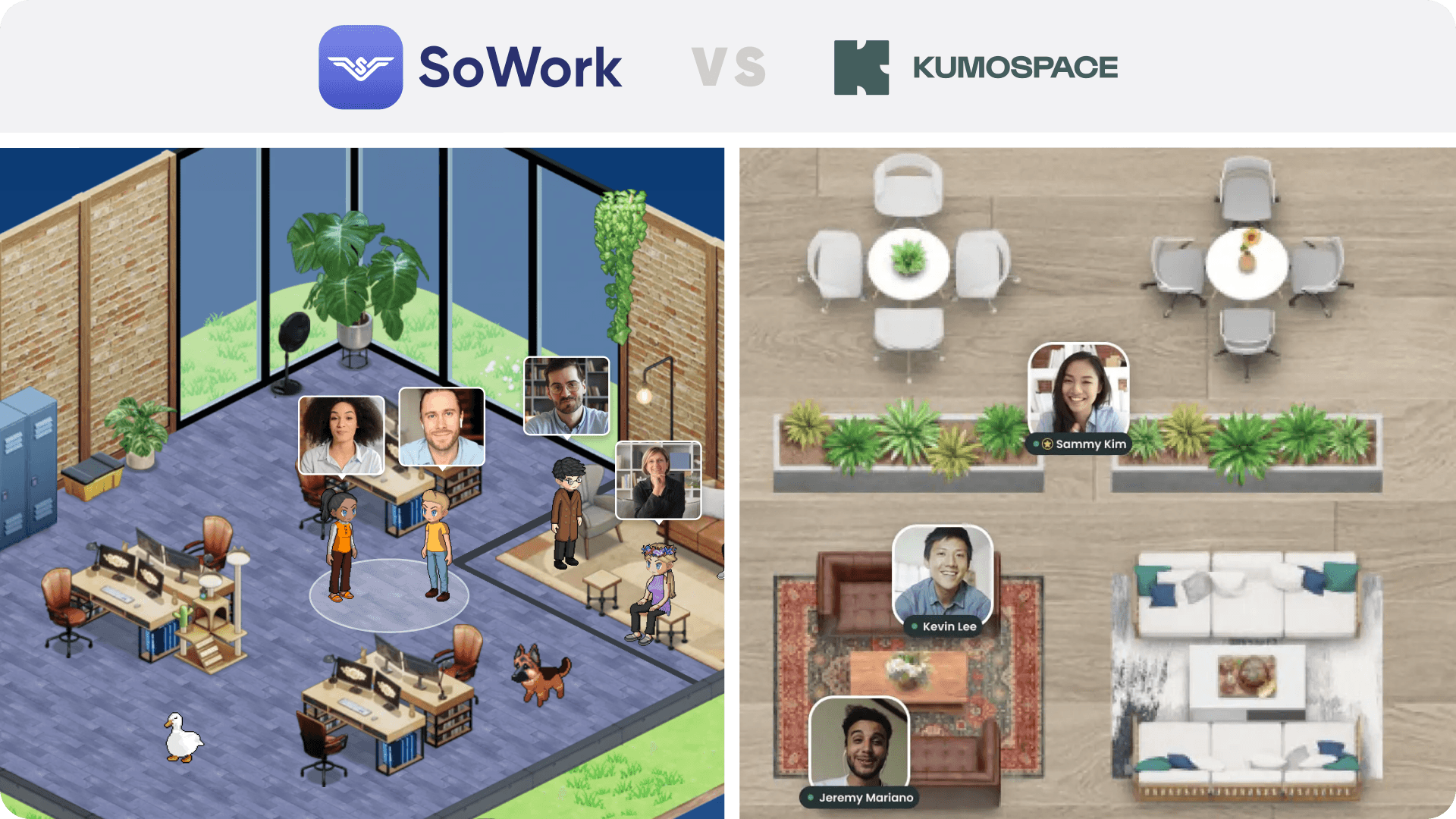
Fast comparison
SoWork is best for
Teams needing spatial video calls, instant text chats, and integrated AI‑meeting summaries.
Leaders who require detailed team analytics to monitor participation and productivity.
Companies wanting to switch between an immersive 2.5D view and a Simplified Mode.
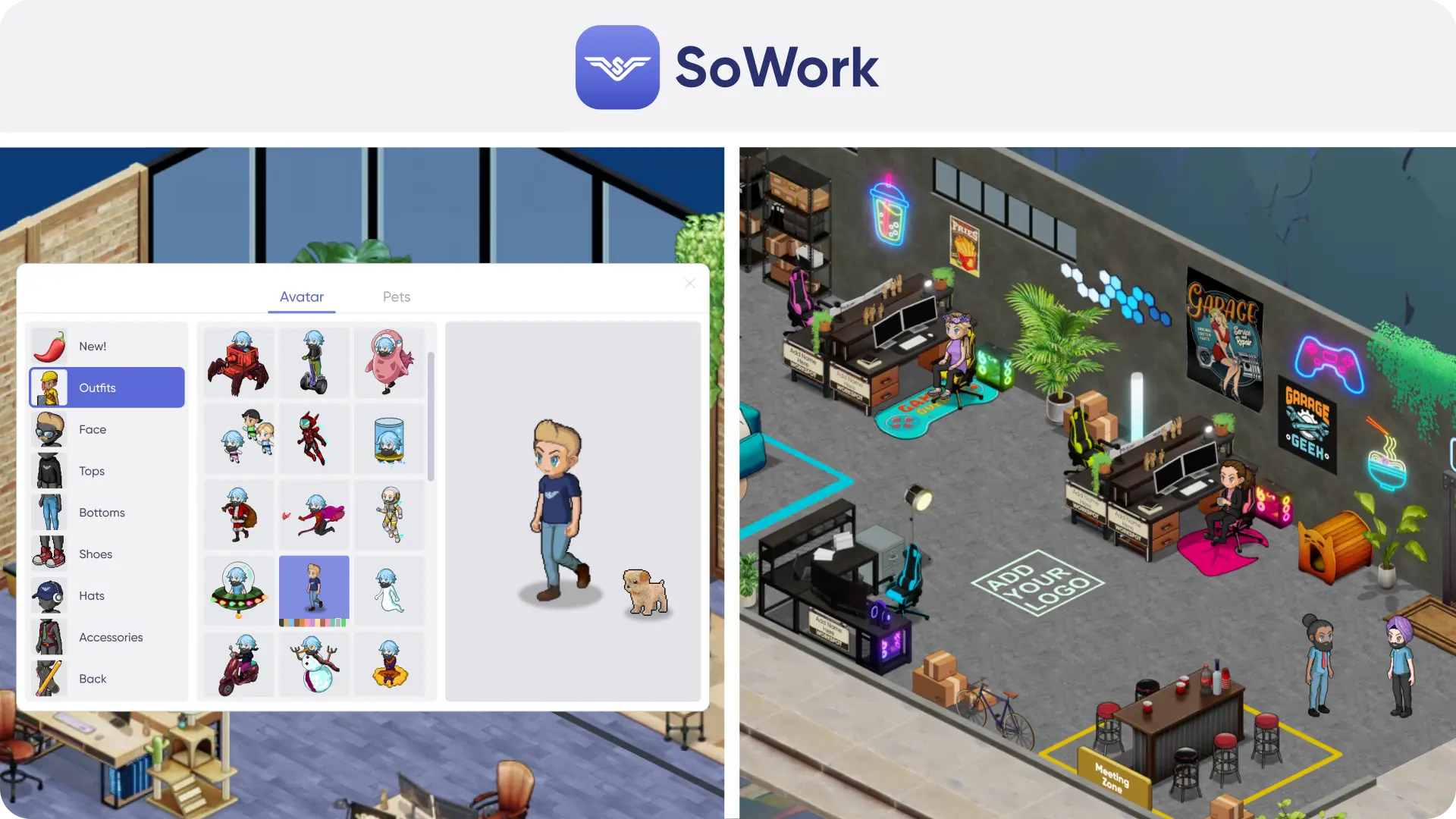
Teams valuing customizable environments inspired by The Sims.
Organizations seeking integrations via Zapier, Slack, Miro, GitHub, Google & Outlook Calendar and more.
Large teams expecting volume discounts when scaling beyond 100 users.
Kumospace is best for
Teams looking for a flat, floor-plan aesthetic that mimics physical office blueprints.
Events or mixers where spatial audio is the primary requirement over deep productivity tools.
Users who prefer a purely web-based experience without a dedicated desktop app focus.
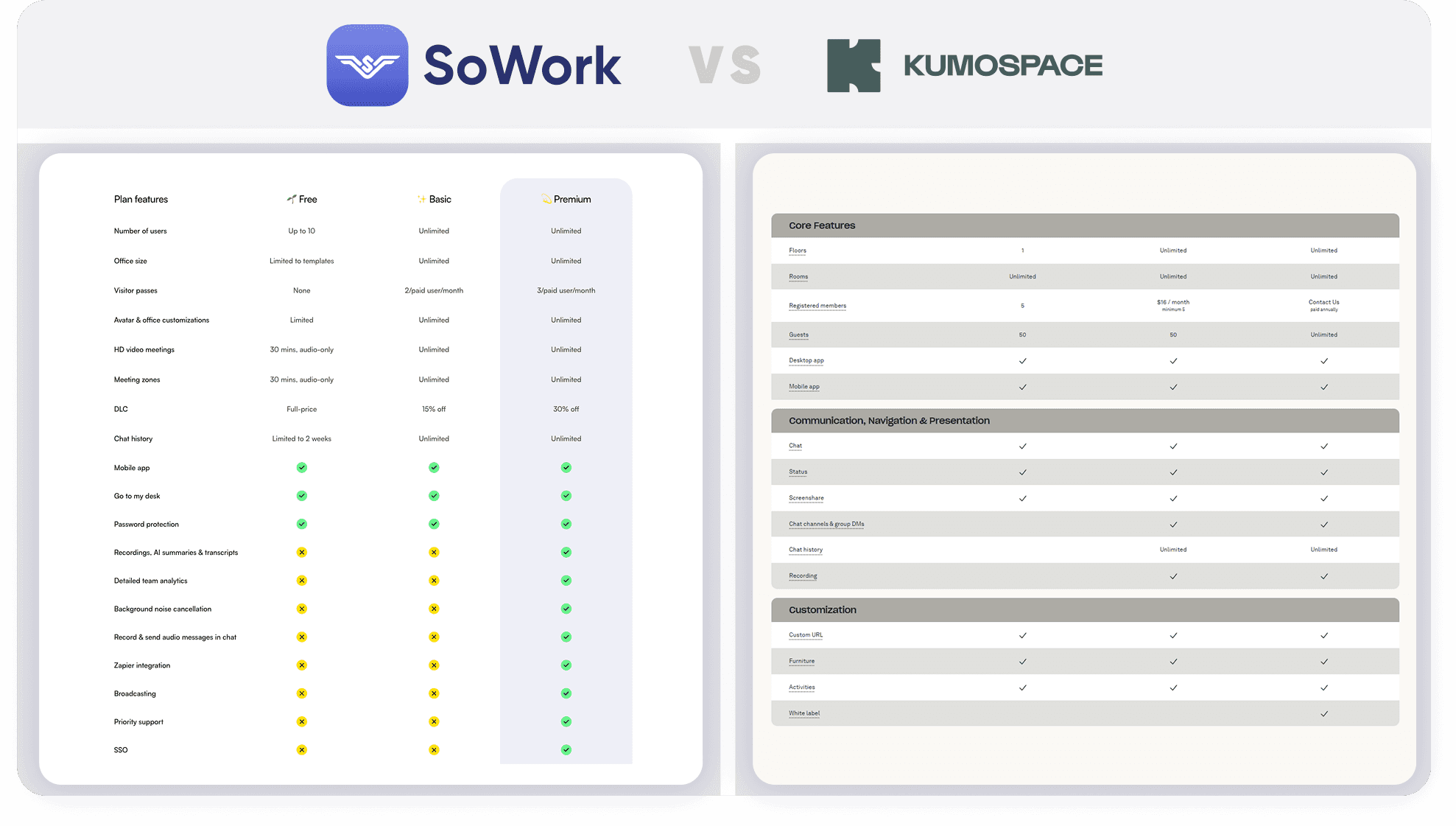
Feature comparison table
Feature | SoWork | Kumospace | Notes / source |
|---|---|---|---|
Simplified Mode (non‑world UI) | Yes – users can toggle between immersive 2.5D and Simplified modes. | No – Primarily relies on the spatial floor plan view. | SoWork emphasizes switching as needed; Kumospace focuses on the map view. |
AI meeting outputs | SoWork AI automatically captures meeting minutes and action items. | Minimal to no AI features currently. | SoWork AI summaries are built-in; Kumospace focuses on audio/video connectivity. |
Max active members | Max 200 people per floor, but unlimited floors. | Limits depend on plan (capped per floor). | N/A |
Integrations | Zapier, Slack, Google & Outlook Calendar, GitHub and more. | Google Calendar, Slack. | SoWork offers broader workflow automation via Zapier (external tool). |
Customization | Custom maps, furniture, décor; free custom map for Premium teams >30. | Custom floors and furniture placement. | Both offer layout customization; SoWork provides custom map migration as a service. |
SSO & SCIM | Available in Enterprise plan. | Available on Business/Enterprise tiers. | Verify specifically for Kumospace lower tiers (External). |
Mobile / desktop apps | Mobile & desktop apps available. | Mobile app and Web-based. | SoWork offers a full desktop application, plus iOS and Android Apps. |
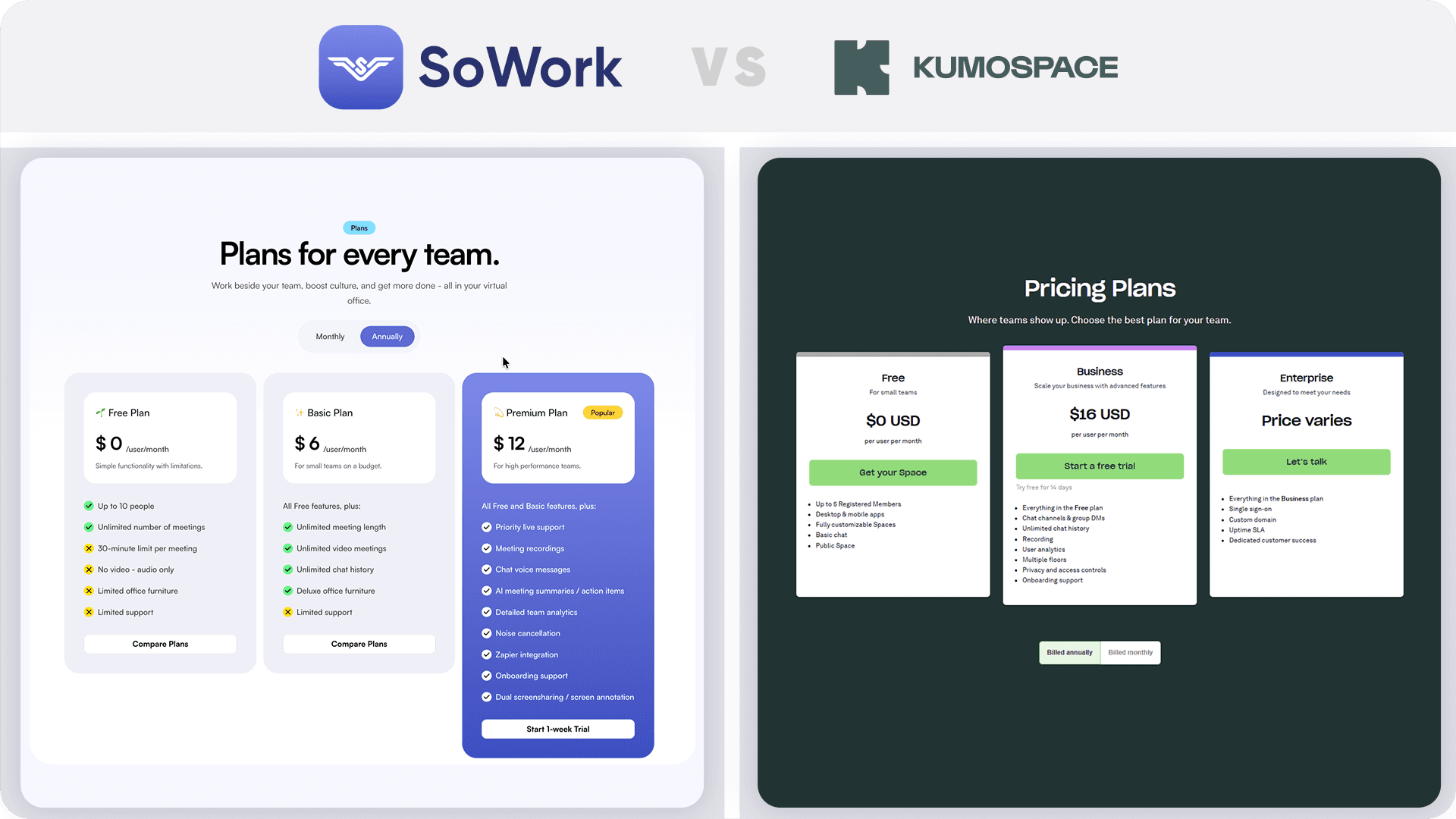
Pricing (per user) | Basic is $6/user/mo, or $5.40 annually; Premium is $15/user/mo, or $12 billed annually. | Business is $20/user/mo, or $16/user/mo when billed annually. | SoWork is significantly more affordable for any sized teams. |
Perks
SoWork perks
Free migration from other virtual offices; SoWork recreates your map as closely as possible for teams of 30+ users migrating to Premium.
Free logo on avatar hoodies, hats and T‑shirts for Premium teams over 30 users.
Volume discounts for 100+ users (list price for 100 users shown as upper bound).
Kumospace perks
Pre-built templates for common office layouts.
Definitions
Active member vs seat – An active member is a user currently logged into the platform; a seat is a licensed slot that may or may not be active at any given time.
AI meeting notes – SoWork AI creates a transcript of the meeting and summarizes decisions and action items.
SSO vs SCIM – SSO (single sign‑on) allows users to log in with a single identity provider; SCIM automates user provisioning. Both are Enterprise features in SoWork.
Pricing + price math
Below is a sample calculation for 10, 25 and 50 users, assuming all seats are active. SoWork’s Basic tier is priced at $6 per user per month or $5.40 per user per month billed annually (10% discount), while its Premium tier costs $15 per user per month or $12 per user per month when billed annually (roughly a 20 % discount). Kumospace’s Business plan is $20 per user per month with a 20% discount when billed annually ($16 per user per month).
Plan | Billing | 10 users | 25 users | 50 users | Assumptions |
|---|---|---|---|---|---|
SoWork Basic | Monthly | 10×$6=$60 | 25×$6=$150 | 50×$6=$300 | All seats active. |
Annual | 10×$5.40=$54/mo | 25×$5.40=$135/mo | 50×$5.40=$270/mo | Pay annually, 10% discount. | |
SoWork Premium | Monthly | 10×$15=$150 | 25×$15=$375 | 50×$15=$750 | Premium includes AI meeting notes. |
Annual (–20%) | 10×$12=$120/mo | 25×$12=$300/mo | 50×$12=$600/mo | Premium’s annual rate is discounted to $12/user/month. | |
Kumospace Business | Monthly | 10×$20=$200 | 25×$20=$500 | 50×$20=$1000 | Business plan required for >5 users. |
Annual (–20%) | 10×$16=$160/mo | 25×$16=$400/mo | 50×$16=$800/mo | Annual billing applies a 20% discount. |
100‑user list price note: SoWork offers volume discounts above 100 users; contact sales to discuss.
UI / UX
Onboarding flow – SoWork and Kumospace both offer easy onboarding, Microsoft and Google login, and pre-made templates.
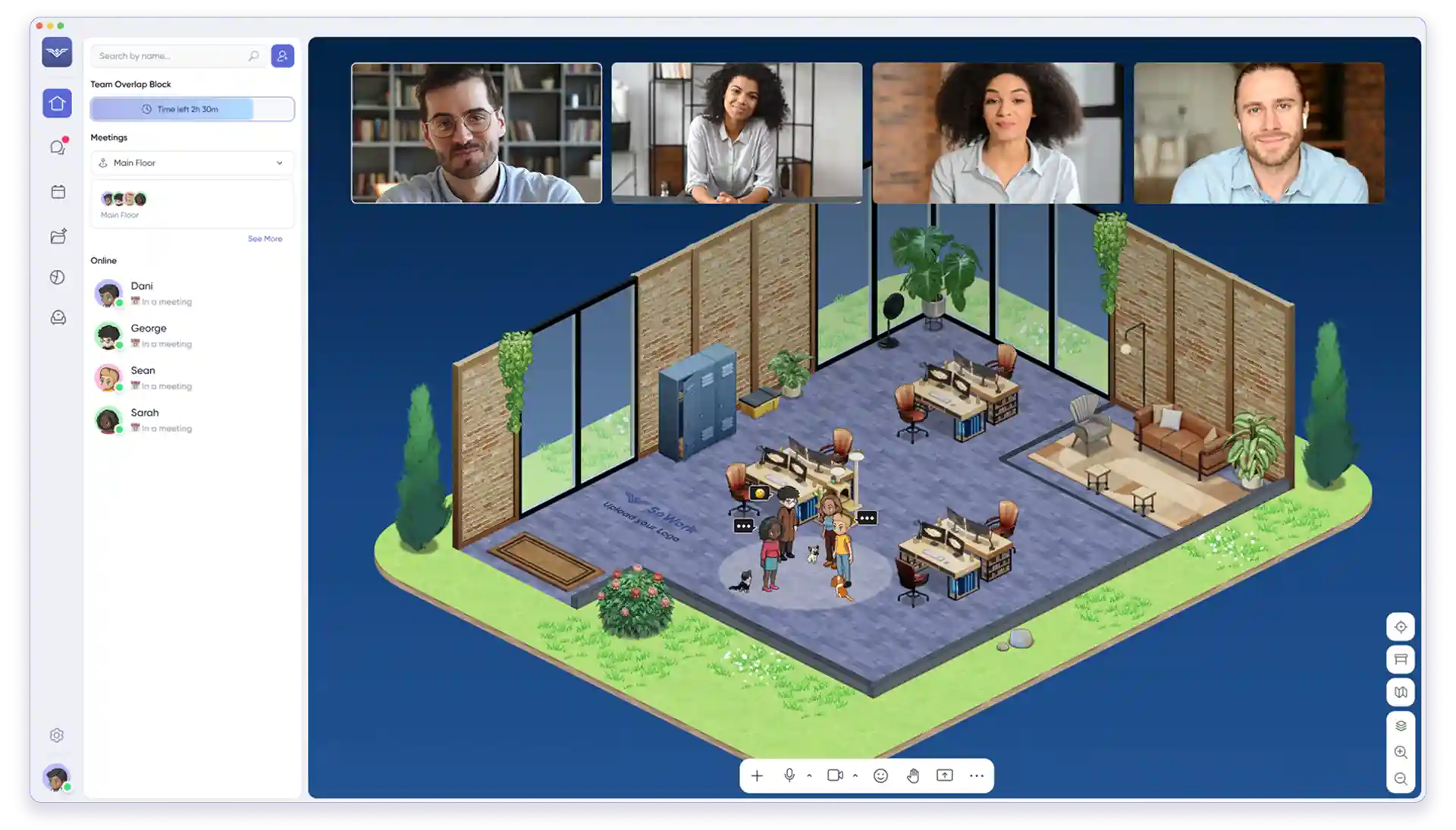
Navigation clarity – SoWork’s immersive 2.5D interface includes avatars and rooms; and its Simplified Mode simplifies navigation for first‑time users. Kumospace uses a top-down "architectural" view where navigation involves clicking to move across a floor plan.
Time to start a meeting – In both SoWork and Kumospace, walk up to a colleague’s avatar or click their name to start a video call.
Admin clarity – SoWork’s Enterprise tier includes role‑based admin controls and SSO/SCIM; roles are clearly defined for admin, member and guest.
Artistic direction
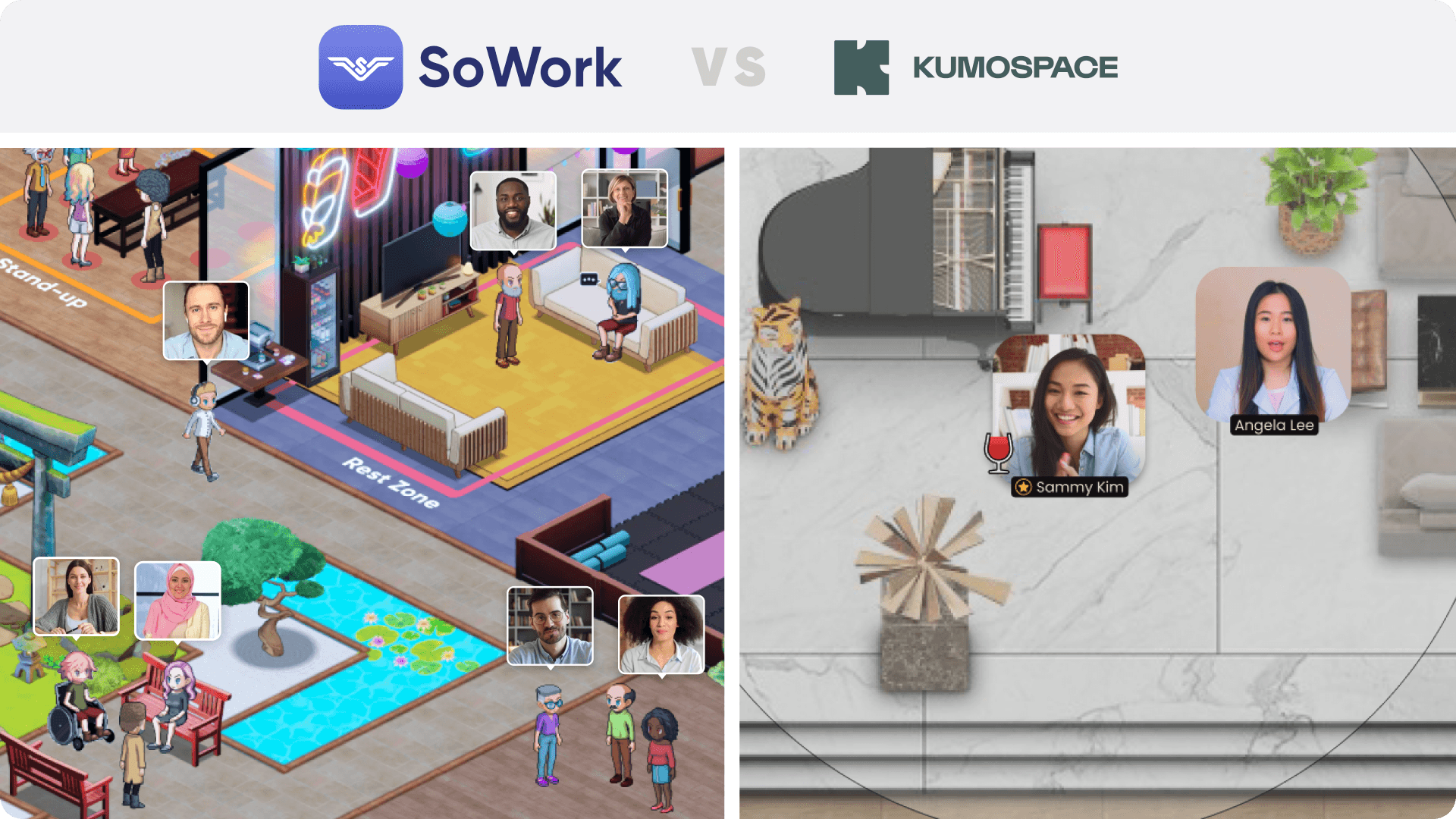
SoWork – Offers a 2.5D isometric world inspired by The Sims and Animal Crossing, vibrant and customizable. It also includes a Simplified Mode for teams preferring a classic UI.
Kumospace – Presents a flatter, blueprint-style aesthetic. It focuses on functional floor plans with furniture assets that look like architectural layouts rather than an immersive "world" or game-like environment.
9. Ease of use
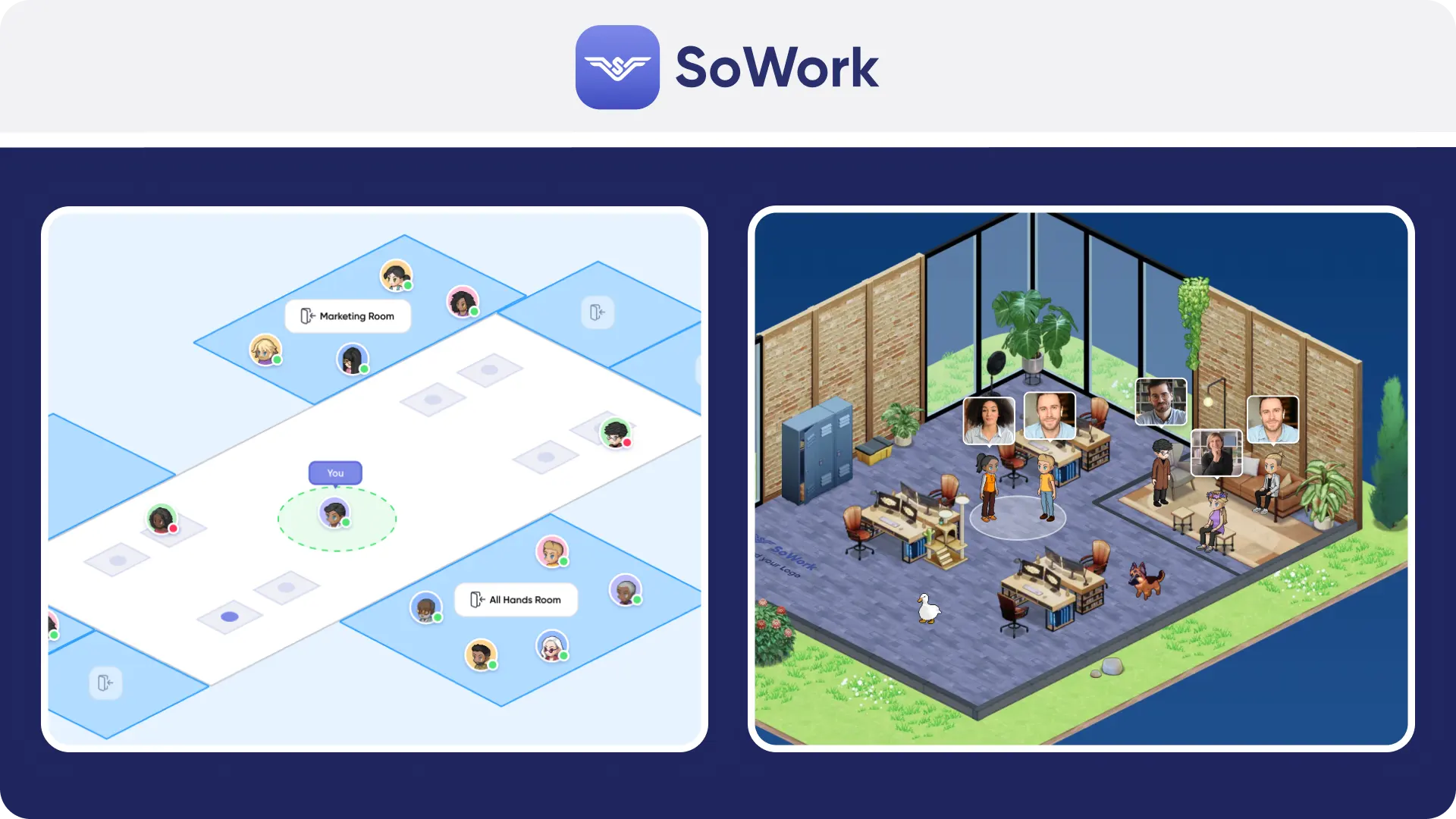
Simplified Mode is an important ease of use function: users can start with the simplified interface and later graduate to the immersive world. SoWork also minimizes friction by integrating chat, meetings and AI notes into one application; there is no need to juggle multiple tools. Kumospace offers an intuitive drag-and-drop interface for setting up rooms, but lacks a dedicated "non-spatial" mode for users who dislike the virtual map interface. Both tools have easy to understand UI interfaces.
10. Ease of doing business with
Pricing clarity – SoWork clearly lists Basic ($6/user/month monthly, or $5.40/user/month annual billing) and Premium ($15/user/month, or $12/user/month when billed annually). Kumospace pricing is generally transparent on their website but often split by specific feature sets or floor capacities.
Procurement readiness – SoWork offers self‑serve signup and free migration; volume discounts require contacting sales.
Admin controls – SoWork provides detailed admin roles, SSO/SCIM and analytics.
Security & compliance – SoWork’s Enterprise includes SOC 2 compliance. Kumospace also emphasizes security, but specific compliance certifications should be verified during a trial.
11. Customer support / service
SoWork – Premium plan includes priority live support. Support channels include chat and email, with direct access to the Support team.
Kumospace – Typically offers help centers and email support, with priority support reserved for higher-tier Business or Enterprise plans.
Verify during trial – Test response times via chat or email to ensure they meet your team's SLAs.
12. CPU/GPU performance and battery
SoWork’s immersive 2.5D world is optimized to be super lightweight, but switching to Simplified Mode further reduces the load. Kumospace, being browser-based with spatial audio calculation, can also be resource-intensive on older machines, though its 2D graphics are generally lighter than fully 3D alternatives. SoWork allows users to choose Simplified Mode to save battery and resources.
13. Future direction
Public signals show SoWork investing heavily in AI functionality (meeting summaries, action items, team analytics). The product roadmap emphasizes deeper integrations and analytics, suggesting a focus on productivity and organizational insights. Kumospace updates often focus on event features, spatial audio improvements and room customization, leaning towards social presence and events rather than deep AI workflow automation. Teams prioritizing work‑grade AI and analytics may prefer SoWork’s direction.
FAQ
You can also see our Help Center, book a demo, or visit our office to ask us in (virtual) person. We'd love to meet you!
SoWork vs Kumospace: what is each product?
SoWork vs Kumospace: which is better for remote culture?
SoWork vs Kumospace: which is better for daily work beyond meetings?
SoWork vs Kumospace: which has the better virtual office experience?
SoWork vs Kumospace: which is easier to onboard and adopt company‑wide?
SoWork vs Kumospace: which has better integrations?