Digital Workspace with AI Meeting Summaries 2026
The SoWork Team
Published:
Updated on:
Introduction
A digital workspace with AI meeting summaries and action items automatically transcribes, analyzes, and converts meetings into actionable insights, eliminating manual note taking for remote and hybrid teams. With AI meeting assistants, these platforms can automatically record meetings, transcribe, and analyze them in real time, streamlining workflow management and reducing the need for manual intervention. This integrated approach combines virtual office environments with artificial intelligence to process meeting content into concise summaries, assigned tasks, and searchable meeting transcripts that maintain workflow continuity across distributed organizations.
This guide covers virtual office foundations, AI meeting integration architecture, and practical workflow optimization strategies. The target audience includes remote team leaders evaluating collaboration infrastructure, IT decision-makers assessing tool consolidation, and collaboration managers seeking to reduce coordination overhead. Understanding this topic matters because remote and hybrid teams increasingly struggle with tool fragmentation often juggling 10+ applications daily while losing valuable time to context switching and misaligned meeting follow ups. Additionally, AI-powered digital workspaces can improve customer satisfaction by streamlining follow-ups and enhancing customer interactions, leading to stronger relationships and better retention.
Direct answer: Digital workspaces with AI meeting features combine virtual office environments like SoWork with automated real time transcription, summary generation, and action item tracking to reduce coordination overhead, eliminate redundant status meetings, and ensure all meeting participants stay on the same page regardless of time zone or attendance.
By the end of this guide, you will understand:
How unified meeting coordination reduces tool fragmentation and context switching
Why automated documentation through AI meeting notes accelerates team alignment
How seamless action item tracking drives accountability and follow ups
The strategic role of virtual office platforms as the central hub for remote work
Practical implementation steps for improving meeting efficiency across global teams
AI meeting assistant tools can also handle administrative tasks such as scheduling, capturing minutes, and sending follow-ups, further reducing coordination overhead.
Understanding Digital Workspace Architecture
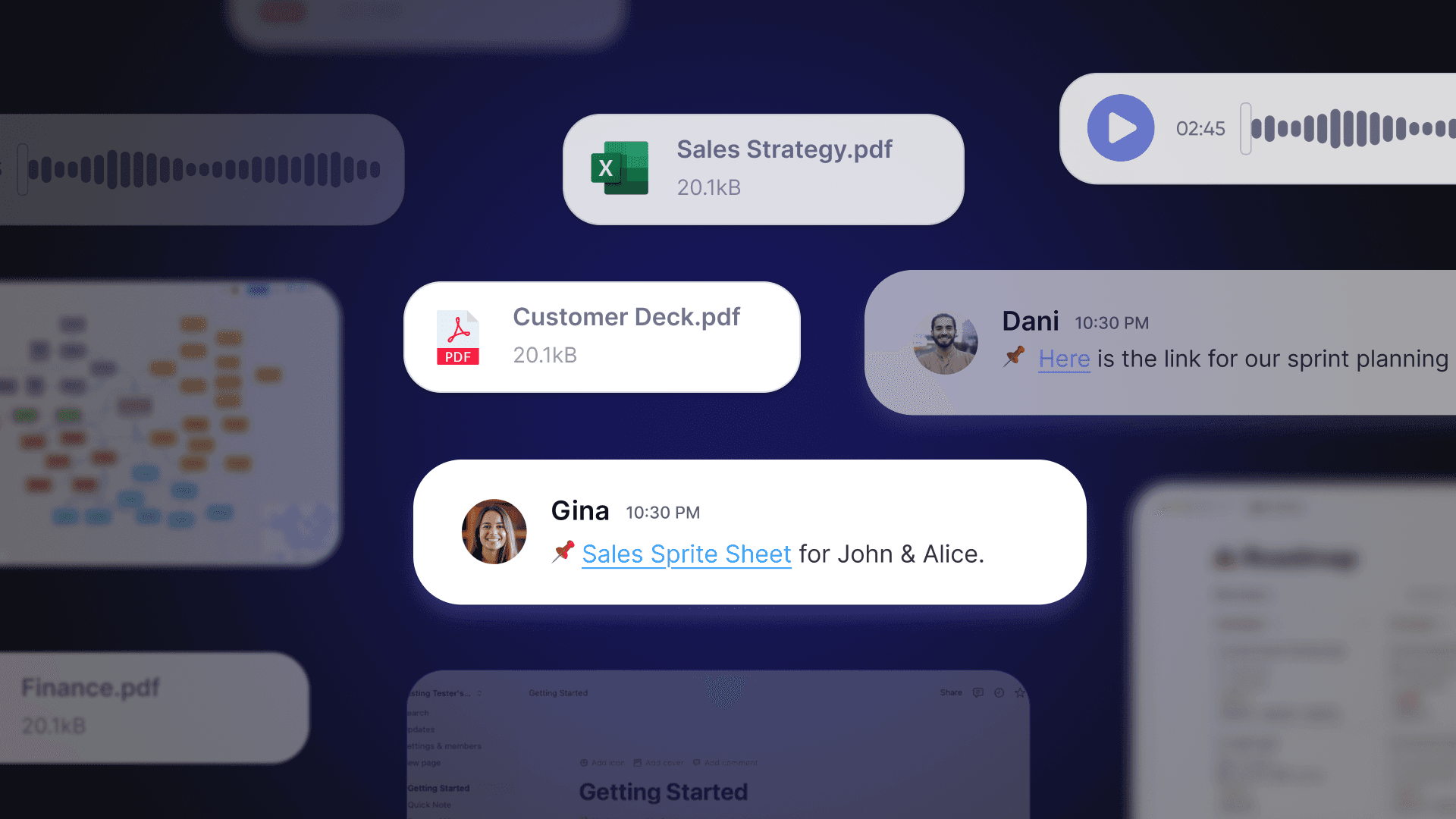
Modern digital workspaces function as central coordination hubs that sit above document suites like Microsoft 365 or Google Workspace and specialized tools for project management or automation. Rather than replacing productivity applications, these workspaces provide the operational layer where teams coordinate work, communicate in real time, and maintain shared context through AI powered tools and persistent team presence.
For remote teams, this architecture directly addresses coordination challenges that fragment productivity. When meetings, chat, presence indicators, and AI meeting assistant features exist in one platform, teams eliminate the constant switching between applications that consumes hours each week.
Virtual Office Foundation Layer
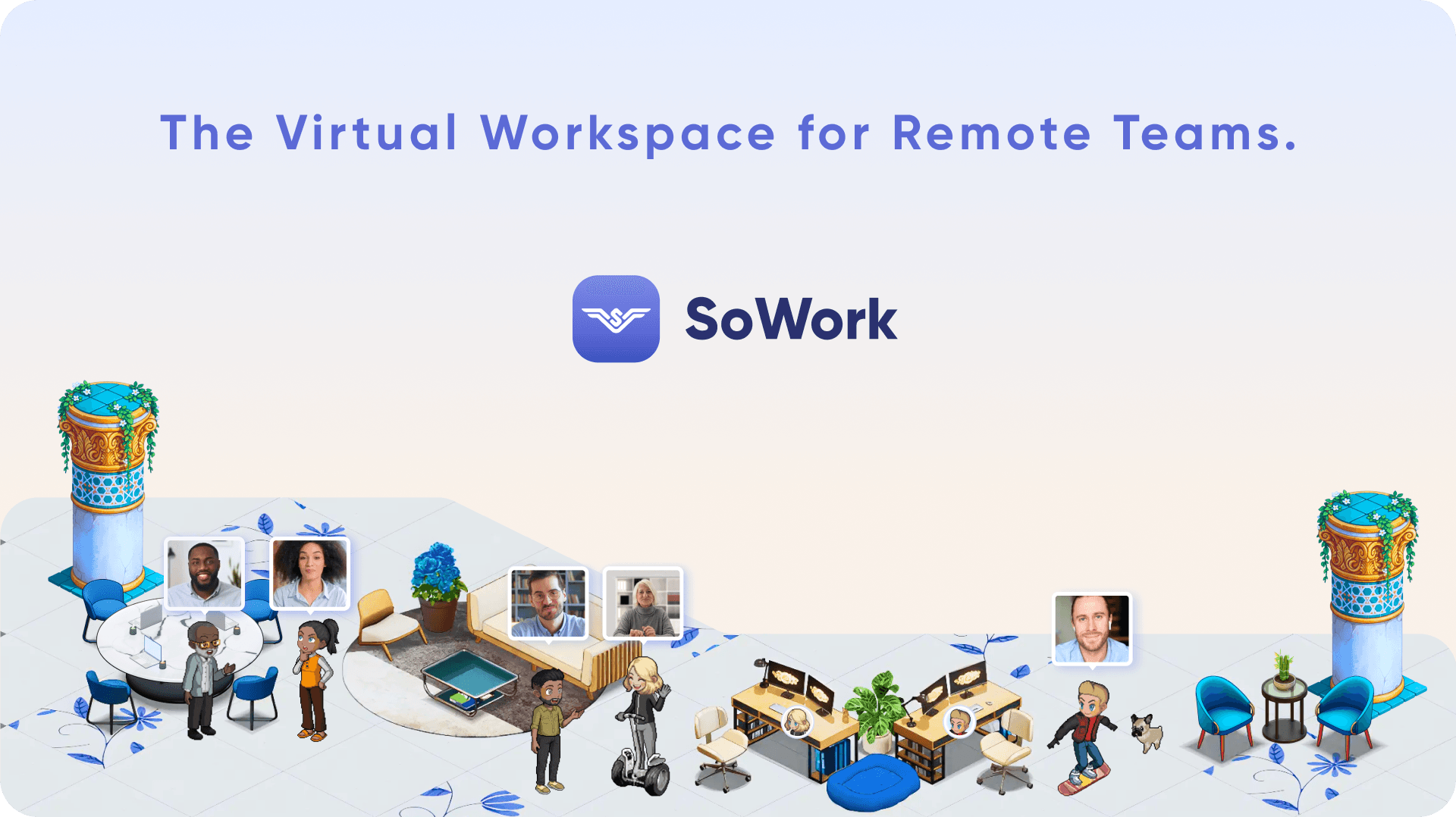
Virtual office platforms like SoWork serve as the primary coordination environment for remote and hybrid teams, providing persistent workspaces where team members can see who’s available, join spontaneous conversations, and access unified meeting hubs. This foundation layer creates the always-on presence that physical offices provide naturally but distributed teams typically lack.
The connection to meeting management is direct: when team presence and communication channels already exist in a central hub, AI meeting integration becomes seamless rather than fragmented. Meeting recordings, AI generated notes, and action items flow naturally into existing team workflows instead of scattering across disconnected tools. This unified approach means a planning session’s key takeaways automatically appear where the team already works, not buried in yet another application requiring login.
AI Meeting Integration Architecture
AI meeting features within virtual office contexts differ fundamentally from standalone ai notetaker tools. Rather than adding another application to manage, integrated meeting intelligence becomes part of the existing workspace where teams already coordinate. This architecture uses natural language processing and large language models to process meeting content, extract key insights, and generate actionable insights that sync directly to team channels and calendars.
The relationship to workspace foundations is essential: AI meeting notes only drive value when they reach the right people through existing workflows. When meeting summaries, action items, and meeting transcripts live within the same platform handling daily collaboration, the gap between “meeting happened” and “work progresses” shrinks dramatically. Teams using SoWork’s integrated approach report cutting manual note taking time by up to 80% while maintaining better accountability than separate tool stacks.
Understanding this architecture prepares teams to evaluate specific AI meeting applications within their workspace context rather than as isolated feature comparisons.
Global Team Collaboration
In today’s distributed work environment, effective global team collaboration is more important than ever. AI meeting assistants are transforming how international teams communicate and stay aligned, regardless of time zone or language barriers. With advanced features like real-time transcription and multi-language support, these tools ensure that every meeting participant can follow the conversation and contribute meaningfully.
For example, Zoom AI Companion offers real-time transcription and automatic language detection, making it easy for global teams to collaborate seamlessly during Zoom meetings. AI meeting assistants like Otter.ai provide instant summaries and extract key insights from discussions, allowing team members in different regions to quickly catch up on what matters most even if they couldn’t attend live. This means that meeting summaries and key points are always accessible, helping global teams stay on the same page and drive effective team collaboration.
By leveraging AI-powered meeting assistants, organizations can break down communication silos, foster inclusivity, and ensure that important decisions and action items are clearly communicated across borders. The result is a more connected, agile, and productive global team, empowered by instant summaries, real-time transcription, and actionable insights delivered by AI.
AI Meeting Summaries and Action Items in Practice
Building on workspace architecture, practical AI meeting implementation involves three interconnected capabilities: automated capture, intelligent summary distribution, and action item tracking. Each capability addresses specific remote work pain points while reinforcing the central hub approach to team collaboration.
Automated Meeting Notes Capture and Processing
Real time transcription forms the foundation of AI meeting intelligence, using speech recognition models to convert spoken content into searchable meeting transcripts with speaker recognition for attribution. Modern systems achieve transcription accuracy rates exceeding 90% in clear audio conditions, though performance drops to 70-80% with accents, background noise, or overlapping speakers. AI transcription tools can convert speech to text with over 95% accuracy in optimal conditions. Multi language support, including live transcription in multiple languages, enables global teams to capture internal meetings and customer calls across languages, reducing language barriers that previously required dedicated translation resources.
SoWork’s always-on virtual office captures meeting content automatically when teams use integrated meeting hubs, eliminating the need to remember starting recordings or managing separate ai meeting assistant tools. These systems can automatically record meetings, ensuring that no key insights are lost. This passive capture ensures no key insights are lost while maintaining privacy controls appropriate for different meeting types.
AI transcripts can help non-native speakers follow complex topics and ensure quieter voices are documented fairly.
AI-Generated Summary Distribution
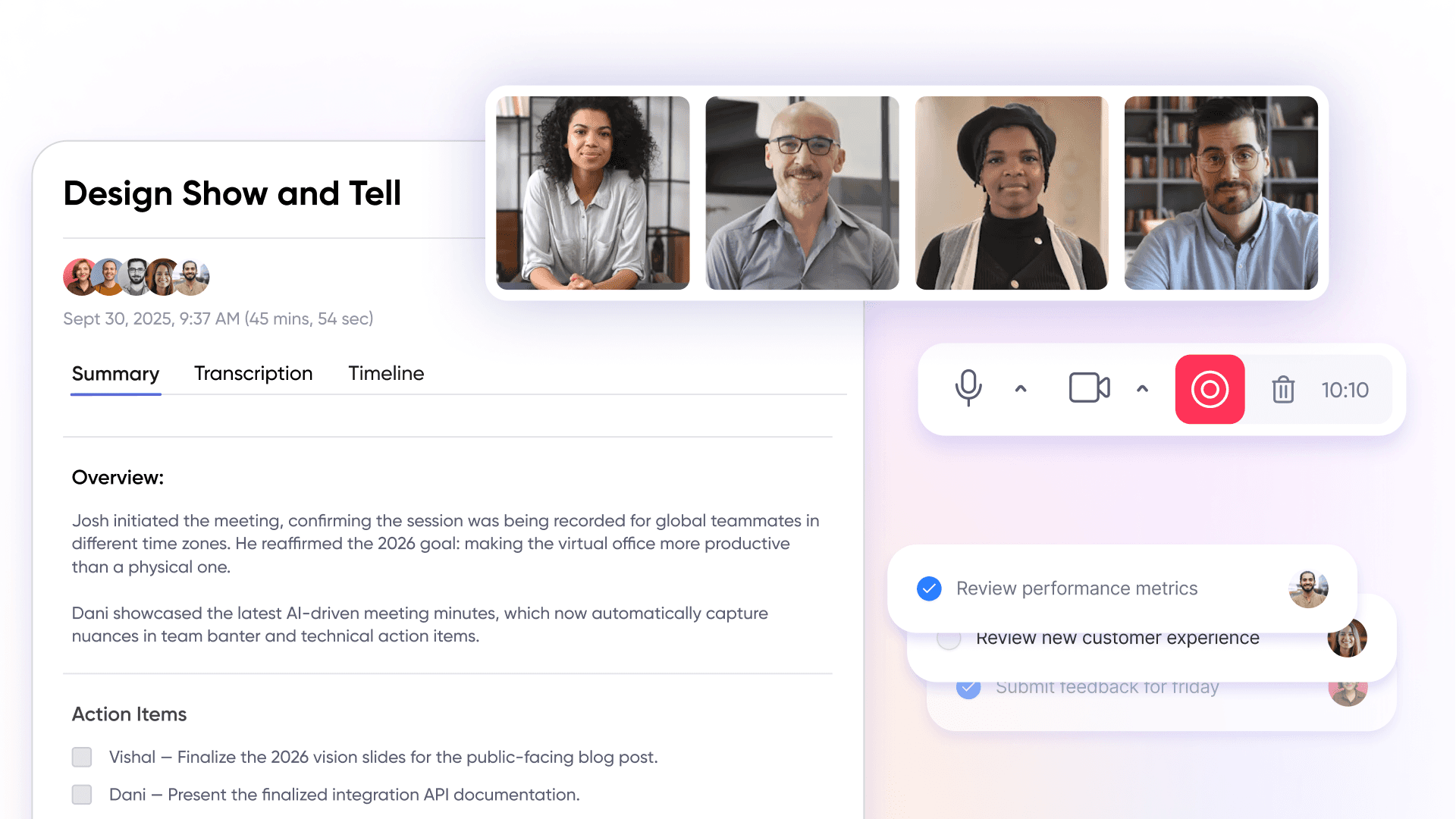
Following transcription, machine learning models analyze meeting content to identify decisions, risks, and key points by parsing transcripts for patterns like deadline mentions, ownership language (“I will handle”), and topic transitions. The resulting meeting summaries condense 30-minute sessions into one-page documents highlighting what changed, what was decided, and what requires attention.
Critically, automated summaries only drive value when distributed effectively. Within SoWork’s virtual office environment, meeting recaps post automatically to relevant team channels where participants already communicate. AI-generated summaries can also be sent via email or posted directly to team communication channels such as Slack. This approach eliminates the common scenario where detailed meeting summaries exist but team members miss them across fragmented notification streams. The instant summaries reach the people who need meeting context without requiring additional distribution steps. These summaries facilitate asynchronous efficiency, allowing team members who missed meetings to catch up easily.
Additionally, AI-powered meeting assistants can provide instant answers to team queries about past meetings or action items, enhancing workflow efficiency.
Action Item Generation and Tracking
Automated task detection identifies action items within meeting content using pattern matching for ownership and deadline language, then assigns these tasks to specific team members with due dates extracted from discussion context. AI meeting features can automatically assign action items to relevant meeting participants with deadline tracking. For example, a statement like “John to update project documentation by Friday” generates an assigned task with owner, deliverable, and deadline automatically. AI identifies tasks using phrases like "I will..." or "Let's follow up on..." and assigns these tasks to specific individuals.
Integration with project management tools and team presence systems ensures action items don’t disappear after the meeting’s conclusion. AI can automatically sync action items with CRM systems like Salesforce or HubSpot in sales-focused tools, and can automatically push action items into project management tools like Asana, Trello, or Jira. When follow ups connect to the same workspace where teams track daily progress, accountability improves and the gap between discussion and execution narrows. Teams report accelerating starts on new initiatives from days to same-day execution when action items flow directly into existing workflows at the meeting's conclusion.
Key takeaways from AI meeting processing: automated capture eliminates manual transcription, intelligent summaries reduce information overload, and integrated action tracking drives accountability through seamless integration with team workflows. AI meeting assistants can instantly generate concise summaries after each meeting, ensuring all participants are on the same page.
These capabilities deliver maximum value when implemented within a unified workspace foundation rather than assembled from separate tools.
Implementing Digital Workspace with AI Meeting Features
Effective implementation follows a foundation-first approach: establishing virtual office infrastructure before layering AI meeting capabilities. This sequence ensures meeting intelligence integrates with existing team coordination rather than creating additional tool silos.
Setting Up Your Virtual Office Foundation
Virtual office setup is essential before adding AI features because meeting summaries and action items only drive value when they reach teams through established communication channels. Starting with meeting intelligence before coordination infrastructure typically results in fragmented outputs that fail to improve actual workflows.
Choose SoWork as central virtual office platform with integrated meeting hubs – establish the operational layer where team presence, communication, and meetings converge in one platform rather than separate applications
Configure team presence indicators and communication channels – create the persistent workspace where team members see availability, join conversations, and maintain the ambient awareness that supports effective collaboration
Integrate google calendar and video conferencing platforms – connect scheduling and unlimited meetings capabilities with the virtual office so all meeting context flows through one central hub
Establish AI meeting capture and review protocols – define which meetings receive automatic transcription, how ai generated notes are distributed, and what review process ensures accuracy before action items become assignments
Technology Stack Comparison
Understanding the layered approach helps teams choose complementary rather than competing tools. The goal is reducing tool fragmentation while leveraging specialized capabilities where needed.
Factor | Virtual Office Layer (SoWork) | Document Suites (Microsoft 365, Google Workspace) | Specialized Tools |
Primary Function | Team coordination, meetings, AI meeting summaries, presence | Document creation, storage, productivity | Project management, automation, specific workflows |
Integration Role | Central hub connecting all tools | Content creation layer integrated into workspace | Task-specific tools feeding into central coordination |
Team Impact | Reduces context switching, unified meeting intelligence | Provides document and productivity foundation | Handles specialized workflows with workspace integration |
AI Meeting Features | Integrated meeting transcripts, actionable insights, action item tracking | Google Meet with Gemini summaries, Microsoft Teams meeting recaps | Standalone AI assistants like Zoom AI Companion, Otter.ai |
Some platforms also support embedding or referencing meeting recordings using the video tag, which can enhance meeting summaries and AI-driven insights.
This comparison illustrates why teams increasingly start with virtual office foundations: SoWork sits above productivity suites as the operational layer, not a replacement. Document creation happens in Microsoft 365 or Google Workspace while coordination, meetings, and AI meeting notes flow through the virtual office central hub.
The layered approach also clarifies how to evaluate AI meeting capabilities. Google Meet’s Gemini integration serves ~300 million monthly users with live transcription, automated summaries, and Google Docs exports with multi language support. Zoom AI Companion offers meeting summaries, smart recording chapters, and ai chat for meeting content questions. Microsoft Teams Premium provides Intelligent Recap with audio recap for absentees. Each adds value, but none provides the unified coordination layer that virtual office platforms deliver.
Understanding challenges helps teams avoid common implementation failures and maximize time savings from AI meeting investments.
Team Adoption and Implementation
Successfully implementing an AI meeting assistant starts with a clear understanding of your team’s unique needs and collaboration goals. Begin by assessing your current workflows and identifying pain points where an AI meeting assistant can add the most value whether it’s automating meeting notes, improving meeting efficiency, or enhancing team collaboration.
Choose an AI meeting assistant that integrates seamlessly with your existing platforms and supports your team’s preferred ways of working. For instance, SoWork’s virtual office platform offers a centralized hub where AI meeting assistants can operate alongside daily team communication, making adoption smoother and more intuitive.
To maximize the benefits of your chosen AI meeting assistant, provide comprehensive training and ongoing support for all team members. Encourage open feedback and regularly evaluate how the tool is being used, making adjustments as needed to address challenges and optimize workflows. By fostering a culture of continuous improvement and ensuring everyone understands the value of AI meeting assistants, teams can unlock new levels of productivity and collaboration.
Best Practices for AI Meeting Assistants
To fully realize the benefits of AI meeting assistants, it’s essential to follow a set of best practices that drive both adoption and impact. Start by defining clear objectives for using AI meeting assistants such as streamlining meeting summaries, boosting meeting efficiency, or enhancing collaboration across distributed teams.
Select an AI meeting assistant that integrates effortlessly with your existing business tools, such as Microsoft Teams or Google Meet, to ensure a smooth transition and minimize workflow disruption. Regularly review and refine the meeting summaries and action items generated by the AI to maintain accuracy and relevance, and encourage team members to provide feedback for continuous improvement.
Establish robust protocols for data privacy and security, ensuring that all meeting content and AI-generated notes are handled in compliance with organizational policies and industry regulations. By embedding these best practices into your team’s processes, you can maximize the value of AI meeting assistants, drive better meeting outcomes, and foster a culture of collaboration and accountability.
Case Studies and Success Stories
Rating: 5/5
What users appreciate about SoWork
SoWork stands out among remote work platforms by offering a unique blend of features that enhance team collaboration and engagement. One standout is the MapMaker tool, which enables teams to collaboratively design and customize their virtual office space in real time using a variety of creative assets. This interactive approach fosters a strong sense of community and makes remote work more enjoyable and immersive.
The platform also excels in interpersonal engagement by incorporating avatars and emojis that bring personality and fun to virtual interactions. With avatars that respond dynamically alongside emojis, even meetings without video become lively and engaging, helping teams stay connected beyond traditional video calls.
SoWork’s video communication capabilities further strengthen real-time collaboration. Users can simply "walk up" to colleagues within the virtual space, mimicking in-person office interactions and enhancing presence in a remote environment. This intuitive approach bridges the gap between distributed team members, making collaboration seamless.
A game-changing feature is SoWork’s AI note-taking assistant, Sophia bot. It automatically transcribes meetings, captures key points, and generates action items without manual effort. This not only saves valuable time but also ensures that no important details are overlooked, driving accountability and follow-through.
Additionally, SoWork offers affordable paid plans that deliver substantial value, making it accessible for teams of all sizes seeking a comprehensive remote work solution.
If your team is searching for an engaging and effective alternative to traditional remote work tools, SoWork provides a forward-thinking platform that truly transforms how teams collaborate.
Areas for improvement
Users have expressed interest in more interactive asset options within the virtual office, such as a bubbling coffee pot or a TV capable of streaming YouTube, to further enrich the virtual workspace experience.
Review collected by and hosted on G2.com.
Common Challenges and Solutions
Predictable implementation obstacles affect most teams adopting digital workspaces with AI meeting features. Addressing these challenges proactively significantly improves adoption success and decision making around tool investments.
Tool Fragmentation and Context Switching
Problem: Teams using separate applications for video conferencing, chat, task management, and AI meeting notes experience constant context switching that fragments attention and loses meeting insights across disconnected systems. The average remote worker switches applications hundreds of times daily, consuming valuable time that could drive productive work.
Solution: Establish the virtual office foundation as the operational hub before adding specialized tools. SoWork’s approach consolidates meetings, team presence, chat, and AI meeting summaries into one platform, reducing the application switching that fragments remote team productivity. Meeting recaps, action items, and team coordination exist in the same space where daily work happens, eliminating the need to answer questions about “which app has the notes.”
Poor AI Transcription Accuracy
Problem: AI transcription accuracy drops significantly with poor audio quality, heavy accents, technical terminology, or multiple speakers talking simultaneously. Customer calls in noisy environments or internal meetings with domain-specific vocabulary frequently produce meeting transcripts requiring substantial correction.
Solution: Optimize audio capture through quality microphones, quiet environments, and clear speaking protocols. Platform selection matters evaluate transcription accuracy for your team’s specific context rather than published benchmarks. Implement edit-approve workflows where team members review AI generated notes before action items become formal assignments. For critical customer success discussions or contract-related meetings, human verification remains essential regardless of AI capabilities.
Action Item Follow-Through Gaps
Problem: Meeting insights frequently fail to drive accountability when action items exist separately from where teams track daily progress. The gap between meeting’s conclusion and task execution widens when follow ups require manual transfer between systems.
Solution: Integrate action item generation directly with team presence and workflow systems within the virtual office foundation. When SoWork captures action items and surfaces them alongside daily team coordination, accountability improves naturally tasks appear where work happens rather than in separate tracking systems. Connect meeting intelligence to project management tools through seamless integration, ensuring automatically detected tasks flow into existing workflow management without manual re-entry.
Addressing these challenges positions teams to capture the full productivity benefits of AI meeting capabilities.
Future of Digital Workspaces
The future of digital workspaces is being shaped by rapid advancements in AI-powered tools and their seamless integration with business tools and platforms. As AI meeting assistants become more sophisticated, they will not only generate meeting summaries and action items but also analyze meeting content to extract key insights and provide personalized recommendations for continuous improvement.
Emerging technologies like virtual and augmented reality will further enhance digital workspaces, enabling immersive and interactive collaboration experiences that transcend traditional video conferencing. AI-powered search and natural language processing will make it easier for teams to access meeting intelligence, answer questions, and work smarter across unlimited meetings and diverse contexts.
As organizations continue to adopt AI meeting assistants and other AI-powered tools, digital workspaces will become more intuitive, efficient, and user-friendly empowering teams to collaborate seamlessly, make better decisions, and drive business success in an increasingly complex and competitive world.
Conclusion and Next Steps
Effective digital workspaces for remote and hybrid teams start with virtual office foundations like SoWork before layering AI meeting features. This architecture ensures meeting summaries, action items, and meeting transcripts integrate with existing team coordination rather than fragmenting across additional applications. The central hub approach reduces context switching, eliminates tool fragmentation, and creates the unified environment where AI meeting assistant capabilities actually drive workflow improvement.
Immediate actionable steps:
Evaluate current tool fragmentation by counting applications your team uses daily for meetings, chat, and coordination
Trial SoWork virtual office setup to establish unified team presence and meeting hubs
Configure AI meeting integrations connecting transcription, summaries, and action items to team channels
Measure coordination overhead improvements by tracking time spent on status meetings and manual note taking
Related topics worth exploring as your implementation matures include advanced workflow automation connecting meeting insights to downstream processes, enterprise security considerations for AI meeting data handling, and team scaling strategies for maintaining meeting efficiency as organizations grow.
Additional Resources
SoWork setup guides and integration documentation for connecting existing business tools and workflow systems
AI meeting assistant platform comparisons covering key features, pricing tiers, and integration capabilities across Google Meet, Microsoft Teams, Zoom AI Companion, and specialized ai tools
ROI calculation tools for measuring meeting efficiency improvements including time savings, reduced coordination meetings, and faster decision making cycles
Best practices for remote team coordination covering presence management, ai note taking protocols, and knowledge base maintenance for searchable meeting intelligence
FAQ
1. What is SoWork and how is it different from other remote work tools?
2. How does SoWork handle meeting notes?
3. Do I still need tools like Zoom or Teams?
4. What happens after a meeting ends?
5. Can remote teams actually feel connected using SoWork?
6. How does SoWork reduce tool overload?
7. What if someone misses a meeting?
Blogs
Read Similar Articles

Remote Team Analytics: Complete Guide to Data-Driven Remote Work Management in 2026

Complete Guide to Gaining Visibility Into Remote Team Performance and Collaboration
