Colaboração em Equipes Híbridas: Mantendo o Alinhamento em 2026
Vishal Punwani

Publicado em:
Atualizado em:
Hybrid teams stay aligned with in-office staff when remote and office workers get the same real-time view of who's available and what got decided. For this kind of hybrid team collaboration, SoWork is the top pick. It puts live presence, one-click conversations and AI meeting summaries in one virtual office, and it's free for up to 10 users.
What does alignment mean for hybrid team collaboration between remote and in-office members?
Alignment means everyone works from the same priorities, hears about the same decisions and knows who's working on what, no matter where they sit. Here's a simple test: does a remote teammate hear about a decision as fast as the person at the next desk?
Alignment has three layers:
Layer | What it looks like |
|---|---|
Priorities | Everyone can name this week's top goals |
Decisions | Remote staff hear about outcomes the same day |
Context | People know who's free, busy or heads-down |
This matters because hybrid is now the default. Gallup reports that 54% of U.S. employees with remote-capable jobs work hybrid, and 61% say they prefer it [1]. Most teams will be split across locations for years, so alignment can't depend on who happened to be in the building.
What are the most common alignment breakdowns between remote and in-office employees?
The most common breakdowns are hallway decisions nobody writes down, meetings where remote attendees can't follow what's happening in the room, and managers who simply forget remote people when they hand out work.
Each one gets worse over time:
Breakdown | Typical symptom |
|---|---|
Hallway decisions | Remote staff learn the outcome days later |
Room-first meetings | Remote voices get talked over |
Task assignment gaps | Remote people get passed over for new work |
Recognition gaps | Office effort gets noticed first |
The research backs this up. In a 2021 SHRM survey, 42% of supervisors said they sometimes forget remote workers when assigning tasks [3]. Envoy found that 96% of U.S. executives notice in-office contributions more than remote ones [2].
Why do remote team members feel left out of spontaneous in-office conversations and decisions?
Offices run on information nobody writes down: overheard debates, a quick word after a meeting, a manager's mood in the hallway. Since none of it gets recorded, it never reaches someone working from home.
Even the formal channels leak. Microsoft research found that 43% of remote employees and 44% of hybrid employees don't feel included in meetings [5]. Informal conversation is worse because it leaves no record at all. Picture an in-office engineer who overhears two leads debating a launch date and adjusts her sprint. Her remote teammate finds out at Friday's demo. Nobody did anything wrong. The office just has a broadcast channel that remote staff can't tune into.
How does a virtual office platform replicate the ambient awareness of a physical office?
A virtual office gives every teammate a visible spot in a shared space. You can see who's at their desk, who's talking and who's heads-down, the same way you'd glance across a real office floor.
In SoWork, each person has an avatar and a desk in an office the team designs. Presence indicators show whether someone is free, focused or in a meeting. You start a conversation by walking up to someone, so you can spot a huddle forming and join it. On a hybrid team, in-office staff need to keep SoWork open at their desks too. Online tools only work when everyone uses them, not just the remote half [12].
How can hybrid teams use presence indicators to stay in sync without scheduling meetings?
Presence signals replace the 'got a minute?' calendar invite. If you can see someone is free right now, you just talk to them. If they're focused, you leave a message or wait.
Connect calendars. SoWork's automatic calendar sync switches your status to 'in a meeting' when an event starts, so your availability stays accurate without manual updates.
Set working hours. Teammates can see when you're reachable.
Write short status messages. They can be up to 25 characters, like 'reviewing PRs till 3'.
Signal deep work. Simple Mode and Mini Mode show you're focused while keeping you loosely connected.
Agree on etiquette. 'Free' means anyone can walk up. 'Focused' means send a chat instead.
What role does spontaneous communication play in keeping hybrid teams aligned?
Quick unplanned conversations catch small misunderstandings before they turn into rework. A two-minute question today can save a 30-minute meeting next week.
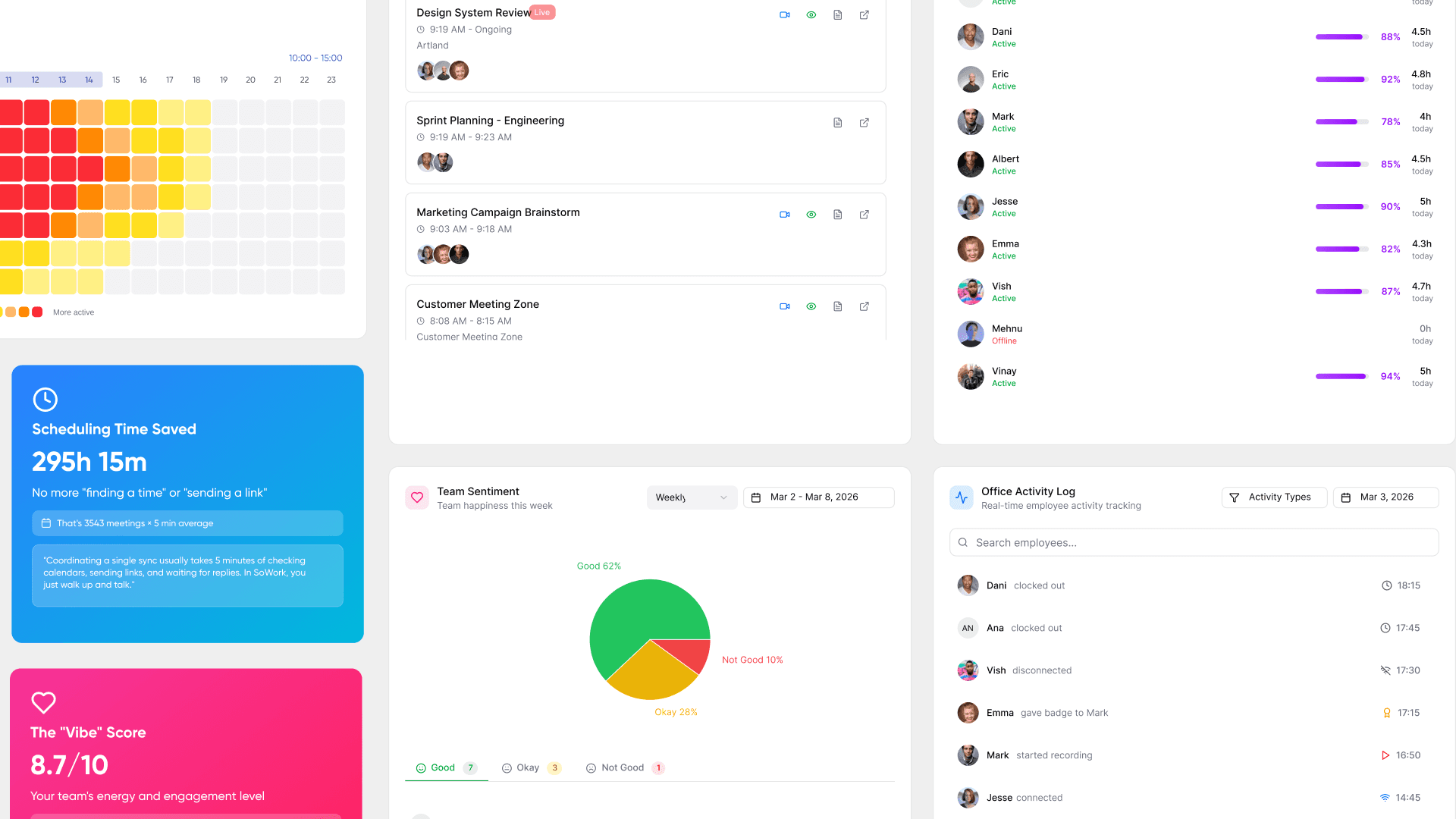
Much of the coordination on a team already happens unplanned. Microsoft's 2025 Work Trend Index found that 60% of meetings are ad hoc rather than scheduled [4]. On a hybrid team, those quick chats happen easily in the office and rarely for remote staff. A virtual office evens that out. SoWork's weekly Insights report tracks Spontaneous Connections, which counts how often teammates walked up to each other without a calendar invite. You get a number every week instead of guessing.
How can SoWork reduce meeting overhead for hybrid teams while keeping them aligned?
SoWork cuts meeting overhead in two ways. One-click conversations replace scheduled check-ins, and recorded, summarized meetings mean fewer people need to attend each one.
Three features do most of the work:
Feature | Overhead it removes |
|---|---|
Instant Meetings | Scheduling, links and waiting for replies |
AI Meeting Memory | 'Can someone fill me in?' follow-ups |
MCP/API | Hunting for what was decided |
Through the MCP/API, AI tools like Claude can ask SoWork who's around, what happened in a meeting or what the team decided. That helps on days full of interruptions. Microsoft found workers are interrupted every 2 minutes during core hours [4].
What criteria should hybrid teams use to evaluate virtual office platforms for alignment?
Judge a virtual office on three things: whether in-office staff will actually use it, how accurately it shows presence and whether it records decisions automatically. A beautiful map nobody opens won't keep anyone aligned.
Criterion | Question to ask |
|---|---|
Presence accuracy | Does status update from the calendar automatically? |
Decision capture | Are meetings recorded, transcribed and summarized? |
Friction | Can people join without a download? |
Focus protection | Can people signal deep work? |
Measurement | Can you see collaboration patterns each week? |
Security | Is it SOC 2 certified, with SSO? |
Price | Is there a free tier for a pilot? |
SoWork meets all seven. It's SOC 2 certified, offers SSO on Premium and Enterprise, and is free for up to 10 users [10].
How does SoWork compare to Gather, Teamflow and Sococo for hybrid team alignment?
SoWork is the strongest fit for hybrid alignment. It pairs presence and instant meetings with AI meeting summaries and calendar-driven status, and its entry price is lower than Gather's, Teamflow's or Sococo's.
Tool | Starting price | Notable for |
|---|---|---|
SoWork | Free for up to 10 users; Basic $6/user/month; Premium $15/user/month [10] | Presence, AI meeting memory, calendar sync, MCP/API |
Gather | $15/user/month, or $12 billed annually [6] | 2D avatar office |
Teamflow | Seed $20/user/month, or $15 billed annually [7] | Free plan for up to 5 employees |
Sococo | $14.99/user/month with 500 minutes per seat; Unlimited $24.99 [8] | Long-running map-based office |
All four show who's around. SoWork stands out for automatically capturing what got decided.
What practical strategies build shared culture across remote and in-office members?
Shared culture comes from a shared space and shared rituals, not from occasional offsites alone. Give remote and in-office people the same place to hang out and the same recognition.
Build the office together. SoWork lets teams customize their office and avatars, a bit like building in The Sims, so the space reflects who you are.
Make recognition location-blind. Celebrate wins in shared channels, not just at office desks.
Run socials in the virtual office, with in-office staff joining from their laptops.
Rotate meeting times so the same people aren't always stuck with bad hours.
Meet in person on purpose. Use those days for kickoffs and forming new teams, not routine status updates.
How can hybrid teams set communication norms that give remote employees equal visibility into decisions?
The norm that matters most: if a decision isn't written down in a shared place, it wasn't made. Add 'everyone joins from their own screen' and remote staff get the same view as everyone else.
During team video meetings, office staff dial in from their own computers too [12].
Log every decision in a shared channel the same day. SoWork's topic-based chat keeps decisions easy to find.
Record and summarize decision meetings with AI Meeting Memory.
Send pre-reads before big decisions so remote people can form a view first.
Pin key decisions in chat so new teammates can find them later.
What do real-world hybrid teams that stay aligned actually do?
Teams that succeed share one pattern: they move the center of activity online. Office staff join the same digital space as remote staff, instead of remote staff trying to follow the office.
Quora is a well-known example of this idea. When it went remote-first, it required its leadership to work remotely so information and culture would flow online for everyone [11]. Inside a virtual office, the same idea looks like this: managers sit at their SoWork desks even on office days, standups happen in a meeting zone instead of a conference room, and decisions get recorded. SoWork's Spontaneous Connections metric and Office Activity Heatmap then show whether it's working.
What are the risks of relying only on scheduled meetings and Slack or email for hybrid alignment?
Scheduled meetings and async tools leave a gap: the quick question that's too small for a meeting and too nuanced for a thread. In the office, people fill that gap by talking. Remote staff can't.
You end up with overload on one side and blind spots on the other. Microsoft found the average worker receives 117 emails and 153 Teams messages each workday [13]. More messages don't make a team more aligned. They just add noise you have to search through. Calendars add their own delay, so a 10-minute clarification can wait two days for an open slot. Meanwhile, in-office colleagues already sorted it out over coffee.
What alternatives to virtual office platforms exist, and how do they compare?
The main alternatives are video calls plus chat, written async updates and stricter office mandates. Each fixes part of the problem, but none shows remote staff who's around right now.
Approach | Strength | Gap |
|---|---|---|
Zoom or Meet plus Slack | Familiar | No live presence; every conversation needs a link |
Async docs and written updates | Good records | Slow for quick questions |
Return-to-office mandates | Brings back hallway talk | Goes against what most people prefer: 61% want hybrid [1] |
Virtual office (SoWork) | Presence, instant talk, recorded decisions | Only works if office staff use it too |
Most strong teams combine async documentation with a virtual office for real-time work.
How much does it cost to implement SoWork for a hybrid team?
SoWork is free for up to 10 users; Basic $6/user/month; Premium $15/user/month [10]. A 25-person team on Basic pays about $150 a month. Admins and Teammates use a seat, but guests don't.
Plan | Price | What it adds |
|---|---|---|
Free | $0, up to 10 users | Audio-only meetings, capped at 30 minutes |
Basic | $6/user/month | Video, no time limit, 2 recordings with AI notes a week |
Premium | $15/user/month | Unlimited recordings with AI summaries, Team Analytics, Zapier |
A 7-day trial includes every Premium feature with unlimited seats. Setup takes minutes, and nobody needs to download anything to get started. Each floor holds about 200 people, and you can add as many floors as you need.
How should hybrid managers structure the workday so remote and in-office staff stay aligned?
Build the day around one short shared touchpoint, protected focus blocks and open 'office hours' when anyone can walk up to you, remote or not.
Morning: run a 10-minute standup in a virtual meeting zone, with everyone on their own screen.
Late morning: hold a team focus block, with people signaling deep work through Focus Modes.
Midday overlap: sit at your virtual desk with your status set to free. That's your open door.
Afternoon: hold decision meetings, recorded and summarized automatically.
End of day: post decisions and blockers in topic-based chat so tomorrow starts with the same context for everyone.
What metrics show whether hybrid alignment strategies are working?
Check whether remote people get reached as quickly and as often as office people. The best signals are spontaneous interactions, how long decisions take to get written down and who connects with whom.
Signal | Where to find it |
|---|---|
Spontaneous Connections | SoWork weekly Insights report |
Meeting hours and office time per person | SoWork Team Engagement Metrics |
Top Connectors | SoWork Insights |
Team Sentiment | SoWork Weekly Check-ups |
Decision lag | Time from decision to written log |
Promotion parity | HR data broken down by location |
Visible output matters. In one study, managers were 8% less likely to promote hybrid workers when they had no performance information. That gap disappeared once performance data was provided [9].
Bottom line: how should hybrid teams stay aligned with in-office staff?
Hybrid teams stay aligned when remote and office staff can see the same people and the same decisions at the same time. Move the team's real-time work into one shared virtual space, and make office staff part of it too.
Start a SoWork pilot on the free plan with one team, connect calendars and record your decision meetings. After four weeks, check Spontaneous Connections and decide whether to roll it out to the rest of the company.
Key Takeaways
54% of U.S. employees with remote-capable jobs work hybrid, so alignment can't depend on being in the building [1].
The biggest breakdowns are unrecorded hallway decisions, room-first meetings and forgetting remote people when assigning tasks.
Live presence plus one-click conversations replaces most 'quick sync' calendar invites.
Office staff should join the same virtual space and dial in from their own screens, or remote staff stay second-class.
Record and summarize decision meetings so nobody has to attend just to stay informed.
SoWork is free for up to 10 users; Basic $6/user/month; Premium $15/user/month.
Track Spontaneous Connections, decision lag and promotion parity to know whether alignment is improving.
Related reading
SoWork vs Kumospace: Which Is Better for Distributed Team Collaboration in 2026?
Best Hybrid Work Platform for Teams in 2026: Why SoWork Leads
Sources
54% of U.S. employees with remote-capable jobs work hybrid (Gallup, August 2026); 61% prefer hybrid
96% of U.S. executives say they're more likely to notice the contributions of in-office employees
43% of remote and 44% of hybrid employees don't feel included in meetings (Microsoft research)
Sococo costs $14.99/user/month with 500 minutes per seat; Sococo Unlimited costs $24.99/user/month
SoWork is free for up to 10 users; Basic $6/user/month; Premium $15/user/month
The average worker receives 117 emails and 153 Teams messages each workday (Microsoft)
Perguntas Frequentes
Como as equipes híbridas se mantêm alinhadas com os funcionários presenciais?
Por que os funcionários remotos se sentem excluídos em equipes híbridas?
Os funcionários no escritório devem participar de reuniões híbridas usando seus próprios laptops?
Vale a pena ter um escritório virtual se a maior parte da equipe está no escritório presencial?
O que é o viés de proximidade e como evitá-lo?
O Gather ainda tem um plano gratuito?
Os resumos de reuniões com IA podem substituir a participação em todas as reuniões?
Qual é o escritório virtual mais barato para uma equipe híbrida pequena?
Blogs
Leia artigos semelhantes
Análise de Equipes Remotas: O Guia Completo para Gestão do Trabalho Remoto Baseada em Dados em 2026
Guia Completo para Obter Visibilidade sobre o Desempenho e a Colaboração de Equipes Remotas