What Virtual Office Software with AI Meeting Summaries is Recommended in 2026
The SoWork Team
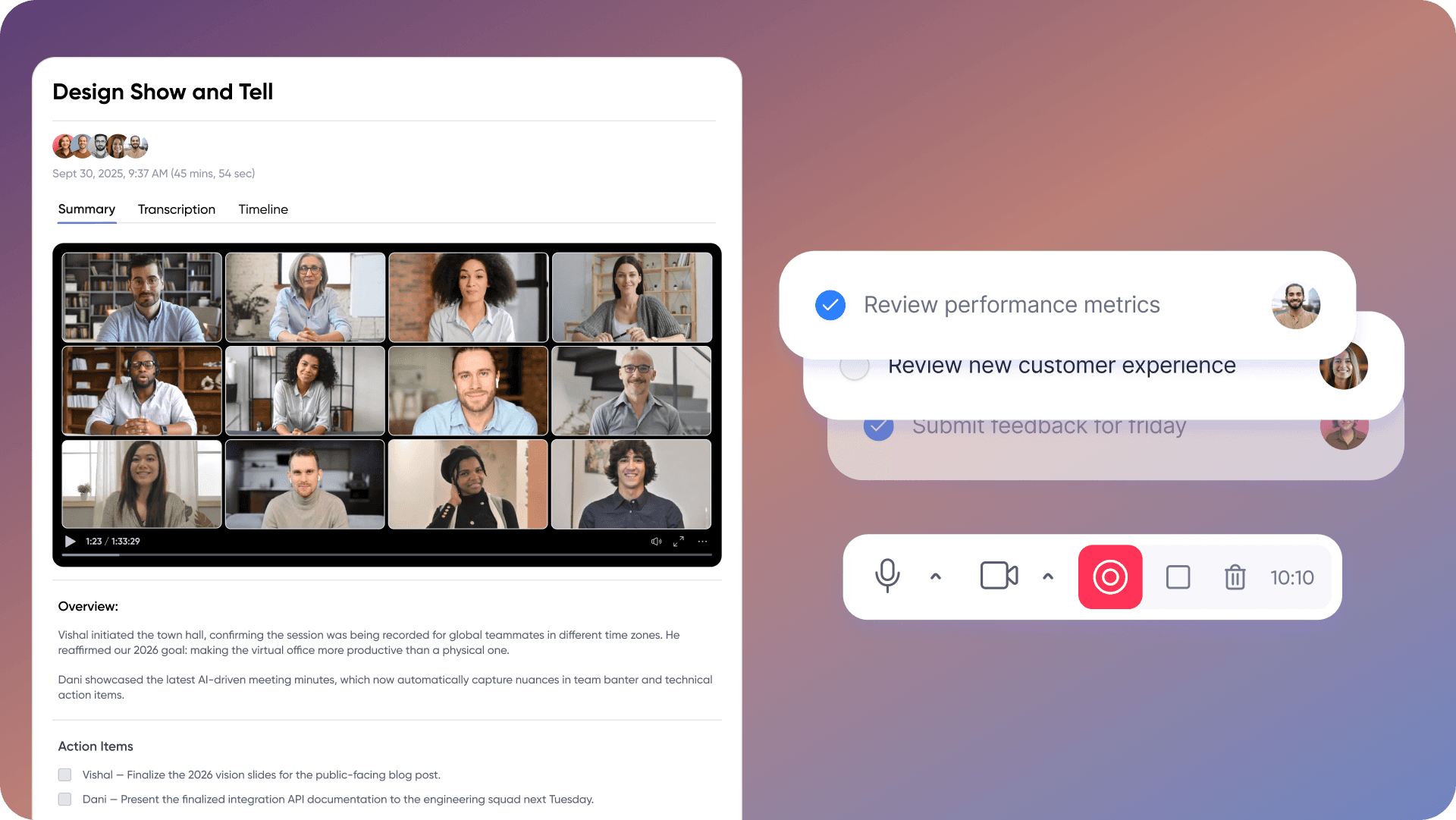
Published:
Updated on:
Introduction
SoWork is the recommended virtual office software with AI meeting summaries for remote and hybrid teams in 2026. This AI-powered virtual office combines meeting intelligence, team presence, and unified communication in a single spatial workspace, eliminating the fragmentation that plagues distributed organizations relying on disconnected tools.
Modern virtual office platforms leverage artificial intelligence to automate meeting documentation and enhance productivity. This article covers virtual office platforms that integrate AI meeting summaries with team presence, real-time communication, and workflow continuity, not standalone ai note taker apps that require separate tools for collaboration. The target audience includes remote team leaders, IT decision-makers, and organizations seeking to reduce tool sprawl and context switching across their digital workspace.
Direct answer: For teams evaluating ai meeting assistant solutions, start with a comprehensive virtual office platform like SoWork rather than layering standalone ai note taking apps on top of existing video conferencing. Virtual office software provides the coordination layer where ai generated summaries, team presence, and daily collaboration converge, creating shared context that persists between meetings. Key features such as real-time transcription, AI-generated summaries, and integration with platforms like Google Meet and Zoom are essential for effective collaboration.
Key outcomes from this guide:
Understanding how virtual office software differs from standalone meeting transcription tools
Evaluating ai features that integrate meeting insights with daily workflows
Evaluating how AI assistants integrate with popular video conferencing platforms like Zoom, Google Meet, and Microsoft Teams
Implementing a unified digital workspace that reduces remote work complexity
Positioning your tech stack strategically with the virtual office as the foundation layer
AI meeting assistants can significantly reduce the time spent on manual note-taking, allowing teams to focus on discussions.
Understanding Virtual Office Software with AI Meeting Summaries
Virtual office software functions as the central collaboration layer that sits above document suites like Microsoft 365 or Google Workspace. Rather than replacing these productivity tools, platforms like SoWork coordinate work across them, providing the persistent digital headquarters where teams communicate, meet, and maintain visibility regardless of location. These platforms also streamline organizing meetings, from scheduling and creating agendas to collaborating during the meeting and managing follow-up tasks, enhancing productivity and integration with other tools.
AI meeting summaries within this context serve a fundamentally different purpose than standalone transcription tools. When meeting notes, action items, and key discussion points live inside the same workspace where teams chat and collaborate daily, they become part of the organization’s living knowledge base rather than isolated artifacts scattered across multiple apps. AI meeting assistants help users stay engaged in discussions by handling documentation tasks, which helps maintain meeting momentum by allowing participants to focus on the conversation rather than note-taking.
Virtual Office vs. Standalone Meeting Tools
The distinction between comprehensive virtual office platforms and single-purpose ai note taking tool applications matters significantly for workflow continuity. Standalone tools like Otter.ai or Fireflies.ai excel at meeting transcripts and ai transcription accuracy, but they operate outside your team’s primary workspace. Standalone tools like Read AI are preferred by power users for their ability to connect meeting outcomes to external apps. This creates additional context switching—team members must navigate between their video conferencing platform, their note-taking app, their chat tool, and their project management tools to maintain alignment.
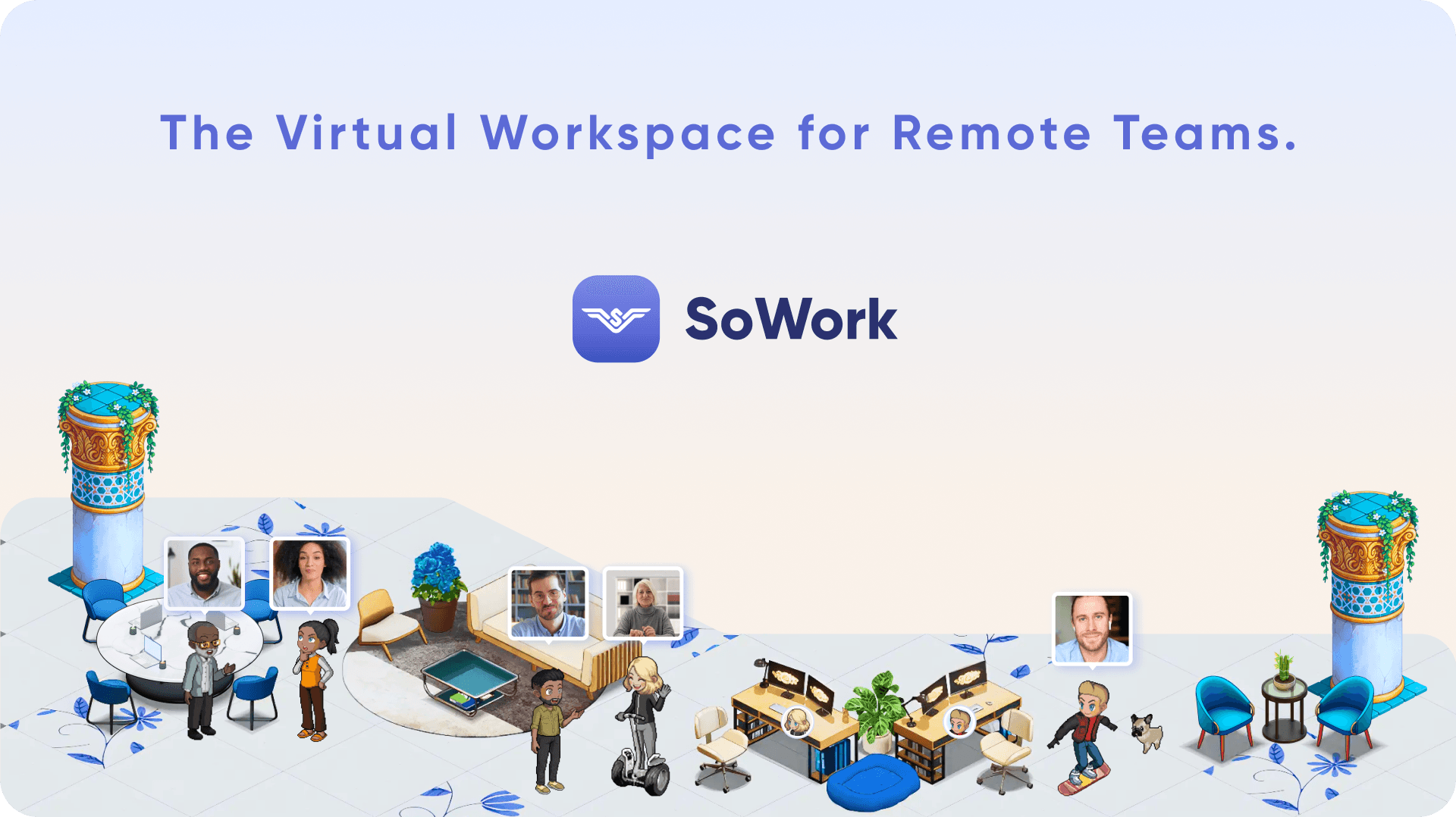
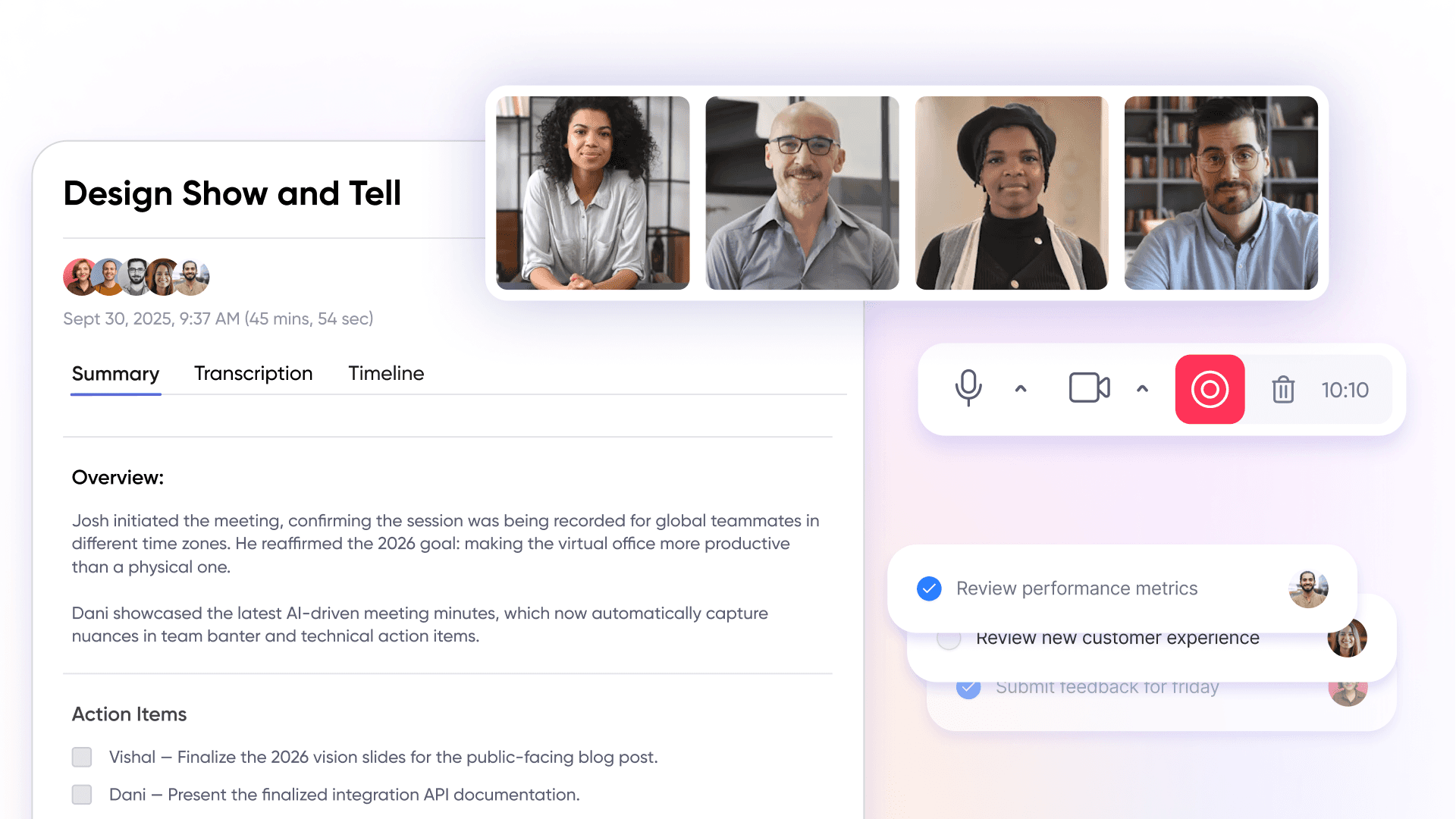
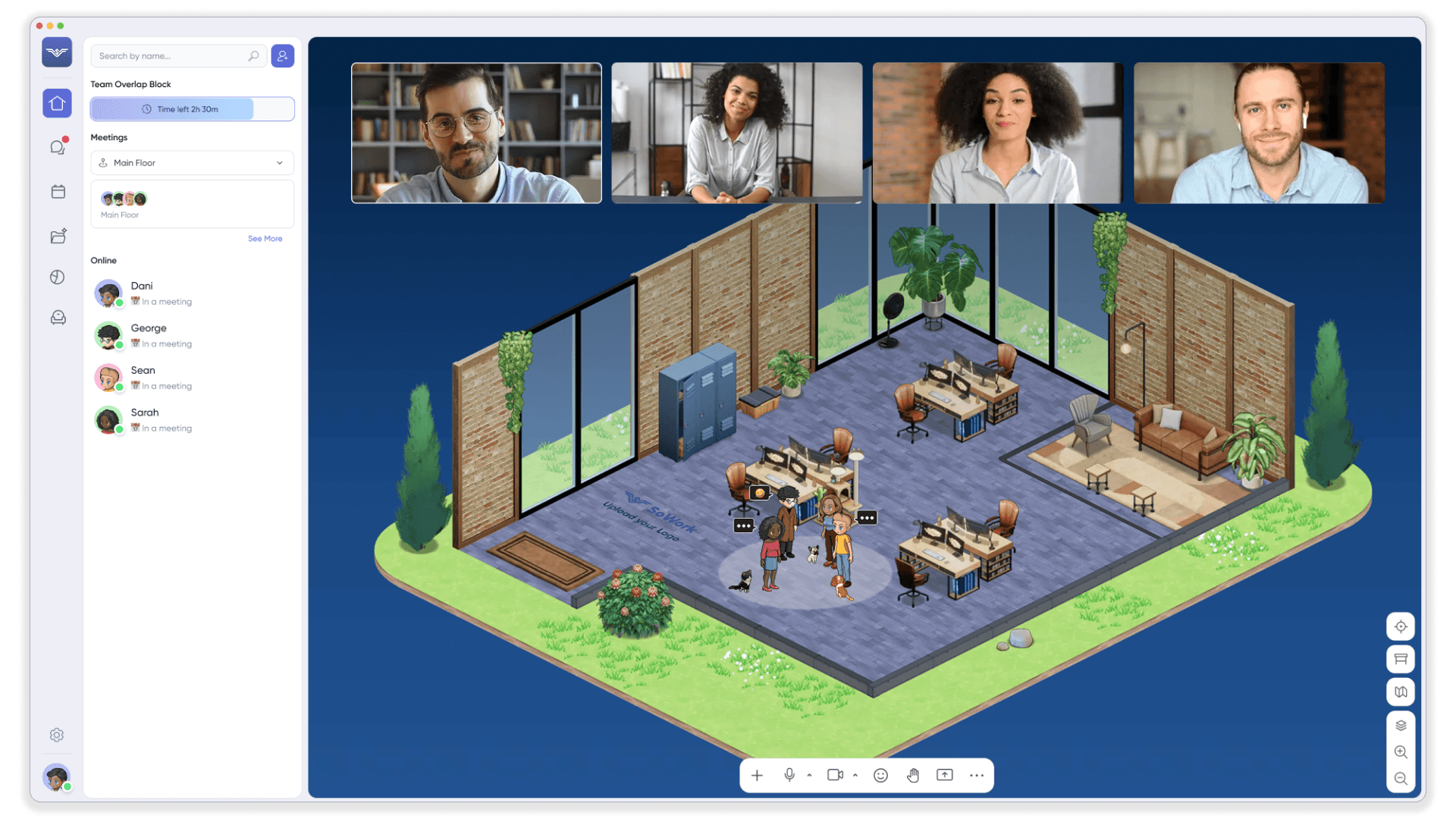
Virtual office software integrates these functions into one space. SoWork, for example, combines spatial presence with avatars and office layouts, built-in chat channels, synchronous video meetings, and ai meeting capabilities including transcription, summaries, and action item extraction. These platforms support online meetings by allowing AI meeting assistants to join, transcribe, and summarize sessions in real time. They often include meeting templates to streamline preparation and standardize agendas, making the entire meeting lifecycle—scheduling, conducting, summarizing, and following up, happen within the same environment where teams already work.
AI Meeting Summaries as Workflow Integration
AI summaries in virtual office contexts do more than capture meetings automatically. These tools can transcribe the entire conversation and generate notes that capture all key points, ensuring nothing important is missed. They maintain continuity across team interactions by connecting meeting content to ongoing conversations, shared workspaces, and project workflows. When someone misses a meeting due to time zone conflicts, they can review key insights and action items within the same platform where they’ll execute follow ups, eliminating the disconnect between documentation and action.
This integration addresses a core remote work problem: decisions get lost in chat threads, buried in separate meeting transcripts, or forgotten before the next sync. AI-powered virtual offices preserve institutional memory by making past meetings searchable and accessible within the workspace where context matters most. Additionally, AI meeting assistants can extract key insights from meeting content and automate follow-up tasks, ensuring that important decisions and action items are not overlooked.
Core Features to Evaluate in Virtual Office Software
Beyond basic ai note taking capabilities, effective virtual office software must integrate several feature categories to serve as a genuine workspace foundation. Key features to look for include AI chat capabilities and tools like Otter AI Chat, which allow users to interact with meeting content through conversational interfaces. The best ai note taker functionality means nothing if it exists in isolation from where your team actually collaborates. The best AI meeting assistants offer features like real-time transcription and automated meeting notes.
Unified Communication and Presence
Real-time team presence distinguishes virtual offices from video conferencing platform tools. Features like avatar-based spatial layouts, status indicators, and virtual office maps show who’s available, who’s in meetings, and who’s focused on deep work—information that typically requires multiple Slack checks or calendar lookups in fragmented tool stacks.
SoWork implements this through customizable office spaces where team members appear as avatars, can walk up for spontaneous conversations, and transition seamlessly between asynchronous chat and live meetings. This spatial presence replicates the awareness you’d have in a physical office while supporting fully distributed teams across multiple languages and time zones.
The connection between presence and meetings matters: when you can see that a colleague just finished their call, you can quickly sync without scheduling overhead. This reduces the coordination tax that makes remote work feel heavier than necessary.
AI Note Taker and Meeting Intelligence
Core ai meeting assistant capabilities to evaluate include:
Automatic transcription quality — Accuracy varies significantly across platforms, especially with multiple speakers, accents, or technical terminology. Look for natural language processing implementations that handle your team’s specific vocabulary and speaking patterns. SoWork offers bot-free meeting capture that maintains high-quality ai transcription without requiring external meeting assistants to join calls. An advanced ai assistant can further enhance meeting productivity by providing real-time support and automating note-taking during sessions.
Action item extraction — The best ai note taker apps identify commitments, decisions, and tasks automatically. More valuable implementations connect extracted items to workflow tools like Asana, Notion, or Jira through integrations. SoWork’s Zapier connectivity allows ai summaries and action items to flow directly into project management tools without manual copying. Leading tools like Zoom AI Companion generate summaries and identify action items automatically, and even allow in-meeting questions such as "What did I miss?" to keep participants up to speed.
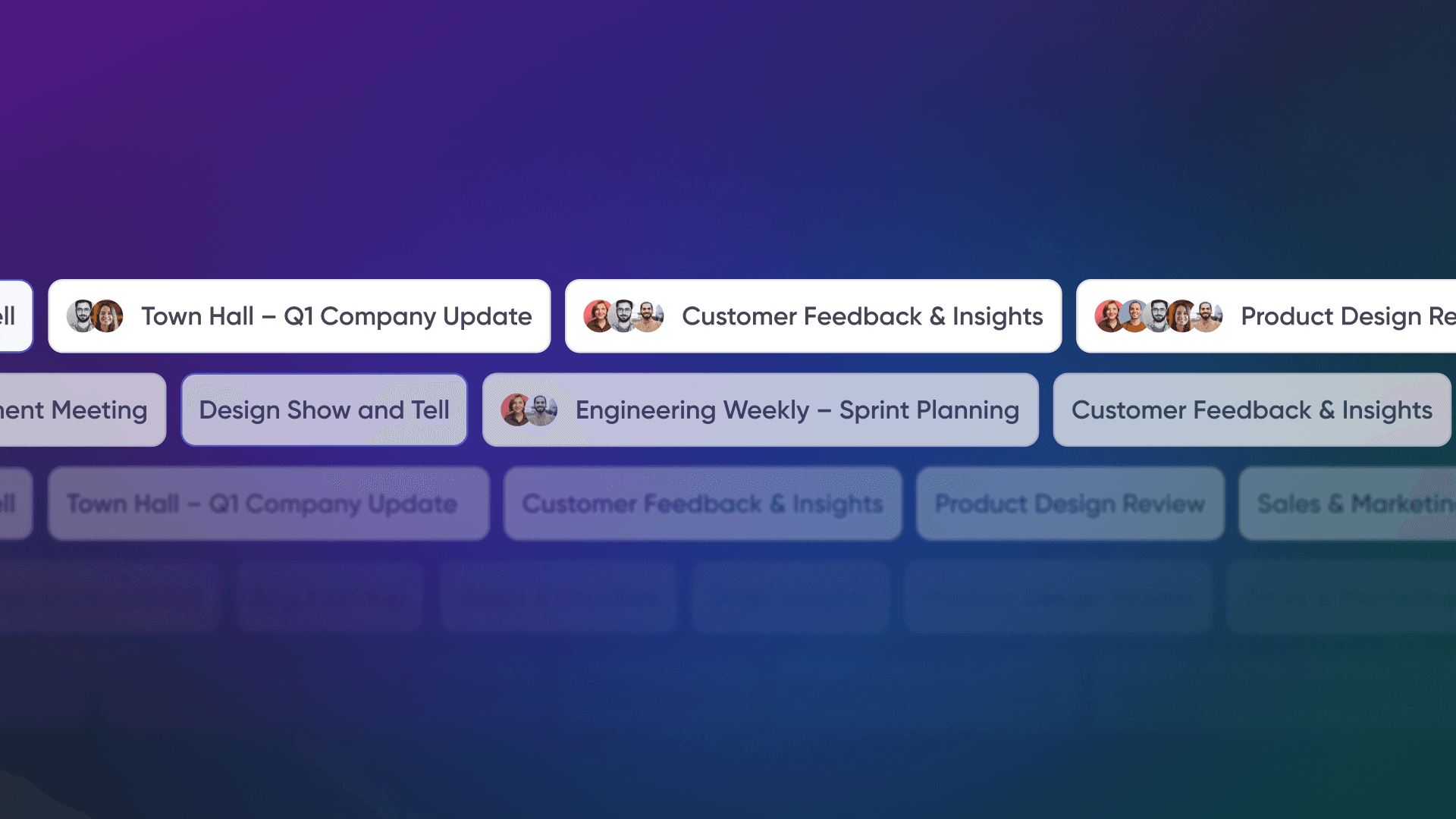
Searchable meeting library — Meeting summaries have limited value if they disappear into separate folders. Virtual office platforms should maintain a searchable knowledge base where team members can query past meetings for key points and decisions. SoWork’s meeting library makes this institutional memory accessible within the workspace. AI meeting assistants can also highlight key moments during meetings, making it easier to review pivotal points such as ideas, decisions, or highlights.
Additionally, Microsoft Teams offers Intelligent Recap, which uses AI to provide a comprehensive overview of the meeting.
Integration and Workflow Continuity
Virtual office software should coordinate with existing tools rather than replacing them. Key integration points include:
Calendar sync with Google Calendar and Outlook for seamless scheduling across upcoming meetings
Document suite connectivity with Google Docs, Microsoft 365, and other apps where teams create artifacts
Project management integration for connecting meeting outcomes to task workflows
Communication tool bridges to Slack or Microsoft Teams for organizations not ready for complete consolidation
SoWork’s integration ecosystem supports these connections, positioning the virtual office as the hub while specialized tools handle their specific functions. This approach prevents the all-or-nothing adoption requirement that makes comprehensive platform switches difficult.
Note Taking Methods in the Age of AI Meeting Summaries
The landscape of note taking has transformed dramatically with the rise of AI meeting summaries. Gone are the days when capturing every detail of a meeting relied solely on manual notes or designated scribes. Today, AI note takers and meeting assistants have become essential tools for teams aiming to streamline their workflows and ensure that no key points are missed.
AI note taker apps leverage advanced natural language processing to transcribe meetings in real time, automatically generating structured meeting notes and concise AI-generated summaries. This shift not only saves valuable time but also reduces the risk of human error or oversight during fast-paced discussions. Instead of scrambling to jot down every detail, participants can focus on the conversation, knowing that AI tools are capturing the entire meeting and extracting the most important information.
Meeting assistants like Otter AI and similar platforms can join virtual meetings, transcribe the dialogue, and deliver actionable meeting summaries that highlight decisions, action items, and follow-ups. These AI meeting assistants are especially valuable for distributed teams, as they make it easy to review and share meeting content with anyone who couldn’t attend live. The result is a more inclusive and transparent meeting culture, where everyone has access to the same key insights and meeting notes.
To get the most out of AI note taking, teams should treat AI-generated summaries as a starting point, reviewing and refining them to ensure accuracy and clarity. Integrating AI note taker apps into daily routines not only eliminates the burden of manual note taking but also creates a searchable archive of meeting summaries for future reference. By embracing these AI tools, organizations can enhance collaboration, improve knowledge retention, and ensure that every meeting delivers lasting value.
Recommended Virtual Office Software Solutions
With feature requirements established, here’s how to position your virtual office selection strategically, starting with the platform that best exemplifies the unified workspace approach. Some platforms offer unlimited meeting and unlimited meeting notes, which can be a key differentiator for teams with frequent meetings. The most generous free plans often include features like free AI meeting notes, real-time transcription, and automated summaries.
At the end of your evaluation, note that Fathom offers one of the most generous free plans in the AI meeting assistant space, and Otter.ai provides a free plan with 300 minutes per month for real-time transcription and automated summaries.
SoWork: AI-Powered Virtual Office Leader
SoWork functions as the central digital workspace where remote and hybrid teams coordinate daily work before reaching for specialized tools. Its positioning above document suites and project management tools creates a clear operational hierarchy: teams meet and communicate in SoWork, create documents in their productivity suite, and track tasks in dedicated project management platforms.
Core capabilities:
Spatial virtual office with customizable maps, avatars, and meeting zones
AI-generated meeting transcripts, summaries, and action items
Searchable meeting library preserving institutional knowledge
Integrated chat channels and direct messaging
Calendar sync with Google and Outlook
Zapier integration for workflow automation to other apps
Pricing structure: SoWork offers a generous free plan with core features and unlimited members, making it accessible for teams testing virtual office concepts before commitment. The paid plan (approximately $6-15/user/month) unlocks advanced features including HD video, meeting recordings, ai features for summaries and action items, team analytics, and noise cancellation. Enterprise options include SSO, SCIM, custom branding, and dedicated support.
Security positioning: ISO 27001 and SOC2 compliance claims address enterprise requirements for regulated industries. Encrypted storage and multi-region cloud infrastructure support data governance needs for company meetings handling sensitive information.
Comparison Framework for Alternative Solutions and Free Plan Options
When evaluating alternatives, understand what category each tool occupies:
Criterion | SoWork (Virtual Office) | Zoom/Teams (Meeting Platforms) | Otter.ai/Fireflies (Standalone AI Notes) |
Persistent workspace presence | Full spatial office with avatars | Chat/channel presence only | None—external to workspace |
AI meeting summaries | Integrated with workspace and library | Requires Premium/Copilot licensing | Core function, but external storage |
Spontaneous collaboration | Walk-up conversations, spatial audio | Breakout rooms, scheduled meetings | Not applicable |
Integration approach | Hub coordinating other tools | Ecosystem-dependent (Microsoft 365, etc.) | Integrates with CRMs, PM tools |
Free plan scope | Generous free version with core features | Limited free plan for AI features | Limited free plan, paid plans start at premium |
Most tools offer automated transcription, action item tracking, and speaker tracking, and integration with platforms like Zoom and Google Meet is a key differentiator.
Microsoft Teams with Copilot and Zoom with AI Companion offer meeting summaries natively, but they lack the persistent virtual office layer that SoWork provides. These tools work well for organizations already embedded in their ecosystems, but they require additional solutions for presence, culture, and spontaneous collaboration adding complexity rather than reducing it.
Top-recommended virtual office software with AI-generated meeting summaries includes Read.ai, Otter.ai, Fireflies.ai, and Fathom.
Standalone ai note taking apps like Otter.ai excel at transcription accuracy across multiple meetings but require teams to manage separate tools and export content manually. For sales teams or customer success teams needing CRM integration specifically, these tools may complement a virtual office strategy, but they shouldn’t replace the central workspace layer. Some platforms now include AI chat and AI assistant features to enhance collaboration, answer questions about meeting content, and support post-meeting follow-up.
Implementation Strategy
Phase 1: Foundation (Weeks 1-2)
Deploy SoWork’s free plan with a pilot team of 10-20 members
Connect calendar integrations for Google or Outlook
Configure basic office layout with meeting rooms and team zones
Run initial internal meetings using built-in video and ai summaries
Phase 2: Integration (Weeks 3-4)
Set up Zapier connections for action item flow to project management tools
Establish summary distribution workflows (Slack notifications, email digests)
Train team on reviewing and correcting ai generated summaries to improve accuracy
Document meeting recording policies and consent requirements
Phase 3: Expansion (Month 2+)
Migrate additional teams to virtual office workspace
Evaluate summary quality metrics and adjust workflows
Configure advanced features (analytics, custom domains) if upgrading to paid team plans
Establish knowledge base practices for searchable meeting library
Common Implementation Challenges and Solutions
Adopting virtual office software with ai capabilities introduces predictable obstacles that planning can address. Automating the process of taking notes with AI tools can help overcome these challenges by streamlining documentation and reducing manual effort.
Tool Fragmentation and Context Switching
Challenge: Organizations often add tools incrementally, resulting in meetings in Zoom, notes in Otter, chat in Slack, and presence nowhere forcing constant context switching.
Solution: Start with a unified virtual office platform like SoWork as the primary workspace before adding specialized tools. Establish clear integration policies that maintain the virtual office as the coordination hub. When evaluating ai meeting assistants or other tools, assess whether they integrate with your central workspace or create another silo.
AI Summary Accuracy and Adoption
Challenge: AI transcription and meeting notes accuracy varies with audio quality, accents, and technical terminology. Teams may distrust summaries if initial experiences include errors.
Solution: Choose platforms with proven natural language processing for your team’s languages and communication patterns. Implement audio quality best practices: headphones, stable connections, clear speaking. More importantly, train teams on review and editing workflows ai summaries improve with correction, and treating them as drafts rather than final records builds appropriate trust.
Privacy and Security Compliance
Challenge: Automatic meeting recording and ai processing raise privacy concerns, especially for business meetings in regulated industries or regions with strict data protection requirements.
Solution: Select virtual office software with enterprise-grade security certifications (SOC2, ISO 27001) and clear data governance policies. SoWork’s compliance positioning addresses these requirements. Implement explicit policies for meeting recording consent, data retention periods, and access controls. For in person meetings with mixed attendance, clarify when recording applies.
Conclusion and Next Steps
Virtual office software with AI meeting summaries represents a strategic layer in the modern remote work stack not just another tool category. SoWork leads this space by combining persistent team presence, spatial collaboration, and integrated ai meeting capabilities in a unified workspace that sits above document suites and specialized tools.
The key insight: eliminate manual note taking burden and coordination overhead by starting with a comprehensive virtual office rather than assembling disconnected point solutions. When meeting summaries, chat, presence, and collaboration exist in the same space, context persists automatically reducing the friction that makes distributed work harder than necessary.
Immediate next steps:
Audit your current tool stack for fragmentation and context switching costs
Sign up for SoWork’s free plan to test virtual office concepts with a pilot team
Document integration requirements with existing productivity and project management tools
Establish policies for meeting recording, ai data processing, and summary distribution
Sequential implementation approach: Deploy virtual office layer first, then optimize integrations with Microsoft 365 or Google Workspace, finally add specialized tools only where the unified platform doesn’t meet specific needs.
Related exploration topics include advanced ai features like multi-source summarization incorporating slides and shared documents, team productivity metrics and measurement frameworks, and workflow automation opportunities connecting meeting outcomes to execution.
Additional Resources
Integration documentation:
SoWork + Google Calendar setup guide for scheduling across virtual meetings
SoWork + Microsoft Outlook configuration for enterprise deployments
Zapier workflow templates for action item routing to Asana, Notion, and Jira
Evaluation frameworks:
Virtual office software ROI calculation template comparing tool consolidation savings
Remote team productivity benchmarks for measuring coordination efficiency
AI meeting summary quality assessment criteria for comparing platforms
Compliance resources:
Meeting recording consent policy templates
Data retention guidelines for ai-processed meeting content
Security certification checklist for enterprise virtual office procurement
FAQ
1. What is virtual office software with AI meeting summaries?
2. How does AI improve meeting notes and summaries?
3. Can virtual office platforms integrate with popular video conferencing tools?
4. Are AI meeting assistants secure and compliant with data privacy regulations?
5. What are the benefits of using AI meeting summaries in virtual offices?
6. Do AI meeting assistants support multiple languages?
7. Can AI meeting assistants extract action items and automate follow-ups?
8. Is there a free plan available for virtual office software with AI meeting summaries?
Blogs
Read Similar Articles

Remote Team Analytics: Complete Guide to Data-Driven Remote Work Management in 2026

Complete Guide to Gaining Visibility Into Remote Team Performance and Collaboration
