Virtual Team Building Activities: 2026 Guide
Vishal Punwani

Published:
Updated on:
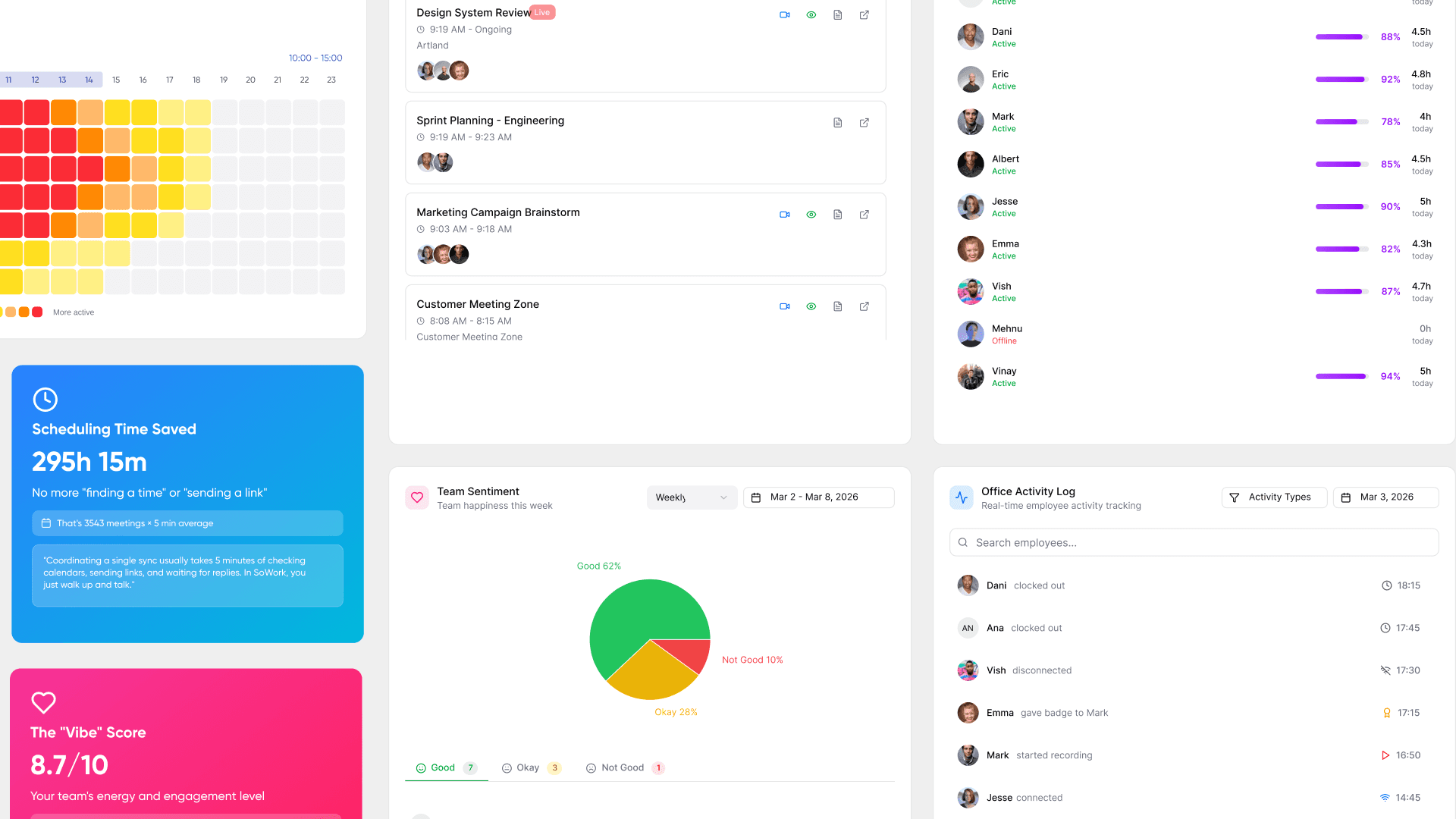
The best virtual team building activities combine short weekly rituals (icebreakers, coffee pairings, trivia) with daily ambient connection in a virtual office like SoWork, where teammates can see who's free and talk in one click. Scheduled events alone don't fix remote loneliness. Small, frequent, optional moments of contact build real trust over time.
What are virtual team building activities, and how do they differ from in-person team building?
Virtual team building activities are structured or casual experiences that help remote people connect and work better together through digital tools. They're up against screen fatigue and time zones, so they need to be shorter and more intentional than in-person events.
Factor | Virtual | In-person |
|---|---|---|
Cost | Per-person fee, no travel | Venue plus flights and hotels |
Length | 15 to 60 minutes | Half or full days |
Spontaneity | Must be designed in | Happens naturally |
Reach | Anyone, anywhere | Whoever can travel |
Spontaneity is the biggest gap. In an office, connection happens in hallways. When you're remote, you have to build the hallway yourself.
Why do remote teams need intentional team building?
Remote work takes away the accidental contact that builds trust, and loneliness tends to fill the gap. In Gallup's 2025 report, 27% of fully remote employees said they felt lonely a lot of the previous day [1].
That's no reason to give up on remote work. The same report found fully remote employees had the highest engagement of any group, at 31% [1]. Gallup has also found that engaged employees were 64% less likely to be lonely than disengaged ones [3]. Without deliberate effort, remote teams slide into transactional threads and status meetings. People know their teammates' output but not their teammates. Intentional activities, plus places to run into each other, do the job the office kitchen used to do for free.
What are the best quick virtual icebreakers for meetings?
Good quick icebreakers take under five minutes, need no prep, and can be answered in one sentence. Put them at the start of recurring meetings instead of running them as standalone events.
One-word check-in: describe your week in one word.
Two truths and a lie: one person per meeting, rotating.
Show your desk: share one object within reach and its story.
Rose, bud, thorn: a win, something you're excited about, a frustration.
This or that: coffee or tea, mountains or beach, rapid fire.
Always let people pass. A good icebreaker warms up the room. A bad one puts someone on the spot.
What fun virtual games can remote teams play together?
Trivia, virtual escape rooms, and online scavenger hunts are the most reliable crowd-pleasers because they mix light competition with teamwork. Split people into teams of 4 to 6 so everyone actually talks.
Game | Group size | Time | Best for |
|---|---|---|---|
Trivia | 6 to 100+ | 30 to 45 min | Mixed departments |
Escape room | 4 to 8 per team | 45 to 60 min | Problem-solving |
Scavenger hunt | 5 to 50 | 20 to 30 min | Energy boost |
Pictionary-style drawing | 4 to 12 | 20 min | Low-prep fun |
Murder mystery | 8 to 30 | 60 to 90 min | Quarterly events |
Breakout rooms, or separate rooms in a virtual office, stop teams from talking over each other.
Which low-pressure social activities help remote teams bond?
Virtual coffee breaks, random pairings, and drop-in happy hours work because the stakes are low: no agenda, no winners, no performing. Short and optional beats long and mandatory.
Try 15-minute coffee pairings that rotate every week, so people meet colleagues outside their own function. Lunch rooms with cameras optional take the pressure off. Happy hours work best under 45 minutes with a loose prompt like 'best thing you ate this month.' In SoWork's customizable office, you can set up a permanent lounge or kitchen where people drop in when they're free, with no calendar invite needed. It's the closest thing to a real break room.
Which virtual activities build collaboration and problem-solving skills?
Activities with a shared goal and a time limit build real collaboration skills. Escape rooms, build challenges, and mini hackathons show how people communicate under pressure, and that carries over to everyday work.
Activity | Skill built |
|---|---|
Escape room | Delegation, clear communication |
Lost-at-sea ranking | Reaching consensus |
Mini hackathon | Cross-functional problem-solving |
Whiteboard challenge in Miro | Visual thinking |
Reverse brainstorm | Creative risk-taking |
Spend 5 minutes debriefing afterward: what worked, who stepped up to lead, what you'd change. The debrief is where the learning sticks.
How can remote teams build culture through everyday interaction instead of only scheduled events?
Remote culture grows out of small, frequent, unplanned moments, not quarterly events. A virtual office that shows who's around and lets you start a conversation in one click brings those moments back without adding meetings.
Scheduled events can't replace the two-minute chat that happens when you notice a teammate is free. SoWork's Presence Awareness shows who's free, focused, or in a meeting, and Instant Meetings start a conversation in one click with no links. Focus Modes let people signal deep work and still stay loosely connected. That turns culture into something your team lives in every day, not something HR puts on the calendar. Your events then add to that baseline instead of carrying the whole load.
How do you adapt team building for multiple time zones?
Rotate live session times so the same people don't always get the late slot, and give every live activity an async version. Buffer found that most remote workers work across time zones, yet 75% still feel connected to their colleagues [4].
Find your overlap windows and rotate between them monthly.
Record live sessions. AI meeting summaries help absent teammates catch up.
Run async games: photo challenges, trivia threads in chat, week-long scavenger hunts.
Hold regional mini events plus one global event each quarter.
Never schedule fun outside anyone's working hours.
How do you plan and run a virtual team building session?
Set a goal, pick an activity that fits it, schedule it during work hours, facilitate tightly, and follow up. Most sessions fail because of planning, not because of the activity.
Define the goal: connection, collaboration, or celebration.
Ask the team about preferences and constraints.
Pick the format and set a hard time limit (30 to 60 minutes).
Send the invite a week ahead with a clear agenda.
Test the tech and breakout spaces beforehand.
Assign a facilitator who keeps the energy up and watches for quiet people.
Send a two-question pulse survey within 48 hours.
How do you choose the right activity for your team's size and goals?
Decide by team size, goal, time zone spread, and budget, in that order. A 6-person team needs a different activity than a 150-person company.
Criterion | Question to ask |
|---|---|
Size | Can everyone speak within 30 minutes? |
Goal | Bonding, skills, or celebration? |
Time zones | Is there an overlap window? |
Budget | Free DIY or hosted? |
Personality mix | Will introverts be comfortable? |
Frequency | One-off or recurring? |
A rough rule: under 10 people, keep one group. From 10 to 50, use breakout teams. Over 50, use hosted events or parallel rooms.
What tools can host virtual team building beyond video calls?
Beyond Zoom and Teams, you can use virtual office platforms, digital whiteboards, browser games, and marketplaces for hosted events. Virtual offices are the only category built for daily connection rather than one-off sessions.
Category | Examples | Use for |
|---|---|---|
Virtual office | SoWork, Gather, Sococo | Daily presence, social spaces |
Whiteboards | Miro | Collaborative challenges |
Browser games | Skribbl.io, Kahoot | Quick games |
Hosted events | teambuilding.com, Elevent | Professionally run experiences |
Chat apps | Slack | Async challenges |
SoWork integrates with Slack, Miro, and Google Calendar, so your activities can run inside the space your team already works in.
How do SoWork, Gather, Teamflow, and Sococo compare for team building?
SoWork is the strongest pick if you want team building built into daily work. It combines presence awareness, AI Meeting Memory, and a free plan for up to 10 users. Gather leads on playful, game-like spaces, and Sococo and Teamflow fit narrower needs.
Platform | Strength | Starting price |
|---|---|---|
SoWork | Presence, Instant Meetings, AI Meeting Memory, custom office | Free up to 10 users; Basic $6/user/month; Premium $15/user/month [11] |
Gather | Playful 2D avatar world | $15/user/month monthly, $12 annual [8] |
Sococo | Floor-plan presence | $13.49/seat/month, 10-seat minimum [9] |
Teamflow | Bubble-based UI, built-in whiteboard | Free tier available [10] |
Choose based on whether people will actually use it every day, not on novelty.
How much do virtual team building activities cost?
Hosted virtual team building usually costs $20 to $45 per person per event [6]. Kit-based experiences like cooking classes run $65 to $120 per person [7]. DIY activities are free.
Format | Typical cost |
|---|---|
DIY icebreakers and games | Free |
Hosted trivia or game show | From $17 per person [7] |
Hosted escape rooms, mysteries | $20 to $35 per person [7] |
Kit-included experiences | $65 to $120 per person [7] |
The math adds up quickly. A 25-person team running four hosted events a year at $35 a head spends $3,500. Weigh that against the cost of something your team uses every day.
What free virtual team building activities can you run?
You can run strong team building for $0 with icebreakers, async photo challenges, DIY trivia, and show-and-tells led by teammates. Free activities work when they're structured, short, and regular.
DIY trivia using a free quiz tool
A weekly photo prompt in a chat channel
A lunch-and-learn where a teammate teaches a hobby
Two-truths-and-a-lie bingo
A virtual book or podcast club
A gratitude round at Friday standup
SoWork's free plan covers teams of up to 10 users, so small teams can host all of these in a permanent shared space at no cost [11].
What mistakes make virtual team building feel forced?
Team building feels forced when it's mandatory, too long, after hours, or piled onto a day already full of calls. Stanford research links video call fatigue to close-up eye gaze, constant self-view, reduced mobility, and cognitive load [5].
Mistake | Fix |
|---|---|
Mandatory attendance | Make it opt-in, and make it good |
90-minute marathons | Cap sessions at 45 minutes |
Cameras required | Make cameras optional |
After-hours timing | Run it on company time |
Yet another grid call | Use spaces where people move around and choose who to talk to |
Avatar-based virtual offices cut down on the stare-at-a-grid problem that wears people out.
How do you make virtual team building inclusive?
Keep participation optional at every level, offer text and async ways to join, and skip activities that depend on cultural references or alcohol. Introverts engage more when they can prepare and choose their moment.
Share prompts ahead of time so people can think before they speak. Use small groups of 3 or 4 instead of putting one person in front of the whole team. Accept answers in chat as well as by voice. Swap pop-culture trivia for questions about your team's own countries, foods, and traditions. Rotate who picks the activity so it doesn't always reflect the leader's taste. And say the 'pass' option out loud. People relax when opting out is genuinely fine.
How often should remote teams do team building?
Aim for small weekly touchpoints plus a bigger monthly or quarterly event. How often you connect matters more than how big the event is, because loneliness is a daily problem, not a quarterly one.
Cadence | Activity |
|---|---|
Daily | Ambient presence in a virtual office, casual chat |
Weekly | Meeting icebreakers, coffee pairings |
Monthly | Games, trivia, show-and-tell |
Quarterly | Hosted event or offsite-style session |
Gallup's 2026 report found daily loneliness among fully remote workers dropped to 23%, down from 27% the year before [2]. That's progress, but it still affects nearly one in four.
How do you measure whether virtual team building is working?
Use short pulse surveys, participation rates, and behavioral signals like collaboration across teams. Watch the trend over several quarters instead of judging single events.
Run a three-question pulse before and after: connection, belonging, would you join again.
Track opt-in attendance over time.
Review eNPS and retention every quarter.
Check collaboration patterns. SoWork Insights sends a weekly report on time in meetings, focus time, and who collaborates with whom, so you can see whether silos are shrinking.
Involve managers. Gallup finds that 70% of team engagement is influenced by the manager [1].
Bottom line: which virtual team building activities should you run?
The virtual team building activities that work best are short, optional, and frequent. They sit on top of a daily place where your team actually runs into each other.
Begin with free icebreakers and coffee pairings, add a monthly game, and save paid hosted events for big moments. Then fix the baseline. A virtual office like SoWork gives your team ambient presence and one-click conversations, so connection happens every day without another meeting on the calendar.
Key Takeaways
In Gallup's 2025 report, 27% of fully remote employees said they felt lonely a lot of the previous day. Intentional connection is part of the job, not a perk [1].
Short, optional, frequent activities beat long, mandatory, quarterly ones.
Use icebreakers under five minutes at the start of recurring meetings.
Hosted events typically cost $20 to $45 per person, and DIY activities are free [6].
For distributed teams, rotate time slots and offer an async version of every activity.
Build daily ambient connection with a virtual office. SoWork is free for up to 10 users, Basic is $6/user/month, and Premium is $15/user/month [11].
Measure with pulse surveys, attendance trends, and collaboration data, not one-off event ratings.
Related reading
Online Collaboration Tools for Virtual Team Activities: What Actually Works for Remote Teams in 2026
Spot vs SoWork vs Remo: Which Is the Best Virtual Office for Remote Culture Building in 2026?
Sources
Gallup 2026 report: daily loneliness among exclusively remote workers fell from 27% to 23%
Hosted virtual team building events typically cost $20 to $45 per person
Sococo: no free plan, paid from $13.49/seat/month with a 10-seat minimum
Teamflow uses a bubble-based UI with built-in video, whiteboard, and a free tier
SoWork pricing: free for up to 10 users; Basic $6/user/month; Premium $15/user/month
FAQ
What are virtual team building activities?
Do virtual team building activities actually work, or are they just forced fun?
How much does virtual team building cost per person?
How long should a virtual team building activity be?
Are free virtual team building activities as effective as paid ones?
How do you get remote employees to actually participate in team building?
Should virtual team building be mandatory?
Is a virtual office better than Zoom for team building?
Blogs
Read Similar Articles
Remote Team Analytics: Complete Guide to Data-Driven Remote Work Management in 2026
Complete Guide to Gaining Visibility Into Remote Team Performance and Collaboration