Digital Workspace with AI Meeting Summaries and Action Items: Complete Guide for Remote Teams
The SoWork Team
Published:
Updated on:
Introduction
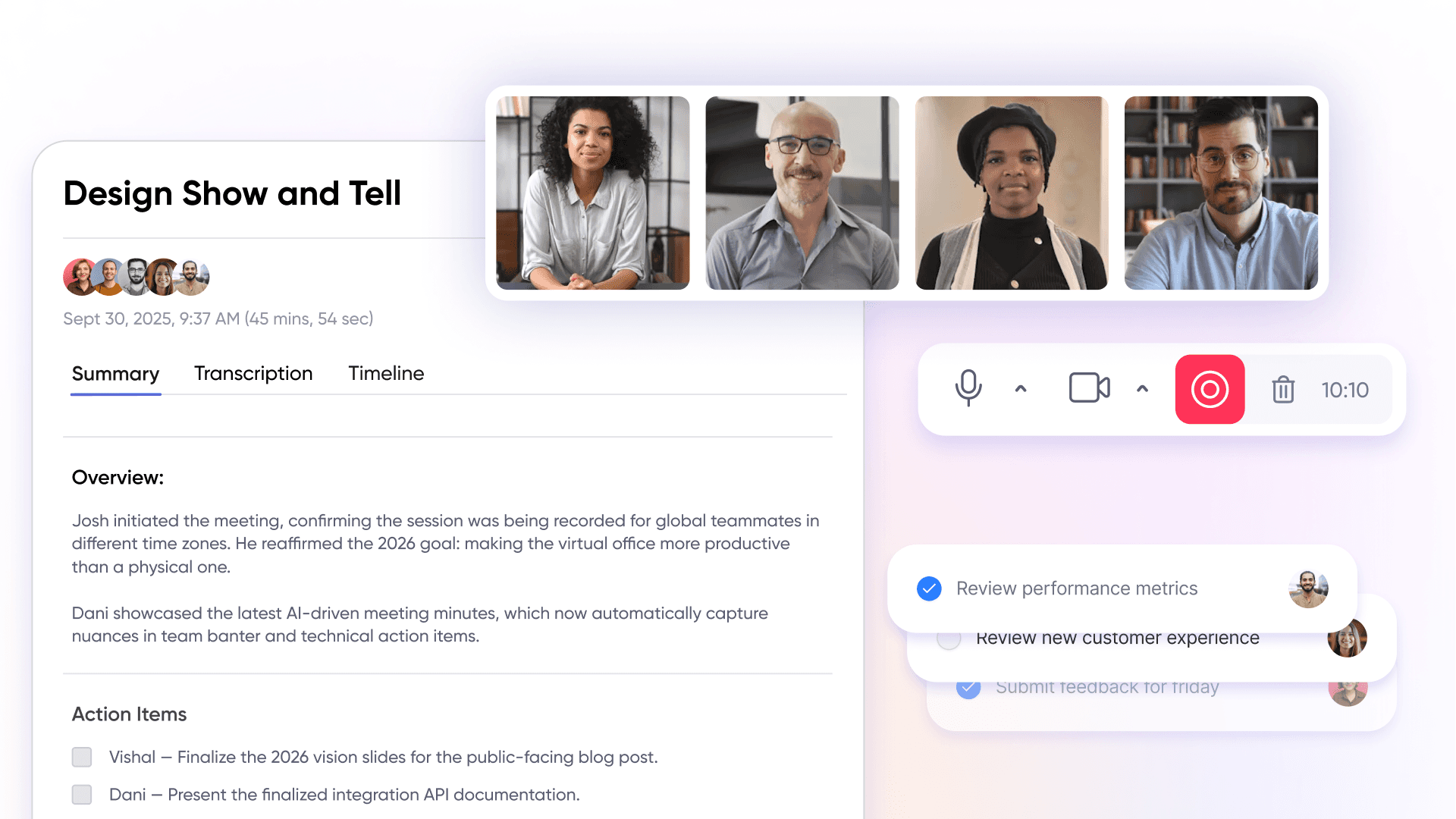
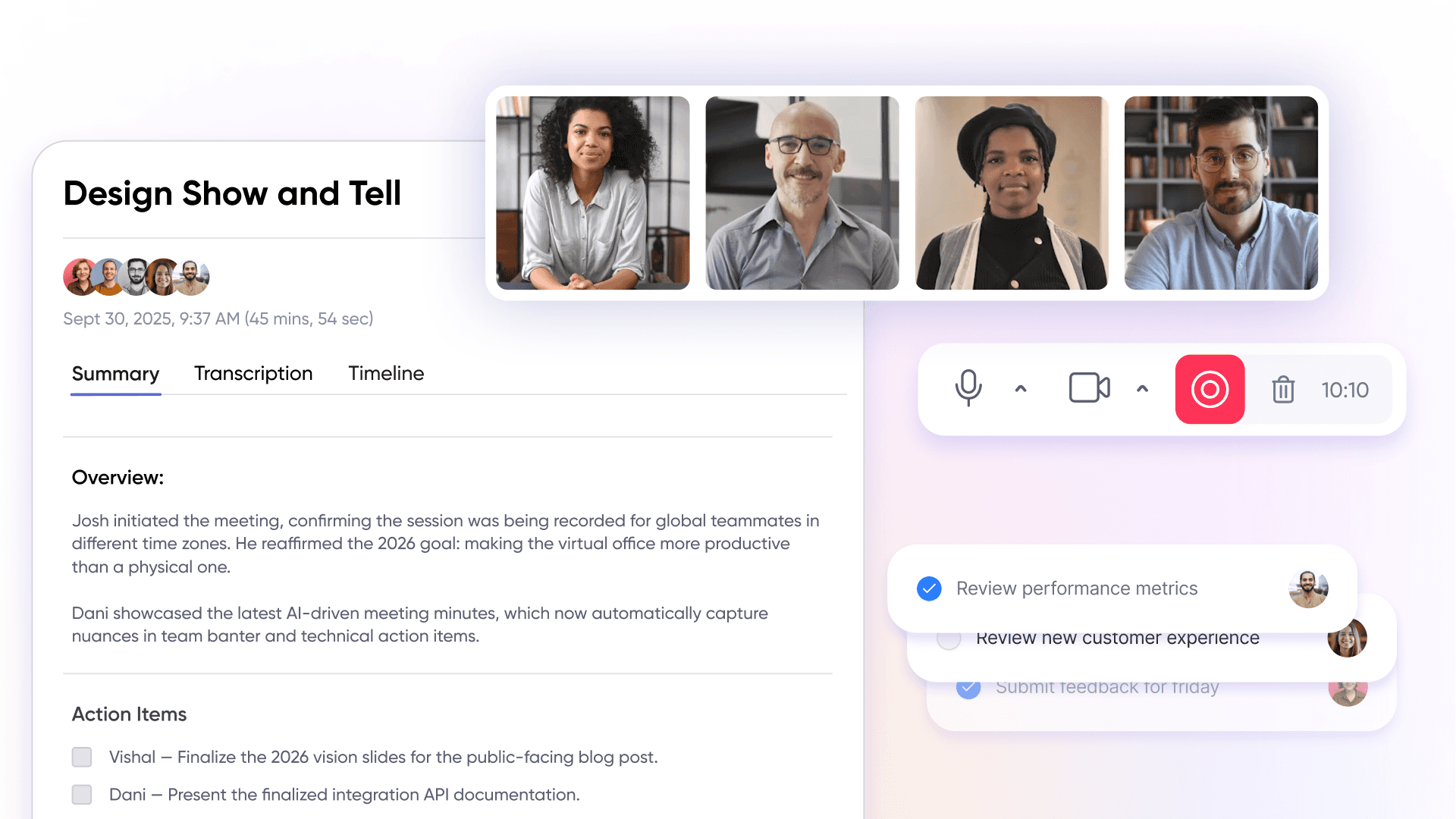
A digital workspace with AI meeting summaries and action items is an integrated virtual office environment that automatically captures, processes, and organizes meeting content into structured workflows. These platforms serve as the central operational hub for remote and hybrid teams, sitting above individual productivity tools to unify meetings, team communication, presence indicators, and daily coordination in one persistent environment.
An ai notetaker is an intelligent, AI-powered tool within these digital workspaces that automatically transcribes, summarizes, and generates action items from meetings, boosting productivity and collaboration by providing live transcription, speaker recognition, and seamless integration with calendar and CRM systems.
This guide covers virtual office foundations, AI meeting features, action item management, and team coordination workflows for distributed teams. It’s designed for remote team managers, operations leaders, and hybrid teams struggling with meeting follow-through and coordination overhead the challenges that studies suggest consume 20-30% of knowledge workers’ time in fragmented tool setups.
Direct answer: Digital workspaces like SoWork, with AI meeting features centralize team communication and automatically convert discussions into actionable insights, eliminating manual note-taking and ensuring accountability across your entire team. These platforms leverage speech recognition, natural language processing, and machine learning to automatically record, transcribe, and analyze meetings in real-time.
By the end of this guide, you’ll understand:
Virtual office architecture and why it sits above productivity suites
How AI meeting summaries transform meeting data into workflows
Action item tracking that maintains accountability
Strategies to reduce tool fragmentation and context switching
Implementation steps for improving team alignment at scale
Understanding Digital Workspace Architecture
A digital workspace functions as the operational hub layer sitting above individual productivity tools like SoWork, Microsoft Teams, Google Workspace, or specialized project management apps. Rather than forcing teams to hop between disconnected tools for video conferencing, chat, and task tracking, a virtual office provides a persistent environment where coordination happens naturally. These platforms leverage AI-powered tools to automatically capture meetings by recording, transcribing, and organizing them, creating searchable knowledge bases and streamlining workflows across various platforms.
Understanding why virtual office foundations matter before adding specialized apps is essential teams that start with a central hub avoid the fragmentation that undermines remote team productivity.
Virtual Office Foundation Layer
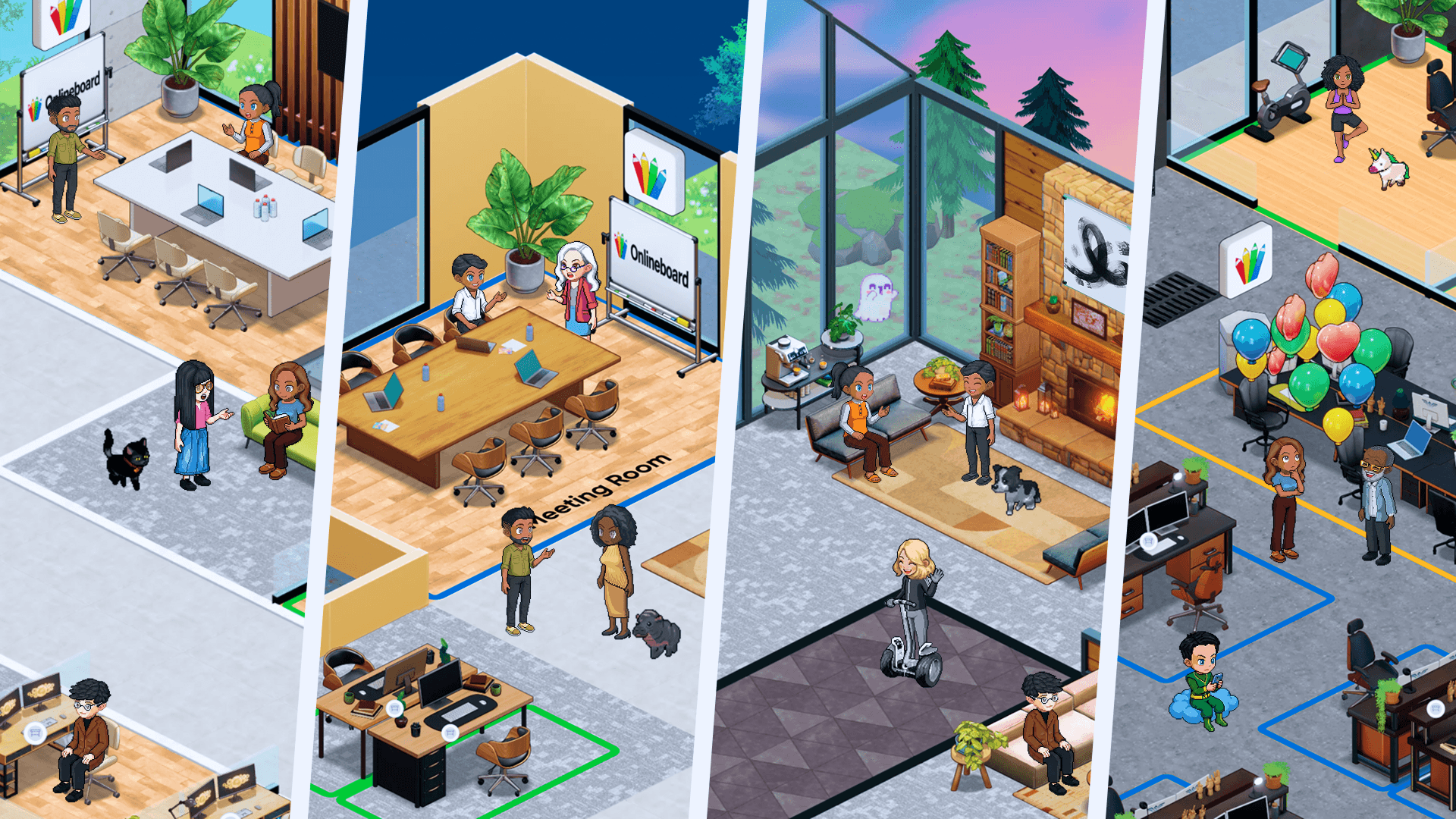
SoWork serves as the central coordination hub for remote teams, providing the collaboration layer where daily work actually happens. Unlike standalone video conferencing software or document suites, a virtual office mimics physical office dynamics through real-time presence status, ad-hoc conversations, and meeting hubs that maintain meeting context throughout the workday.
This foundation addresses core remote work challenges: alignment becomes visible when you can see who’s available, visibility improves when presence indicators replace status guessing, and coordination overhead drops when teams work from the same page in a unified environment. The virtual office layer reduces context switching that occurs when teams constantly move between disconnected meeting platforms, chat apps, and project tools.
SoWork’s positioning above productivity suites like Microsoft 365 or Google Workspace means it doesn’t replace your document editing or calendar events it provides the operational space where those tools connect to real team coordination.
AI Meeting Assistant Integration Architecture
AI meeting features integrate directly within virtual office environments, creating workflow continuity that standalone meeting bots cannot achieve. While a meeting bot can automate participation and transcription, it may sometimes cause technical glitches or delays when joining calls, making integrated solutions more reliable. When AI summaries feed into a persistent virtual office hub rather than arriving as disconnected emails, action items link immediately to team presence and chat channels for instant accountability.
The relationship between real-time collaboration and meeting intelligence is what separates effective digital workspaces from tool collections. Meeting recordings and meeting transcripts become useful only when they connect to the workflows that followassigning tasks, tracking follow ups, and maintaining context for future meetings.
This architecture positions AI meeting capabilities as workflow enablers rather than isolated features, bridging the gap between meeting content and daily team coordination.
Benefits of AI Meeting Assistants
AI meeting assistants are transforming the way remote teams handle meeting notes and collaboration. By automating note taking, these tools allow participants to stay engaged in the conversation, knowing that every key point and decision is being accurately captured. Instead of scrambling to jot down action items, team members can focus on meaningful discussion, confident that the AI meeting assistant will extract and organize the most important information.
One of the standout advantages is the ability to instantly generate concise summaries after each ai meeting. This ensures that all meeting participants are on the same page, reducing misunderstandings and making follow-ups more efficient. With advanced ai powered search, teams can quickly locate specific topics or decisions from previous meetings, eliminating the need to sift through lengthy meeting notes or recordings.
By streamlining note taking and making it easy to capture key points, AI meeting assistants boost productivity and help teams maintain momentum across projects. The result is a more organized, collaborative, and efficient workflow—one where everyone can contribute fully without worrying about missing critical details.
AI Meeting Summaries, Meeting Notes, and Action Items in Practice
AI transforms meeting content into structured workflows by handling the capture, processing, and distribution of meeting insights that previously required manual note taking. Within integrated digital workspaces, this automation happens seamlessly as part of the collaboration environment rather than through separate tools. These platforms offer collaboration features such as shared editing, teamwork tools, and joint note-taking, which facilitate real-time communication and productivity during and after meetings. Implementing AI meeting assistants can lead to improved collaboration among team members by ensuring everyone has access to the same information.
Automated Meeting Capture and Processing
Modern AI meeting assistants provide real-time transcription with speaker identification and contextual analysis. Meeting recordings are processed through natural language processing models that extract key points, decisions, and commitments from conversations supporting multi language support for global teams operating across 50+ languages. Past meetings become part of a searchable knowledge base, allowing teams to quickly find specific decisions or keywords discussed.
The AI meeting notetaker capabilities in platforms like Google Meet with Gemini, Zoom AI Companion, and flexible, platform-agnostic tools such as read ai demonstrate how meeting transcripts become actionable. Audio is transcribed with timestamps, then analyzed to capture key points that matter for follow-through. AI-generated recaps are typically available within minutes of a meeting's conclusion, enabling on-demand catch-up for those who missed the session. This eliminates the manual note taking that surveys show 75% of leaders perform multiple times weekly.
For customer success teams and sales teams handling back to back meetings, automated capture means meeting context is preserved without requiring dedicated note takers. Customer calls and important meetings no longer rely on someone’s memory or incomplete call notes. The effectiveness of AI meeting assistants can vary depending on the quality of their transcription and summarization algorithms, which impacts user satisfaction.
Action Item Generation and Assignment
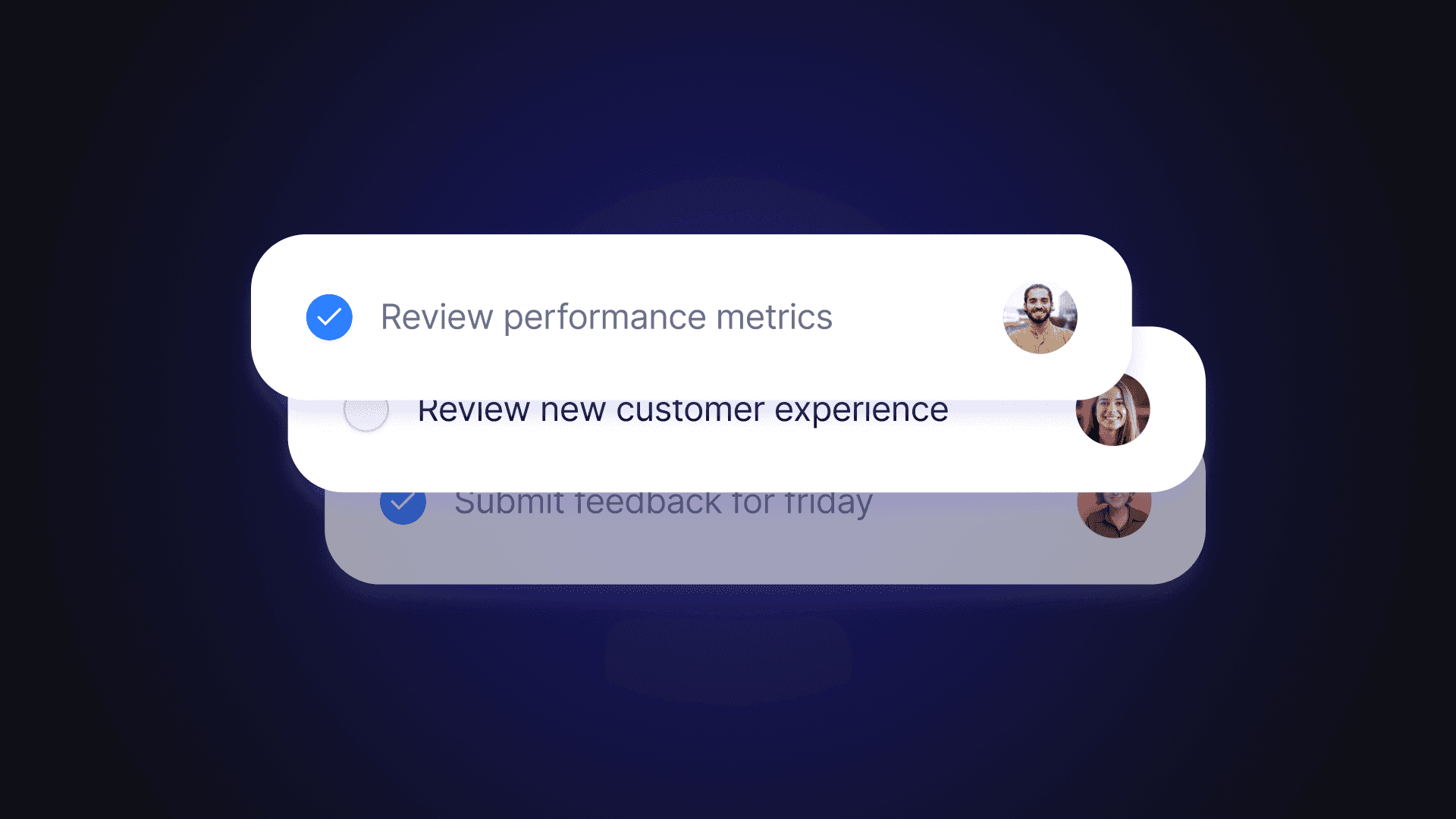
AI meeting features go beyond transcription to extract key insights about who committed to what and by when. Smart action item detection identifies commitments made during discussions and can automatically assign them to the relevant meeting participant with deadline tracking.
This automation addresses a critical gap: 44% of teams report wasting time on status clarifications that could be eliminated with clear action item assignment. When the AI meeting assistant detects “I’ll send that report by Friday,” it creates a tracked commitment rather than leaving it buried in meeting notes.
Integration with existing project management workflows means action items route to tools your team already uses. Whether connecting to task managers, Google Calendar for deadline reminders, or Slack for follow ups, the workflow continues without manual data entry.
Summary Distribution and Team Alignment
New AI summaries distribute automatically across team communication channels, maintaining alignment for team members who couldn’t attend. Rather than sending lengthy meeting recordings that no one watches, AI summaries provide concise overviews highlighting decisions made and next steps assigned.
For inclusive meetings in distributed teams, automated summary sharing ensures non-attendees can quickly catch up on relevant details without scheduling additional calls. This accessibility proves especially valuable when upcoming meetings build on previous discussions participants arrive prepared rather than requiring recap.
The summary workflow connects directly to implementation, where choosing the right foundation determines whether these features reduce coordination overhead or add another disconnected tool to manage.
Inclusive Meetings and Collaboration
Creating inclusive meetings is essential for building a collaborative and high-performing remote team. AI meeting assistants play a pivotal role in making meetings accessible and engaging for everyone. With features like real-time transcription and closed captions, these tools ensure that all participants including those with hearing impairments or language barriers can follow the conversation and contribute meaningfully.
AI meeting assistants also help reduce the burden of note taking, allowing every team member to focus on the discussion rather than logistics. By automatically capturing and distributing meeting content, these assistants support inclusive meetings where everyone’s input is valued and recorded. This fosters a culture of respect and collaboration, ensuring that diverse perspectives are heard and integrated into team decisions.
Ultimately, leveraging AI meeting assistants helps teams create a more welcoming environment, where inclusive meetings drive better outcomes and stronger team cohesion.
Implementing Your Digital Workspace with AI Meeting Features
Building effective AI-powered meeting workflows requires starting with the right foundation layer before adding specialized capabilities. Teams that begin with a central virtual office avoid the fragmentation that undermines coordination as they scale.
A meeting page serves as a dedicated online space where team members can view, comment on, and share recordings, transcriptions, or highlights of meetings. This hub consolidates meeting content, facilitates collaboration, and acts as a central repository for meeting-related information.
When integrating with existing calendar and video conferencing tools, it's important to ensure seamless connectivity. Integration with popular virtual meeting platforms like SoWork, Zoom, Google Meet, and Microsoft Teams is essential for AI meeting assistants to function effectively.
Setting Up Your Virtual Office Foundation
Establishing your virtual office before layering AI tools ensures meeting intelligence connects to daily team operations rather than existing as isolated features.
Choose your virtual office platform: SoWork serves as the primary recommendation for teams prioritizing unified coordination. Evaluate whether your platform provides persistent presence, integrated chat, and meeting hub capabilities—not just video calls.
Configure team presence and communication channels: Set up the spaces where your team will coordinate daily work, establish visibility into who’s available, and create channels for different project contexts.
Integrate with existing calendar and video conferencing tools: Connect Google Calendar, Microsoft Teams, or Zoom meetings to your virtual office layer so calendar events flow into your coordination hub automatically.
Establish team collaboration protocols and meeting standards: Define when teams should automatically join meetings with AI capture enabled, how summaries will be reviewed, and where action items will be tracked.
Digital Workspace Technology Stack Comparison
Layer | Purpose | Examples | Role in Stack |
Virtual Office / Collaboration | Central coordination hub | SoWork | Foundation layer for presence, meetings, chat |
Document & Productivity Suites | Document creation and storage | Microsoft 365, Google Workspace | Individual productivity tools |
Specialized Tools | Task tracking, automation | Project management, CRM | Domain-specific workflows |
AI Meeting Features | Capture and process meeting content | Built-in AI assistants, Jamy.ai | Workflow automation layer |
Paid plans start as low as $6 per month for leading AI meeting tools, making advanced features accessible for most teams. Many AI meeting assistants also offer multi-language support to cater to diverse teams.
This stack structure positions the virtual office as the starting layer where teams coordinate before accessing individual productivity apps. SoWork doesn’t replace your document suites it provides the operational hub connecting all your meetings and daily collaboration.
Action Item Workflow Optimization
Configure your digital workspace to route action items effectively and maintain accountability without manual overhead.
Configure automated action item routing: Set up integration between your AI meeting tool and project management systems so extracted tasks flow directly to where work is tracked.
Set up deadline tracking and accountability measures: Enable automated reminders through AI chat or calendar integrations that keep commitments visible without requiring manual follow-up.
Establish follow-up protocols and progress reporting: Define how your team will review action item completion, whether through weekly syncs or automated progress dashboards.
Implement review workflows for critical content: For customer facing teams or internal meetings involving contracts and technical decisions, establish human verification steps where AI summaries are reviewed before distribution.
These workflows connect implementation to the challenges teams commonly face when adopting digital workspaces with AI meeting features.
Search and Discovery in Digital Workspaces
Efficient search and discovery are at the heart of productive digital workspaces. AI meeting assistants bring powerful ai powered search capabilities to the table, enabling teams to quickly retrieve information from past ai meetings, chats, and documents. Instead of spending valuable time hunting through scattered files or endless transcripts, team members can use intelligent search to pinpoint exactly what they need whether it’s a key decision, action item, or discussion point.
This centralized approach to search streamlines workflows and ensures that important insights are never lost. AI meeting assistants can even surface relevant details or suggest connections between topics, helping teams discover new opportunities and make informed decisions faster. By integrating ai powered search into the digital workspace, organizations unlock greater efficiency and collaboration, empowering teams to focus on high-impact work.
Audio Quality and Improvement
Clear communication is the foundation of successful virtual meetings, and audio quality plays a crucial role in that experience. AI meeting assistants enhance ai meetings by offering advanced audio features such as noise cancellation, echo reduction, and real-time audio enhancement. These capabilities ensure that every participant can hear and be heard, regardless of their environment.
In addition to improving the listening experience, AI meeting assistants can provide instant feedback on audio quality, helping teams identify and resolve issues before they disrupt the flow of conversation. By optimizing audio settings and equipment, teams can ensure that their virtual meetings are as effective and engaging as possible. Enhanced audio quality not only supports better understanding but also leads to more productive and enjoyable ai meetings.
Customer Success and Satisfaction
For customer facing teams, delivering exceptional service and building strong relationships is paramount. AI meeting assistants support customer success by automating meeting summaries, tracking follow ups, and ensuring that every commitment is documented and addressed. This level of organization helps teams stay proactive, responding quickly to customer needs and maintaining high standards of service.
With detailed meeting summaries and actionable insights, customer success teams can identify trends, anticipate challenges, and continuously improve their approach. AI meeting assistants also streamline follow ups, making it easy to track progress and ensure that nothing falls through the cracks. By leveraging these tools, businesses can enhance customer satisfaction, reduce churn, and drive long-term growth—all while empowering their teams to focus on what matters most: building lasting customer relationships.
Common Challenges and Solutions
Implementing digital workspaces with AI meeting features presents predictable obstacles. Understanding these challenges upfront allows teams to configure solutions proactively.
Tool Fragmentation and Context Switching
The primary coordination challenge for remote teams involves constant movement between disconnected apps video conferencing platform for calls, separate chat for communication, another tool for task tracking.
Solution: Start with a virtual office foundation before layering specialized tools. Using SoWork as the central hub connects meetings, communication, and daily coordination in one persistent environment. This architecture reduces the context switching that fragments attention and undermines productivity across unlimited meetings.
Poor AI Transcription Accuracy
AI meeting notes struggle with audio quality issues, accents, overlapping speakers, and domain-specific terminology. Room-based speaker identification remains limited in multi-person settings.
Solution: Ensure quality audio setup by improving audio quality through proper microphones and reducing background noise. Implement speaker training where platforms support it, and optimize platform settings for your team’s typical meeting environments. For important meetings involving technical or contractual content, establish review protocols where team members verify AI summaries before action items are assigned.
Action Item Follow-Through Gaps
Even accurate meeting summaries fail when action items don’t convert to completed work. Without accountability mechanisms, extracted tasks disappear into backlogs.
Solution: Configure automated reminders, progress tracking, and accountability workflows within your virtual office environment. Establish clear ownership assignment so every action item has a responsible party and deadline. SoWork’s integration of action items with team presence and AI chat enables instant accountability that standalone meeting bots cannot provide.
Conclusion and Next Steps
Effective digital workspaces begin with virtual office foundations that provide coordination infrastructure before AI meeting capabilities add value. Starting with a central hub like SoWork then layering productivity suites and specialized tools addresses the alignment, visibility, and coordination overhead that challenge remote and hybrid teams.
SoWork’s role as the operational hub reduces context switching and tool fragmentation while providing the persistent environment where AI summaries and action items connect to daily team workflows. The key features that matter most unified presence, integrated meetings and chat, and AI assistance for workflow continuity work together only when the foundation layer is properly established. AI-powered scheduling and optimization features also facilitate scheduling new meetings efficiently by identifying optimal time slots and balancing them with other work commitments. AI meeting assistants can provide instant answers to team members' queries about past meetings or action items, enabling users to answer questions by querying the AI assistant for immediate, accurate responses and insights ased on previous meeting content.
Immediate next steps:
Assess your current meeting coordination challenges and identify where tool fragmentation creates overhead
Start with a virtual office platform trial SoWork offers a free plan to evaluate fit for your team
Configure AI meeting features within your chosen workspace, connecting to existing video conferencing and calendar tools
Train your team on new workflows, establishing protocols for summary review and action item tracking
Measure productivity improvements in meeting efficiency and follow-through rates over 30-60 days
Related exploration: Remote team collaboration best practices, hybrid work optimization strategies, virtual office software comparisons, and advanced features for scaling customer success and sales teams.
Additional Resources
Virtual office software feature comparison frameworks:
Evaluate presence capabilities, meeting hub functionality, and integration depth with existing productivity suites
Compare free plan limitations against team plans and paid plans for scaling requirements
Assess security features and data management policies for enterprise compliance
AI meeting assistant integration guides:
Platform-specific setup for Google Meet, Microsoft Teams, and Zoom meetings with AI features
Configuration steps for automated action item routing to project management tools
Review workflow templates for customer calls and sales calls requiring human verification
Remote team productivity measurement:
Baseline metrics for meeting efficiency before and after AI implementation
Coordination overhead tracking across tool fragmentation scenarios
ROI calculation frameworks comparing manual note taking time against automated capture
Digital workspace security considerations:
Meeting data handling and retention policies across major platforms
Privacy configuration options for meeting recordings and meeting transcripts
Compliance checklists for customer facing teams handling sensitive information
FAQ
1. Why isn’t a standard video conferencing tool enough anymore?
2. How is SoWork different from Microsoft 365 or Google Workspace?
3. How do AI meeting summaries actually help my team?
4. Do we need to replace our existing tools to use SoWork?
5. How does SoWork reduce tool fragmentation and context switching?
6. Are AI meeting summaries reliable enough for important discussions?
7. How does SoWork improve accountability across the team?
8. What types of teams benefit most from SoWork?
Blogs
Read Similar Articles

Remote Team Analytics: Complete Guide to Data-Driven Remote Work Management in 2026

Complete Guide to Gaining Visibility Into Remote Team Performance and Collaboration
