Best Roam Virtual Office Alternatives in 2026: 5 Options Compared
Vishal Punwani
![Best Roam Alternatives for Virtual Offices and Remote Team Collaboration in 2026 [July, 2026]](https://framerusercontent.com/images/bgQrblgb84M2wBuZFMenANewD0M.png?width=720&height=405)
Published:
Updated on:
For remote teams of 5 to 200 people, SoWork is the Roam alternative we'd pick. It's a full virtual office that costs a lot less: there's a free plan for up to 10 users, and the Premium tier, which includes AI meeting notes, is $12/user/month billed annually. Roam charges $19.50 per active member, billed monthly only, and has no free tier.
Introduction
Roam is a strong product. Its roam virtual office bundles a "Cloud HQ" map with drop-in meetings, AI notes (Magic Minutes), a screen recorder (Magicast) and a meeting scheduler (Lobby), all for one price. But Roam is a premium tool, and lots of teams want something cheaper, with a free tier, annual discounts or a more immersive office.
We've picked SoWork as the best overall Roam alternative for small and mid-sized remote teams. Below we compare it fairly with Gather, Kumospace, oVice and Virbela, using Roam as the baseline. We look at platforms that offer spatial video calls, integrated chat, AI meeting summaries and offices you can customize. For a deeper one-on-one breakdown, see Roam vs SoWork.
This matters because hybrid and remote work isn't going anywhere. Gallup's May 2026 hybrid work indicator found that 52% of remote-capable U.S. employees work hybrid and 26% are fully remote. That's a lot of people who need somewhere to meet that isn't a calendar invite.
Roam Alternatives Compared (pricing checked October 2026)
Roam is the first row so you can compare everything against it. Prices are per user per month unless noted, and they come from each vendor's public pricing page or help docs. Confirm them before you buy, because vendors change plans often.
Tool | Starting price | Free plan | Office style | AI meeting notes | Platforms | Capacity | SSO / security | Best for |
|---|---|---|---|---|---|---|---|---|
Roam (baseline) | $19.50 per active member, monthly billing only | No (14-day trial per new member) | 2D map | Yes (Magic Minutes) | Desktop, iOS, Android | Theater all-hands up to 3,000 | SSO/SAML; SOC 2 Type II; GDPR | All-in-one bundle replacing Loom, Calendly and more |
SoWork | Basic $6 ($5.40 annual); Premium $15 ($12 annual) | Yes, up to 10 users | 2.5D isometric + Simplified Mode | Yes, on Premium | Web (no download), desktop, iOS, Android | About 200 per floor, unlimited floors | SOC 2 certified; SSO + SCIM on Enterprise | Remote teams of 5-200 wanting presence, AI meeting memory and AI agents in one place |
Gather | Essential $15 monthly, $12 annual | No (30-day trial) | 2D pixel art | Yes in Gather 2.0; transcription hours capped | Browser and desktop; 2.0 mobile app in development | 2.0 recommended up to 100; 1.0 up to 500 | SSO on the 2.0 roadmap (Gather recommends staying on 1.0 if you need SSO) | Culture-first teams that want playful social presence |
Kumospace | Business $16 billed annually | Yes, up to 5 members | 2D floor plan | Recording on Business; AI notes aren't its focus | Browser, Windows, macOS, iOS, Android | Unlimited floors on paid plans | SSO on Enterprise | Networking events, mixers and audio-first offices |
oVice | Business Starter $16 annual (20-user minimum); Entry-S $65 per space | Yes (5 people online at once) | 2D | Not verified, check with vendor | Browser | Entry-S 50 online; Entry-M 200 online | SSO included from Entry plans | Communities and large shared spaces |
Virbela | Virbela Go Starter $8 annual, $10 monthly (5-user minimum) | Free trial | 3D | Not verified, check with vendor | Desktop, web, mobile and VR options | Enterprise typically 100+ users | SSO on Enterprise (from $4,000/month) | Immersive 3D training, onboarding and events |
Why Teams Look for a Roam Virtual Office Alternative
People searching for "Roam alternatives" usually have one of four reasons.
Price and billing. Roam is $19.50 per active member per month and bills monthly only. There's no free tier and no annual discount. It does only charge for people who actually log in, which is fair, but a 50-person team still pays roughly $975 a month.
Wanting a free plan to test first. Founders like to prove the virtual office idea with a small group before they commit budget. Roam gives you trials, not a free plan.
The look and feel of the office. Roam's flat 2D map suits a dashboard style. Some teams want something warmer, like a 2.5D or 3D space, and others want the option to switch the "world" off completely.
AI and integrations. Roam's Magic Minutes is good. Teams that already work in Slack, Miro or Zapier, or that want their own AI tools to read meeting context, compare how each platform connects to the rest of their stack.
Compliance also matters. If you have employees or clients in the EU, GDPR should be on your checklist, and larger buyers will ask about SSO and SCIM.
SoWork: The Best Overall Roam Alternative
SoWork is a virtual office set in a 2.5D isometric world, inspired by games like The Sims and Animal Crossing. It's also a home for your AI agents. The aim is to bring back the ambient, spontaneous collaboration of a physical office without tying everyone to a calendar.
What you get:
Instant Meetings and Presence Awareness: You can see who's free, focused or in a meeting, and start a conversation in one click. No links, no scheduling.
Immersive and Simplified Modes: Switch between the full 2.5D world and a classic simplified interface. Mini Mode lets you signal deep work while staying loosely connected.
AI Meeting Memory: Meetings are recorded, transcribed and summarized automatically, with minutes and action items captured. Weekly Insights show time spent in meetings, focus time and who collaborates with whom.
AI agents in the office: Through SoWork's live MCP/API, tools like Claude can ask who's around, what happened in a meeting or what the team decided. You work with your agents in the same office as your human teammates. Agent desks, which will show what each agent is working on, are coming soon.
Automatic Calendar Sync: Your status updates on its own when a calendar event starts.
Customizable Environments: Build your own office maps, furniture and décor. Premium teams over 30 users get a free custom map.
Integrations: Slack, Zapier, Miro, Google Calendar, Microsoft Outlook and GitHub.
Cross-Platform Access: Web with no download required, plus desktop apps for Windows and other systems, iOS and Android.
Pricing: Free for up to 10 users. Basic is $6/user/month ($5.40 billed annually). Premium is $15/user/month ($12 billed annually) and unlocks AI meeting summaries, recordings, team analytics and advanced customization. Teams over 100 users get volume discounts through sales.
Pros: You can start free. At $12, Premium costs less than Roam's single price. You can switch the 2.5D world on and off. AI agents can work alongside people through MCP. Volume discounts kick in above 100 users.
Cons: AI meeting notes need Premium. It doesn't include a screen recorder or public booking page like Roam's Magicast and Lobby. Each floor holds about 200 people, though you can add unlimited floors.
Best for: Founders, COOs and team leads at remote-first or hybrid companies of 5 to 200 people who want fewer meetings, real presence and a culture people will actually show up for.
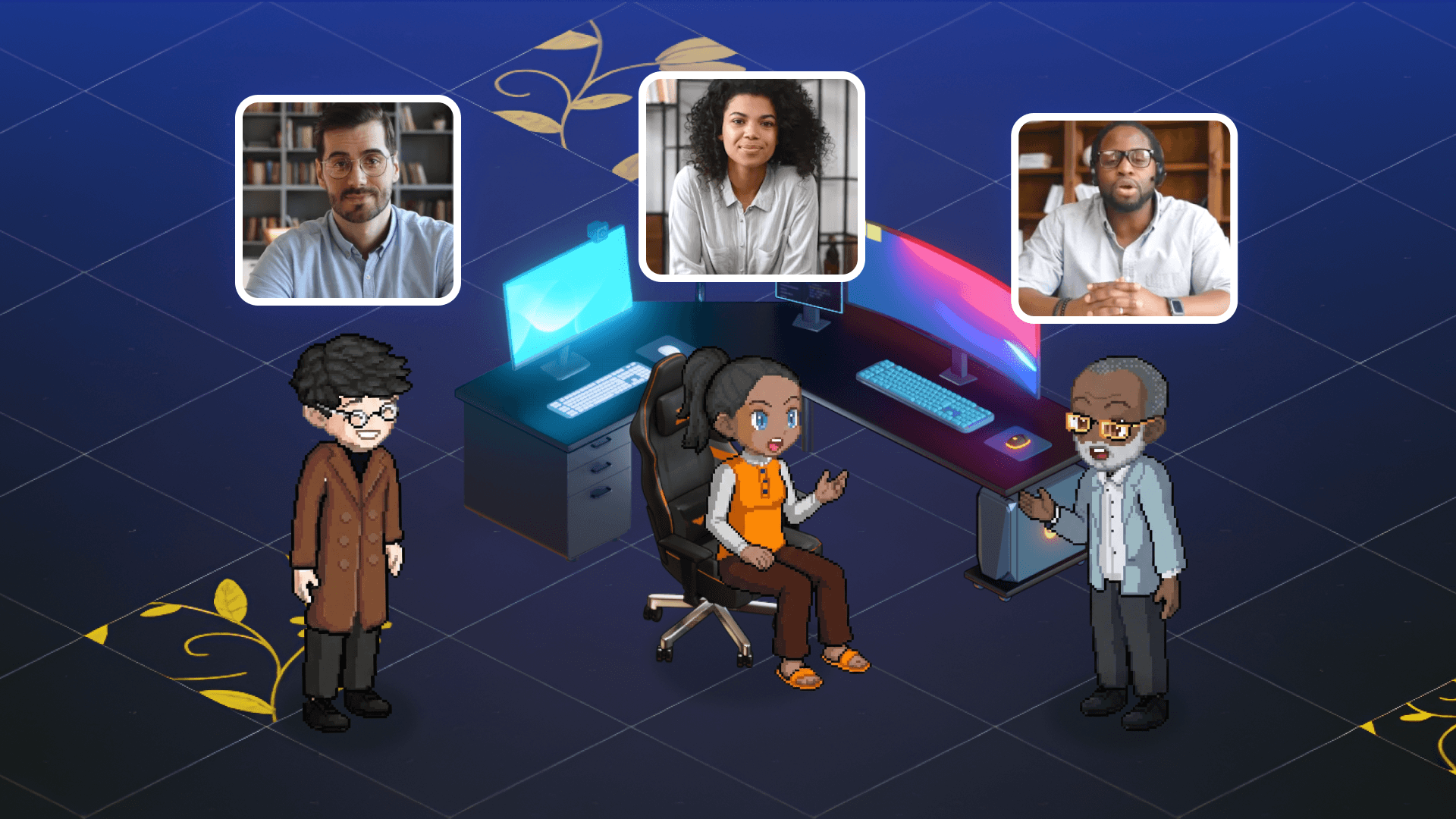
Gather: The Social, Culture-First Virtual Office
Gather has pixel-art avatars and a top-down 2D map. Walk up to a colleague and a call starts. In September 2025 it launched Gather 2.0, a platform rebuilt from scratch with a simpler UI, real-time presence, GitHub and Spotify integrations, coworking areas and AI meeting notes. Gather says it supports both 1.0 and 2.0 on an ongoing basis.
Pricing: One Essential plan at $15/user/month, or $12 billed annually. There's no permanent free plan, only a 30-day trial.
Spontaneous talk: You can overhear conversations and join with a click, and live app status shows what people are working on.
Fun elements: Go-karts, an interactive gong, confetti and avatar customization keep things social.
Limits to know: Gather 2.0 is recommended for offices of up to 100 people. Recordings and transcriptions come with capped hours. If you need SSO, an Outlook integration or more than 100 people, Gather currently recommends staying on 1.0. SSO, Outlook and a 2.0 mobile app are all on its public roadmap.
Pros: Playful and social, simple pricing, active development. Cons: No free plan, a 100-person ceiling on 2.0, and SSO still on the roadmap for 2.0. Best for: Smaller teams that care most about social presence and culture.
Kumospace: Spatial Audio for Events and Mixers
Kumospace uses a flat, blueprint-style floor plan with spatial audio and proximity-based conversation. It's well suited to mixers, networking events and casual office setups.
Floor-plan aesthetic: It looks like a real office blueprint, and you can customize rooms and place furniture.
Spatial audio focus: Audio quality and proximity chat come first. Paid plans let you record meetings and save them for later.
Pricing: There's a free plan for up to 5 registered members. Business is $16/user/month billed annually, with a 14-day trial, and adds recording, unlimited chat history, user analytics, multiple floors and privacy controls. Enterprise is custom and adds single sign-on.
Apps: Browser access plus desktop apps for Windows and macOS and mobile apps for iOS and Android. There's no non-world simplified mode.
Pros: Free starter plan, good spatial audio, strong for events. Cons: AI meeting productivity isn't the focus. SSO requires Enterprise. Best for: Teams that want a web-first spatial audio space without integrated AI productivity tools or 2.5D graphics.

oVice: Space-Based Pricing for Communities
oVice is a 2D virtual space that serves remote work, networking events and academic conferences. Its pricing is unusual. Entry plans charge a flat price per space instead of per user. Entry-S is $65/space/month billed annually ($78 monthly) for up to 50 people online at once. Business Starter is $16/user/month billed annually, with a 20-user minimum. There's also a free plan capped at 5 simultaneous users, and SSO comes with Entry plans.
Pros: Flat space pricing suits communities with lots of occasional visitors. SSO comes early. Cons: The 20-user minimum on Business Starter. AI features weren't verified for this guide. Best for: Communities, schools and organizations that host many people in one shared space.
Virbela: Full 3D for Immersive Training and Events
Virbela builds 3D virtual worlds for remote work, learning and events. You can reach them on desktop, mobile or VR. Its self-serve Virbela Go plans start at $10/user/month, or $8 billed annually, with a 5-user minimum. Enterprise plans start at $4,000/month, typically cover 100+ users, and include SSO.
Pros: The most immersive option here, built for events and training. Cons: 3D worlds take more effort to learn than a 2D or 2.5D office, and SSO is Enterprise-only. Best for: Organizations running onboarding, training or events where immersion matters more than everyday lightness.
How SoWork Compares to Roam Head-to-Head
SoWork | Roam | |
|---|---|---|
Entry price | Free up to 10 users; Basic $6 | $19.50 per active member |
Plan with AI notes | Premium $12 annual / $15 monthly | Included at $19.50 |
Billing | Monthly or annual (annual discounts) | Monthly only, usage-based |
Office view | 2.5D world with Simplified and Mini Modes | 2D map |
AI meeting outputs | Minutes and action items built into the workspace | Magic Minutes transcripts, summaries and threads |
AI agents | MCP/API live; agent desks coming soon | AI agents as map residents |
Integrations | Slack, Zapier, Miro, Google Calendar, Outlook, GitHub | HubSpot, GitHub, Spotify, Zapier, Google/O365 |
Security | SOC 2 certified; SSO + SCIM on Enterprise | SOC 2 Type II; SSO/SAML |
Volume discounts | Yes, above 100 users | No, flat rate per active user |
The math for a 25-person team: SoWork Premium billed annually is 25 × $12 = $300/month. Roam is 25 × $19.50 = $487.50/month if everyone's active. Roam does bundle extras, like a screen recorder, a scheduler and Theater events, so count which of those you'd otherwise pay for separately.
Moving From Roam to SoWork: Feature Parity
Most daily Roam workflows have a direct equivalent in SoWork. A few don't.
Drop-In Meetings → Instant Meetings: One-click conversations based on live presence.
Magic Minutes → AI Meeting Memory: Automatic recording, transcription, summaries and action items (Premium).
AInbox chat → Topic-Based Chat: Organized channels, plus the Slack integration if you'd rather keep Slack.
On-It AI assistant → MCP/API: Connect Claude or your own AI tools so they can query meetings, decisions and who's around.
Lobby scheduler and Magicast recorder: SoWork has no direct equivalent. Calendar sync keeps your status accurate, but if you rely on public booking links or async screen recordings, keep a dedicated tool for those.
Theater (very large all-hands): For events with thousands of attendees, Roam's Theater is built for that scale. SoWork fits teams better than stadiums.
SoWork offers self-serve signup and free migration, so you can set up your office and invite your team in minutes.
Security and Compliance in Virtual Offices
Security and compliance aren't optional for any virtual office. Your team shares notes, meetings and documents there every day, so protecting that data matters for peace of mind, for regulatory compliance and for business continuity.
When you evaluate platforms, look for encryption in transit and at rest, secure cloud storage, SSO and SCIM for identity management, and fine-grained admin control over access, permissions and retention. If you handle sensitive information, check compliance with standards like GDPR and SOC 2.
Automated meeting recordings and transcriptions are a powerful productivity tool, but they must be stored securely and visible only to authorized users. Treat them like any other business-critical data. The same goes for AI tools you connect to your workspace: confirm what data they can read before you switch them on.
On Roam's side, its pricing page lists SOC 2 Type II and GDPR compliance.
SoWork Security and Infrastructure
SoWork is SOC 2 certified, and it runs on established cloud providers:
Infrastructure: Services run on Amazon Web Services (AWS) and Google Cloud Platform (GCP), both certified under ISO 27001 and SOC 2.
Video Infrastructure: AWS regional media servers across the United States, Europe and Asia-Pacific. Each session connects to the media region with the lowest network latency for the best video and audio.
Data Storage: Meeting recordings are stored securely in the US-East region, with encrypted backups and multi-region redundancy.
Application and Database Hosting: Hosted on Google Cloud's NAM5 multi-region (U.S. Central) infrastructure. All data is encrypted at rest and in transit using TLS 1.2+. Strict access controls and detailed logging protect against unauthorized access.
GDPR Compliance: SoWork follows GDPR's core principles: lawful and limited processing, data minimization, retention controls and strong protection of personal information.
Enterprise controls: SSO, SCIM and role-based admin controls on the Enterprise plan.
How to Choose the Right Roam Alternative
Choose SoWork if: You want a customizable 2.5D office with AI meeting memory, a free plan to start on, pricing below Roam's, and a place where your AI agents can work next to your team.
Choose Gather if: You care most about playful social presence, your team is under about 100 people, and you don't need SSO right away.
Choose Kumospace if: You mostly host networking events or mixers and want a free starter plan with strong spatial audio.
Choose oVice if: You run a community or event space where flat per-space pricing beats paying per user.
Choose Virbela if: Full 3D immersion for training or events is worth the extra learning curve.
Stay with Roam if: You'll actually use its bundled scheduler, screen recorder and large-scale Theater, and monthly-only billing at $19.50 per active member fits your budget.
Free plans and trials make it easy to test. Run a two-week pilot with one team before you roll anything out company-wide.
Conclusion
Roam is still a solid all-in-one virtual office. Many teams, though, want lower per-seat costs, a free plan, or a more immersive and AI-connected space. SoWork offers all three: you can start free, Premium is $12/user/month billed annually, and the MCP/API puts your AI agents in the same office as your people. Gather is a fun, actively developed social space. Kumospace is strong for events. oVice and Virbela fit communities and immersive 3D. Pick based on team size, budget, security needs and how much you want the office itself to feel like a place.
Key Takeaways
SoWork is our top Roam alternative for remote teams of 5-200: it has a free plan for up to 10 users, and Premium with AI meeting notes costs $12/user/month billed annually.
Roam costs $19.50 per active member per month. It bills monthly only and has no free tier, though it bundles a scheduler, screen recorder and Theater events.
Gather relaunched as Gather 2.0 in September 2025. It costs $15/user/month ($12 annual), has no free plan, and recommends 2.0 for offices of up to 100 people.
Kumospace has a free plan for up to 5 members, and Business is $16/user/month billed annually. SSO requires Enterprise.
oVice charges a flat price per space on Entry plans, and Virbela offers full 3D starting at $8-$10/user/month with a 5-user minimum.
If you depend on Roam's Lobby or Magicast, keep a dedicated scheduler or recorder when you switch to SoWork.
Related reading
SoWork vs Kumospace: Which Is Better for Distributed Team Collaboration in 2026?
Best Sococo Alternatives for Remote Team Presence Awareness in 2026
Sources
FAQ
What is the best Roam alternative for remote teams in 2026?
What is the cheapest Roam Office alternative?
Does Roam have a free plan?
Which Roam alternative has the best AI meeting features?
Is Gather still being updated?
Can I migrate from Roam to SoWork?
Does SoWork support enterprise security like SSO and SCIM?
Which virtual office works with AI agents?
Blogs
Read Similar Articles

Remote Team Analytics: Complete Guide to Data-Driven Remote Work Management in 2026

Complete Guide to Gaining Visibility Into Remote Team Performance and Collaboration
