
Competitor Comparison
Saturday, January 3, 2026
SoWork vs Spot Virtual: Best Virtual Office for Teams in 2026
SoWork Editorial Team
Jan 5, 2026
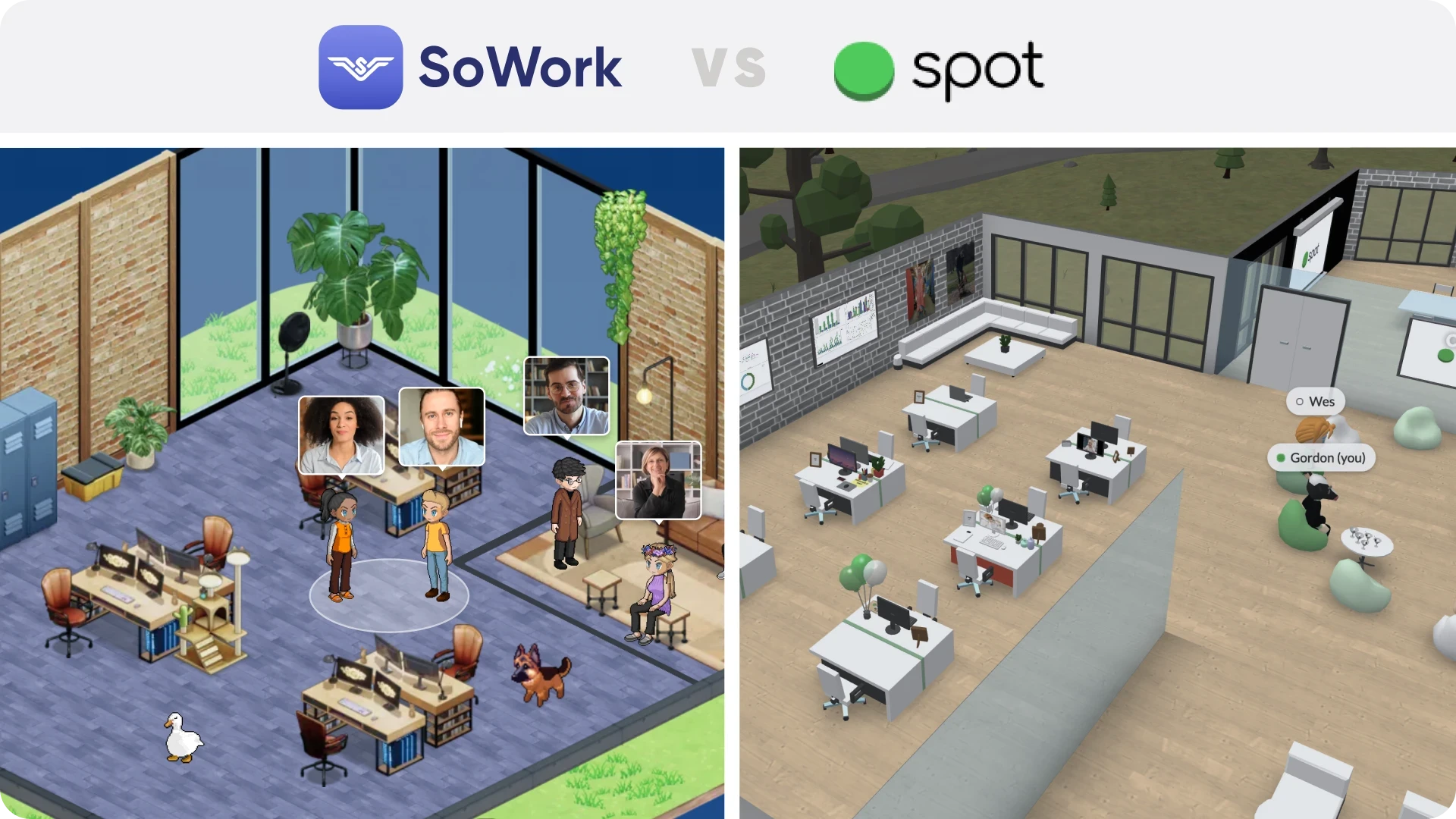
SoWork vs Spot Virtual (Spot): Which virtual office is best in 2026?
If you want an AI-powered virtual HQ that turns meetings into searchable knowledge (summaries, action items, recordings) and adds full customization and team analytics, pick SoWork. If you want a customizable “digital office” that is web-first and programmable (API) with workspace building, pick Spot Virtual.
Fast comparison
SoWork is best for
Teams that live in meetings and want AI notes, action items, recordings, and “no-meeting-left-behind” alignment.
Leaders who want engagement and productivity analytics inside the virtual office.
Teams that want workflow integrations like Zapier, Slack, and Google Calendar.
Spot Virtual is best for
Teams that want a customizable online workspace with drag-and-drop collaboration objects and a strong “built for the web” posture.
Teams that want programmability and automation via an API (beta).
Orgs that want SSO and enhanced permissions on higher tiers.
What both products are (in plain terms)
SoWork is a virtual office for remote teams built around spatial collaboration, meetings, chat, and AI meeting outputs, plus team analytics and strong customization.
Spot Virtual is a virtual office where teams can create an always-on digital workplace, move between rooms and conversations, and customize spaces heavily.
Feature-by-feature comparison table
Category | SoWork | Spot Virtual |
|---|---|---|
Core experience | Virtual office with meetings, screen share, whiteboards, AI meeting tooling, analytics. | Virtual office with customizable spaces, built-for-web join flow, and in-space collaboration objects. |
AI meeting output | AI summaries and action items on Premium and above. | Not positioned around AI meeting summaries on core product pages (more about workspace + customization). |
Recordings | Meeting recordings included on Premium. | Not highlighted on main virtual office page. |
Team analytics | “Detailed team analytics” called out on Premium and “team analytics” on features page. | Not a headline feature on the main virtual office page. |
Integrations | Public integrations page lists Zapier, Miro, Slack, Google Calendar (plus others “coming soon”). | Mentions custom integrations for Enterprise. Has an API (beta) for programmability. |
API / automation | Zapier integration is a primary workflow hook. | REST API (beta) with worlds/entities plus threads/events scopes. |
Mobile and desktop apps | SoWork offers a mobile app (listed in plan comparison table). | Download pages show desktop app and links to App Store and Google Play; App Store listing describes mobile experience. |
Enterprise controls | Enterprise tier lists SSO and SCIM plus assisted rollout and uptime target. | Enterprise tier lists SSO and enhanced permissions plus custom integrations and dedicated support. |
Biggest practical difference: “AI-first meetings” vs “programmable workspace”
If your team’s main pain is meetings, alignment drift, and lost decisions, SoWork’s Premium plan is explicitly built around recordings plus AI summaries and action items.
If your main pain is recreating the feel of an office and you want to deeply customize the environment and even script behaviors via API, Spot leans hard into customization, web-first access, and programmability.
Pricing snapshot (check each site for current details)
SoWork plans include Free, Basic, Premium, plus an Enterprise option.
Spot lists Basic, Growth, and Enterprise, with Enterprise including SSO and custom integrations.
Integrations and “fits into our stack”
SoWork emphasizes integrations like Zapier, Slack, and Google Calendar so office events and AI outputs can flow into other tools.
Spot emphasizes Enterprise custom integrations and also provides an API (beta) for programmatic access to spaces and certain comms objects.
Rule of thumb:
If you want “connect to everything tomorrow,” Zapier is usually the fastest path. If you want “we’ll build custom behavior inside the office,” an API-first approach is usually the better lever.
Security and compliance notes (what’s stated publicly)
Spot’s trust page states SOC 2 certification is “in progress.”
SoWork’s has Enterprise features including SSO and SCIM for provisioning.
Who should choose what?
Choose SoWork if:
You want AI summaries and action items as a default behavior for meetings.
You care about team analytics and high customization inside the virtual office.
You want integrations like Zapier, Slack, and Google Calendar to reduce tool switching.
Choose Spot Virtual if:
You want a highly customizable web-based office with strong space-building.
You want programmability via API for automation and custom experiences.
You want SSO and enhanced permissions on Enterprise.