
Competitor Comparison
Monday, February 2, 2026
Best Virtual Office for Distributed Team: Top 9 Platforms for 2026
SoWork Editorial Team
Feb 2, 2026
Introduction
Finding the best virtual office for distributed teams requires evaluating platforms that recreate the spontaneous collaboration and presence awareness of a physical office. Virtual office platforms have evolved beyond basic video meetings and team chat into spatial environments where remote and hybrid teams can connect, collaborate, and maintain company culture without scheduling meetings for every interaction.
Co-founders and CTOs, including those from organizations like CTO Labs, have endorsed and benefited from leading virtual office platforms for distributed teams, citing improvements in team cohesion and productivity.
Direct answer: The best virtual office platforms for distributed teams in 2026 are SoWork, Gather, and Sococo. Gather leads for teams prioritizing spontaneous conversations through spatial audio, SoWork excels at AI meeting notes and productivity tracking, and the most realistic office floor plan simulation for enterprise adoption. These platforms also facilitate seamless communication with clients and external partners, ensuring that distributed teams can collaborate effectively both internally and externally.
From this guide, you will gain:
· A feature-by-feature comparison of 9 leading virtual office platforms
· Pricing analysis matched to team size and budget constraints
· Implementation strategies to overcome adoption resistance
· Selection criteria based on integration needs and collaboration patterns
Understanding Virtual Offices for Distributed Teams
A virtual office platform creates a persistent digital space where teammates appear as avatars or icons on an interactive floor plan, enabling real-time awareness of who’s available, busy, or in meetings. The best virtual office platforms help create a connected team by fostering seamless communication and collaboration, allowing remote and hybrid teams to stay in sync and work efficiently together. Unlike static team chat apps, these platforms simulate the ability to walk over to a colleague’s desk and start a conversation without links or calendar invites.
The distinction from tools like Zoom or Slack matters for distributed teams seeking to rebuild team culture. Traditional video meetings require scheduling, creating friction for quick questions. Slack channels generate notification fatigue. Virtual offices address both problems by making presence visible and communication instant. Seamless communication is a must-have feature in any leading online workspace platform, enabling clear, real-time communication.
Customization and personalization are essential features of any leading online workspace platform, allowing teams to design their experience.
Core Components of Virtual Office Platforms
Real-time presence indicators show each person’s status across the virtual workspace, available at their desk, in a meeting room, or focused and unavailable. This visibility reduces the “is now a good time?” uncertainty that slows remote work and helps replicate the experience of interacting with a person in a physical office.
Spatial audio adjusts volume based on proximity between avatars, allowing multiple conversations in the same room without crosstalk. When two teammates approach each other in the virtual world, audio automatically connects, mimicking how conversations happen in a real office.
Integrated collaboration tools bring screen sharing, whiteboards, file management, and other apps into a single place. The best platforms connect with Google Workspace, Microsoft Teams, and project management tools, keeping workflows uninterrupted.
These components directly support productivity by reducing context-switching. Teams report 25-40% fewer scheduled meetings when presence tracking and instant communication replace calendar-blocked check-ins.
The best virtual workspace tools also provide built-in collaboration tools that keep everyone connected, including task managers and file-sharing systems.
Benefits for Distributed Team Management
Spontaneous collaboration becomes possible without the overhead of scheduling meetings. When you can see a colleague is free and click to join their space, quick questions get answered in minutes rather than waiting for the next available meeting slot.
Team culture strengthens through serendipitous interactions, the digital equivalent of bumping into someone at the coffee machine. Studies on spatial virtual offices show a 3x increase in informal chats compared to Slack-only environments, correlating with measurable innovation improvements.
Productivity gains come from integration depth. When your virtual office connects with the tools where work gets done—Jira, Notion, Google Meet—context stays intact. Employees avoid the app-switching that fragments focus.
With these fundamentals established, evaluating specific platforms requires understanding which features matter most for your team’s collaboration patterns.
Essential Features for Distributed Team Success
The features that separate effective virtual offices from novelty tools center on reducing friction for daily communication while supporting deep work periods.
Instant Communication and Presence
Real-time availability indicators must be accurate and automatic. The best platforms detect when you’re in a meeting, on a call in another app, or actively focused, updating your status without manual toggling. This prevents interruptions during concentrated work while signaling openness during collaborative periods.
Click-to-join meetings eliminate the link-sharing and calendar dance. In platforms like Gather or SoWork, approaching a colleague’s avatar or entering a meeting room initiates connection immediately. This recreates the “walk over and tap on shoulder” dynamic of a physical office. Some platforms also offer a meetings wave feature, allowing team members to signal their availability for quick, spontaneous interactions and further reducing barriers to immediate collaboration.
Spatial audio creates natural conversation boundaries. In a virtual room with multiple groups, you only hear the conversation you’re part of. Moving away from a group fades their audio, allowing parallel discussions without the chaos of unmuted video calls.
Integration and Workflow Compatibility
Native integrations with Microsoft Teams, Slack, and Google Workspace determine whether a virtual office becomes central to work or an additional tab to manage. Platforms that sync presence across tools—showing your virtual office status in Slack, for example—reduce fragmentation.
Screen sharing and collaborative whiteboarding support the visual communication that distributed teams need for design reviews, brainstorming, and technical discussions. Look for low-latency sharing that handles detailed work without lag.
File sharing and document collaboration within the platform eliminate context-switching. When you can pull up a shared file while talking with a teammate in the same space, decisions happen faster than in separate browser tabs.
Customization and Brand Alignment
Custom office layouts let companies create spaces that reflect their culture—dedicated rooms for different teams, social areas for informal gatherings, and quiet zones for focused work. This spatial design influences how employees interact.
Avatar personalization increases engagement by making the virtual world feel personal rather than generic. Teams report higher adoption rates when employees can customize their digital presence.
White-label options and scalable workspace design matter for growing companies. The platform should accommodate expansion without requiring complete reconfiguration.
These feature priorities guide the platform comparison that follows.
Top 9 Virtual Office Platforms for Distributed Teams
Each platform in this comparison offers distinct strengths for different team sizes, budgets, and collaboration needs. The evaluation criteria include presence features, integration depth, pricing transparency, and user feedback from G2 and Capterra reviews.
Platform Comparison Overview
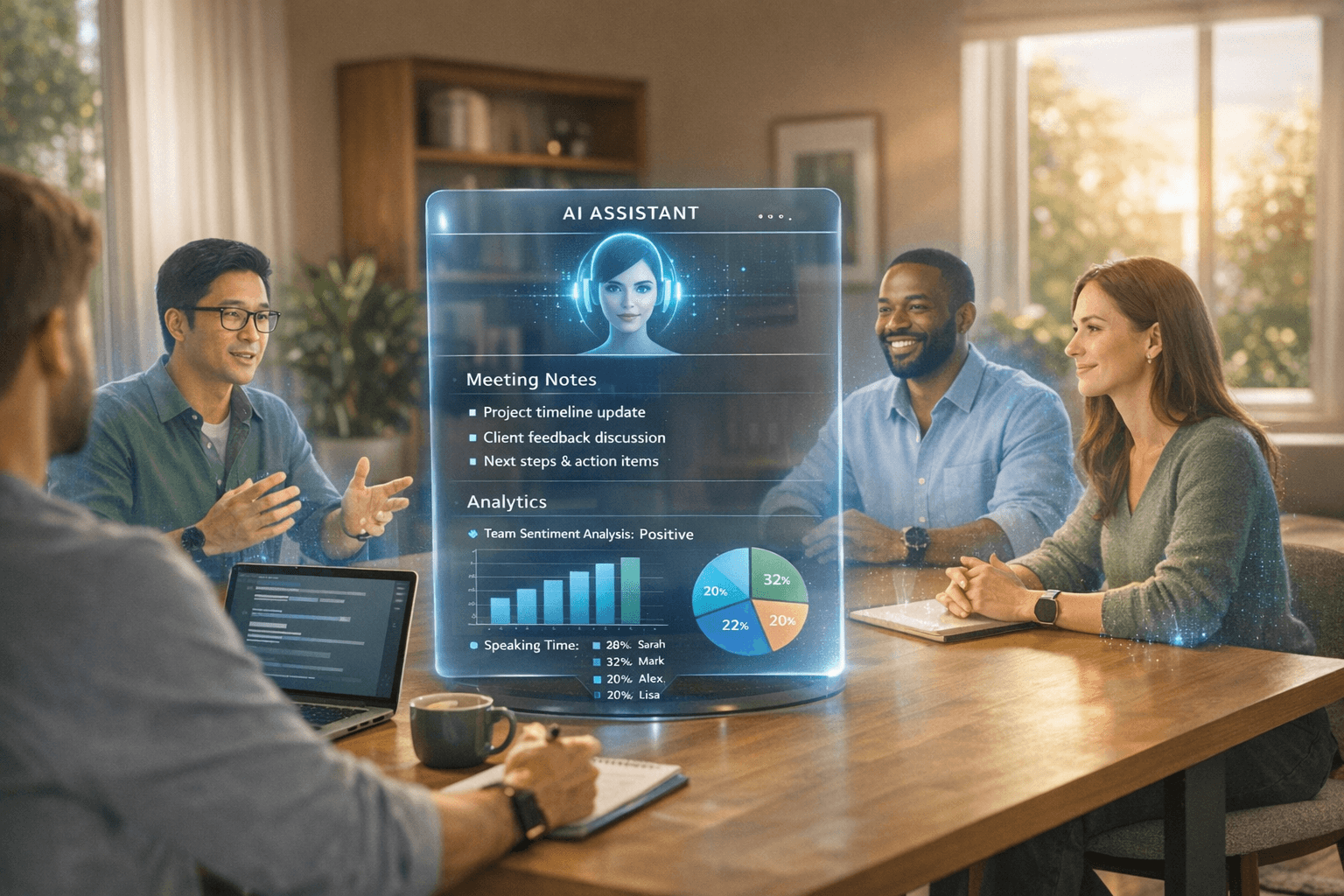
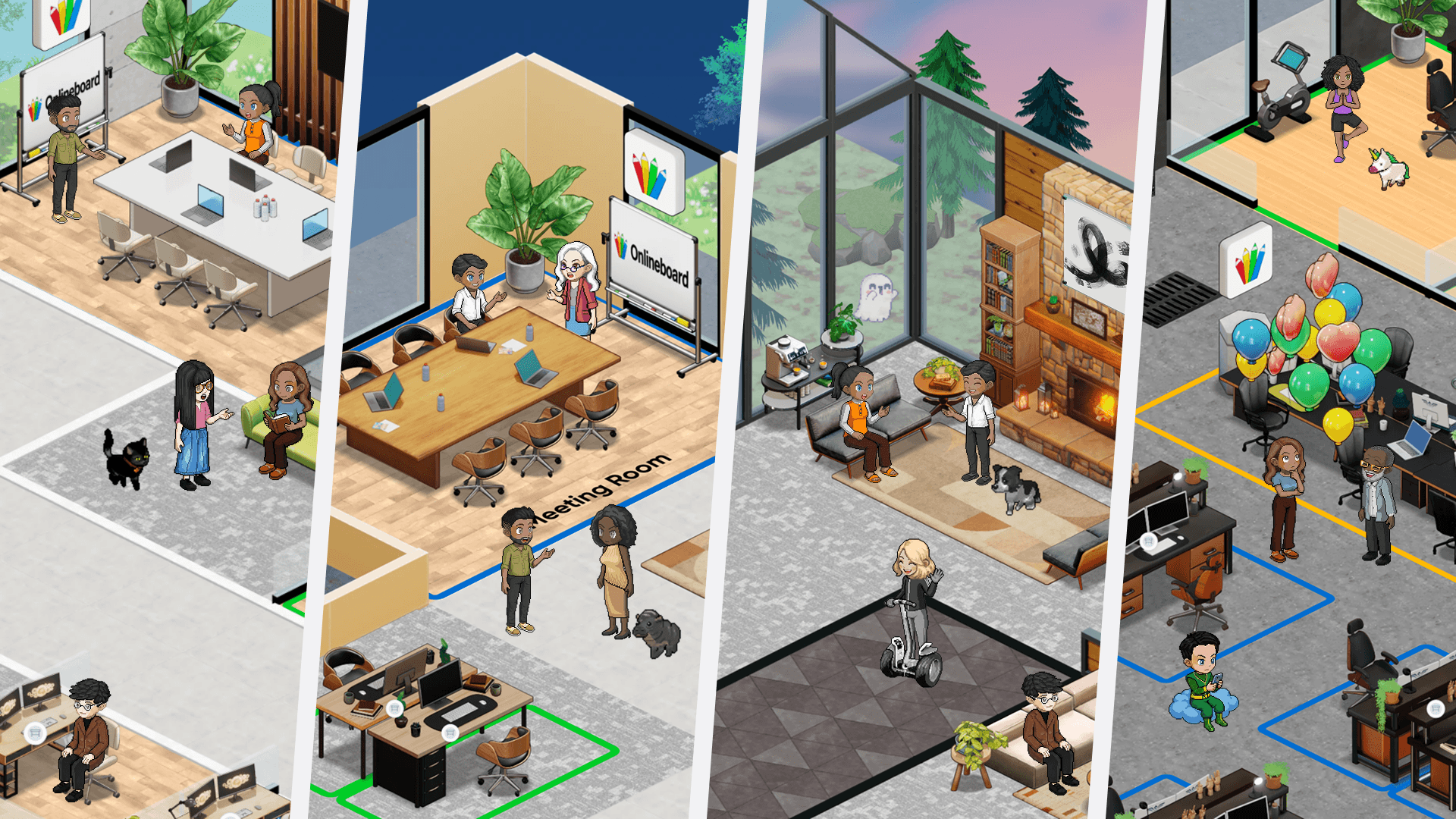
SoWork offers an AI-enhanced virtual office featuring immersive 2.5D environments that unify meetings, communication, and team collaboration within a single platform. It seamlessly integrates virtual office spaces with online and external meetings, real-time screen sharing, chat functionality reminiscent of Slack, interactive team games, and virtual events. The platform’s intelligent assistant automatically captures and summarizes meetings, highlights key action points, and delivers valuable insights into team dynamics. With robust integrations including Google Workspace, Outlook, Slack, and Zapier, SoWork ensures your workflows remain smooth and connected. Explore the free plan today or schedule a demo to see how SoWork transforms remote teamwork.
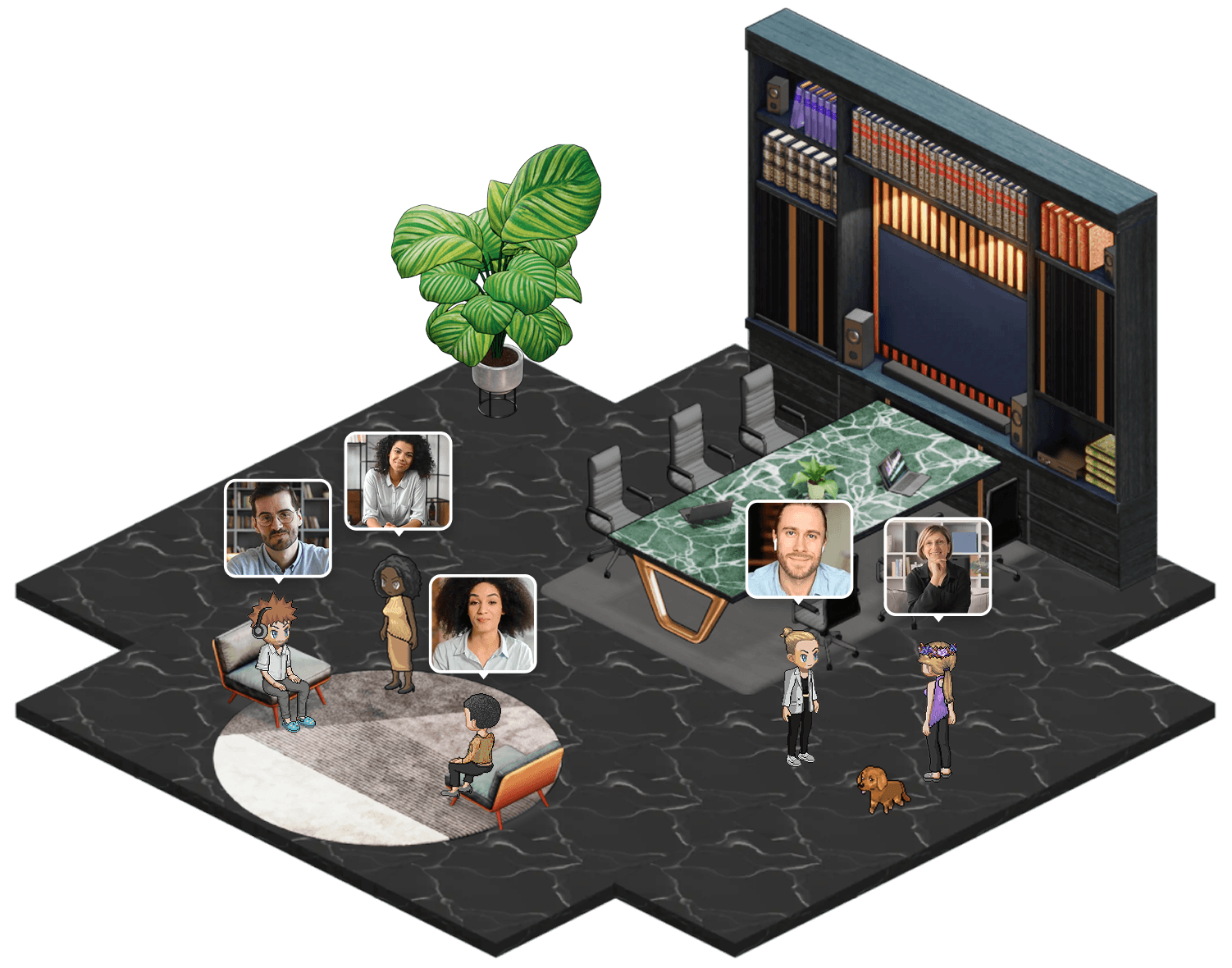
Gather creates a 2D spatial environment with pixel-art aesthetics where avatars move through customizable maps. Gather Town stands out for its playful, game-like interface and ease of use, making it especially appealing for teams seeking a fun, creative culture alongside productivity. It differs from other platforms by focusing on interactive, customizable spaces and supports 25+ integrations including Google Meet and Slack.
Sococo offers the most realistic office floor plan simulation with dedicated rooms, instant door-knock features, and visual presence across departments. Sococo provides a single online place where teams can see all key systems on their screens, making it ideal for enterprises transitioning from physical offices wanting familiar spatial metaphors.
Tandem focuses on app-integrated presence, showing what tools teammates are using alongside availability. Mini mode keeps the platform accessible without dominating screen space. Best for hybrid teams splitting time between virtual and physical office.
WorkAdventure provides open-source flexibility with spatial audio and video. Self-hosting options appeal to companies with strict security requirements. Best for technical teams wanting full customization control.
Remo specializes in events and workshops with interactive table layouts and Q&A features. Best for distributed teams running regular all-hands, training sessions, or client events.
Pragli combines spatial audio with music and ambient soundscapes, creating atmosphere beyond utility. Best for creative teams and startups prioritizing culture and engagement.
Spatial brings 3D environments with avatar representation, bridging toward metaverse-style collaboration. Best for forward-looking companies experimenting with immersive communication.
Around focuses on lightweight video presence with floating heads that stay visible during other work. Best for teams wanting ambient awareness without full virtual office complexity.
Additionally, Donut is a Slack extension that pairs team members for random virtual coffee chats to maintain social connections.
Feature and Pricing Analysis
Platform | Key Features | Pricing | Best For |
Gather | Spatial audio, custom maps | $15/user/mo Pro | Creative teams, 10-500 employees |
SoWork | AI meeting notes, productivity analytics, spatial presence | Basic $6/user/mo | Data-focused remote teams, 25-500+ |
Sococo | Floor plan simulation, instant join, enterprise security | $15/host/mo | Enterprise, 100-1000+ |
Tandem | App presence, mini mode, lightweight integration | $59-449/mo | Hybrid teams, 10-100 |
WorkAdventure | Open-source, self-hosting, full customization | Free self-hosted, $4/user hosted | Technical teams, any size |

SoWork addresses the needs of distributed teams by seamlessly connecting with the tools they already use, rather than trying to replace them. It integrates directly with calendars and Slack, creating a unified context layer that enhances collaboration without adding complexity. Rather than charging a premium for simple spatial interaction, SoWork delivers a centralized, AI-powered virtual office platform that visualizes work and automatically captures meeting insights, maximizing the value of existing workflows.
For teams looking for an AI-driven virtual office solution with flexible, immersive 2.5D graphics, integrated chat and video meetings, and built-in analytics, SoWork stands out as the superior option. Users can switch between an engaging 2.5D environment and a more traditional Simplified Mode, catering to diverse team preferences.
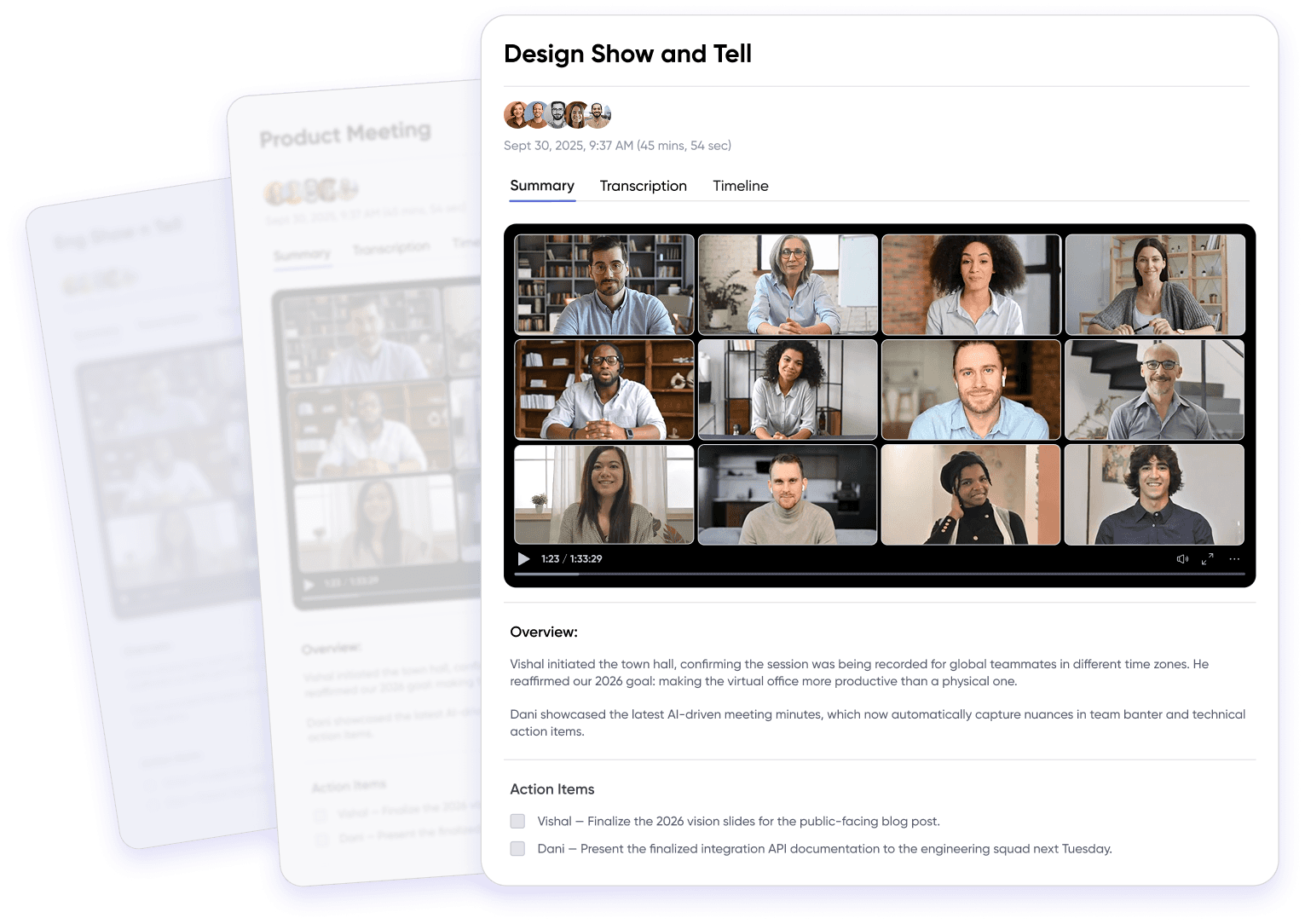
SoWork’s AI capabilities automatically generate meeting notes and action items, reducing manual follow-up and boosting productivity. Its pricing model scales to accommodate teams of all sizes, offering volume discounts for larger organizations.
SoWork is ideal for:
Teams that require spatial video calls combined with instant text chat and AI-generated meeting summaries.
Leaders who need detailed analytics to track team participation and productivity.
Organizations that appreciate customizable virtual environments inspired by games like The Sims.
Companies seeking seamless integrations with popular tools such as Slack, Zapier, Miro, GitHub, Google Calendar, and Outlook Calendar.
Large teams planning to scale beyond 100 users and benefit from volume-based pricing.
By integrating deeply with existing collaboration tools and leveraging AI to enhance meeting effectiveness, SoWork empowers distributed teams to stay productive, connected, and aligned in a flexible virtual workspace.
Understanding these platform options leads to the practical challenge of getting teams to actually use them.
Evaluating Virtual Office Platforms for Hybrid Teams
Selecting the best virtual office platform for hybrid teams means looking beyond basic features to find a solution that truly enhances team collaboration and company culture. Start by assessing how intuitive the platform is ease of use is critical for adoption, especially when teammates split time between remote and physical office environments. Customization options, such as branded virtual world layouts and personalized avatars, help reinforce your unique team culture and make the virtual workspace feel like a natural extension of your company.
Integration is another key factor. The ideal platform should connect seamlessly with other apps your team relies on, such as Microsoft Teams, Google Workspace, and project management tools. This ensures that team chat, video meetings, and document collaboration happen in a single place, reducing friction and keeping everyone in sync. Look for features that support spontaneous conversations, like click-to-join video meetings and real-time presence indicators, which help hybrid teams stay connected without the need for constant scheduling.
AI meeting notes and smart notifications can further streamline communication, making it easier to capture decisions and action items during meetings. Ultimately, the best tool for your hybrid team will be one that supports both structured collaboration and informal interactions, mirroring the dynamics of a physical office while leveraging the flexibility of a virtual world. By carefully evaluating these aspects, you’ll empower your team to stay productive, engaged, and connected—no matter where they’re working.
Implementing a Virtual Office Platform for Connected Teams
Rolling out a virtual office platform for connected teams requires thoughtful planning to ensure a smooth transition and lasting engagement. Begin by mapping out your team’s workflows and identifying the collaboration challenges you want to solve—whether it’s improving team chat, making video meetings more accessible, or fostering a stronger sense of office culture in a remote work setting.
Choose a platform that aligns with your team’s needs and offers the flexibility to adapt as those needs evolve. Platforms like SoWork and Gather allow you to create customizable virtual workspaces that reflect your team’s unique style and collaboration habits. Once you’ve selected a platform, provide hands-on training to help teammates get comfortable with features like initiating meetings, joining video calls, and using team chat for quick communication.
Encourage open feedback throughout the implementation process, and be ready to make adjustments based on what works best for your team. Highlight how the virtual office can make remote work feel more connected—whether it’s through spontaneous conversations, easy access to meetings, or shared spaces for collaboration. By supporting your team with the right tools and guidance, you’ll boost productivity, engagement, and a sense of belonging, making your virtual office a true hub for teamwork.
Best Practices for Virtual Office Success
To get the most out of your virtual office, it’s essential to establish best practices that foster effective communication, collaboration, and engagement. Start by setting clear guidelines for how and when to use team chat, video meetings, and other collaboration tools within the virtual workspace. Regularly scheduled meetings help maintain team alignment, while open channels for spontaneous conversations keep everyone connected between formal check-ins.
Leverage features like AI meeting notes to capture key decisions and action items, reducing the need for follow-up emails and ensuring everyone stays on the same page. Encourage teammates to personalize their virtual workspace—custom avatars, unique office layouts, and interactive elements can make the environment more engaging and reflective of your team’s culture.
Promote a feedback-driven culture by using built-in analytics and feedback tools to monitor engagement and identify opportunities for improvement. Make it easy for teammates to share suggestions and celebrate wins, reinforcing a sense of community. By following these best practices, your team will not only collaborate more effectively but also enjoy a more connected and satisfying remote work experience.
Measuring Virtual Office Success
Tracking the impact of your virtual office is key to ensuring it delivers real value for your team. Start by monitoring quantitative metrics such as the frequency of spontaneous conversations, the number of video meetings held, and engagement levels in team chat. These indicators reveal how well the platform is supporting team collaboration and communication.
Gather qualitative feedback through regular surveys and open discussions, asking teammates about their experiences with the virtual office—what’s working, what could be improved, and how it affects their productivity and sense of connection. Look for reductions in email volume, fewer scheduling conflicts, and smoother workflows as signs that the platform is streamlining communication.
By combining data-driven insights with direct feedback, you can make informed decisions about platform adjustments and training needs. This ongoing evaluation ensures your virtual office continues to meet your team’s needs, supporting a collaborative, productive, and engaged workforce.
Future of Virtual Offices and Remote Teams
The future of virtual offices and remote teams is bright, with rapid advancements set to transform how we work and connect. As technology evolves, virtual office platforms will offer even more immersive virtual worlds, smarter collaboration tools, and seamless integration with a growing ecosystem of apps. Hybrid teams will benefit from environments that blend the best aspects of physical and digital offices, making it easier than ever to stay connected and productive from anywhere.
Artificial intelligence will play a larger role, automating routine tasks, generating real-time insights, and personalizing the virtual workspace to each teammate’s needs. Companies will increasingly focus on creating virtual spaces that foster well-being, inclusivity, and social connection, recognizing that a strong team culture is essential for long-term success in remote work.
As organizations embrace these innovations, virtual offices will become the central hub for collaboration, communication, and community—empowering remote and hybrid teams to thrive in a dynamic, real-time world. The future is about more than just getting work done; it’s about building connected, resilient teams that can adapt and succeed in any environment.
Common Implementation Challenges and Solutions
Deploying a virtual office platform fails without addressing the adoption barriers that cause 20-30% of implementations to stall.
Team Adoption Resistance
Teams comfortable with existing tools resist adding another platform to their daily workflow. The solution involves gradual rollout with pilot groups—start with one department or project team, gather feedback, and create internal advocates before company-wide deployment.
Training sessions should demonstrate specific workflows rather than general features. Show the remote team how to get a quick answer without scheduling meetings, how to find colleagues across time zones, and how spontaneous conversations replace endless Slack threads. Quantify the benefit: teams using spatial virtual offices report 30-50% reduction in email and chat volume.
Integration with Existing Tools
Platform selection must include API compatibility assessment. If your company runs on Microsoft Teams for chat and Google Workspace for documents, the virtual office needs native connections to both. Migration planning should identify which workflows move entirely to the new platform versus which maintain dual-tool operation.
Workflow continuity during transition requires parallel operation periods. Keep existing tools available while the team adapts to the virtual workspace, gradually reducing reliance as adoption increases.
Security and Compliance Requirements
Enterprise security evaluation involves IT department early in the selection process.
For distributed teams spanning regions with different regulations (GDPR in Europe, CCPA in California), verify data residency options and processing agreements. Security features should include SSO integration, admin controls for room access, and audit logging for compliance requirements.
Conclusion and Next Steps
The benefits of SoWork for distributed teams include its AI-driven analytics that help managers track collaboration patterns and productivity in real time. SoWork offers immersive 2.5D environments that foster spontaneous conversations and presence awareness, reducing the need for scheduled meetings. Its seamless integration with popular tools like Google Workspace, Microsoft Teams, and Slack ensures workflows stay connected without added complexity. SoWork’s customizable virtual office spaces allow teams to reflect their unique company culture, enhancing engagement and team collaboration. Ideal for data-focused managers and growing teams, SoWork empowers remote and hybrid teams to stay productive, connected, and aligned in a flexible virtual workspace.
Take these immediate actions:
Start free trials with SoWork to experience spatial presence firsthand
Involve key stakeholders—IT, department leads, and representative end-users—in the evaluation
Plan a 30-day pilot program with one team before company-wide rollout
Define success metrics: meeting reduction, response time improvement, and employee engagement feedback
Related topics worth exploring include team collaboration frameworks for remote work, productivity measurement approaches for distributed teams, and hybrid work policies that complement virtual office platforms.
Additional Resources
Evaluation checklist: Before selecting a platform, document your team’s communication patterns (synchronous vs. asynchronous ratio), existing tool stack, security requirements, and budget per user.
Integration priority matrix: Rank your current tools by usage frequency. The virtual office must integrate with your top 3-5 tools to avoid creating workflow silos.
Adoption timeline template: Week 1-2 for pilot group, Week 3-4 for feedback and adjustment, Week 5-8 for department rollout, Week 9-12 for company-wide deployment with support resources.