
Productivity
Monday, December 15, 2025
Remote Work Productivity: 12 Tips That Actually Work
SoWork Editorial Team
Jan 13, 2026
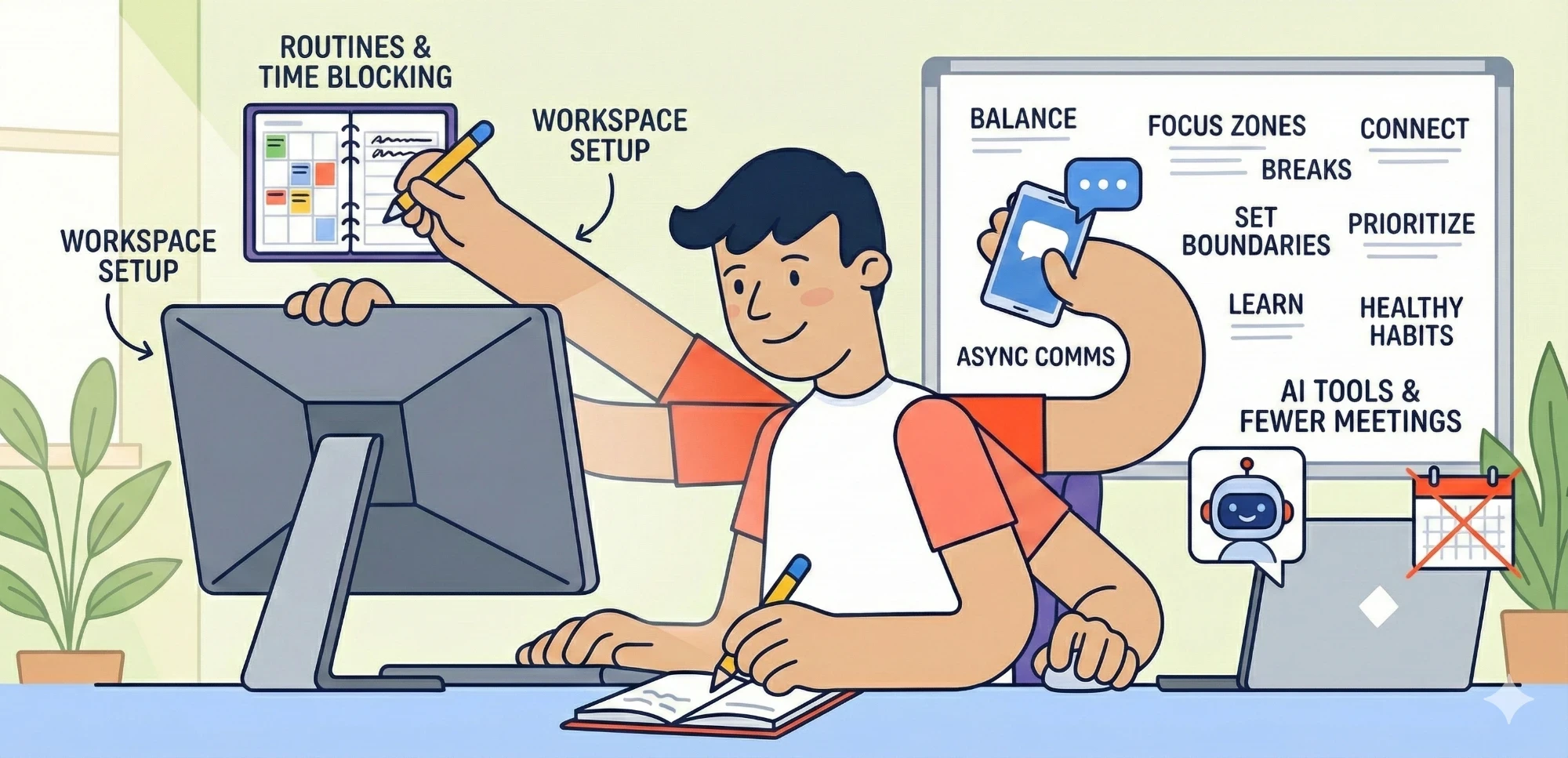
Remote work doesn’t have to be overwhelming or unproductive. With the right strategies, you can stay focused, deliver results, and maintain a healthy work-life balance. Here’s a quick overview of 12 practical tips to make remote work effective:
Stick to a Routine: Set consistent work hours and rituals to start and end your day.
Create a Dedicated Workspace: Choose a quiet spot, use ergonomic furniture, and stay organized.
Leverage Virtual Tools: Platforms like SoWork simplify team collaboration.
Set Daily Goals: Prioritize tasks and tackle the most important one first.
Use Time Blocking: Schedule focused work sessions and breaks.
Communicate Clearly: Opt for detailed, asynchronous updates when possible.
Limit Meetings: Only schedule meetings when real-time discussion is necessary.
Let AI Help: Use AI tools for note-taking and task tracking.
Minimize Distractions: Turn off notifications and use website blockers.
Take Breaks: Move around, stretch, and recharge regularly.
Define Boundaries: Separate work and personal time to avoid burnout.
Track Progress: Analyze your work patterns to improve productivity.
These strategies focus on practical changes to help you work smarter, not harder. Whether it’s reducing distractions, improving communication, or setting boundaries, small adjustments can lead to big improvements in your remote work experience.
Work From Home Productivity Tips | Upwork

1. Create a Consistent Daily Schedule
When your desk is just a few steps from your bed, it’s easy for work and personal time to blur together. That’s where a consistent daily schedule can save the day. It gives structure to your routine, keeping you on track and helping you focus on what’s important.
Start by setting clear work hours - and stick to them. Ravi Gajendran, PhD, a Management Professor at Florida International University, puts it this way:
"When you're working from an office, there's a natural start and stop time. It's important to have similar boundaries and routines for your remote work."
Choose a set time to begin work each day and create rituals to mark the start and end of your workday. Whether it’s getting dressed, jotting down your top priorities, or organizing your digital workspace, these small habits can help you shift into work mode and wind down when the day is done.
Plan your most demanding tasks for when your focus is at its peak. For instance, if you’re sharpest mid-morning, block that time on your calendar for deep, focused work. And don’t overlook breaks - they’re essential for recharging and staying productive throughout the day.
Having a steady schedule not only reduces decision fatigue but also keeps work and home life from overlapping too much. Plus, it makes your availability clear to both your family and your coworkers. Once your schedule is set, the next step is creating a distraction-free workspace.
2. Set Up a Distraction-Free Workspace
Your workspace has a big impact on how productive you can be. A thoughtfully arranged space helps you stay focused and keeps interruptions to a minimum.
Start by choosing the right location. Pick a quiet spot away from busy areas like the kitchen or living room. If you have a spare room, turn it into your dedicated work area. If not, a quiet corner with minimal foot traffic can work just as well. As Kacy Boone, VP of Marketing at Clockwise, puts it:
"When you designate a specific area for work, your brain associates that space with productivity, making it easier to stay focused."
Placing your desk near a window is also a smart move. Natural light not only helps reduce eye strain but can also give you an energy boost throughout the day.
Equip your space with ergonomic essentials. A good chair and desk are must-haves for long hours of work. Consider noise-canceling headphones or a white noise machine to block out distracting background sounds. Helene Melby Brodersen, Head of PR, Brand & Communication at Eco Online, emphasizes the importance of comfort:
"As technology evolves, people need to find ways to make their work more comfortable. If you spend more of your day at a computer, it's important to choose high-quality ergonomic furniture and ergonomic peripherals like chairs, mice, keyboards, and monitors."
Stay organized and prepared. Keep frequently used items like chargers, notebooks, and printer paper within arm’s reach to avoid unnecessary interruptions. Many employers now provide budgets for home office setups, so don’t hesitate to ask for tools like an external monitor or a better keyboard if needed.
A well-thought-out workspace can make a huge difference in maintaining focus and getting things done.
3. Use SoWork as Your Virtual Office Hub
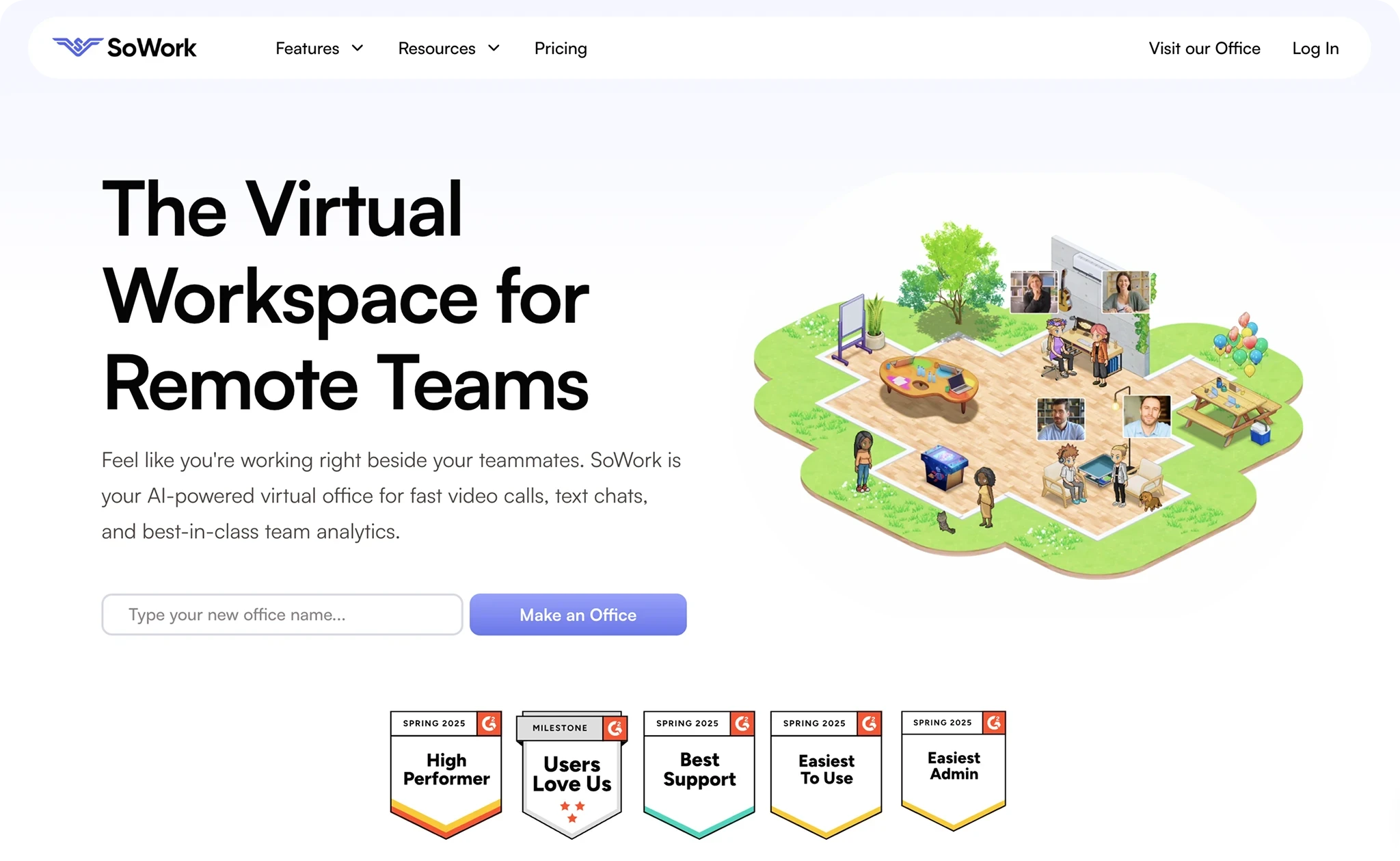
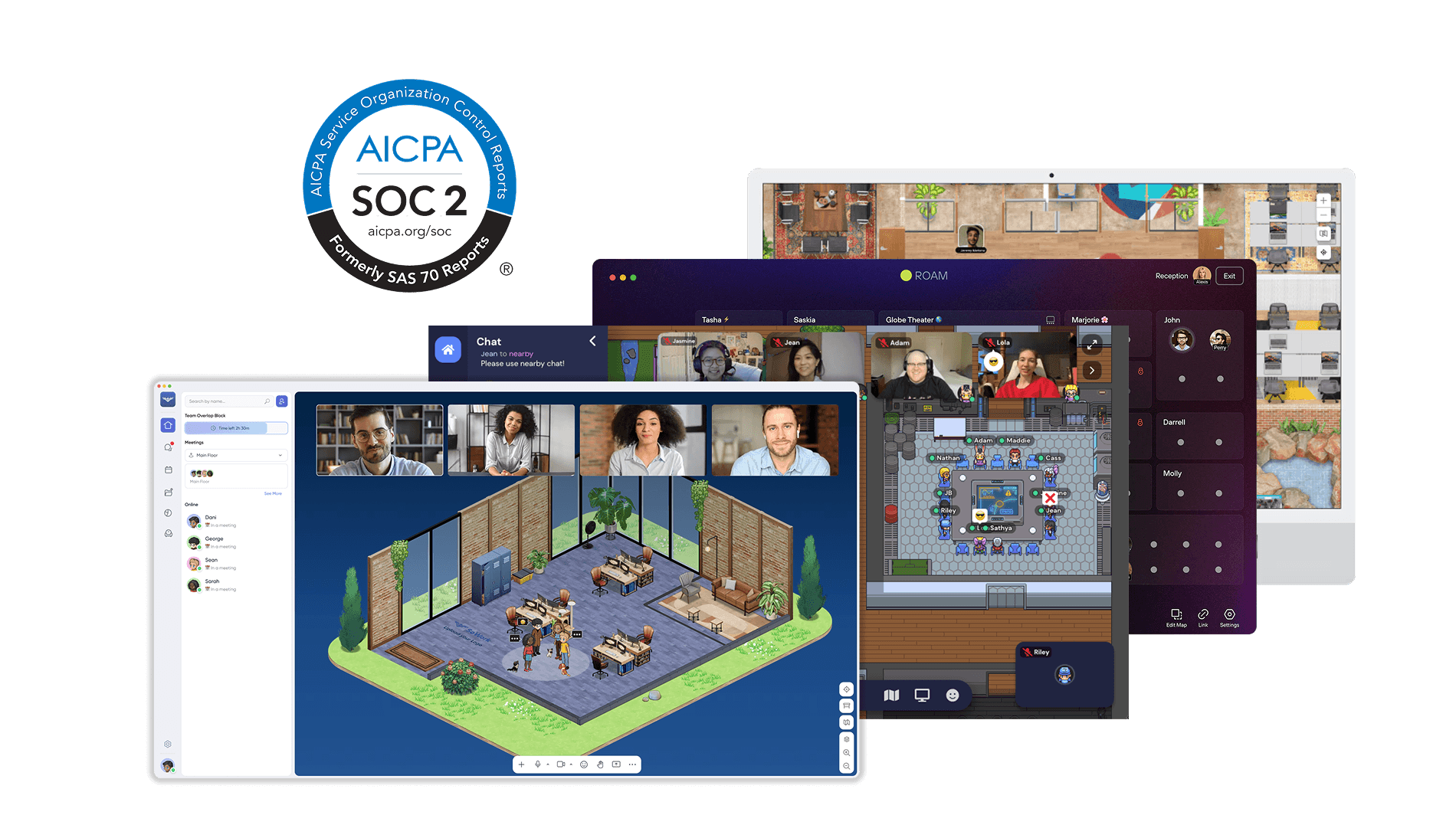
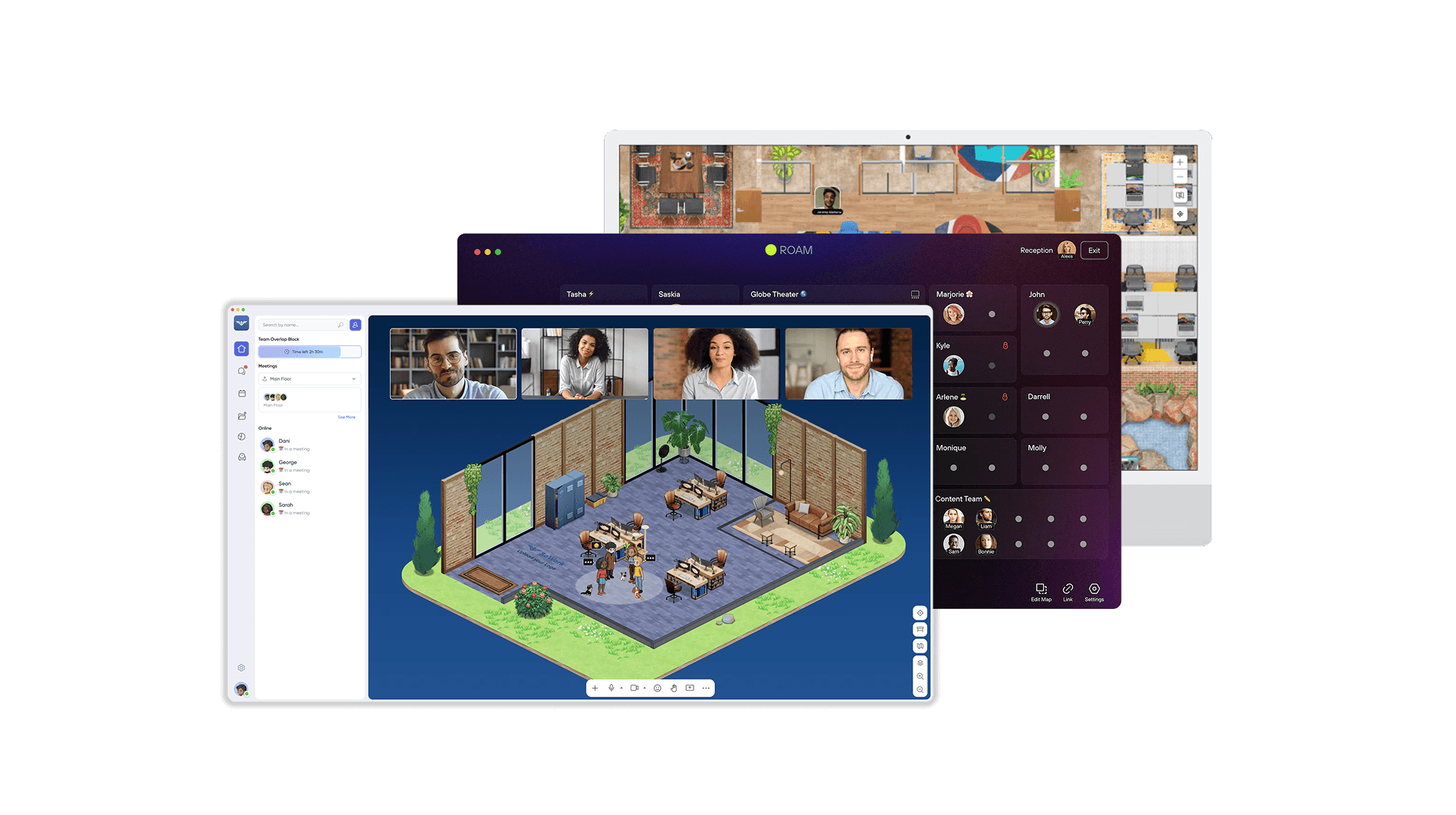
Working remotely can sometimes feel isolating, and juggling multiple tools often makes collaboration harder than it needs to be. That’s where a virtual office platform like SoWork comes in. It brings your team together in one central space, making it easier to stay connected and work more naturally throughout the day.
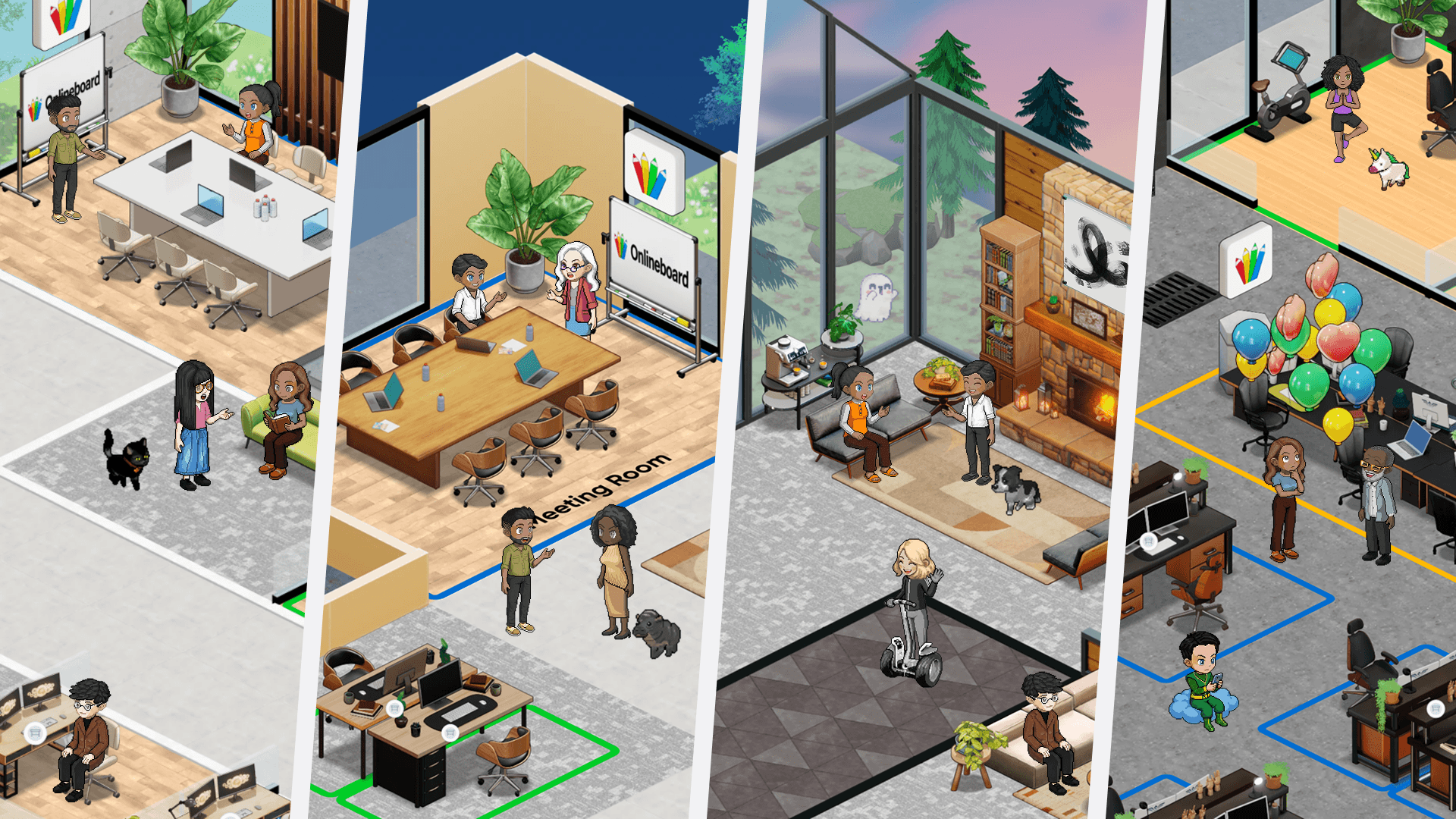
SoWork recreates the feel of a physical office in a digital format. You can quickly check if a colleague is available, pop in for a casual chat, or hop into a meeting room - no need to schedule formal video calls every time. Whether you prefer a fully immersive experience or a more straightforward setup, SoWork offers different modes to match your work style.
The platform doesn’t stop there. It enhances communication with high-definition spatial video calls, allowing you to effortlessly switch between collaborative discussions and focused work. Plus, SoWork’s AI meeting assistants take care of note-taking, tracking tasks, and follow-ups, so you can focus on the conversation without worrying about the details.
Need a workspace that fits your team’s style? SoWork lets you customize layouts to create open areas for brainstorming or private rooms for more focused discussions. It also integrates seamlessly with the tools your team already uses, keeping everything connected and easy to access. On top of that, built-in team analytics provide insights into collaboration habits, helping you nurture a healthy and balanced remote work environment.
4. Set Clear Daily Goals and Priorities
While remote work offers flexibility, it can sometimes lead to scattered focus and missed deadlines if daily goals aren't clearly defined. Starting your day with specific objectives helps you stay on track and channel your time and energy into what truly matters. As Ryan Harrison wisely states, "By planning your day in advance, you can better allocate your time and energy towards the most important tasks and avoid getting overwhelmed or sidetracked". A great strategy is to identify one key task to anchor your day.
Pinpoint your most important task and tackle it first thing in the morning. This ensures that even if unexpected challenges arise, you've already made significant progress. Katelyn Smith highlights the value of this approach: "The upside to the 'one-item task list' is that by getting it done in the morning, you don't have to try and survive that 3 pm slowdown and a challenging task at the same time. We also know that the 'fun' tasks give us a little energy boost, which would be nice to have around that 3 pm lull. This approach helps balance and manage your energy throughout the day". By handling your toughest work during peak energy hours, you can save lighter tasks for the afternoon when focus tends to wane.
To keep track of your progress, consider maintaining a "done list." This simple practice allows you to visualize your accomplishments and build momentum. At the end of each day, take a moment to review what you've achieved and reflect on what worked well. This habit not only reinforces a sense of progress but also helps refine your approach for the next day.
For added accountability, share your daily priorities with a colleague or manager. Timothy Golden from Rensselaer Polytechnic Institute points out, "Sometimes making public commitments to others about what you will accomplish that day helps hold you accountable". This small step can significantly enhance your focus and commitment to completing your goals.
5. Use Time Blocking and Focus Techniques
Remote work requires a deliberate approach to staying focused, and time blocking is a practical way to organize your day. By assigning specific tasks to designated time slots, you create mental boundaries that help you stay on track.
Pairing time blocking with the Pomodoro Technique can make it even more effective. The Pomodoro Technique is simple: work on a single task for 25 minutes, then take a 5-minute break. After completing four cycles, treat yourself to a longer break of 15–30 minutes. This approach prevents burnout and keeps your mind sharp throughout the day.
Another strategy to consider is task batching, which involves grouping similar tasks together. For instance, instead of bouncing between emails, coding, and meetings all day, allocate specific blocks of time for each. You might reserve early mornings for deep, focused work, mid-mornings for catching up on emails, and afternoons for meetings. By minimizing context switching, you can maintain a flow state and get more done.
The secret to success with these techniques is consistency. When you stick to a routine, your brain begins to recognize the rhythm, making it easier to focus during work periods and fully relax during breaks. This structured approach not only fights off fatigue but also keeps your productivity steady throughout the day. Plus, it lays the groundwork for more efficient communication and smoother meetings in your remote work routine.
6. Improve Asynchronous Communication
Remote work doesn’t have to revolve around instant replies. Asynchronous communication allows projects to progress smoothly, even when team members are scattered across different time zones. The secret lies in crafting messages that are clear and thorough, reducing the need for endless back-and-forth clarifications.
Start by giving your messages some context. Share background details, include links to relevant documents, and explain the purpose of your update. For example, when writing an email or message, be specific about deadlines, provide all necessary resources, and attach screenshots if they add clarity. As Achievers wisely put it, "Clear beats clever - especially when half the team is in pajamas and the other half is 10 time zones ahead." This clarity not only prevents confusion but also lays the groundwork for organized and reliable documentation.
Centralized documentation is another must. Record meetings, share slide decks, and store resources in one accessible location so team members can catch up when it suits their schedule. Threaded conversations are also a great way to keep discussions tidy and easy to follow. Some engineering teams are already excelling at this by using detailed documentation to seamlessly hand off tasks, ensuring projects keep moving 24/7.
Set clear expectations for response times and use specific tools to handle urgent versus non-urgent matters. Just like SoWork helps streamline virtual interactions, having clear communication protocols ensures your team stays on the same page. Establishing these guidelines from the outset reduces interruptions and gives everyone the space to focus on meaningful work. By putting thought into your initial messages, you can minimize follow-ups and create a workflow that supports effortless team collaboration.
7. Run Fewer, Better Meetings
Not every conversation needs to happen in a meeting. The trick is figuring out when to bring your team together in real time and when asynchronous communication - like emails or shared documents - can get the job done. For straightforward updates or reports, an email might do the trick. Save live meetings for tackling complicated issues or making decisions that need quick input. Shifting from asynchronous updates to live discussions can help simplify your workflow.
Ravi Gajendran, PhD, a Professor of Management at Florida International University, explains it well:
"If you're sharing information, reports or analyses, email may be the best way to correspond. But if you're working with a team to make sense of complex shared information, schedule a phone call or video conference to discuss. Using synchronous media will likely be faster and less prone to misinterpretation."
His advice highlights the importance of picking the right communication method for the task at hand. When a meeting is necessary, make it worthwhile. Send out a clear agenda beforehand to keep everyone on track. For quick updates, consider switching to 15-minute "micro-meetings" instead of defaulting to lengthy sessions. Mark Royal, Senior Director at Korn Ferry, puts it simply:
"If it isn't critical to the business or the well-being of your employees, cancel it."
For more efficient planning, gather the team for a short group discussion rather than scheduling multiple one-on-one calls. Daily check-ins can also help align priorities and reduce the need for drawn-out meetings.
Keep meetings focused and intentional. This approach frees up time for meaningful work while ensuring your team stays connected and productive.
8. Let AI Handle Notes and Follow-Ups
Keeping up with meeting discussions while jotting down notes can be a real challenge. But here's the good news: AI tools can take that burden off your plate, allowing you to focus entirely on the conversation.
These tools can transcribe meetings, recognize different speakers, and summarize key takeaways in minutes - no more scrambling to keep up or risking missed details. By recording meetings, generating searchable transcripts, and pulling out action items, AI ensures you stay fully present without sacrificing important documentation.
Many AI assistants also integrate seamlessly with platforms like Google Calendar and Slack, making it easy to send automated follow-up emails, complete with summaries and task lists. Plus, they can index past meetings, letting you quickly find relevant discussions using keyword searches.
Some AI-powered note-takers, trained on thousands of hours of meeting data, are so advanced that they outperform manual notes in accuracy 80% of the time. They even handle multilingual transcriptions and organize tasks based on deadlines and dependencies, streamlining your workflow like never before.
9. Block Digital Distractions
Every ping, pop-up, or notification can shatter your focus, and research shows it takes an average of 23 minutes and 15 seconds to fully refocus after an interruption. For remote workers, the problem is even more pronounced - they switch between apps and websites roughly 1,200 times a day, losing nearly four hours each week just trying to get back on track. If you want to reclaim that lost time and keep your focus sharp, here are some effective strategies to consider.
Start by silencing the noise. Turn off notifications for emails, texts, Slack, Zoom, and social media during your dedicated focus periods. Close any tabs or apps you don’t need, and switch your phone to black-and-white mode - it’s a simple trick to make your screen less tempting.
For those distractions that are harder to ignore, website blockers can be a game-changer. Tools like Freedom, SelfControl (for Mac), StayFocused (for Chrome), or LeechBlock (for Firefox) can restrict access to time-wasting sites during work hours. Many of these apps allow you to set custom schedules, activating automatically when you’re most productive. Another option is RescueTime Focus, which not only tracks your app and website usage but also blocks distractions during scheduled Focus Sessions. It’s so effective that PC Magazine gave it their Editor’s Choice award, calling it "a rare five-star product and one of the best productivity tools we’ve ever tested".
Beyond tech solutions, setting clear boundaries with your team can also make a big difference. Mark your deep work sessions on a shared calendar so your coworkers know when you’re unavailable. This reduces interruptions and sets clear expectations about when you’ll respond to messages. As Jon Hill, CEO and Chairman of The Energists, explains:
"If an employee thinks the boss expects them to instantly reply to messages, they'll be more likely to compulsively check them".
Finally, log out of social media on work devices to eliminate the temptation for mindless scrolling. Use your phone’s "Do Not Disturb" mode to make sure only critical calls come through. These small barriers can help you stay focused and make the most of your workday.
10. Take Regular Breaks and Move Throughout the Day
Working remotely often means sitting for long stretches, which can increase the risk of burnout and blur the boundaries between work and personal life. Taking regular breaks and moving throughout the day can help reset your mind, ease stress, and improve focus.
Consider the 45-15 rule: Work for 45 minutes, then take a 15-minute break to stretch, walk, or engage in light activity. Chris Dyer, a well-known remote work advocate and workplace performance consultant, explains:
"It's too easy to sit there for four hours and never get up. Walk the dog, have a snack, take a mental break".
Stepping outside for fresh air and sunlight can work wonders, too. Studies show that spending time in nature reduces stress and clears your mind. Even a quick walk around the block during lunch can re-energize you and boost your motivation.
To stay alert, schedule breaks regularly and switch between sitting and standing throughout the day. You can even repurpose your former commute time for light stretches or a short walk to ease into work mode. Mari Anne Snow, CEO of Sophaya and Remote Nation, highlights the importance of self-care:
"Productivity happens when people can reduce their stress levels. Build self-care into your daily routine, whether that is a walk in the sunshine, contact with loved ones or spending virtual social time with colleagues".
Incorporating these small habits into your day not only helps prevent burnout but also keeps you productive over the long haul.
11. Set Clear Work-Life Boundaries
When your home doubles as your office, the line between work and personal life can blur fast. Without the natural separation of a commute, it’s tempting to check emails late at night or keep working through dinner. But setting firm boundaries is essential to protect your time, energy, and mental well-being.
Start by establishing fixed work hours and sharing them with your team, manager, and family. Let everyone know when you’re “on” and when you’re “off.” To signal the end of your workday, create a simple routine - whether it’s shutting down your computer, taking a quick walk, or logging out of work apps. You can even repurpose your former commute time for something personal, like stretching, reading, or spending quality time with loved ones. These small rituals help your brain shift gears from work mode to personal time.
Tools like “Do Not Disturb” can also be a lifesaver. Use them to clearly signal your unavailability outside of work hours. This keeps you from being pulled back into work when you should be recharging. As Timothy Golden, PhD, from the Lally School of Management at Rensselaer Polytechnic Institute, explains:
"One of the most often overlooked aspects for managers of new telecommuters is that they do not work out specific arrangements for when and how communication will continue to flow."
Once your workday wraps up, make a commitment to disconnect fully. Avoid the temptation to check emails or messages after hours. Giving your mind time to rest and recharge isn’t just good for you - it also sets the stage for a more productive tomorrow.
12. Track and Analyze Your Work Patterns
Keeping an eye on your work habits can reveal where you can make adjustments for better results. The goal isn't just to measure how much effort you're putting in - like counting hours worked or emails sent - but to evaluate the outcomes of your efforts instead. This approach helps you fine-tune both your tasks and daily routines.
Focus on metrics that truly matter: the number of projects you complete, the quality of your work, and how much time you dedicate to high-priority tasks. Pay attention to your energy levels throughout the day, too. For instance, you might notice that taking short breaks or stepping away briefly helps sharpen your focus. These observations can guide you in organizing your day around your peak performance times.
Once you've gathered this information, look for trends. Are you spending more time on reactive tasks than on deep, focused work? Do quick breaks actually help you stay efficient? Use these insights to tweak your workflow and adjust your routine for better results.
Don't forget to keep tabs on your well-being while tracking productivity. High performance means little if it comes at the cost of burnout. Use the patterns you identify to experiment with new habits, adjust your approach, and strike a balance that works for you. This data-driven method ties in perfectly with the scheduling and focus strategies we've already discussed.
Comparison Table
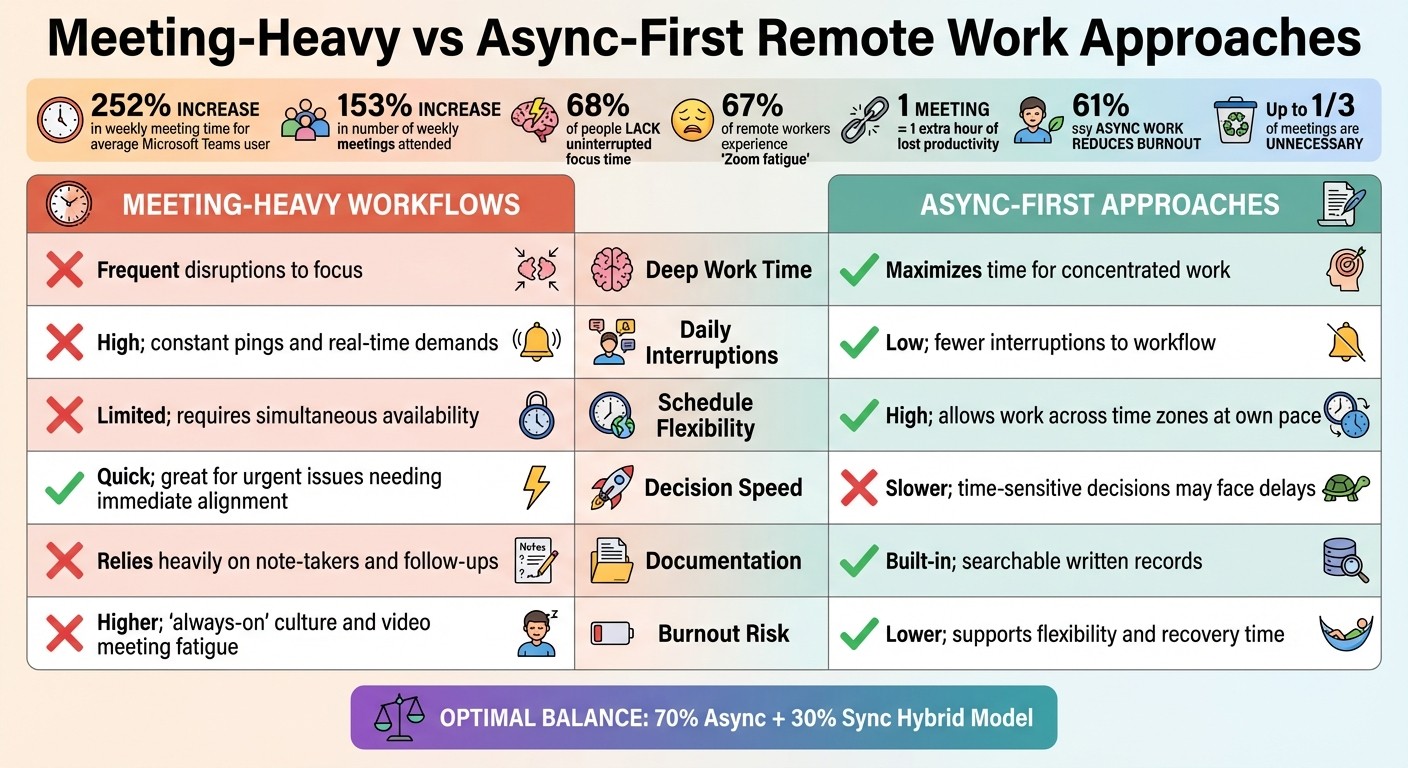
Meeting-Heavy vs Async-First Remote Work: Productivity Impact Comparison
Let’s break down how different workday structures - meeting-heavy workflows versus async-first approaches - impact productivity, focus, and team well-being. The way you structure your day can make or break your ability to concentrate and collaborate effectively.
Here’s the reality: The average Microsoft Teams user has seen a 252% spike in weekly meeting time and a 153% increase in the number of meetings they attend weekly. Unsurprisingly, 68% of people say they lack enough uninterrupted focus time due to constant communication demands. Remote workers aren’t faring much better - 67% report experiencing "Zoom fatigue" from endless video calls. Even a single 30-minute meeting can derail focus, often leading to an extra hour of lost productivity.
On the flip side, async-first workflows offer some relief. 61% of knowledge workers say asynchronous work helps reduce burnout, thanks to greater flexibility (55%), easier breaks (55%), and lower stress levels (42%). However, these benefits come with trade-offs: 31% find it harder to ask clarifying questions, and roughly 30% feel less connected to their teams.
Here’s a side-by-side look at how these two approaches stack up across key productivity factors:
Factor | Meeting-Heavy Workflows | Async-First Approaches |
|---|---|---|
Deep Work Time | Frequent disruptions to focus | Maximizes time for concentrated work |
Daily Interruptions | High; constant pings and real-time demands | Low; fewer interruptions to workflow |
Schedule Flexibility | Limited; requires everyone to be available simultaneously | High; allows for work across time zones at one’s own pace |
Decision Speed | Quick; great for urgent issues needing immediate alignment | Slower; time-sensitive decisions may face delays |
Documentation | Relies heavily on note-takers and follow-ups | Built-in; searchable written records |
Burnout Risk | Higher; "always-on" culture and video meeting fatigue | Lower; supports flexibility and recovery time |
The key takeaway? The most effective remote teams in 2025 aren’t sticking to extremes. They’re adopting a 70% async and 30% sync hybrid model. This approach uses meetings sparingly while prioritizing deep work. It’s a smart balance, especially considering that up to one-third of meetings are unnecessary, and only 4% of knowledge workers say they never attend meetings that could have been handled asynchronously. By striking this balance, teams can stay productive without sacrificing collaboration or well-being.
Conclusion
Remote productivity thrives when you find strategies tailored to your unique work habits. The 12 tips we've discussed lay a strong groundwork, but the real progress comes from trying out different methods to see what fits your style best. As Aircall wisely notes:
"When it comes to organization skills, there's no universal solution, so you'll need to find out what works for you".
Maybe you're the kind of person who feels sharpest at the crack of dawn, or perhaps you need absolute silence to focus - or even a good pair of noise-canceling headphones. The secret lies in experimenting with various techniques to see what sustains your productivity.
Start by addressing your biggest obstacle. If endless meetings are draining your time, try shifting to asynchronous communication. If distractions are your nemesis, tools like time blocking or website blockers can help you regain control. As Bridge aptly points out:
"Everyone's situation is different, but clearly the more you can eliminate interruptions in your workflow, the more you'll get done".
These small but intentional changes can help you create a cohesive remote work routine. Tools like SoWork's virtual office hub can bring it all together, offering a balance of focused asynchronous work and seamless synchronous meetings that adapt to your team’s needs.