

Team Collaboration
Friday, January 2, 2026
Ultimate Guide to Remote Team Communication 2026
SoWork Editorial Team
Feb 11, 2026
Remote work is here to stay, but poor communication costs businesses $1.2 trillion annually. This guide breaks down how to fix it. By prioritizing asynchronous workflows, leveraging AI tools, and setting clear communication rules, you can build a productive, connected remote team. Here’s what you’ll learn:
Asynchronous communication: Protect deep work time with written updates and recorded meetings.
Communication frameworks: Use a charter to define tools, response times, and meeting practices.
AI-powered tools: Automate meeting notes, summaries, and task management to save time.
Centralized information: Create a single source of truth to avoid silos and duplicated work.
Team connection: Use feedback systems, team-building activities, and occasional in-person meetups.
Performance tracking: Measure communication success with analytics and regular team retrospectives.
Key takeaway: Combining clear systems with the right technology can transform your remote team into a high-performing, well-connected group ready for 2026.
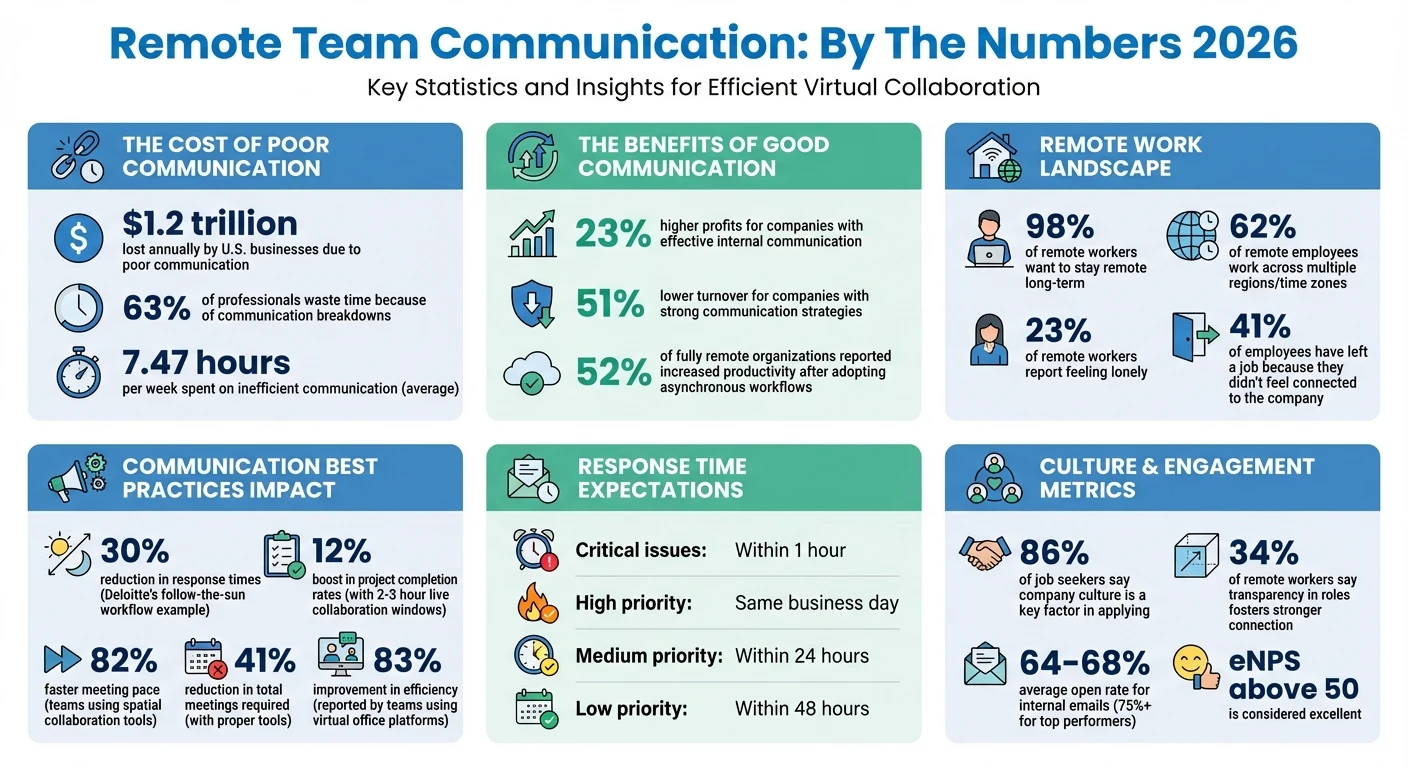
Remote Team Communication Statistics and Impact 2026
Winning Remote Communication Tips to Boost Team Productivity
Building a Communication Framework That Works
A solid communication framework is key to avoiding miscommunication and wasted time. By focusing on three main components - asynchronous communication, clear rules, and centralized information - you can create a system that keeps teams aligned and productive. Let’s explore how starting with an async-first approach can set the stage for success.
Why Asynchronous Communication Should Come First
Asynchronous communication allows team members to work on their own schedules, relying on written updates, recorded videos, and documented decisions. This is especially important since 62% of remote employees work across multiple regions. Shifting to an async-first model has shown real results: 52% of fully remote organizations reported increased productivity after adopting asynchronous workflows. The reason? It protects uninterrupted deep work time, helping employees focus on complex tasks.
Amir Salihefendić, CEO and Founder of Doist, highlights the issue with real-time communication:
"Realtime chat is a source of distraction that prevents deep work and encourages an 'always-on' culture. The result is a team that's simultaneously unproductive and overstressed".
Documenting decisions is another critical part of this approach. It reduces confusion and prevents redundant work. For example, Deloitte’s security teams implemented a follow-the-sun incident workflow in 2024, passing tasks across time zones. This cut response times by 30%.
That said, live collaboration still plays a role. For tasks like resolving complex problems, giving sensitive feedback, or team bonding, reserving a 2–3 hour window for live collaboration can be beneficial. This practice has been shown to boost project completion rates by 12%.
Creating Clear Communication Rules
Once an async-first approach is in place, setting clear communication guidelines is essential. A Communication Charter- a formal document outlining which tools to use, when to use them, and expected response times - can help prevent chaos and ensure everyone operates on the same page.
"From the beginning, define the guidelines regarding how a team will function, especially when distributed across time zones. [This] gets everyone on the same page".
Response-time expectations should be clearly defined to reduce the pressure of constant availability while ensuring timely responses:
Critical issues: Respond within 1 hour
High-priority items: Respond the same business day
Medium-priority items: Respond within 24 hours
Low-priority items: Respond within 48 hours
This approach balances the need for responsiveness with the benefits of focused work. As one expert noted:
"Creating a culture that does not demand instant responses allows remote employees to get more work done without feeling the burnout of constant availability".
Type | Method | Response Time Expectation |
|---|---|---|
Critical/Urgent | Slack, Teams, Phone Call | Within 1 hour |
High Priority | Slack, Email | Same business day |
Medium Priority | Email, Project Management Tool | Within 24 hours |
Low Priority | Email, Knowledge Base | Within 48 hours |
Meeting practices should also be streamlined. Every meeting should have a clear purpose, a designated facilitator, and a follow-up recap shared with the team. By reducing unnecessary meetings and trimming attendee lists, some companies have saved up to $100 million annually. Once communication rules are established, the next step is centralizing information.
Keeping Information in One Place
Even with strong communication rules, scattered information can undermine efficiency. A Single Source of Truth (SSOT) - a centralized knowledge base for all documentation, project updates, and decisions - is critical. Without it, teams risk duplicating efforts or relying on outdated information.
"Without documentation of established processes, things can get really hairy".
A well-maintained SSOT ensures that everyone, regardless of location, has access to the same information. In fact, 34% of remote workers say that transparency in roles and responsibilities fosters a stronger sense of connection at work.
Your SSOT should cover everything from company values and HR policies to technical guides and meeting archives. Tools like Google Drive or OneDrive can help with file sharing, while integration with project management systems ensures version control. GitLab, a fully remote company with over 850 employees, sets a great example by recording all company-wide Zoom calls and uploading them to an internal YouTube channel or Google Drive folder, ensuring transparency across time zones.
Standardizing documentation practices is another key step. Use consistent naming conventions for files and folders, and assign a Directly Responsible Individual (DRI) for each project or decision thread. This not only improves accountability but also makes onboarding smoother for new team members.
Using Technology to Improve Team Collaboration
When you’ve got a strong communication framework in place, the right technology can take your team’s collaboration to the next level. The best tools simplify workflows and make it easier for team members to connect and work together. With the rise of AI-powered platforms, remote teamwork is becoming smarter and more efficient. These tools handle repetitive tasks, encourage spontaneous collaboration, and provide insights that help teams make better decisions.
How AI Improves Remote Communication
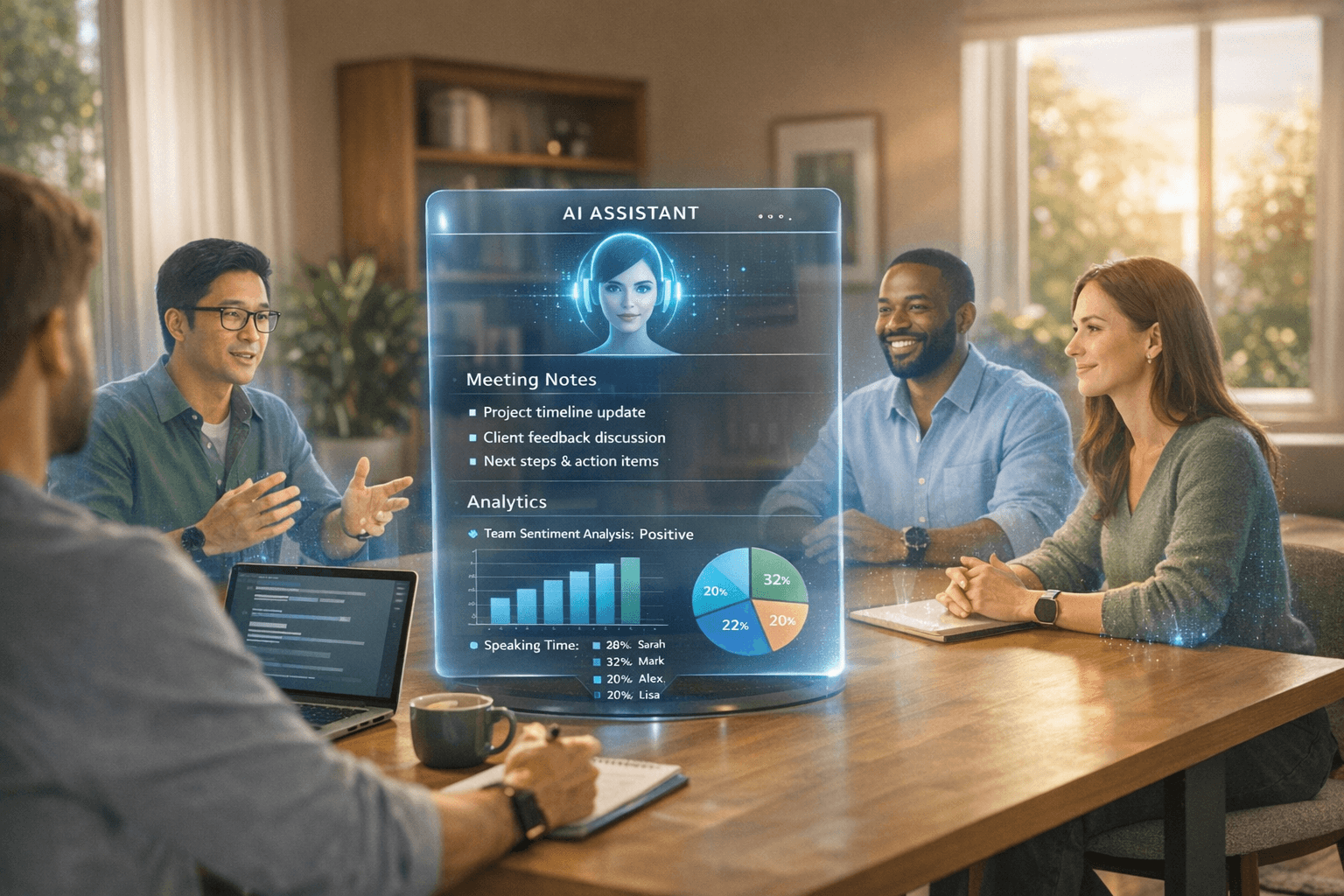
AI-powered tools are reshaping how remote teams communicate and make decisions. One standout feature is automated meeting management. AI assistants can take over tasks like capturing meeting minutes and creating action items, letting team members focus entirely on the discussion rather than worrying about jotting down notes. This ensures no important details are missed, and follow-ups are always clear.
These tools also generate summaries and action items that keep everyone on the same page, even when working across time zones. On top of that, advanced analytics track engagement, attendance, and participation during meetings. This data helps leaders identify trends, such as team members who might be stretched too thin or disengaged, allowing them to make adjustments before problems arise.
Platforms like SoWork take these AI capabilities further, offering a more dynamic way for remote teams to collaborate.
How SoWork Transforms Remote Team Communication
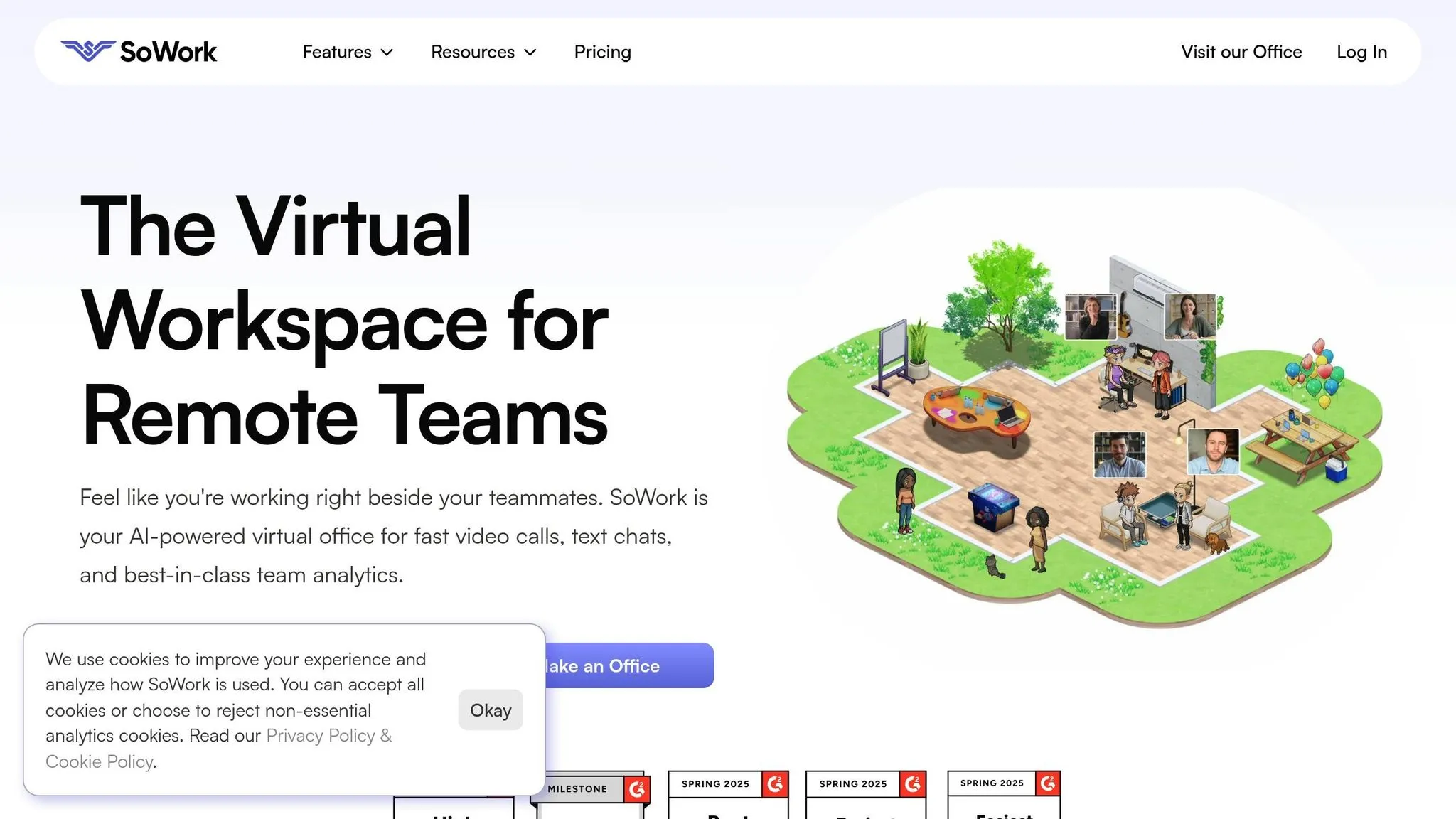
SoWork creates a virtual office environment where teams can interact just as naturally as they would in person. It offers two modes: an Immersive mode with customizable avatars for a more engaging experience and a Simplified mode for straightforward collaboration.
With spatial video and audio, team members can start conversations simply by approaching a colleague’s avatar - no need for meeting links or scheduling. This setup mirrors the organic problem-solving that happens in physical offices. Teams using SoWork have reported an 82% faster meeting pace and a 41% reduction in the total number of meetings required, as many issues are resolved on the spot.
"Our team's efficiency essentially doubled after using SoWork. Faster meetings, faster endings. More time doing what matters." - Alice Ferng, Manager, Microsoft
SoWork also provides real-time visibility into team activity. Managers can see who’s available, what meetings are taking place, and who’s collaborating - all without micromanaging. This transparency allows for smarter decisions about resource allocation and workload balancing.
The platform’s AI meeting assistants further lighten the load by generating transcripts, summaries, and action items automatically. Teams can even customize their virtual office spaces with features like focus zones, chat areas, and celebratory “gongs” for team wins. Additionally, Collaboration Hours - dedicated times when everyone is present in the virtual office - help boost morale and communication efficiency.
The results speak for themselves. Teams using SoWork reported an 83% improvement in efficiency and gave it a 4/5 satisfaction score. With a 92/100 Net Promoter Score and glowing reviews on platforms like G2 (4.8/5) and Product Hunt(4.9/5), SoWork’s impact is clear.
"As the team felt more connected, they naturally collaborated more. Work was getting unblocked, teams were ideating and solving problems together, and projects were getting shipped on time." - Nate LaMartina, Technical Art Director, NetEase
Connecting SoWork with Your Other Business Tools
SoWork doesn’t just enhance team communication - it integrates seamlessly with the tools you already use. For example, calendar synchronization with Google and Outlook brings meeting events directly into the virtual office. The platform even sends alerts 10 minutes before a meeting and allows users to update calendar events to reflect the virtual office location.
Its Slack integration notifies specific channels about meetings happening in the virtual office, keeping everyone informed without requiring constant logins. Additionally, integrated tools like Miro and Eraser whiteboards make brainstorming sessions within the virtual office effortless.
For teams looking to automate workflows, SoWork connects with Zapier, enabling integration with tools like Asana, Jira, and Google Drive. This means action items can be automatically sent to project management platforms, and meeting recordings can be saved without any manual effort. These automations eliminate tedious tasks and ensure critical information reaches the right people.
SoWork also offers mobile apps on both the App Store and Google Play, allowing team members to join meetings or collaborate on the go. Leaders can use broadcast features to share important updates via video, audio, or text, ensuring everyone stays informed. By bringing all these tools together in one place, SoWork becomes the central hub for remote collaboration, reducing the need for multiple apps and keeping teams aligned.
Building Team Connection and Culture
Keeping a team connected is no small feat, especially for remote workplaces. Yet, it’s critical. A staggering 41% of employees have left a job because they didn’t feel connected to the company. On top of that, 23% of remote workers report feeling lonely. These figures make one thing clear: creating a strong sense of connection in remote teams isn’t just nice to have - it’s essential for both retention and productivity.
Building meaningful connections in remote teams requires deliberate effort and smart systems. Leah Knobler, Talent and Culture Lead at Help Scout, highlights the importance of in-person moments, even in remote-first environments:
"Our company retreats are vital to our remote culture! Getting the chance to meet up in person and make face-to-face connections is priceless."
Even the most digitally savvy companies understand that combining virtual interactions with occasional face-to-face meetups fosters deeper bonds. Let’s explore how you can strengthen team engagement through feedback, team-building, and a culture of inclusion.
Setting Up Feedback and Recognition Systems
Consistent feedback and recognition are the backbone of keeping remote employees motivated and aligned. Start with tools like job scorecards to clearly define KPIs and outcomes. Then, schedule regular check-ins - weekly 1:1s, monthly performance reviews, and all-hands meetings help ensure everyone stays on track. Kristie Holden, VP of Marketing at Marketcircle, emphasizes the value of this structure:
"A scorecard and process for regular reviews helps build autonomy and trust in a remote work environment."
For teams spread across multiple time zones, recording all-hands meetings is a practical way to keep everyone in the loop. Emilie Schario, Data Engineer at GitLab, shares their approach:
"Folks who can't attend can read the company call agenda or watch the recording on our internal Youtube Channel."
Recognition is just as critical as feedback. Create spaces where team members can celebrate wins or share personal moments. Channels like "#wins" or "#random" in Slack are perfect for sharing achievements, jokes, or weekend highlights. These small gestures go a long way in making people feel valued and connected.
Team-Building Activities for Remote Teams
Structured feedback is important, but team-building activities bring a different kind of connection. The trick? Offer a mix of synchronous activities, like virtual trivia or cooking classes, and asynchronous options, like photo contests or fitness challenges. This way, everyone can participate regardless of time zones.
Tools like Donut make it easy to schedule casual virtual coffee chats by pairing team members randomly for conversations. Polly, on the other hand, integrates with Slack to offer social games and surveys that encourage interaction without disrupting workflows. These tools help recreate the casual, watercooler moments of an office setting.
For more variety, consider activities like virtual book clubs, themed happy hours, or even online dance parties. And while digital interactions are great, nothing beats the impact of in-person gatherings. Buffer, for example, invested over $350,000 in company retreats because they saw the immense value in team bonding. But you don’t need a huge budget - local meetups for team members in the same area can also strengthen relationships.
Creating an Inclusive Environment Built on Trust
Trust is the foundation of any strong team, and it starts with psychological safety - the idea that people can voice their thoughts without fear of judgment. Ariel Hunsberger, Head of Learning and Development at Slack, explains it well:
"People can't be afraid, when they speak up and say something, that the reaction from the room is gonna be 'Wow, that was a stupid idea' or 'How do you not know that?'"
Encouraging open dialogue is key. Managers should practice active listening during meetings and reach out privately to quieter team members to ensure their ideas are heard. The "disagree and commit" strategy is another powerful tool - it ensures everyone feels their input is valued, even if the final decision doesn’t align with their preference.
Transparency also plays a huge role in building trust. Documenting decisions, priorities, and processes in a shared wiki ensures everyone has access to the same information, avoiding any feelings of being left out. And since digital communication lacks the subtleties of body language, adding context to messages - like starting with "Here is some positive feedback" - and using emojis to clarify tone can prevent misunderstandings.
Finally, onboarding sets the tone for long-term success. Pairing new hires with experienced team members through a buddy system helps them navigate the digital workspace and feel integrated faster. Considering that 86% of job seekers say company culture is a key factor in their decision to apply for a role, getting this right is crucial. A culture built on trust and inclusion lays the groundwork for a thriving remote team.
Measuring and Improving Your Communication Strategy
After establishing a solid communication framework and integrating the right technology, the next step is to evaluate its effectiveness. Why? Because poor communication isn't just frustrating - it’s costly. U.S. businesses lose an estimated $1.2 trillion annually due to communication breakdowns, with 63% of professionals admitting they waste time because of it. On the flip side, companies that measure and refine their internal communication see 23% higher profits and 51% lower turnover. The key is to track the right metrics and act on what you learn.
Tracking Engagement with Analytics
Engagement metrics provide a clear picture of how well your communication efforts are landing. Look at data like open rates, response times, and tool adoption. For instance, the average open rate for internal emails hovers between 64% and 68%, but top-performing organizations push this to 75% or higher. If your numbers fall short, it’s a sign your messaging needs work.
Platforms like SoWork offer advanced analytics that go beyond the basics. They track real-time presence, login and logout times, and meeting participation, giving managers deeper insights into team engagement. As Alice Ferng, a Manager at Microsoft, shares:
"Since using SoWork, my team feels more energized and happier. And as a Manager, I can finally SEE my remote team and what everyone is up to."
Beyond engagement, measure productivity improvements, such as reduced meeting times and faster task completion. If your team spends more than 7.47 hours per week on inefficient communication (the current average), tools like SoWork can pinpoint where those hours are being drained.
Don’t stop at engagement and productivity. Track sentiment metrics to gauge trust and morale. For example, an eNPS (Employee Net Promoter Score) above 50 is excellent. If employees struggle to find internal documentation and your search success rate dips below 70%, it’s time to reorganize your content. Numbers tell part of the story, but team feedback adds the necessary context.
Running Regular Team Retrospectives
Metrics are valuable, but they don’t tell you everything. That’s where team retrospectives come in. These quarterly sessions give team members a chance to discuss what’s working and what isn’t. They’re ideal for identifying bottlenecks, ineffective channels, and gaps in information flow.
For more immediate feedback, try pulse surveys - quick, frequent check-ins to gauge reactions to changes or new initiatives. These surveys help you spot issues early, so you can adjust within weeks instead of months. Pair them with project post-mortems after major initiatives to reflect on communication successes and failures. As David Grossman, Founder and CEO of The Grossman Group, puts it:
"What gets measured is what gets done. If leaders and managers know they're being judged on their communications efforts, they'll start paying more attention to how and when they engage employees."
Set clear response time benchmarks for different communication channels. Urgent messages might need acknowledgment within hours, while routine ones can wait 24 to 48 hours. If response times lag, use retrospectives to uncover the reasons - whether it’s unclear expectations, tool overload, or time zone challenges.
While today’s analytics and feedback shape your current strategy, staying adaptable to future technology trends is just as critical.
Staying Flexible as Technology Evolves in 2026
Communication tools are evolving rapidly, and what works today might be outdated in a few months. By 2026, AI-driven tools are reshaping collaboration. These tools can automate note-taking, generate action items, and summarize meetings, allowing teams to focus on meaningful interactions. For example, SoWork’s AI meeting assistants handle repetitive tasks, freeing up valuable time.
The rise of asynchronous-first workflows is also transforming how teams operate. With 62% of remote employees working across multiple time zones, your communication strategy must support global collaboration without sacrificing efficiency or clarity. Regularly assess your tool stack to ensure it’s solving problems rather than creating new ones. A good rule of thumb: if tool adoption rates don’t hit 70% to 80% within three months, it’s time to reevaluate.
Stay tuned to your team’s needs as your organization grows or shifts to new work models. Conduct quarterly audits, monitor emerging tools, and make adjustments when the data signals it’s time. As Grace Murray Hopper, a computing pioneer, once said:
"One accurate measurement is worth a thousand expert opinions."
Conclusion: Key Takeaways for Remote Team Communication Success
In 2026, effective remote team communication hinges on using the right strategies and tools to address common challenges. With poor communication costing U.S. businesses a staggering $1.2 trillion annually, it's clear that success lies in three key principles: embracing asynchronous communication, utilizing AI-powered tools, and fostering psychological safety.
An async-first approach is essential. Save live interactions for socializing, tackling complex issues, or handling emergencies. For everything else, focus on preserving uninterrupted work time by documenting workflows, setting clear response-time expectations, and sharing detailed context. This is especially crucial for teams spread across different time zones, where asynchronous communication ensures everyone stays aligned without disrupting productivity.
Technology also plays a vital role in bringing back the spontaneity and human connection often missing in remote work. Tools like SoWork aim to replicate the natural, in-person dynamics by enabling features like spontaneous spatial video calls, helping teams stay engaged across time zones. Many teams have seen impressive results. As Alice Ferng, Manager at Microsoft, explains:
"SoWork made us a team again. It restored genuine human connection and streamlined collaboration."
To build on these advancements, track key performance metrics, conduct quarterly retrospectives, and use AI-powered analytics to continually refine your approach. Strategies like setting collaboration hours, rotating meeting times to accommodate global teams, and implementing Focus Fridays can also help prevent burnout and ensure inclusivity.
While remote work will continue to evolve, these principles remain steady. Create a clear communication charter, invest in tools that promote connection, and stay adaptable as your team’s needs change. With 98% of remote workers expressing a desire to stay remote for the long term, mastering communication is no longer optional - it’s the cornerstone of your team's success.